Android faces 47x more malware risk than iOS — but you don't need to spend a dollar to stay protected. Here are the free apps that actually deliver in 2026.
Android carries 47 times more malware risk than iOS. That's not a typo.
Every minute, over 14,000 cyberattacks target Android users worldwide. Threats like banking trojans, ransomware, spyware, and fake apps are constantly evolving — and your phone is the target.
The good news? You don't have to spend a dollar to get solid protection.
A handful of free apps deliver genuinely strong malware detection, backed by independent lab results from AV-Test and AV-Comparatives. Some even hit 100% detection rates with zero false positives.
But not all free antivirus apps are created equal. Some are ad-heavy, battery-draining, or — ironically — privacy nightmares themselves.
This guide cuts through the noise and shows you exactly which free apps are worth installing in 2026.
As the team at Synergy Labs, a Miami-based mobile app and web development agency, we've built and evaluated dozens of Android applications with security at their core — and we know what the best free virus protection for android phone looks like under the hood. Our experience securing mobile apps gives us a unique lens for evaluating these tools beyond the marketing headlines.
Best free virus protection for android phone terms to remember:
Do You Really Need the Best Free Virus Protection for Android Phone?
It is a question we hear often at our Miami and San Francisco offices: "Doesn't Google already protect my phone?" The answer is a bit like saying a screen door protects your house. It keeps the flies out, but a determined burglar needs a deadbolt.
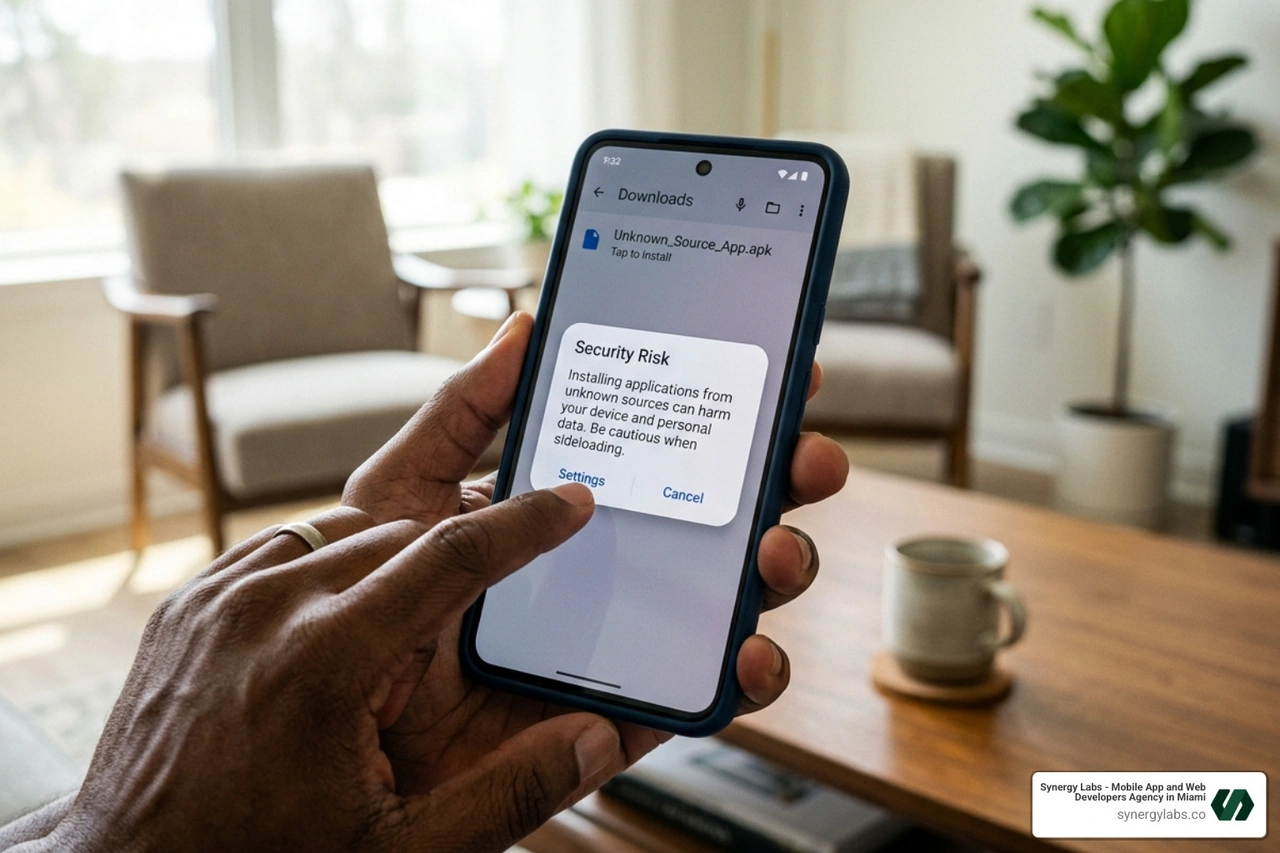
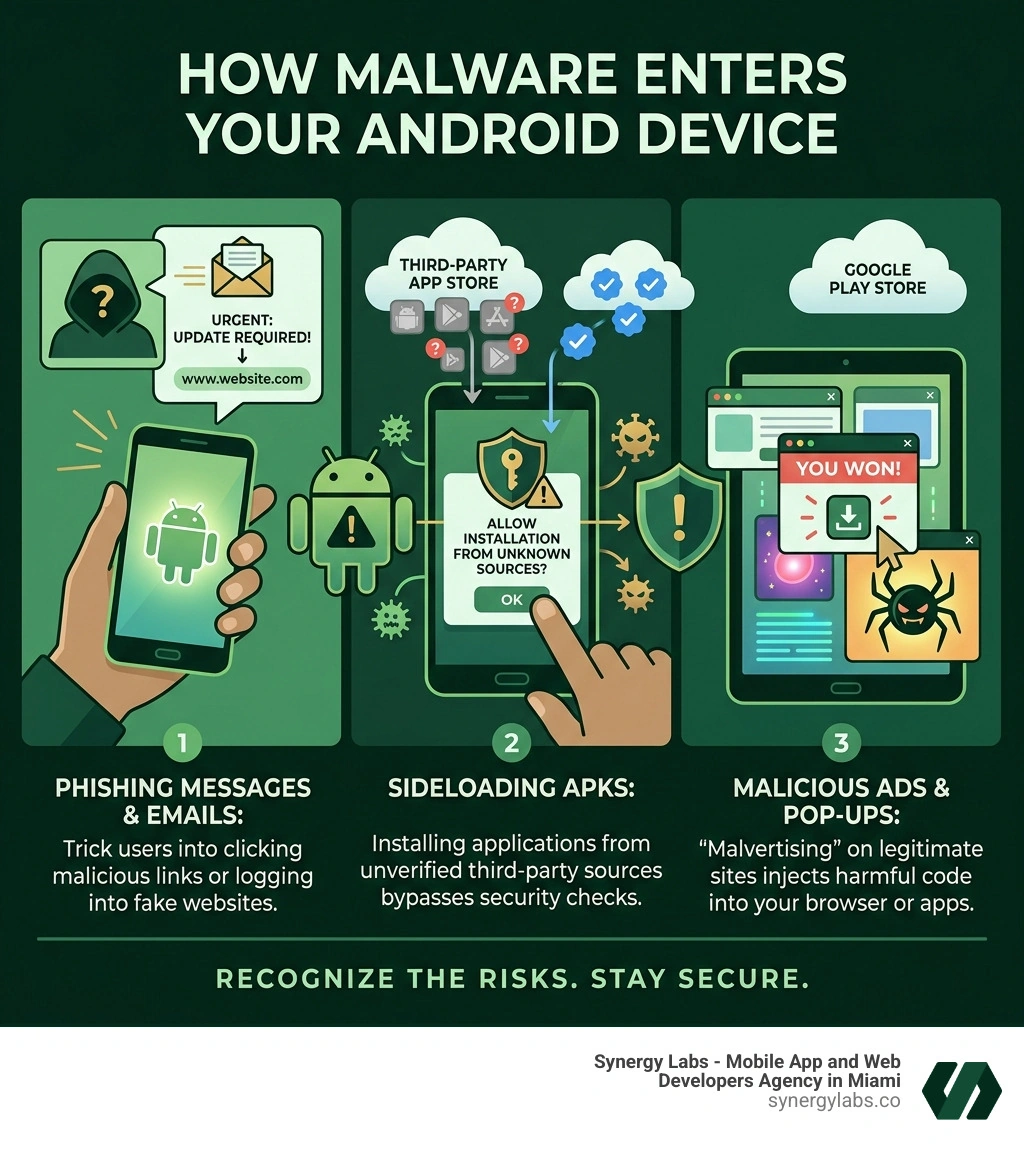
While Android is a remarkably flexible platform, that openness is exactly what makes it a target. Unlike the "walled garden" of iOS, Android allows users to sideload applications from third-party sources. While this is great for developers and power users, it is also the primary highway for malware. Research indicates that 11% of all macOS detections last year came from malware variants, but the risks on the more open Android OS remain significantly higher.
When you look for the best free virus protection for android phone, you aren't just looking for a "virus scanner." Modern mobile threats have evolved. We are now seeing:
Banking Trojans: Sophisticated scripts designed to overlay your banking app and steal login credentials.
Ransomware: Apps that lock your personal photos and files, demanding cryptocurrency for their release.
Spyware: Programs that run silently in the background, recording your location, messages, and even your microphone.
According to Free Antivirus for Android: Best Apps to Protect Your Smartphone, the right third-party app acts as a necessary second pair of eyes. Even if you are careful, malicious ads or compromised Wi-Fi networks can inject threats without you ever clicking "install."
Why Google Play Protect Isn't Always Enough for the Best Free Virus Protection for Android Phone
Google Play Protect is the built-in security layer for most Android devices, and while it has improved, it often lags behind specialized security suites. The primary issue is its reliance on signature-based detection. This means it is great at catching "old" viruses it has seen before, but it struggles with "zero-day" threats—brand-new malware that hasn't been cataloged yet.
In independent lab tests from AV-Test and AV-Comparatives, Play Protect consistently scores lower in real-time protection than dedicated apps like Avast or Bitdefender. For instance, while top-tier apps frequently hit a 100% detection rate, Play Protect has historically dipped lower, sometimes missing sophisticated phishing attempts or sideloaded APK risks entirely. If you want the best free virus protection for android phone, relying solely on the default settings might leave a gap in your digital armor.
The Heavy Hitters: Top Free Antivirus Apps for 2026
When we evaluate security software, we look at the data. In cybersecurity, "gut feelings" don't matter—lab scores do. In the September 2025 and early 2026 assessments, several apps stood out for their ability to neutralize threats before they could execute.
According to AVG AntiVirus & Security - Apps on Google Play, the top-performing apps today offer more than just a scan button; they provide a comprehensive shield that monitors your web traffic and Wi-Fi connections in real-time.
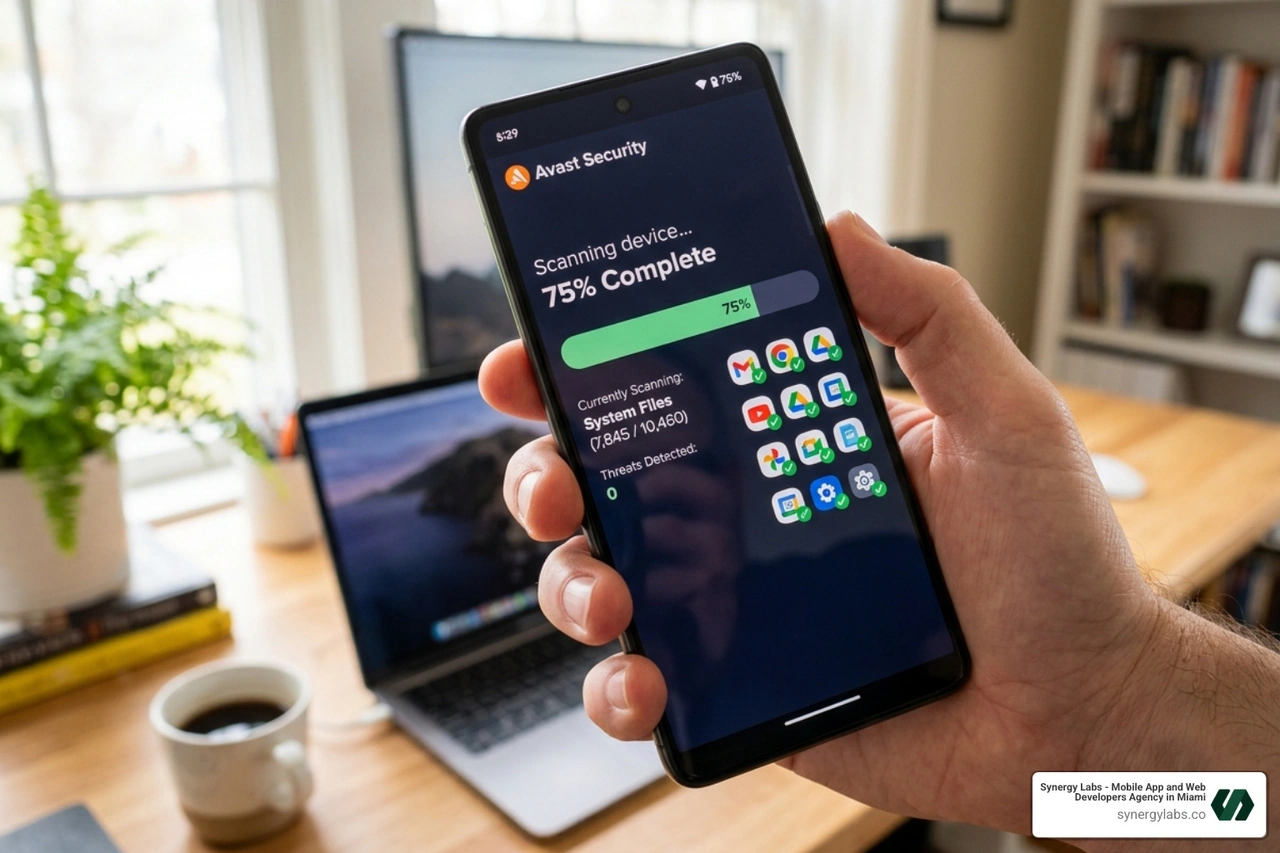
Avast Mobile Security: A Top Contender for the Best Free Virus Protection for Android Phone
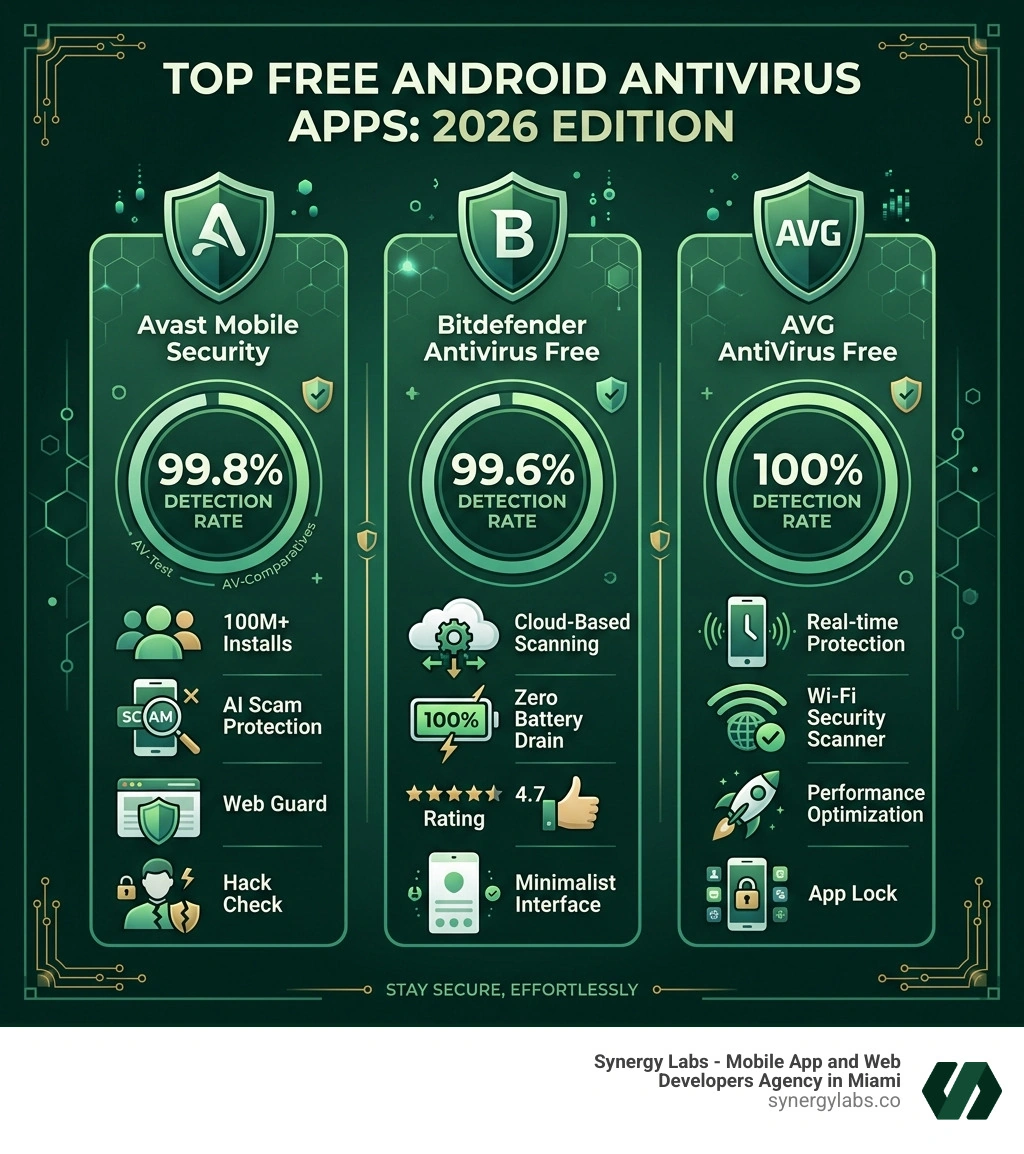
Avast has long been a giant in the space, and for good reason. With over 100 million installs and a stellar 4.6-rated reputation, it is a powerhouse of mobile defense. One of its most impressive stats is that it blocks over 14,000 cyberattacks every single minute.
The free version of Avast Mobile Security is surprisingly feature-rich. In 2026, it includes:
AI Scam Guardian: A 24/7 monitor that uses artificial intelligence to spot scam calls and SMS messages before you interact with them.
Web Guard: This tool uses smart AI to block phishing links and unsafe websites while you browse.
Hack Check: A proactive tool that alerts you if any of your passwords linked to your email address have been leaked in a data breach.
Junk Cleaner: Beyond security, it helps optimize your device by removing redundant files.
While it is a comprehensive tool, some users note it can be a bit resource-heavy on older devices. However, for most modern Android phones, it remains a top-tier choice for Free Antivirus App For Android | Avast Mobile Security.
If you hate the idea of an app slowing down your phone or eating your battery, Bitdefender is your best friend. It has a 4.7 rating from nearly 300,000 reviews, largely because it is "feather-light."
How does it do it? Bitdefender uses "in-the-cloud" scanning. Instead of downloading a massive database of virus signatures to your phone, it sends a fingerprint of your apps to the cloud to check for threats. This results in virtually zero battery drain and minimal CPU impact. It offers a "zero configuration" setup—you install it, and it just works. It automatically scans new apps the moment they land on your device, ensuring you're protected from the start.
AVG AntiVirus: Robust Real-Time Shielding
AVG and Avast share the same engine, which is great news because that engine is world-class. In AV-Comparatives' recent reviews, AVG achieved a 100% detection rate.
The free version of AVG is excellent for users who frequently use public Wi-Fi. Its Wi-Fi Security scanner checks the encryption and safety of the network you're about to join. It also includes a Photo Vault to secure your sensitive images behind a PIN and "App Insights" to show you exactly how much time you're spending on various apps and what permissions they are using.
Beyond the Scan: Features and Trade-offs of Free Security
We often tell our clients at Synergy Labs that there is no such thing as a truly "free" lunch in tech. When you opt for the best free virus protection for android phone, you are usually making a few trade-offs.
The most common trade-offs include:
Advertisements: Most free versions will show you ads for their own premium versions or third-party products.
Data Collection: It is vital to read the privacy policy. Some free apps make money by anonymizing and selling user data. Stick to reputable names like those listed above to minimize this risk.
Feature Gating: You might get the virus scanner for free, but things like an unlimited VPN, automatic scan scheduling, or advanced anti-theft tools are usually locked behind a paywall.
For example, Avast's free tier offers incredible core protection, but you'll need to upgrade if you want the full VPN or the ability to lock an unlimited number of photos in the vault.
Performance Impact and Resource Usage
Security shouldn't come at the cost of usability. A great antivirus should be like a good bodyguard: invisible until there is a problem. We look for apps that maintain less than 5% background CPU usage.
Bitdefender is the gold standard here, but even the more "heavy" apps like Avast have made strides in 2026 to ensure they don't interfere with your gaming or high-performance tasks. If you notice your phone heating up or the battery dropping faster than usual, check the "Battery Usage" section in your Android settings to see if your antivirus is the culprit.
Frequently Asked Questions about Android Safety
Do free antivirus apps drain my battery?
Generally, no—if you choose the right one. Modern apps like Bitdefender use cloud-based engines that offload the heavy lifting to external servers. However, apps that perform constant, deep-file system "real-time" scans can have a noticeable impact. To save juice, look for apps that emphasize "on-install" scanning rather than continuous full-disk monitoring.
Is a free antivirus as good as a paid one?
In terms of the core "engine"—the part that actually finds the malware—the answer is often yes. Companies like AVG and Avast use the exact same detection technology for their free and paid users. The difference lies in the "extras." Paid versions remove ads and add features like identity theft protection, unlimited VPNs, and priority customer support.
Can I stay safe without installing any extra apps?
You can significantly lower your risk by following "digital hygiene" habits:
Stick to the Play Store: Avoid downloading APKs from random websites.
Update Your OS: Security patches are your first line of defense.
Check Permissions: If a calculator app asks for access to your contacts and location, deny it.
Use Common Sense: Don't click on links in "urgent" SMS messages claiming you have a package waiting or your bank account is locked.
Engineering Secure Mobile Solutions with Synergy Labs
At Synergy Labs, we don't just talk about security; we build it into the DNA of every project. As a premier mobile app development agency with a presence in Miami, NYC, Austin, and San Francisco, we understand that a great app is a secure app.
We specialize in creating high-quality, scalable, cross-platform applications that stand up to the rigors of the modern threat landscape. Our unique model provides you with an in-shore CTO and senior talent access, paired with an expert offshore development team. This ensures you get the highest level of innovation and personalized service while maintaining a cost-effective, fixed-budget model.
Whether you are looking to launch a rapid MVP or need ongoing support for a complex enterprise solution, our milestone-based payments ensure that your project stays on track and meets our rigorous standards for user-centered design and robust security.
Staying safe in 2026 doesn't have to be expensive or complicated. By choosing the best free virus protection for android phone, you are adding a critical layer of defense against an increasingly hostile digital world. Whether you opt for the feature-packed Avast, the lightweight Bitdefender, or the robust AVG, you're making a smart move for your data privacy.
If you are a business owner looking to build a mobile application that is as secure as it is beautiful, let's talk. At Synergy Labs, we turn complex security requirements into seamless user experiences. With our fixed-budget model and direct access to senior talent, we ensure your project is completed efficiently and safely. Contact us at Synergy Labs today to start your journey toward a robust, high-performance mobile solution.


.avif)

.avif)


