Is AVG Free for iPhone Worth a Download in 2026?

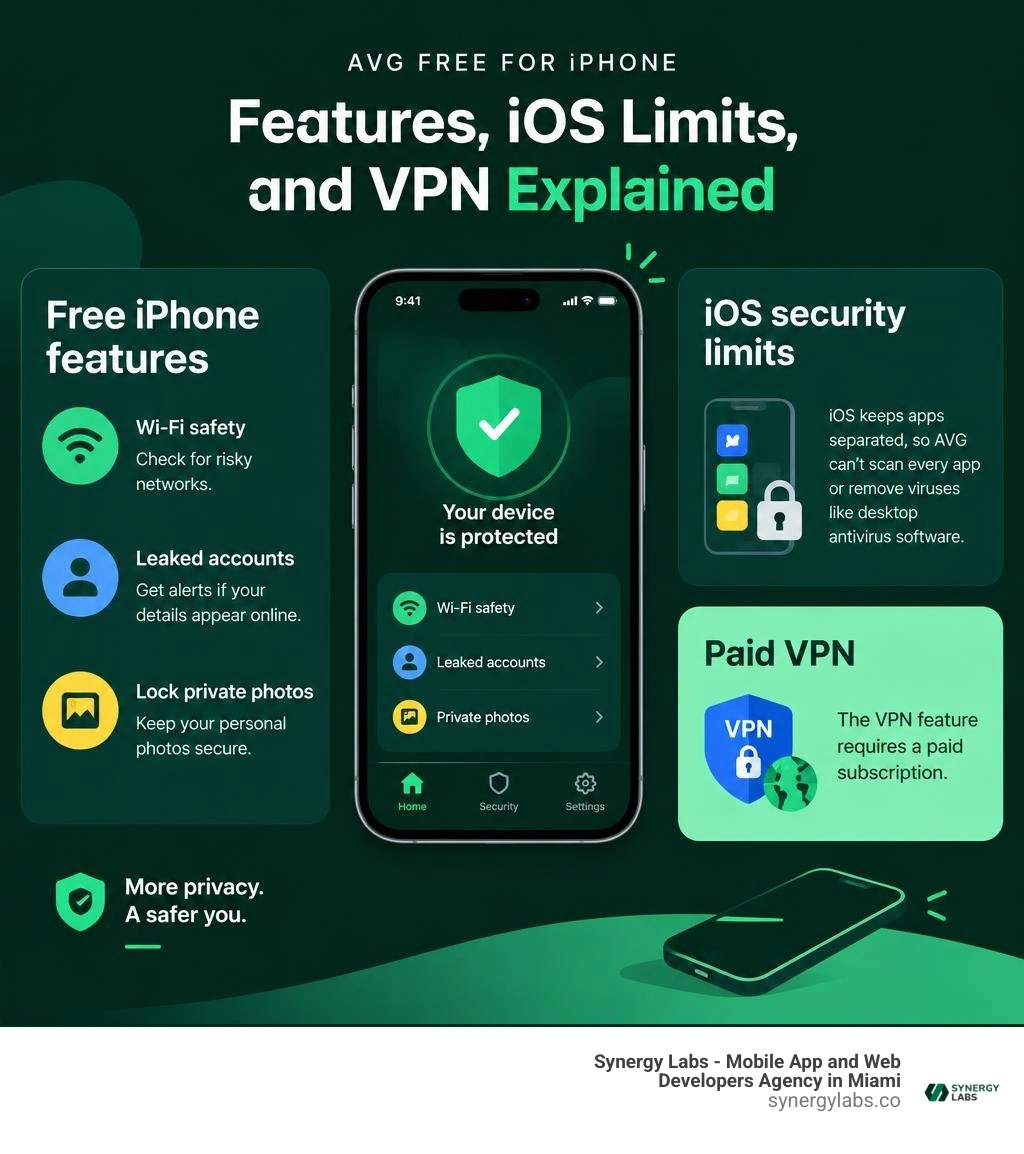
Yes, AVG Mobile Security has a free iPhone version. Download it from the App Store, then use its free tools to check Wi-Fi safety, watch for leaked account details, and lock private photos. You do not need to start a paid trial to use the free tier.
There is one important limit: AVG cannot scan every app or remove viruses like desktop antivirus software. iOS keeps apps separated, so AVG works best as an extra layer against account and privacy risks. Its VPN requires a paid subscription.
As director of product at Synergy Labs, I look at where security tools help users and where iOS itself does the work; this review makes that split clear.
Know your avg free for iphone terms:
Is AVG Free for iPhone Worth Installing in 2026?
When you browse the Apple App Store today, you will find nearly two million active applications competing for space on your device. Among the utility and productivity listings, cybersecurity tools remain widely downloaded. AVG Mobile Security holds an impressive average rating of 4.7 out of 5 stars across tens of thousands of customer reviews. But what does the free version actually deliver, and is it worth taking up storage on your home screen?
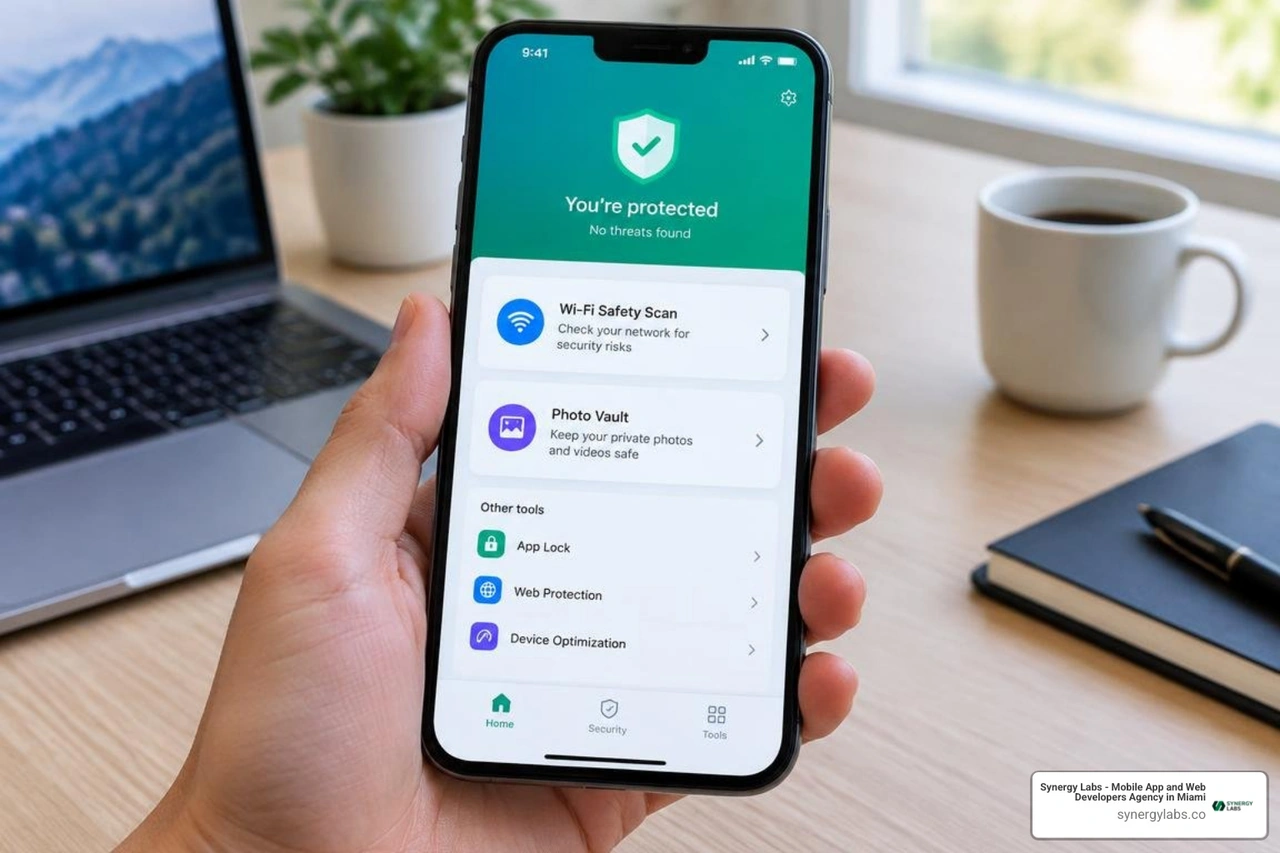
The direct answer depends entirely on your threat model. If you expect a background engine that digs deep into system files to quarantine infected code, you will be disappointed—not because of any flaw in AVG, but because of how Apple built iOS. However, if you want proactive tools that monitor credential exposures, verify the safety of public Wi-Fi networks, and lock away personal media, the free version of AVG provides dependable utility.
You can easily locate the official release directly via the AVG Mobile Security App on the App Store. The installation footprint is lightweight at around 79 MB, avoiding unnecessary device bloat while giving you a clean, accessible security dashboard.
Core Protection Capabilities of AVG Free for iPhone
The free tier focuses on three distinct pillars of modern digital safety: Identity Protection, Wi-Fi Security, and the Photo Vault. Understanding how each feature functions helps you determine whether it meets your everyday privacy needs alongside the best free virus protection for iPhone.
- Identity Protection (Data Breach Monitoring): In the modern threat landscape, account takeovers happen far more frequently than local device infections. The Identity Protection tool allows you to register one primary email address. AVG constantly scans dark web repositories and public breach records. If your credentials appear in an exposed database, the app alerts you immediately so you can change your passwords before attackers exploit them.
- Wi-Fi Network Scanner: Unsecured wireless hotspots at coffee shops, airports, and hotels often present significant interception risks. AVG tests connected networks for weak encryption protocols, ARP spoofing, DNS hijacking, and rogue access points. If a connection is unsafe, the app warns you to disconnect before transmitting sensitive banking or login details.
- Encrypted Photo Vault: The free tier includes a password-protected storage area allowing you to safeguard up to 40 personal images or videos. Media moved into this vault is encrypted and shielded behind an app PIN, Touch ID, or Face ID. This keeps private files safe even if you hand your unlocked phone to a coworker or friend.
- Scam Detection & Guidance: While iOS prevents third-party apps from inspecting system messages directly, AVG provides actionable advisories and scam identification tools to help users avoid fraudulent links delivered via SMS or deceptive calendar invites.
Free Tier vs Pro Subscription Limits
Because AVG operates on a freemium model, it clearly divides features between standard access and its Pro subscription. Knowing where these boundaries lie prevents unexpected charges or mistaken assumptions about what is running in the background.
- VPN Access: The Secure Browsing VPN is exclusively a Pro feature. The free version does not offer unlimited or capped VPN tunneling. If you want full traffic encryption on unverified networks, you must activate a Pro trial or subscribe.
- Trial Terms: Upgrading prompts a 14-day free trial on annual subscriptions or a 7-day trial on monthly plans. If you do not intend to purchase the paid tier, you must cancel via your Apple ID subscription settings at least 24 hours before the trial concludes.
- Vault Capacity: The free Photo Vault caps your storage at 40 photos, whereas Pro unlocks unlimited media encryption.
- Identity Accounts: The free tier restricts dark web breach monitoring to a single email address, while Pro monitors up to five distinct email accounts simultaneously.
Understanding iOS Architecture and Third-Party Antivirus
To appreciate what any security app can accomplish on an Apple device, you must understand Apple's closed software architecture. Many users switch from Android or desktop computers expecting mobile security apps to operate identically across platforms. However, developing secure consumer software requires respecting the fundamental design choices of each operating system.
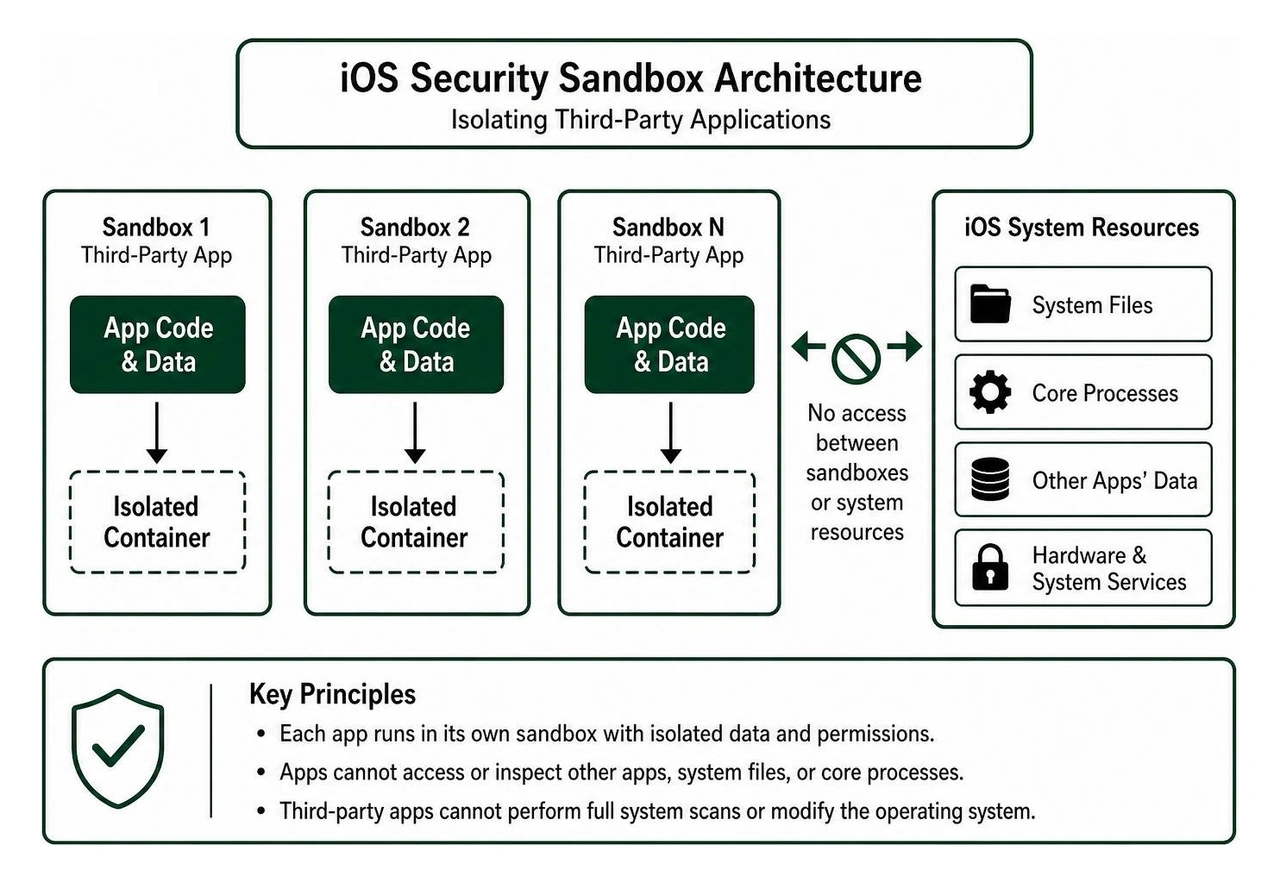
At the core of iOS is application sandboxing. Every app downloaded from the App Store runs inside its own isolated virtual container. An app cannot inspect the memory, storage, or internal processes of another app, nor can it touch core operating system files.
This sandboxing model explains why traditional viruses—self-replicating programs that latch onto other executable files—practically do not exist in standard iOS environments. It also means no third-party app can run a full disk virus scan on your iPhone.
Instead of traditional malware, modern iOS threats take different forms:
- Phishing attacks through deceptive websites designed to harvest credentials.
- Rogue configuration profiles that redirect network traffic through malicious servers.
- Data breaches occurring on third-party servers holding your login credentials.
- Compromised Wi-Fi networks intercepting unencrypted data transmissions.
Because of this environment, security apps do not act as traditional virus cleaners; rather, they serve as specialized external utility dashboards. For software engineers building enterprise mobile applications, understanding how to secure mobile apps at the source code level is essential, as third-party scanners cannot compensate for vulnerabilities built directly into an app's codebase.
How to Download and Set Up AVG Free for iPhone
Setting up AVG Mobile Security on iOS is straightforward. To ensure complete device safety, follow these steps:
- Download from the App Store: Open the Apple App Store and search for AVG Mobile Security, or access the verified App Store listing directly. Ensure the developer is listed as AVG Netherlands B.V.
- Review System Requirements: Confirm your device runs iOS 15.0 or later. The download requires approximately 79 MB of free storage.
- Launch and Bypass the Pro Upsell: Open the app upon installation. You will be greeted with promotional screens presenting the Pro subscription. Look for the "Continue with Free" or close option in the corner to enter the free tier without providing payment details.
- Configure Identity Protection: Navigate to the Identity tab and enter your primary email address. Verify the email via the prompt to initiate continuous breach monitoring.
- Set Up Photo Vault: Select the Photo Vault tab, establish a dedicated passcode, and choose whether to allow Face ID or Touch ID authentication. Import up to 40 private photos and confirm whether you want the app to delete the original unencrypted photos from your main Apple Photos library.
- Enable Wi-Fi Alerts and Background Refresh: Allow necessary permissions so the app can notify you when joining unfamiliar Wi-Fi networks. For troubleshooting setup questions, you can consult official Support for: AVG Mobile Security for iOS.
Essential Security Practices for Modern iOS Devices
Installing an app like AVG represents just one element of a comprehensive mobile defense strategy. Because iOS protects its own core system files, user habits and device configuration serve as your primary line of protection against digital threats.
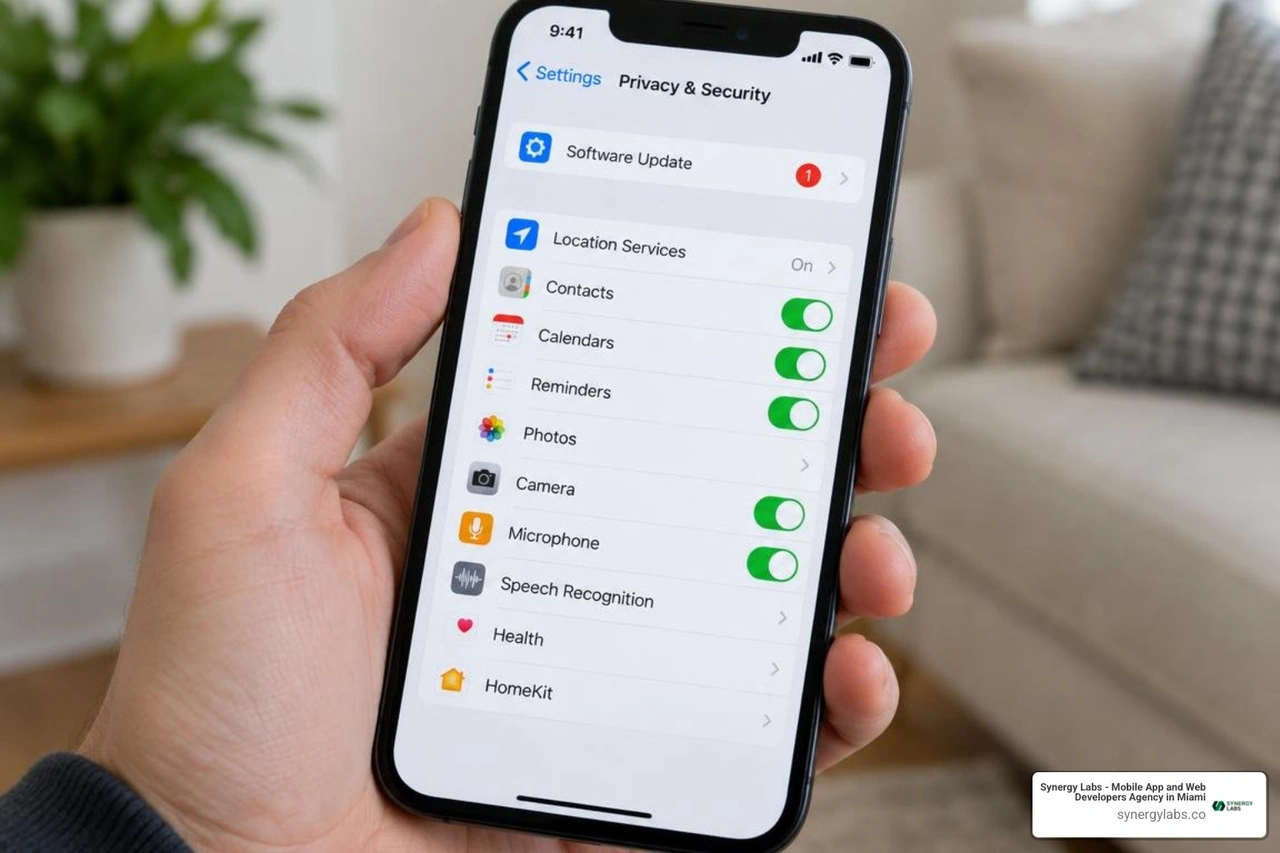
Implementing these proven practices ensures your device stays protected across all daily activities:
- Enable Automatic iOS Updates: Apple frequently deploys security patches to resolve zero-day vulnerabilities in WebKit and system frameworks. Always ensure automatic system updates and Rapid Security Responses are enabled in your iPhone's Settings menu.
- Use Multi-Factor Authentication (2FA): Protect your Apple ID and critical accounts with hardware keys or dedicated authenticator apps rather than relying solely on SMS-based codes, which can be vulnerable to SIM-swapping.
- Audit System Permissions Regularly: Periodically check your iOS Settings under Privacy & Security. Revoke camera, microphone, local network, and precise location access from applications that do not strictly require them for everyday functionality.
- Avoid Sideloading and Untrusted Profiles: Never install custom configuration profiles or enterprise certificates from unverified third-party websites. Malicious profiles can reroute your internet traffic or compromise device settings.
- Employ Strong, Unique Passwords: Use the native Apple Keychain or an audited password manager to generate complex, distinct passwords for every service you use.
For businesses and technical teams building mobile products, adhering to established mobile app security standards during development remains the ultimate safeguard for protecting customer data.
Frequently Asked Questions About AVG Free for iPhone
Does AVG Free for iPhone remove viruses automatically?
No, AVG Free for iPhone cannot automatically delete viruses from other apps or the operating system. Because Apple enforces strict app sandboxing on iOS, no third-party application possesses the system privileges required to scan or modify other installed apps.
If an iOS device experiences unexpected behavior—such as persistent pop-ups or suspicious redirect loops—the issue is almost always caused by a malicious Safari profile, an unauthorized calendar subscription, or a compromised single app rather than a system-wide viral infection. Removing these issues requires deleting the problematic calendar entry, clearing Safari history and website data, or uninstalling the suspect app manually.
Is the built-in VPN included in AVG Free for iPhone?
The built-in Secure Browsing VPN is not part of the permanent free tier. To access encrypted VPN tunneling through AVG on iOS, users must subscribe to the Pro version.
While AVG offers a 14-day free trial for users selecting an annual plan, you must cancel the trial before it ends if you do not wish to be billed. Additionally, users traveling or residing in certain jurisdictions with strict data-logging regulations, such as India, will find that VPN services are restricted regardless of subscription status.
What system requirements are needed for AVG Mobile Security on iOS?
AVG Mobile Security requires iOS 15.0 or later for iPhone and iPod touch, or iPadOS 15.0 or later for iPad devices. The app requires an initial download of approximately 79 MB, though local storage needs will increase slightly if you utilize the encrypted Photo Vault. The app is optimized for modern hardware and functions efficiently in the background without causing noticeable battery drain.
Building Resilient Mobile Software with Synergy Labs
Protecting modern mobile environments requires a balanced approach combining smart user hygiene, robust platform sandboxing, and purpose-built security utilities. While AVG Free for iPhone offers practical tools for breach notifications, Wi-Fi checks, and encrypted media storage, true digital resilience begins with how applications are engineered from the ground up.
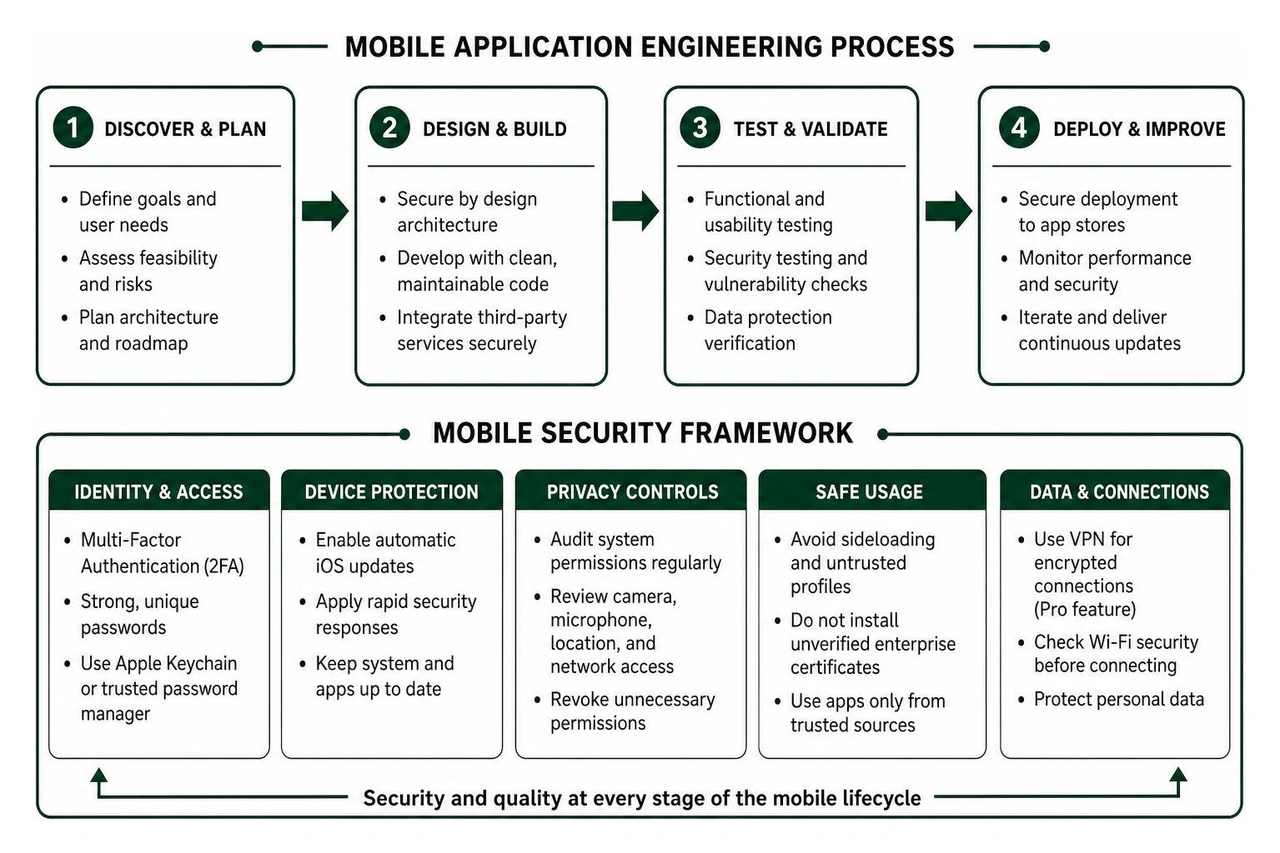
At Synergy Labs, we engineer custom mobile and web applications designed with enterprise-grade security, exceptional scalability, and intuitive user experiences. Whether you are launching a new consumer app or modernizing an enterprise system, building secure software shouldn't be complicated or unpredictable.
Our development approach eliminates friction and protects your bottom line:
- Fixed-Budget Model: We provide transparent, locked-in pricing so you never face unexpected cost overruns during your development journey.
- Milestone-Based Payments: You only approve payments as verified development stages and technical deliverables are completed to your exact standards.
- In-Shore CTO with Global Development Talent: You gain direct access to senior technical leadership alongside an elite engineering team, ensuring world-class architecture and rapid execution.
Ready to build your next mobile app on a foundation of uncompromised security and performance? Explore our comprehensive Synergy Labs app development services and connect with our senior engineering team today.


.avif)

.avif)


