The best mobile security software doesn't just block threats — it stays invisible until it needs to act, keeping your device clean without slowing you down.
Protecting Your Mobile World
Finding the best mobile security software for your Android device is crucial in 2025. The right application is no longer a luxury; it's a necessity for protecting the vast amount of personal data we store on our phones and tablets. From banking details to private photos, this information is a prime target for cybercriminals. Mobile devices face a constant barrage of threats, including malware, phishing scams, and ransomware.
Many users assume that built-in security is sufficient. While it provides a basic foundation, it often falls short against the sophisticated and evolving tactics used by attackers. This is where dedicated mobile security solutions become essential, offering layered protection that goes far beyond the default settings.
As a content writer for Synergy Labs, I specialize in simplifying complex tech topics. My expertise includes mobile app security, and in this guide, we'll explore what makes the best mobile security software stand out and how to choose the right solution to protect your digital life.
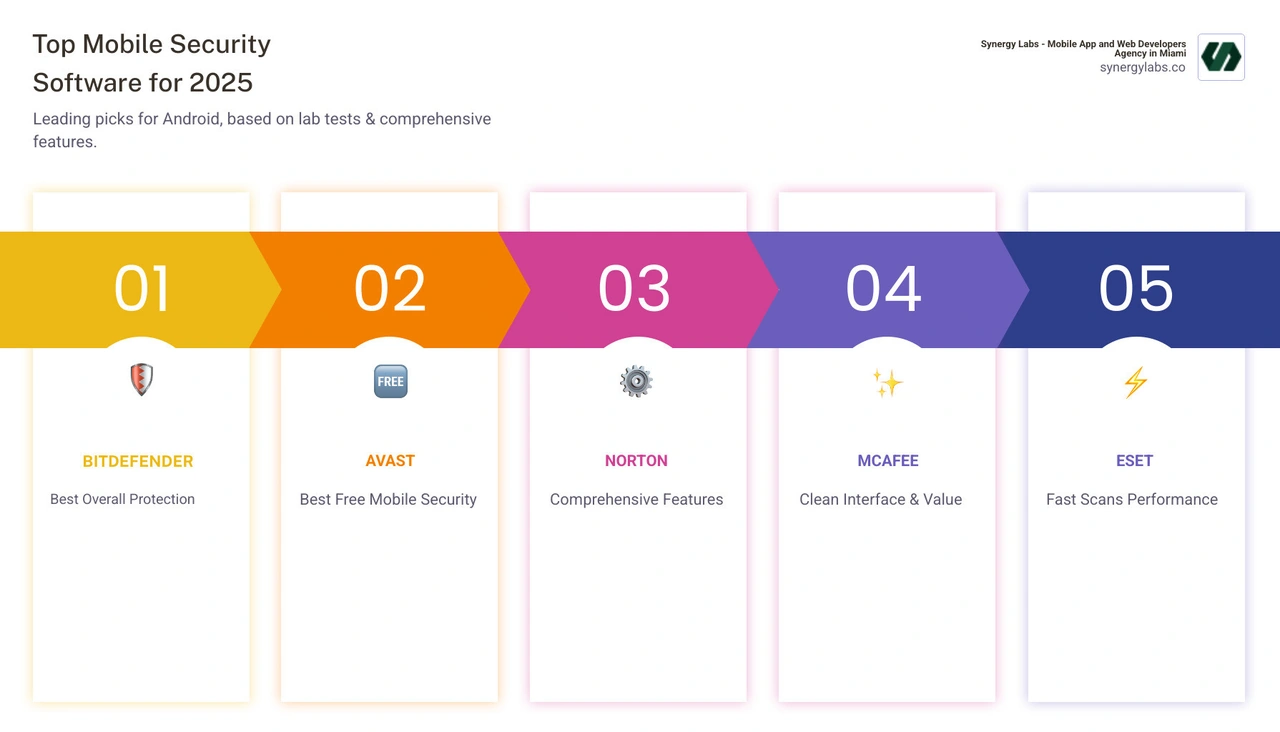
Key Features to Demand From Your Mobile Security Software
When searching for the best mobile security software, it's important to look for a comprehensive suite of features. Modern digital threats are sophisticated, and your defense must be equally robust. Let's explore the essential features that protect your data from potential dangers.
First, robust Malware Protection is the core defense, designed to find and remove viruses, spyware, adware, and other malicious software. This should be paired with Real-time Scanning, which continuously monitors your device, new apps, and downloads for threats as they appear, rather than waiting for a manual scan.
Strong Anti-phishing & Web Protection is also a must-have. This feature acts as a digital bodyguard, blocking dangerous websites and warning you about suspicious links in texts or emails. In case your device is lost or stolen, Anti-theft Tools are invaluable. They allow you to remotely locate, lock, or even wipe your device to prevent unauthorized access.
A VPN (Virtual Private Network) encrypts your internet connection, creating a secure tunnel for your data. This is crucial for protecting your privacy, especially on public Wi-Fi. For sensitive applications, an App Lock adds another layer of security by requiring a PIN, pattern, or fingerprint to open them.
Other important features include a Wi-Fi Security Scanner to check the safety of networks before you connect, a Password Manager to securely store unique passwords, and Identity Protection & Dark Web Monitoring, which alerts you if your personal information is found in a data breach.
At Synergy Labs, we also emphasize the importance of user experience (UX) in mobile app design. A security app must be intuitive and easy to use. If it's confusing, users may disable important features, leaving themselves vulnerable. You can learn more about how thoughtful design creates effective digital tools on our blog about the importance of user experience (UX) in mobile app design.
Core Protection Features
The heart of the best mobile security software is its ability to stop threats. Malware Detection Rates are a critical measure, with leading software achieving nearly perfect 99.9% to 100% scores in independent lab tests. This means they can block almost every known piece of mobile malware.
Once a threat is found, the software must act as a Virus Cleaner, removing malicious files. This includes Spyware Protection to stop programs from tracking your activity and Adware Blocking to eliminate unwanted pop-ups. These are often integrated into the real-time scanning engine.
Because cyber threats evolve quickly, Real-time Threat Intelligence is vital. The best solutions use cloud-based scanning and advanced algorithms to identify and neutralize even brand-new "zero-day" threats.
Privacy and Identity Features
Protecting your privacy is as important as stopping malware. A VPN for Encryption creates a private tunnel for your internet traffic, making it unreadable to snoops on public Wi-Fi. Many premium security packages now offer unlimited VPN data.
Data Breach & Dark Web Monitoring features scan the internet for your compromised credentials. If your email or passwords appear in a data breach, these services alert you, giving you time to secure your accounts.
App Permission Auditors help you manage what data your apps can access. They highlight which apps have permissions for your camera, contacts, or location, allowing you to revoke unnecessary access and regain control. Finally, Camera and Microphone Protection prevents malware from secretly spying on you by blocking unauthorized access to your device's sensors.
So, you've learned what incredible features to look for in the best mobile security software. But how do you truly know if these powerful features actually work in the real world? This is where our unsung heroes come in: independent lab testers! Think of them as the meticulous scientists of cybersecurity, putting mobile security apps through the ultimate stress tests.
These dedicated labs don't just take a company's word for it. They rigorously test apps on three crucial fronts: protection, performance, and usability.
Let's break down what these cybersecurity detectives are looking for:
- Protection Scores: This is the big one! Labs release thousands of nasty malware samples – everything from old, familiar threats to tricky "zero-day" attacks that haven't been seen before – on the security apps. They want to see how effectively the software detects and blocks these digital invaders. The truly best mobile security software consistently achieves near-perfect scores, often hitting 99.6% to 100% detection rates in these intense lab tests. That means they're catching virtually every digital bad guy trying to sneak onto your device!
Performance Impact: Nobody wants a security app that turns their speedy smartphone into a sluggish snail, right? Or one that drains your battery faster than a kid with a juice box! Labs carefully measure how much the security app affects your device's speed during everyday use, how quickly apps launch, and, yes, your battery life. The top performers are incredibly lightweight. Often, they use clever cloud-based scanning, which means the heavy lifting happens elsewhere, keeping your phone zippy and responsive.
Usability and False Positives: Imagine your security app constantly beeping and telling you your favorite banking app is a virus. Annoying, right? That's a "false positive." Independent labs test for this by installing thousands of legitimate, non-malicious apps to ensure the security software doesn't cry wolf unnecessarily. They also assess how easy the app is to use. The best mobile security software offers a clean, intuitive interface, making it simple for anyone to manage their device's security without needing a tech degree.
When you look at the comprehensive data from these independent tests, it becomes crystal clear. The cream of the crop in mobile security doesn't just excel in one area. They strike a brilliant balance, offering rock-solid protection without slowing down your precious device or making your life harder with confusing alerts. This objective testing is why we can confidently guide you toward the best mobile security software for your needs.
Free vs. Paid: Is a Premium Security App a Worthwhile Investment?
A common question is whether a free mobile security app is sufficient or if a paid version is necessary. The answer depends on your needs and risk tolerance.
Free mobile security apps offer a basic level of protection, typically providing fundamental malware scanning and removal. However, they often come with limitations, such as intrusive ads and constant prompts to upgrade. More importantly, they usually lack advanced features. Essential tools like a VPN, identity protection, advanced anti-theft functions, or an app lock are almost always reserved for paid subscribers. Furthermore, dedicated customer support is rarely available for free users.
In contrast, premium security apps provide a full arsenal of protection. Paid versions offer comprehensive feature sets, including real-time scanning, advanced web protection, and sophisticated anti-phishing tools. Many paid plans also include an unlimited VPN for private browsing, advanced identity protection with dark web monitoring, and an ad-free experience.
One of the biggest benefits of a premium subscription is dedicated customer support and multi-device protection, allowing you to secure your phone, tablet, and computer under a single plan.
While a free app offers a basic safety net, the potential cost of a data breach or identity theft far outweighs the annual subscription fee for top-tier security. These comprehensive solutions, typically ranging from $15 to $50 per year, provide peace of mind and the extensive features needed to protect your sensitive data in today's connected world.
Built-in Security vs. Third-Party Apps
Your Android phone comes with a built-in security feature. But how does this default defender compare to a dedicated, third-party security app?
This built-in security acts as a first line of defense, continuously scanning apps on your device and in the official app store. Its detection rates for common malware have improved significantly, and it operates with minimal impact on your phone's performance. It provides a solid foundation for mobile security.
However, this built-in security has limitations. It can be slower to react to new, sophisticated threats and often has gaps in advanced phishing and web protection. Many attacks today come from malicious links in emails or texts, which the default security may not catch. It also lacks the comprehensive features found in premium security apps, such as a VPN, identity theft monitoring, advanced anti-theft tools, or a password manager.
This is where a dedicated security suite truly shines. Third-party apps provide a broader feature set and faster threat response, with dedicated teams constantly updating their defenses. They offer a layered defense that fills the gaps left by built-in tools. Many also provide multi-device protection, covering all your gadgets under one subscription, and include specialized tools like parental controls or secure banking browsers.
While built-in security is an essential baseline, investing in a reputable third-party mobile security solution is a smart move for comprehensive protection against the full spectrum of modern mobile threats.
Choosing the Best Mobile Security Software for Your Specific Needs
Finding the best mobile security software is not a one-size-fits-all process. The ideal solution depends on your digital habits, budget, and which features you prioritize.
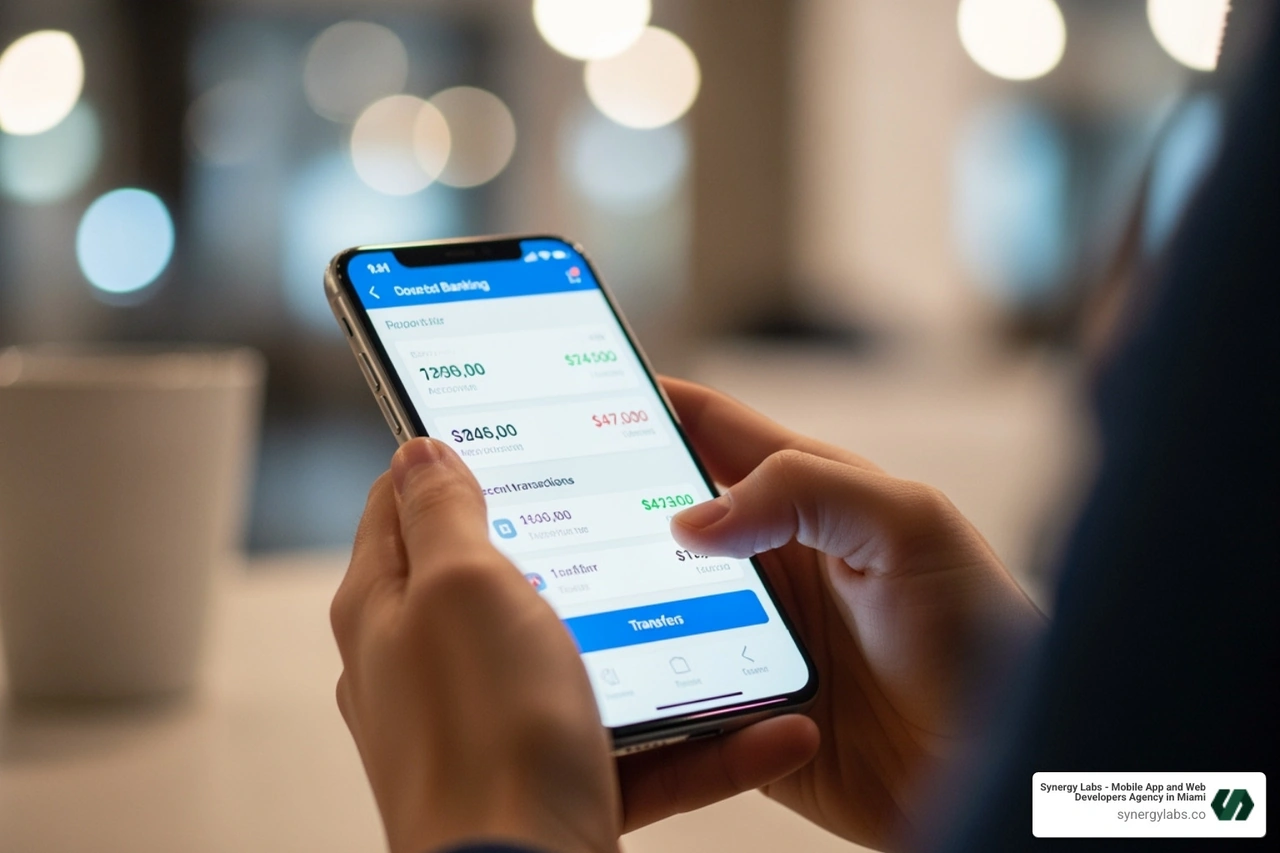
Before choosing, ask yourself:
- What are my daily digital habits? Do I frequently use my phone for online banking, shopping, or sensitive work?
- What's my budget? Am I looking for a free option or willing to invest in a premium solution?
- Which features are non-negotiable? Is a VPN essential for public Wi-Fi use? Do I need robust anti-theft tools?
Understanding your needs will guide you to the right fit. For more on how security is integrated into app development, explore More info about our secure mobile app development.
How to find the best mobile security software for banking
For those who use their smartphones for banking, financial security is paramount. Look for features that harden your device against fraud:
- Secure Transaction Features: Some apps offer a dedicated secure browser that creates an isolated, encrypted environment for banking and shopping sites, protecting your data from keyloggers.
- Robust Phishing Protection: Your security software must have excellent web protection to block malicious banking sites and suspicious links.
- Protection Against Keyloggers: Top security software detects and neutralizes malicious programs that record your keystrokes to steal passwords.
- Wi-Fi Security Scanners: A good app will warn you about insecure public Wi-Fi hotspots before you conduct financial transactions.
How to choose the best mobile security software for privacy
If privacy is your top priority, look for a suite of features designed to keep your data and online activities private:
- Unlimited-Data VPN: A VPN is the cornerstone of privacy, encrypting your internet traffic and masking your IP address. Look for solutions that offer unlimited data so you can browse without restrictions.
- Anti-Tracking Tools: Some software includes features that block online trackers from collecting data about your browsing habits.
- App Permission Auditors: These tools let you review and revoke unnecessary app permissions for your camera, microphone, or contacts.
- Data Breach Alerts: Knowing if your data has been exposed in a breach is critical for privacy, allowing you to change passwords and protect your accounts quickly.
Frequently Asked Questions about Mobile Security
It's natural to have questions when considering mobile security. Let's address some of the most common concerns.
Do I really need antivirus software on my Android phone?
Yes. While Android has built-in security features, a dedicated solution is crucial for comprehensive protection. Android's open-source nature makes it a larger target for cybercriminals who constantly develop new malware, ransomware, and spyware that can bypass basic defenses. Threats also come from phishing scams in emails and texts or insecure Wi-Fi networks, which a basic scanner might miss. A dedicated third-party security app offers a multi-layered shield with faster updates and a wider range of features—like a VPN and identity protection—that built-in tools simply don't provide.
Will mobile security software slow down my device or drain the battery?
This is a valid concern, but modern best mobile security software is designed to be lightweight and efficient. Top solutions have a minimal impact on performance and battery life. Many use cloud-based scanning, where the heavy analysis happens on remote servers, not on your device. This reduces the load on your phone's processor and battery. Some security suites even include system tune-up tools that can help free up storage and memory, potentially improving your device's performance.
How are mobile security products tested by independent labs?
Independent labs provide objective evaluations of mobile security software. Their rigorous testing methodology involves three main areas:
- Protection: Apps are tested against thousands of real-world malware samples, including brand-new "zero-day" threats, to measure their detection and prevention capabilities.
- Performance: Labs measure the software's impact on battery life, device speed, and overall stability.
- Usability: This includes checking for "false positives" (incorrectly flagging safe apps as malicious) and evaluating how easy the app is to install, configure, and use.
Products that score highly across all categories earn certifications, giving consumers a reliable way to identify the most effective and user-friendly security solutions.
الخاتمة
Our mobile devices hold our most sensitive information, making their protection vital. As we've explored, finding the best mobile security software involves looking for a comprehensive shield against a wide range of threats like malware, phishing, and identity theft.
While built-in defenses offer a starting point, a dedicated, premium solution provides a necessary upgrade. It delivers superior malware detection, advanced privacy features like a VPN, and proactive identity alerts. The small annual cost is an investment in your peace of mind and the safety of your digital life.
Being proactive about mobile security is non-negotiable. At Synergy Labs, we also believe developers have a critical role in this. We are committed to robust application security testing to ensure every app we build is inherently secure from the ground up.
Whether you're securing your personal device or looking to build a secure, high-performance application, Synergy Labs can help you steer the complexities of mobile security.
Explore our services for building secure, high-performance applications


.avif)

.avif)


