A well-structured Google Sheet can turn your car maintenance schedule from a forgotten sticky note into a system that actually keeps your vehicle — and your budget — on track.
Why Forgetting an Oil Change Could Cost You Thousands (And How a Google Sheet Fixes That)
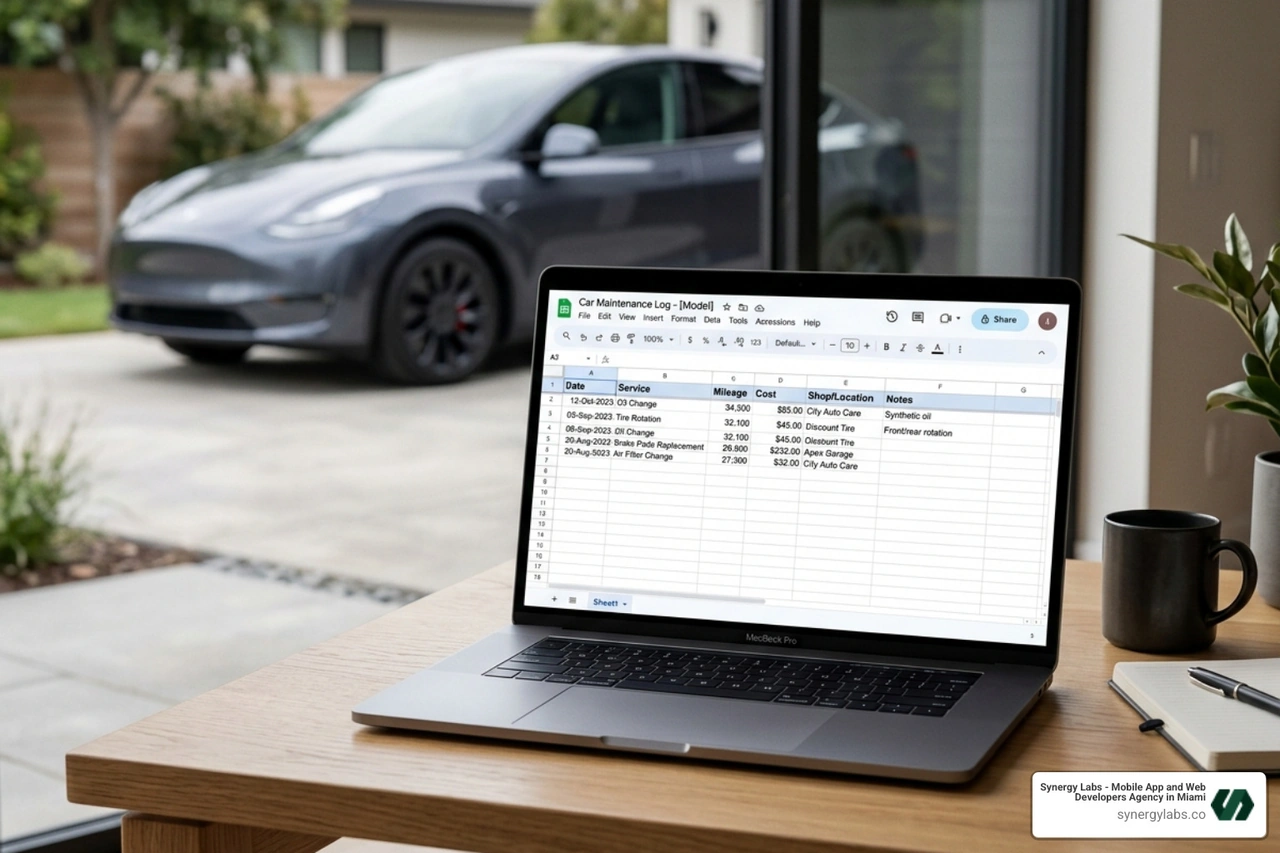
A car maintenance google sheet is a free, cloud-based spreadsheet you set up in Google Sheets to log every service, repair, mileage milestone, and cost for your vehicle — all in one organized place.
Here's what a solid car maintenance Google Sheet tracks:
- Service history — oil changes, tire rotations, brake jobs, fluid flushes
- Mileage — odometer readings at each service, plus next-due intervals
- Costs — parts, labor, and total spend over time
- Vendor info — who did the work and when
- Reminders — upcoming services highlighted automatically
- Vehicle details — make, model, year, VIN, license plate
Most people either forget when their last oil change was, or they lose the receipt. Neither is great. A Google Sheet solves both problems — and it costs nothing.
Car owners, fleet managers, and DIY mechanics have increasingly turned to Google Sheets over dedicated apps because it requires no subscription, works on any device, and can be fully customized to fit one car or twenty. Community-built trackers — like the popular Hyundai Santa Cruz maintenance sheet that auto-adjusts service intervals when you log a completed task — show just how powerful a simple spreadsheet can become.
At Synergy Labs, we build mobile and web apps for complex problems, which means we know exactly when a spreadsheet is the right tool and when it isn't — and for personal car maintenance google sheet tracking in 2026, a well-built Google Sheet is hard to beat. That perspective shapes everything in this guide.
Why a Car Maintenance Google Sheet is the Best Tool for 2026
As we move through 2026, the complexity of modern vehicles—from EVs to advanced turbocharged hybrids—demands better record-keeping. While your car might have a "service required" light, it doesn't tell you how much you spent on brake pads last year or which mechanic gave you the best deal.
A car maintenance google sheet offers unparalleled accessibility. Because it lives in the cloud, you can update it on your smartphone while standing in the service bay at a dealership in Miami or review your total ownership costs on a laptop in New York City. Unlike proprietary software, there is zero cost involved. You aren't paying a monthly subscription just to know when your tires were last rotated.
Furthermore, the level of customization is a game-changer. You can build a system that tracks not just your daily driver, but also your weekend project car, your lawn mower, and even your boat. If you are interested in how these types of data systems scale into professional software, you can explore more info about app development services to see how we handle large-scale data architecture.
Spreadsheets vs. Mobile Apps and Physical Notebooks
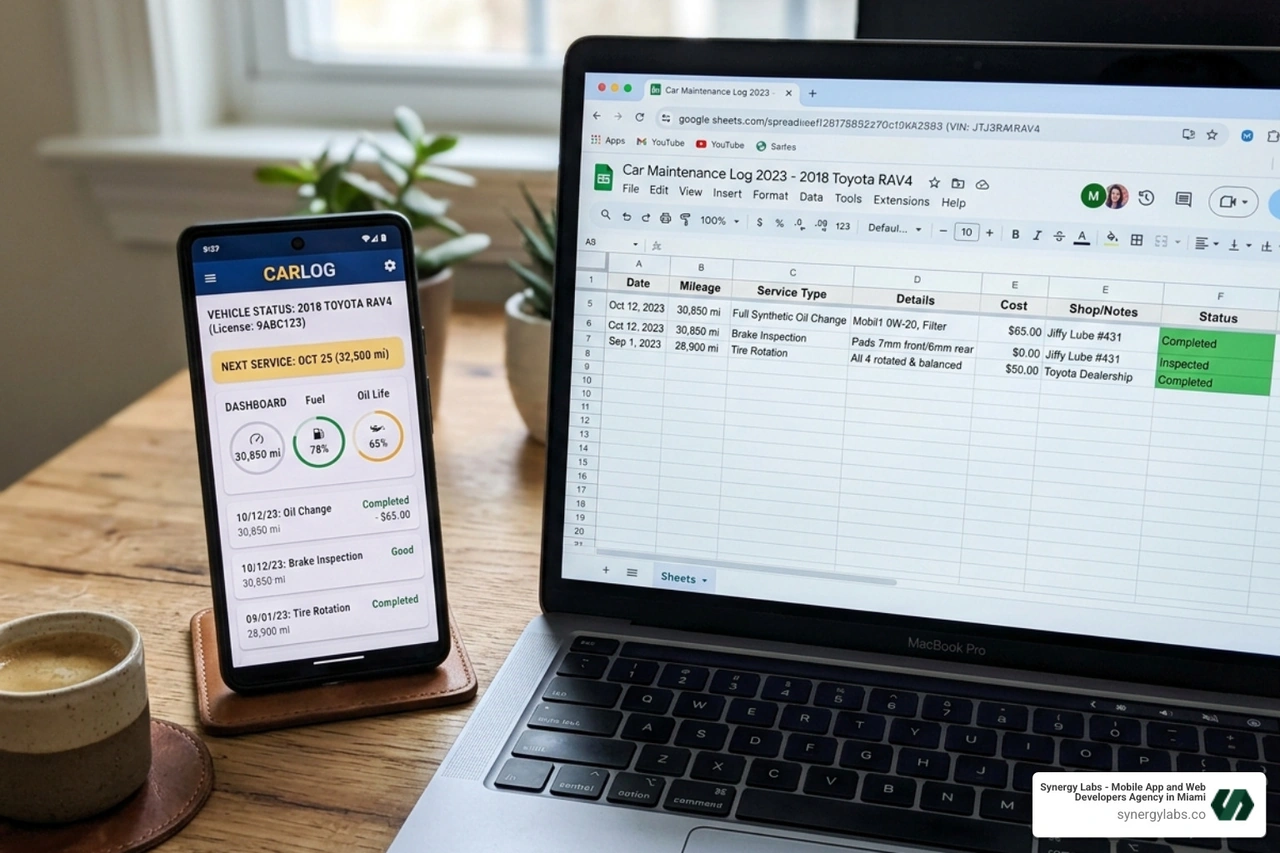
We often get asked why someone should bother with a spreadsheet when there are dozens of apps on the App Store. The answer lies in data portability. If an app developer goes out of business or starts charging $10 a month, your data is often "trapped." With a Google Sheet, you own the data forever.
- Data Portability: Easily export to Excel, PDF, or CSV.
- No Subscriptions: No "Pro" features locked behind a paywall.
- Offline Access: Enable offline mode to update your log even in a basement garage with no signal.
- Error Prevention: Use data validation (dropdown menus) to ensure you don't accidentally type "Oil Change" three different ways, which messes up your filtering.
- Collaboration: Share the sheet with a spouse or a teenage driver so everyone is on the same page regarding the family fleet.
Physical notebooks have a certain nostalgic charm, but they can't calculate your average cost-per-mile or send you a red-alert notification when a timing belt is 500 miles overdue. In 2026, we need our data to work for us, not just sit on a shelf.
A basic list of dates isn't enough for a high-performance car maintenance google sheet. To truly maximize your vehicle's resale value and longevity, your log should be a comprehensive database.
Essential features include:
- VIN Decoding: A dedicated spot for your Vehicle Identification Number. Advanced sheets can even link to decoders to show factory options and paint codes.
- Service History: A chronological list of every wrench turned on the car.
- Mileage Tracking: Odometer readings are the "heartbeat" of your maintenance schedule.
- Cost Analysis: Breaking down costs into "Parts" and "Labor" helps you identify if a specific shop is overcharging for service.
- Parts Inventory: Recording specific part numbers (like oil filter sizes or wiper blade lengths) saves you a trip back to the store when you realize you bought the wrong size.
- Warranty Compliance: If you do your own work, a digital log with attached photo receipts is vital for proving to a manufacturer that you followed the required maintenance schedule.
Tracking Mileage and Service Intervals in Your Car Maintenance Google Sheet
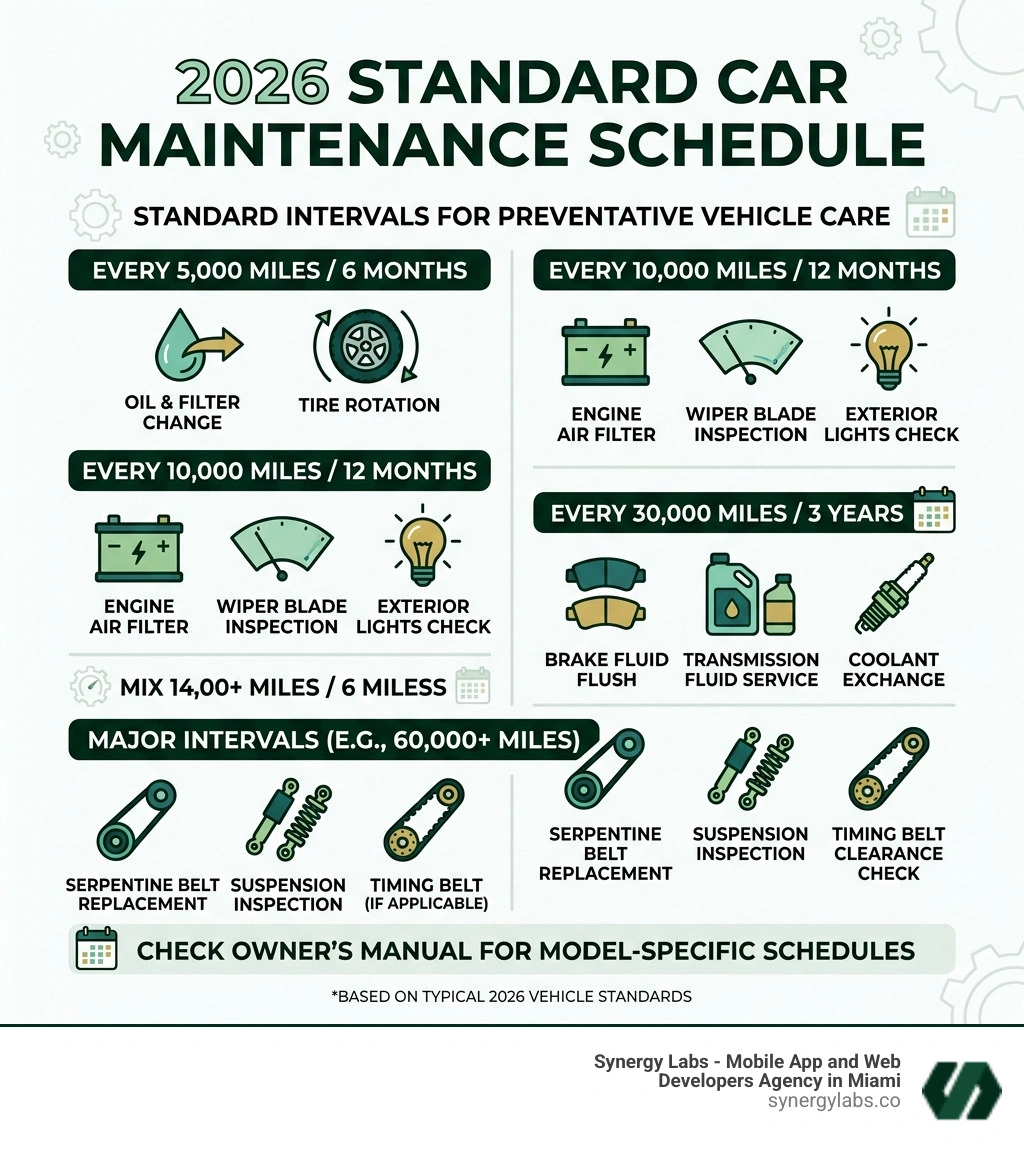
Mileage is the primary trigger for almost all automotive maintenance. In your sheet, you should track the mileage at the time of service and calculate the "Next Due" mileage.
For example, if you change your oil at 50,000 miles and your interval is 5,000 miles, your sheet should automatically display 55,000 as the next milestone. This allows you to see at a glance how many miles you have left before the next garage visit. For those looking for a head start, the Vehicle Maintenance Log Template - For Excel & Google Sheets provides a robust framework for tracking these cumulative costs and performance metrics.
Decoding VINs and Model-Specific Customization
Not all cars are created equal. A BMW M3 has very different maintenance needs than a Hyundai Santa Cruz. Community-created templates often feature model-specific tabs.
For instance, BMW enthusiasts often use trackers that include "aggressive" maintenance intervals—servicing items more frequently than the factory recommends to ensure longevity. Meanwhile, Hyundai Santa Cruz owners have shared sheets that specifically track the turbo intercooler hose inspections and AWD coupling fluids, which might not appear on a generic "all-in-one" log. Decoding your VIN within the sheet helps you keep track of your specific trim level—ensuring you buy the right brake pads for a "Sport" trim versus a "Base" model.
Step-by-Step: Building Your Own Car Maintenance Google Sheet
Building your own tracker is a great way to understand your car's needs. Start by creating a new sheet and setting up your headers. We recommend: Date, Task, Mileage, Provider, Parts Cost, Labor Cost, Total, and Notes.
To make the sheet "smart," use Conditional Formatting. This is a feature where a cell changes color based on its value. You can set a rule that says: "If the current mileage is within 500 miles of the Next Due mileage, turn the cell yellow. If it's over, turn it red." This creates an instant visual dashboard of your car's health.
For more complex logic, such as integrating these sheets with other business tools, you can check out more info about our portfolio to see how we've handled data automation for our clients.
Automating Reminders in Your Car Maintenance Google Sheet
Automation is what separates a "log" from a "tracker." You can use simple formulas like =SUM(C2+5000) to project your next oil change. But the real magic happens with Data Validation. Create a dropdown menu for the "Task" column containing items like:
- Oil & Filter Change
- Tire Rotation
- Brake Fluid Flush
- Cabin Air Filter
- Battery Replacement
This prevents typos and allows you to use the "Filter" tool to see exactly how much you've spent on "Tires" over the last five years without having to manually add up the numbers.
Integrating Cost Tracking and Budgeting Analysis
One of the most eye-opening parts of keeping a car maintenance google sheet is the cost analysis. By separating labor and parts, you can see the "DIY Savings." If a shop charges $150 for a cabin air filter change, but your sheet shows the part only costs $15 and took you 10 minutes to install, you can clearly see the value of your own time.
You can also create a "Summary" tab with a doughnut chart. This chart can visualize your spending by category: 40% on tires, 30% on unscheduled repairs, and 30% on routine oil changes. This data is invaluable when deciding whether to keep a high-mileage vehicle or trade it in for a newer model.
Top Free Templates and Community Trackers to Download
You don't have to start from a blank white screen. There are thousands of templates available that cater to different needs. Some are designed by professional accountants, while others are "born" in automotive forums like Bimmerpost or the Garage Journal.
- The Minimalist Log: A simple, one-tab sheet for those who just want to record oil changes and gas fill-ups.
- The Fleet Manager: Designed for small businesses in cities like Phoenix or Austin that need to track five or ten work trucks in one file.
- The Enthusiast Dashboard: Often model-specific, like the BMW Maintenance Dashboard - Google Sheets, which includes VIN decoding and factory service intervals.
Managing Multi-Vehicle Fleets and Additional Equipment
If you have a busy household, you might be managing an SUV, a commuter car, a trailer, and a riding lawn mower. The best way to handle this in Google Sheets is by using Tabs.
Create one tab per vehicle. However, we recommend a "Master Dashboard" as the first tab. This master sheet can use a formula to pull the "Next Service Due" date from every other tab. This way, you don't have to click through five different pages to see which vehicle needs attention this weekend. You can even track hour-based maintenance for equipment like tractors or mowers, which don't have odometers but require oil changes every 50 "engine hours."
Frequently Asked Questions about Vehicle Logging
How do I handle data accuracy across multiple devices?
The best way to ensure accuracy is to update the sheet immediately. When the mechanic hands you the invoice, take 30 seconds to enter the mileage and total cost into the Google Sheets app on your phone. If you wait until you get home, you'll likely lose the receipt or forget the exact mileage. Also, ensure you are signed into the same Google account on all devices to allow for real-time syncing.
Can I integrate my Google Sheet with Google Calendar?
Yes! While it requires a bit of "Apps Script" (Google's version of coding), you can set up your sheet so that when a "Next Service Date" is entered, it automatically creates a calendar event. This ensures you get a push notification on your phone when it's time to schedule that 60,000-mile major service.
What are the most common maintenance items to track in 2026?
In 2026, tracking goes beyond just oil. You should be logging:
- EV Battery Health: For electric vehicles, tracking charging cycles and estimated range.
- Brake Fluid: Often overlooked but should be flushed every 2-3 years.
- Cabin Air Filters: Essential for air quality, especially in high-traffic cities like London or Chicago.
- Software Updates: For modern "connected" cars, logging when firmware updates were installed.
- Tire Tread Depth: Recording these measurements during rotations helps predict when you'll need a $1,000 set of new rubber.
Shifting Your Vehicle Management into High Gear
Keeping a car maintenance google sheet is the single best thing you can do to protect your second-largest investment. It turns a chaotic pile of glovebox receipts into a streamlined, data-driven system that saves you money and prevents breakdowns. Whether you are tracking a single hybrid in Miami or a fleet of vans in Dubai, the principles remain the same: be consistent, be detailed, and let the spreadsheet do the heavy lifting.
At Synergy Labs, we understand that sometimes a spreadsheet is just the beginning. If your vehicle tracking needs have outgrown a Google Sheet—perhaps you need a custom fleet management platform with real-time GPS integration or a customer-facing service app—we are here to help.
We pride ourselves on a fixed-budget development model that eliminates the "guessing game" of tech costs. When you work with us, you get direct access to an in-shore CTO who manages the high-level strategy and architecture, while our talented offshore development team ensures efficiency and cost-effectiveness. Our milestone-based payments mean you only pay as we hit specific, agreed-upon goals, ensuring your project stays on track and within budget.
Ready to take your data management to the next level? From simple trackers to complex enterprise solutions, we bring innovation to every screen. More info about Synergy Labs services is just a click away. Let's build something that keeps your world moving.


.avif)

.avif)


