No-code platforms have closed the gap between idea and launched product — but choosing the right tool for your use case still requires knowing what each one can and can't do.
Your App Idea, Brought to Life
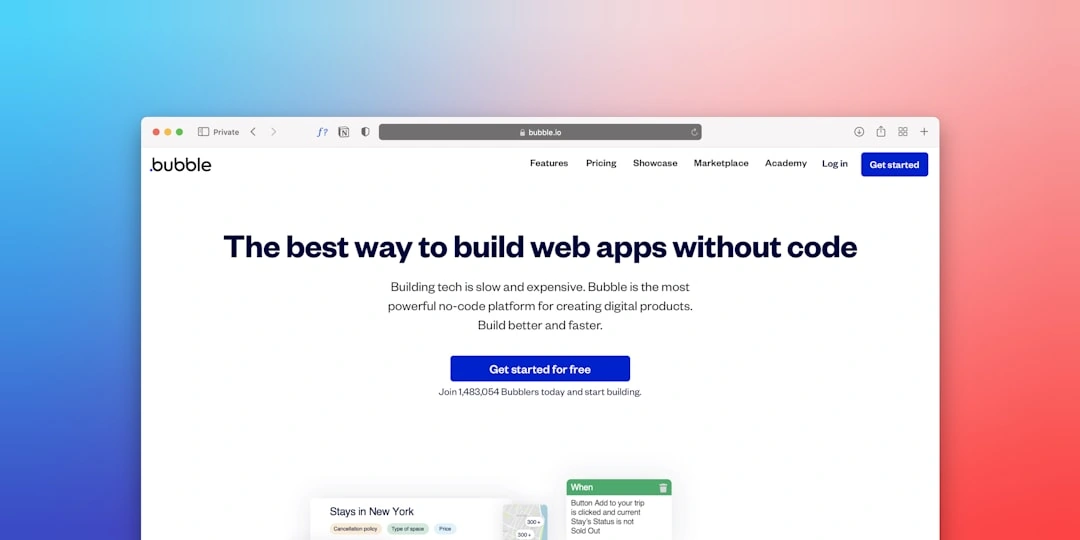
Platforms that let you create app without code have revolutionized software development. These visual tools allow you to drag and drop components, set up workflows, and launch functional applications without writing a single line of code.
Quick Answer: How to Create an App Without Code
- Choose a suitable no-code platform
- Define your app's purpose and core features
- Design the user interface with drag-and-drop tools
- Set up your database and configure workflows
- Test thoroughly across all devices
- Publish to app stores or the web
No-code can offer a significant portion of traditional coding capabilities while reducing development time from months to weeks. This shift democratizes app creation, empowering entrepreneurs and businesses to turn ideas into reality without hiring large development teams or learning complex programming languages.
Why This Matters for Your Business
Traditional app development is a lengthy process. With no-code tools, you can:
- Validate ideas quickly with working prototypes
- Launch faster than competitors
- Iterate based on user feedback without expensive code changes
- Focus on business logic instead of technical implementation
At Synergy Labs, we've seen how no-code platforms accelerate the path from concept to market. We help founders create app without code solutions that scale, often combining no-code MVPs with custom development as businesses grow.

The No-Code Revolution: What It Is and Why It Matters
Imagine building an app by dragging a button, dropping a form, and connecting them with visual workflows. This is the no-code revolution, an approach that makes app development as intuitive as using digital building blocks. When you create app without code, you rely on visual interfaces that handle the complex programming behind the scenes.
While traditional coding is powerful, it requires developers to write every instruction manually, a time-consuming and expensive process. No-code platforms flip this model by providing drag-and-drop functionality, pre-built components, and logic builders. The platform translates your visual instructions into functional code automatically.
This shift empowers citizen developers - business users who can build their own solutions without deep technical expertise. The democratization of technology means innovation is no longer bottlenecked by a skills gap. Ideas can flow directly from those who understand the problems to the solutions that solve them. For more insights into how this approach compares with traditional methods, check out more info about low-code development.
Key Advantages of Building Apps Without Code
No-code development fundamentally changes how businesses create digital solutions.
- Faster Time-to-Market: Go from concept to a working app in weeks, not months. This strategic speed allows you to seize market opportunities and respond to customer needs quickly.
- Reduced Development Costs: App creation becomes accessible to businesses of all sizes by eliminating the need to hire large teams of expensive developers for every project.
- Increased Innovation: When prototyping is fast and affordable, teams are more willing to experiment with bold ideas, fostering a culture of creativity.
- Empowerment of Business Users: The employees who understand the problems best in sales, operations, or customer service can build their own solutions directly.
- Easier Prototyping and MVPs: Validate ideas with working prototypes and real user feedback, dramatically reducing risk before committing to a large-scale project.
- Simplified Maintenance: Platforms often handle security updates, scaling, and compatibility issues, letting you focus on improving your app's features.
- Closing the Tech Talent Gap: No-code expands your talent pool, allowing product managers, marketers, and other non-technical staff to contribute to building solutions.
Who Benefits from No-Code Development?
No-code is a powerful tool for anyone with a problem to solve.
- Entrepreneurs: Build and validate an MVP quickly to test market demand and attract investors with a working product instead of just a pitch deck.
- Startups: Move fast, iterate quickly, and find product-market fit without burning through funding on expensive development cycles.
- Small to Medium-Sized Businesses: Create affordable internal tools and customer-facing applications, such as custom CRMs or booking platforms.
- Marketers: Build custom landing pages, forms, and campaign-specific tools independently to speed up execution.
- Product Managers and Business Analysts: Rapidly prototype features and gather stakeholder feedback without waiting on development resources.
- Enterprise Departments: Streamline specialized workflows in HR, operations, and sales with custom-built applications.
- Anyone With an App Idea: No-code puts the power of app creation in your hands, whether you are a teacher, a fitness enthusiast, or a small business owner.
What Types of Applications Can You Build Without Code?
The range of applications you can build without code is impressive, from simple internal tools to sophisticated business platforms.

When clients want to create app without code, they are often surprised by the possibilities. You can build:
- Internal Tools: Replace spreadsheets with sleek project-management systems or HR portals featuring user authentication and automated workflows.
- Customer Portals: Give clients a secure gateway to check account status, view order history, or manage subscriptions.
- Marketplaces: Connect buyers and sellers with platforms that handle payment processing, user profiles, and rating systems.
- Social Networks: Build niche communities with all the core functionality ready to be assembled.
- Mobile Apps: Create native mobile apps or Progressive Web Apps (PWAs) that access device features like GPS and cameras.
- E-commerce Stores: Launch online shops with inventory management, payment processing, and customer accounts.
- Booking Systems: Schedule appointments and manage reservations with integrated calendars and automated reminders.
- Directories and Forms: Transform static pages into dynamic, searchable platforms with rich data collection.
Building Powerful Web Applications
No-code platforms excel at building sophisticated web applications that traditionally required significant technical expertise.
- Complex Workflows: Automate multi-step business processes like order approvals, employee onboarding, or data-processing pipelines without human intervention.
- Data-Driven Platforms: Connect to and manage information from sources like spreadsheets, databases, or business productivity tools, turning raw data into actionable insights.
- Custom CRMs: Build customer-relationship-management tools custom to your specific business needs to manage leads and track interactions more effectively than generic solutions.
- Software-as-a-Service (SaaS): Launch a subscription-based business using no-code tools. Many successful SaaS ventures started as no-code MVPs and now generate millions in revenue.
- Dashboards and Reporting Tools: Pull data from various sources to visualize key metrics and provide real-time, interactive insights for better decision-making.
Rapidly deploying these applications allows businesses to modernize operations, replace legacy systems, and eliminate manual processes. It is transformative to see a team move from spreadsheets to a custom application that manages their entire workflow.
Creating Native and Progressive Web Apps (PWAs) for Mobile
No-code platforms help you create app without code solutions that work beautifully on mobile devices. You have two main paths: native apps and Progressive Web Apps (PWAs).
Native mobile apps are downloaded from app stores. No-code platforms let you build apps that access device features like GPS, camera, push notifications, and Bluetooth. Many platforms simplify cross-platform development, allowing you to build once and publish to both major mobile platforms.
Progressive Web Apps (PWAs) combine the accessibility of a website with the user experience of a native app. They run in a browser but can be installed on a user's home screen, offer offline functionality, and send push notifications. PWAs provide a seamless user experience across devices and are indexable by search engines.
Both approaches follow a "build once, run anywhere" philosophy, ensuring cross-platform compatibility without maintaining separate codebases. At Synergy Labs, we find that delivering robust mobile solutions quickly gives our clients a significant competitive advantage by reaching their audience on their preferred devices without traditional time and cost barriers.
How to Create an App Without Code: A Step-by-Step Guide
While no-code tools handle the technical work, a structured approach is essential for success. This means adopting a programmer mindset by breaking down problems, understanding logic, and designing user flows. We guide our clients through this process to translate their vision into a functional application.

Here is a practical step-by-step guide:
Step 1: Define Your App's Purpose and Core Features
Before you start building, clarity is crucial. This foundational step ensures you create an app that solves a real problem.
- Problem and Audience: Clearly define the specific problem your app will solve and for whom. Understanding your target audience's needs will inform every decision.
- User Journey: Map out how a user will interact with your app from start to finish. This helps visualize the user experience and identify key actions.
- Feature Prioritization: List all desired features, then prioritize them. Focus on the must-haves that address the core problem.
- Minimum Viable Product (MVP) Scope: Define the simplest version of your app that delivers core value. An MVP allows you to launch quickly, gather feedback, and validate your idea.
- Wireframing: Create simple sketches or wireframes to plan the layout and flow of your app before you begin building in the platform.
The no-code landscape is diverse, so your choice of platform will significantly impact what you can build.
When evaluating platforms, consider:
- Application Type: Research whether a platform is best for web apps, mobile apps, or both.
- Ease of Use: How intuitive is the platform's builder? A steep learning curve can slow down development.
- Customization: How much control do you have over the design and functionality to match your brand?
- Integrations: Can the platform connect with other essential tools like payment gateways or analytics services?
- Scalability: Will the platform support your app as it grows in users and complexity?
Key features to look for include a visual UI builder, workflow automation, an integrated database, API integration capabilities, and built-in responsive design.
Step 3: Design the User Interface (UI) and User Experience (UX)
This step focuses on how your app looks and feels to the user. The goal is to create an experience that is functional, visually appealing, and easy to use.
- Use the Drag-and-Drop Editor: Arrange components like text, images, and buttons on your app's screens.
- Leverage Templates: Start with pre-built templates for common app types to get a head start, then customize them to fit your needs.
- Apply Custom Branding: Make the app your own by uploading your logo and applying your brand's colors and fonts.
- Ensure Responsive Design: A good platform will automatically adapt your design to look great on any device, from smartphones to desktops.
- Create Intuitive Navigation: Design clear menus and logical pathways so users can move through your app easily.
This is where your app gets its "brains," defining how it stores information and behaves.
- Structure Your Database: Design your data structure by defining tables (e.g., Users, Products) and fields (e.g., Name, Price). Think about how different data points relate to each other.
- Connect Data Sources: Integrate your app with external data from sources like spreadsheets, SQL databases, or other APIs, including business productivity tools.
- Build Logic With Workflows: Define if-then logic visually. For example: "When a user clicks 'Submit Order,' then create a new record and send a confirmation email."
- Automate Processes: Use workflows to automate repetitive tasks like sending notifications or updating records.
- Set Up User Authentication: Implement user sign-ups, logins, and password management to secure your app.
- Integrate Payments: If your app handles transactions, connect to payment gateways.
Careful configuration of your database and workflows creates the robust backend that powers your app's functionality.
Navigating Challenges, Costs, and Scalability
While powerful, no-code platforms are not without challenges. At Synergy Labs, we believe in providing the full picture when you create app without code. Understanding potential limitations is key to a successful strategy.
- Vendor Lock-in: Building on a specific platform means your app depends on their infrastructure. Migrating to another platform later can be complex and costly.
- Performance Limitations: As your app scales to handle a very high volume of users or data, you may encounter performance ceilings on some platforms.
- Customization Constraints: You may eventually need a highly specific feature that the platform's visual tools cannot accommodate.
- Security and Data Ownership: While reputable platforms are secure, you are trusting them with your data. It is crucial to understand their terms regarding data ownership and security protocols.
These challenges are not deal-breakers but factors to consider. Top AI tools can help overcome some limitations by adding intelligent features not natively available on the platform.
How to Handle Limitations When You Create an App Without Code
Most no-code limitations can be managed with smart planning.
- Understand Platform Boundaries: Before committing, research what a platform does well and where its limits are. Know if it supports your required features upfront.
- Integrate Custom Code: Many platforms offer low-code capabilities, allowing you to add custom code snippets for unique functionality.
- Use Third-Party Services: Expand your app's capabilities by integrating with specialized services via APIs for things like advanced analytics or AI.
- Plan for Migration: Treat your no-code app as a powerful MVP. If you outgrow the platform, you will have validated data to guide a future custom development project.
- Focus on the MVP: Build the core functionality first. Launch, learn from users, and then decide which advanced features to pursue.
Cost Considerations for No-Code App Development
While no-code is far more affordable than traditional development, it is not free. Understanding the pricing models is key. Most platforms offer:
- Free Tiers: Good for learning and simple projects, but with limitations.
- Monthly Subscriptions: Scaled based on features and the number of users.
- Usage-Based Pricing: Pay-as-you-go for resources like data storage or workflow executions.
Be aware of potential hidden costs, such as fees for third-party integrations, payment processing, or custom domains. The total cost of ownership includes the subscription, your time investment, and ongoing maintenance. Even so, the cost is typically a fraction of traditional development, making it a compelling value proposition.
How to Ensure Scalability When You Create an App Without Code
Scalability is achievable with thoughtful planning from the start.
- Choose a Scalable Platform: Research the platform's infrastructure and track record with growing businesses. Look for enterprise-grade features.
- Design an Efficient Database: A well-structured database is crucial for performance as your app grows. Design for future needs, not just current ones.
- Optimize Workflows: Build smart, streamlined automation that does not waste resources. Inefficient workflows can become bottlenecks.
- Leverage External Services: Offload heavy data operations to external backend services, allowing your no-code platform to focus on the UI.
- Plan for Future Growth: Have a roadmap for what happens when you have ten times more users or need more advanced features.
No-code strategically enables market validation and scalable app development without huge infrastructure costs. With AI tools advancing, it's a powerful ally for sustainable business growth. For expert guidance on leveraging no-code, Synergy Labs is ready to assist.


.avif)

.avif)


