Choose a Virus Protection App That Adds Real Security

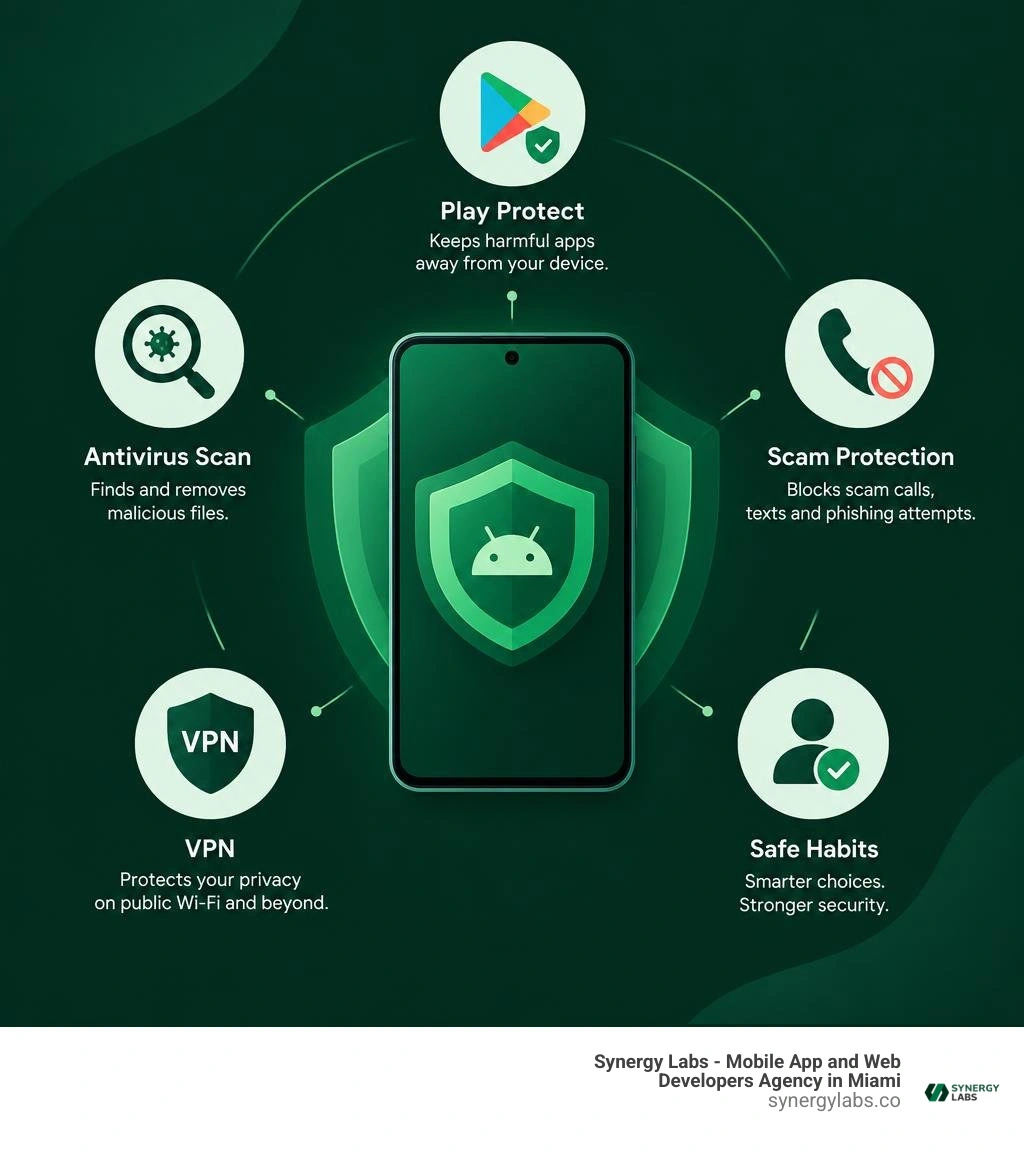
For most Android users, Google Play Protect plus safe app-install habits is a solid baseline. A third-party Virus Protection App is most useful if you download apps outside Google Play, use public Wi-Fi often, want phishing and scam-call protection, or need extras such as a VPN, app lock, and identity alerts.
Choose a trusted app from Google Play, keep both Android and the app updated, and avoid tools that demand broad permissions without explaining why. Free plans can cover basic scans, but they often include ads or upgrade prompts. Paid plans commonly add real-time web protection, VPN access, scam defense, and identity monitoring.
No security app can fix risky behavior. Avoid unknown APK files, check app permissions, and treat unexpected links, QR codes, calls, and SMS messages with suspicion. If your phone suddenly shows intrusive ads, drains battery fast, overheats, crashes, or has unfamiliar apps, run a scan and remove suspicious software.
For startup teams, the same rule applies: security should be layered, lightweight, and clear enough that people will actually use it. As Director of Product at Synergy Labs, I help teams build secure mobile experiences without turning usability into a maze of warning screens.
Why You Need a Dedicated Virus Protection App in 2026
Modern mobile threats have evolved far beyond the classic computer viruses of decades past. Today, threats on handheld devices manifest as silent trojans, spyware, banking overlay attacks, malicious ad injectors, and credential-harvesting phishing campaigns. A dedicated virus protection application acts as an active digital sentry, monitoring files, background processes, and active network connections.
Understanding the nuances of threat management is essential, and our Android virus protection guide covers how modern mobile operating systems handle isolated application memory. Without proactive monitoring, zero-day exploits and newly minted malware can quietly bypass standard device defenses before security patches roll out across operating system builds.
Real-time protection operates in the background, analyzing incoming data packets, scanning newly downloaded APKs before installation, and alerting you to suspicious activity. Rather than waiting for your device to show signs of damage, continuous background scanning actively stops unauthorized execution paths before sensitive personal data is extracted.
Built-In Security vs. Third-Party Virus Protection
Every certified Android device ships with Google Play Protect enabled by default. Play Protect provides a baseline level of defense by scanning applications during download from the Google Play Store and conducting daily on-device checks. However, relying entirely on built-in tools leaves distinct coverage gaps.
Independent laboratory testing continuously reveals that native operating system scanning can struggle with zero-day mobile malware variants and heavily obfuscated code compared to specialized security suites. Reviewing the fundamental phone antivirus essentials highlights why third-party solutions excel:
- Cloud-Powered Threat Intelligence: Specialized mobile security tools leverage global cloud databases updated continuously, matching signatures within seconds of a new threat emerging worldwide.
- Advanced Heuristic Analysis: Instead of relying solely on exact file signature matching, advanced engines analyze behavioral patterns to catch brand-new malware variants before signatures exist.
- Sideloading Protection: If you install enterprise packages, beta applications, or third-party stores, third-party security software analyzes these files prior to payload extraction.
- Phishing and Scam Shielding: Native protections primarily focus on binary package scanning, whereas third-party suites inspect SMS messages, web URLs, and network traffic for deceptive engineering tactics.
Essential Features to Look for in a Virus Protection App
When evaluating an all-in-one security suite, the core scanning engine is only the foundation. A comprehensive mobile security software overview illustrates how modern suites bundle multi-vector defenses to protect identity, connectivity, and hardware.
Here are the key capabilities to evaluate:
- Wi-Fi Network Inspector: Automatically checks public and private Wi-Fi networks for weak encryption protocols, ARP spoofing, and man-in-the-middle vulnerabilities before you submit payment or login credentials.
- AI-Powered Scam Protection: Actively filters incoming SMS communications, suspicious call origins, and deceptive communication links targeting your banking credentials.
- Integrated Virtual Private Network (VPN): Encrypts outgoing internet traffic on unencrypted hotspots, masking device identifiers and geographic routing.
- Biometric App Lock: Adds a hardware-backed biometric or PIN layer over sensitive software like banking, messaging, and email clients, preventing unauthorized access if physical device access is compromised.
- Identity & Dark Web Monitoring: Continuously cross-references your email addresses and account identifiers against exposed credential dumps, warning you instantly if account details are compromised.
- Encrypted Media Vault: Provides encrypted local storage containers to safeguard sensitive documentation and personal photos from standard gallery access.
Free vs. Premium Security Apps: Capabilities and Hidden Costs
The security application ecosystem generally divides into two main models: free, ad-supported tiers and premium subscription packages. Understanding these distinctions is critical when determining which product suits your privacy needs. For enterprise and personal device budgeting, exploring Android antivirus licensing models clarifies how features are packaged across the industry.
Free versions typically provide manual scanning, basic on-install package checks, and simple junk-file cleaning. However, maintaining threat intelligence infrastructure is resource-intensive. Free software providers often monetize non-paying users through frequent in-app advertisements, persistent upgrade prompts, or restricted feature ceilings that lock automated scanning behind paywalls.
Premium subscriptions eliminate promotional distractions and unlock continuous real-time shields, automated daily cloud scans, unlimited VPN data, dark web identity monitoring, and dedicated customer support channels.
"If you are not paying for the product, you are the product." This adage frequently applies to low-quality, free security tools found on public storefronts. Some free utility and antivirus apps collect diagnostic telemetry, device identifiers, precise geolocation data, and browsing patterns, which are then packaged for advertising networks.
Following best free Android security practices means scrutinizing app permissions thoroughly. A virus scanning tool requires storage read access and package installation monitoring, but it rarely requires continuous physical location tracking, unrestricted contact scraping, or camera hardware access unless specifically powering a photo vault or anti-theft trigger. Always read data safety declarations to confirm that user information is encrypted during transmission and that deletion requests are respected.
How to Choose a Safe Virus Protection App Without Privacy Risks
Selecting an application that respects privacy while delivering elite protection requires careful evaluation. Using a vetted virus scanner for Android devices prevents you from falling victim to rogue utility apps that mimic security software while harvesting user metrics.
When choosing a solution, focus on these objective criteria:
- Third-Party Lab Certification: Look for software consistently certified by independent testing authorities like AV-Comparatives and AV-TEST, achieving 99% or higher detection on real-world malware samples.
- Transparent Privacy Policies: Ensure the developer explicitly states they do not sell browsing behavior or track cross-application activity for programmatic ad targeting.
- Verified Enterprise Ecosystems: Tools integrated with enterprise security networks provide strict corporate-grade privacy standards and deep platform integration.
- Minimal Resource Footprint: Choose engines that leverage cloud-based signature matching rather than massive on-device databases, ensuring low battery consumption and zero device throttling during active scans.
How to Detect and Remove Mobile Malware Step-by-Step
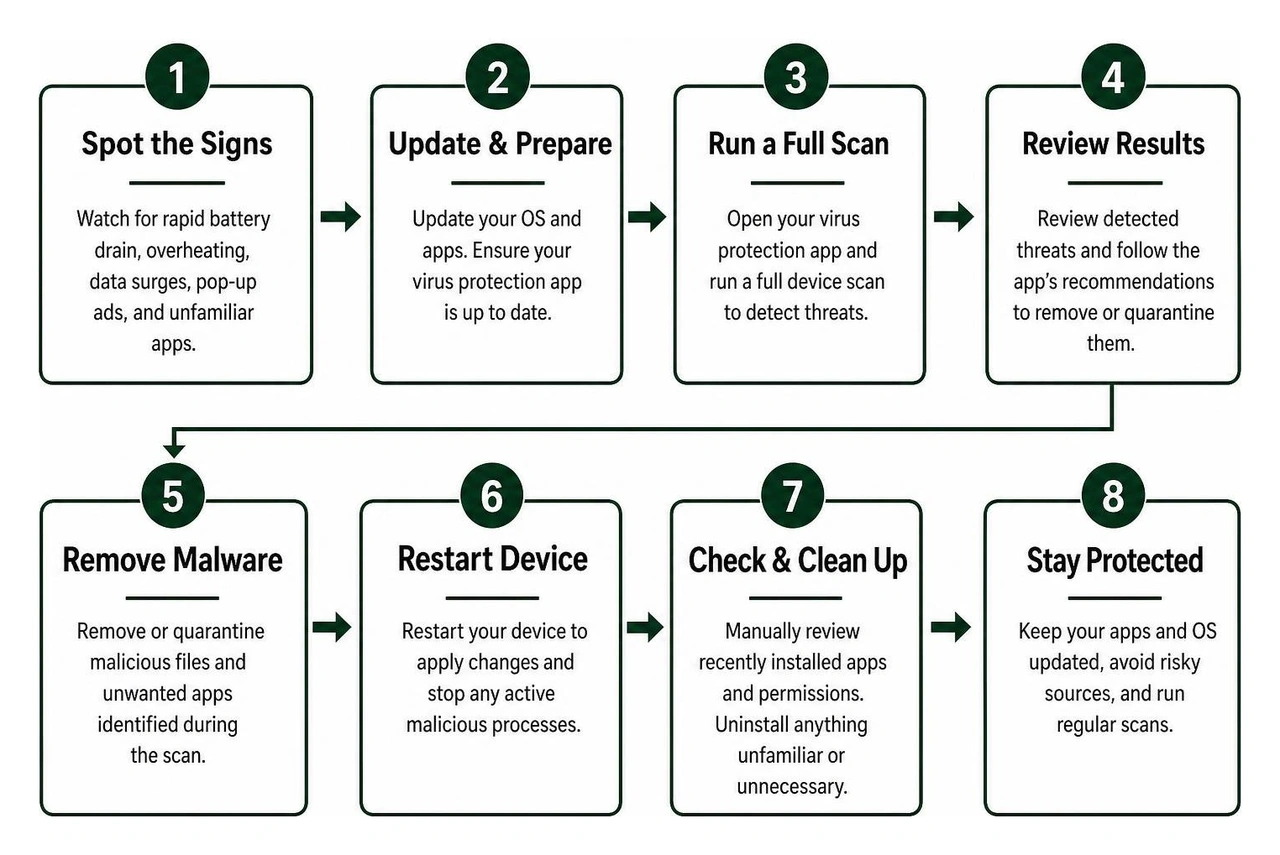
Mobile malware is deliberately stealthy, but infected devices exhibit identifiable warning signs. You should take immediate action if you notice any of the following symptoms:
- Rapid Battery Depletion: Background crypto-mining or continuous data transmission draining your battery in a fraction of normal operating hours.
- Device Overheating: The phone processor running hot even when the display is off and no applications are actively in use.
- Unexplained Cellular Data Surges: Massive increases in background data transfer caused by unauthorized botnet coordination or remote file exfiltration.
- Intrusive Pop-Up Advertisements: Aggressive banners, full-screen takeover ads, or browser redirects appearing outside of any active application.
- Unfamiliar Installed Apps: New icons appearing on the home screen or running in background process lists without user consent.
When resolving an active infection, pairing a reliable removal tool with localized public safety utilities like the NYC Secure mobile safety app creates a layered shield against network-level spoofing. For persistent infections, leveraging the best apps to eliminate mobile malware simplifies isolation and cleanup.
Safe Mode Troubleshooting and Manual App Removal
If aggressive malware blocks security software from launching or repeatedly displays screen overlays, booting into Safe Mode isolates third-party execution so you can manually extract the malicious payload.
- Power Down the Device: Hold down the physical Power button until the power options menu appears on your display.
- Reboot into Safe Mode: Long-press the on-screen "Power Off" or "Restart" icon until the "Reboot to Safe Mode" prompt appears, then tap Confirm. The device will restart with a "Safe Mode" watermark in the corner, disabling all third-party apps.
- Revoke Device Administrator Rights: Open Settings > Security & Privacy > More Security Settings > Device Admin Apps. Look for suspicious applications masquerading as system updates or generic utilities and toggle off their administrative privileges.
- Uninstall Malicious Packages: Navigate to Settings > Apps > See all apps. Scroll through the list, locate the rogue application, tap it, and select Uninstall.
- Clear Browser Cache and Reset Data: Open your default web browser settings and clear browsing data, cookies, and cached site storage to eradicate malicious redirects or malvertising scripts.
- Reboot Normally and Scan: Restart your phone normally, launch your security tool, and run an in-depth scan to verify the file system is completely clean.
Securing mobile devices is now intrinsically linked to broader workstation and desktop safety. Modern threats frequently leverage cross-platform attack chains: an employee receives a malicious link via mobile SMS that compromises cloud credentials, granting attackers access to connected desktop systems.
Desktop operating systems have built-in solutions like Windows Security, which provides integrated real-time threat scanning, automated firewall filtering, and Smart App Control for desktop executables. However, multi-device management suites enable synchronized threat alerting across Windows, Android, and macOS endpoints. If your workstation environment relies on Apple hardware, implementing dedicated antivirus solutions for Mac completes the end-to-end security perimeter, preventing cross-device payload transmission.
Frequently Asked Questions About Mobile Security
Do Android phones actually get viruses?
Technically, traditional self-replicating file viruses are extremely rare on modern mobile platforms due to operating system sandboxing. However, Android devices frequently encounter other serious forms of malware, including trojan downloaders, ransomware, adware, and spyware. These threats deceive users into granting sensitive Accessibility or Device Administrator permissions, allowing malicious software to capture keystrokes, intercept two-factor SMS codes, and monitor network traffic.
Will running a security app slow down my device or drain battery?
High-quality mobile security software designed in 2026 relies primarily on cloud-based threat intelligence rather than heavy on-device signature databases. This lightweight architecture ensures that background monitoring consumes negligible RAM and battery overhead. Performance slowdowns typically only occur if you run multiple conflicting antivirus applications simultaneously or use low-grade utilities filled with intrusive ad frameworks.
Does iOS require antivirus software like Android does?
Apple's iOS platform utilizes a strict closed sandboxing architecture that prevents third-party apps from scanning the file systems or memory allocations of other installed applications. As a result, traditional on-demand virus scanners cannot operate on iOS. Security applications on iOS instead focus on network-layer protection, such as blocking phishing links, inspecting unsecured Wi-Fi hotspots, filtering spam calls and SMS messages, and providing encrypted VPN routing.
Build Resilient, Secure Mobile Experiences with Synergy Labs
Protecting your personal device against digital threats requires a combination of safe operating habits, disciplined permission management, and robust security software. But if you are building the next generation of digital products, security cannot simply be an afterthought layered on at the end—it must be architected into the very foundation of your codebase.
At Synergy Labs, we engineer custom mobile and web applications designed with enterprise-grade security from day one. Whether you are launching an innovative consumer platform, a fintech application, or scaling enterprise software, our agile development teams combine user-centric design with uncompromising data protection standards.
We help founders and enterprise leaders turn ambitious ideas into reality with complete transparency:
- Predictable, Fixed-Budget Engagements: Eliminate cost overruns with transparent, milestone-based payment structures that keep project deliverables on track.
- Senior Technical Leadership: Direct access to an in-shore CTO paired with a world-class offshore development team ensures flawless technical execution and high-velocity launches.
- End-to-End Compliance & Security: Built-in data encryption, rigorous penetration testing, and adherence to modern app store compliance standards.
Ready to bring your mobile product vision to life securely and efficiently? Explore our complete Synergy Labs app security services to discover how our engineering team can build, scale, and safeguard your next software project. For more insights on keeping your personal devices secure, check out our best free virus protection guide.


.avif)

.avif)


