Xamarin let developers write one C# codebase and ship native apps on Android, iOS, and Windows — but with support ending in May 2024, here's what teams need to know before their next move.
Xamarin mobile application development is a cross-platform approach that lets developers write a single C# codebase and deploy it as native apps on Android, iOS, and Windows — without rewriting code for each platform.
Quick answer for developers evaluating Xamarin:
What it is: An open-source Microsoft framework using C# and .NET to build native mobile apps
How it works: Converts platform SDKs into C# bindings, compiles to native code, and shares logic across platforms
Two main flavors: Xamarin.Native (platform-specific UI, maximum control) and Xamarin.Forms (shared UI, faster prototyping)
Current status: Support officially ended May 1, 2024 — migration to .NET MAUI is strongly recommended
Best for: Teams already in the .NET/C# ecosystem who need cross-platform mobile apps
Building a mobile app used to mean writing separate codebases for Android and iOS. That was expensive, slow, and painful. Xamarin changed that equation.
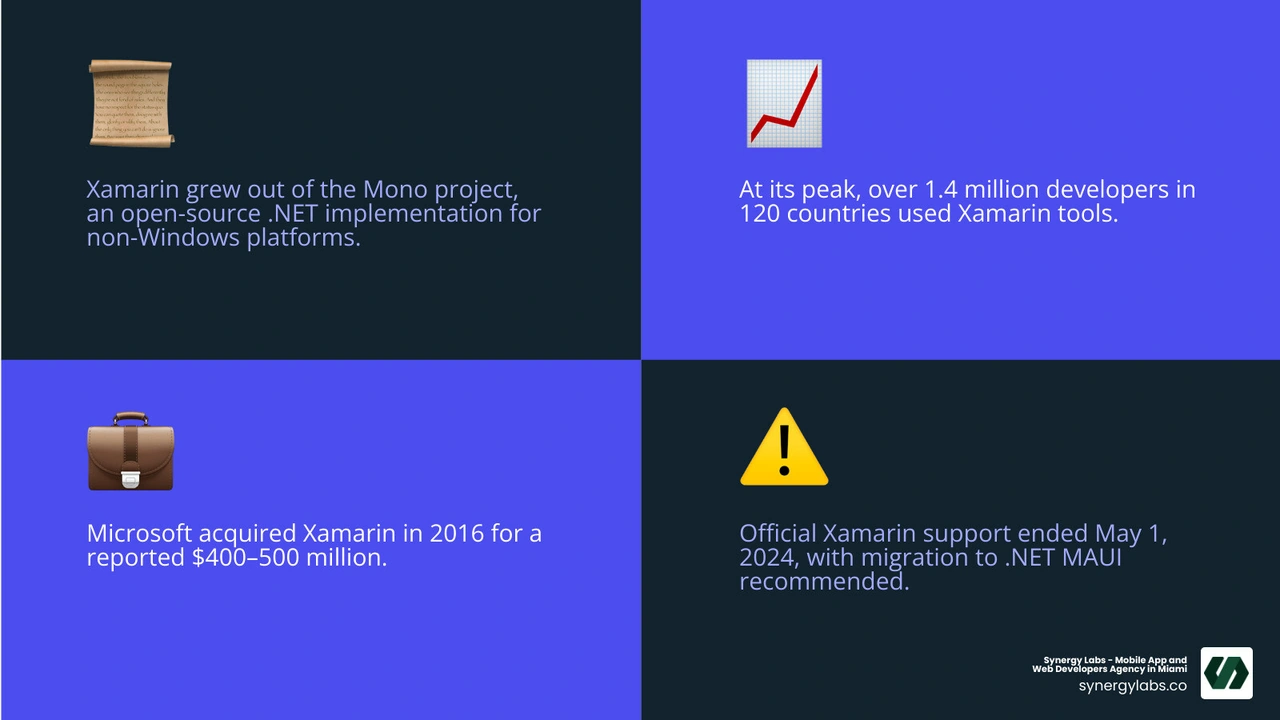
Founded in 2011 and acquired by Microsoft in 2016 for a reported $400–500 million, Xamarin grew out of the Mono project — an open-source implementation of .NET for non-Windows platforms. At its peak, over 1.4 million developers across 120 countries were using Xamarin's tools to ship cross-platform apps with real native performance.
But the story doesn't end there. In May 2024, Microsoft ended official Xamarin support. For startup founders with existing Xamarin apps — or those evaluating frameworks today — understanding where Xamarin came from, how it works, and where it's headed is critical before making any development decision.
At Synergy Labs, our team has hands-on experience guiding clients through Xamarin mobile application development and cross-platform strategy, from initial architecture to migration planning. We've seen what works, what breaks, and what it takes to future-proof a mobile product.
The Evolution of Xamarin Mobile Application Development
To truly understand xamarin mobile application development, we have to take a quick trip down memory lane. It all started with the Mono project, an ambitious open-source initiative aimed at bringing Microsoft’s .NET framework to non-Windows operating systems like Linux, macOS, and eventually mobile devices. When iOS and Android took over the world, the creators of Mono founded Xamarin in 2011 to bridge the gap between .NET developers and modern smartphones.
Historically, mobile development was highly fragmented. Developers who wanted to target both major platforms had to maintain two completely separate codebases: Objective-C or Swift for iOS, and Java or Kotlin for Android. This duplication of effort was a massive drain on resources.
Xamarin solved this by introducing two key platform-specific frameworks:
Xamarin.Android: Exposed the entire Android SDK to C# developers, allowing them to write native Android apps using .NET libraries.
Xamarin.iOS: Did the exact same for Apple's ecosystem, converting iOS APIs into C# bindings.
When Microsoft acquired Xamarin in 2016, they integrated it directly into Visual Studio, making it free and open-source. This acquisition validated cross-platform development as a viable enterprise-grade strategy. By allowing companies to write their core business logic once and share it across platforms, Xamarin helped teams capture the 4 Key Benefits of Cross-Platform Development: Reaching Wider Audiences Efficiently.
Why Choose Xamarin Mobile Application Development in 2026?
Even though Microsoft officially retired the Xamarin brand in May 2024 in favor of .NET MAUI, legacy applications built on Xamarin still run in production environments worldwide. Why did so many enterprises and startups bet their mobile strategies on this technology in the first place?
True Native Performance: Unlike hybrid frameworks that run inside a web view wrapper, Xamarin compiles directly to native binaries. This means your app gets native-like performance, fluid animations, and fast load times.
Complete API Access: If a device has a physical sensor, a camera, or a specialized API like ARKit on iOS or Multi-Window on Android, Xamarin can access it. There are no limits to what you can build.
Unrivaled Code Reusability: Depending on the approach you choose, you can share up to 95% of your code across platforms. This dramatically lowers initial development costs and simplifies long-term maintenance.
A Single Developer Skillset: Instead of hiring separate iOS and Android engineers, you only need C# and .NET experts. This streamlined talent acquisition is incredibly cost-effective.
Rich Documentation and Ecosystem: The Xamarin.Forms documentation - Xamarin | Microsoft Learn remains a masterclass in cross-platform UI engineering, providing a deep foundation for anyone maintaining or upgrading legacy systems.
Xamarin.Native vs. Xamarin.Forms
When kickstarting a project, developers had to make a fundamental architectural choice: should they go with Xamarin.Native or Xamarin.Forms?
Xamarin.Native (Xamarin.iOS & Xamarin.Android)
With Xamarin.Native, you write your UI separately for each platform. You use iOS Storyboards or Swift/Interface Builder for Apple, and Android XML layouts for Android. However, you write all your business logic—such as network calls, database management, and data validation—in a shared C# layer.
When to use it: When your app requires highly complex, platform-specific user experiences, customized animations, or heavy hardware integration.
Xamarin.Forms
Xamarin.Forms took code sharing to the next level. Instead of designing UIs separately, you define your user interface once using XAML (e.g., <Button>, <StackLayout>). At runtime, Xamarin.Forms automatically converts these cross-platform controls into their native equivalents (e.g., a UIButton on iOS and an android.widget.Button on Android).
When to use it: For business-to-business (B2B) apps, data-entry systems, rapid prototyping, or any application where a consistent brand look is preferred over platform-specific UI quirks.
If you are looking to build a brand-new application today, we highly recommend utilizing our dedicated Cross-Platform App Development Service to ensure you are building on a modern, supported stack from day one.
How Xamarin Works: Under the Hood
To truly master xamarin mobile application development, we must understand how C# code actually runs on a physical device. Android and iOS have entirely different runtime environments and CPU architectures, meaning Xamarin must handle compilation differently for each platform.
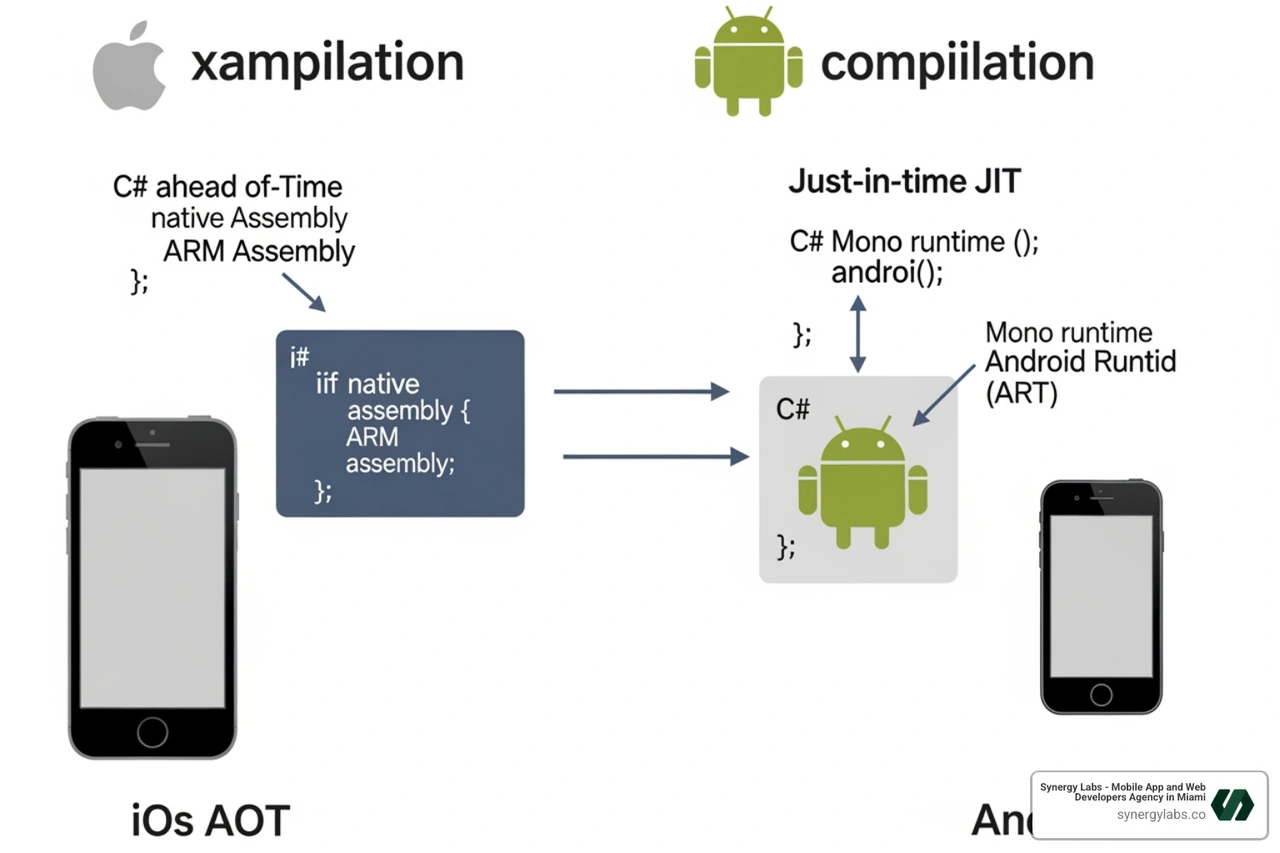
On iOS, Apple strictly forbids dynamic code generation or Just-in-Time (JIT) compilation at runtime for security reasons. To get around this, Xamarin uses Ahead-of-Time (AOT) compilation. The Xamarin.iOS compiler compiles the C# code directly into native ARM assembly code before the app is packaged. The Mono runtime runs alongside the app, handling garbage collection and memory management.
On Android, things are a bit more flexible. Xamarin uses Just-in-Time (JIT) compilation. When the app launches, it runs within a Mono execution environment side-by-side with the Android Virtual Machine (ART). The C# code compiles into Intermediate Language (IL) and is compiled to native machine code on the fly.
This underlying architecture ensures that whether your app is running on a high-end iPhone or a budget Android device, it interacts directly with native controls rather than relying on slow web renderers.
Architectural Best Practices for Xamarin Mobile Application Development
When building enterprise-grade apps, throwing all your code into a single file is a recipe for disaster. To keep your codebase clean, scalable, and easy to test, you should adhere to strict object-oriented programming (OOP) principles and architectural patterns.
The gold standard for Xamarin development is the Model-View-ViewModel (MVVM) pattern:
Model: Represents your data and business logic (e.g., user profiles, API responses, database schemas).
View: The visual layer (XAML pages or native storyboards) that the user interacts with.
ViewModel: The glue between the Model and the View. It handles presentation logic and exposes data bindings so the View can update automatically when data changes.
Code-Sharing Strategies: .NET Standard and Shared Projects
How exactly do we share code between our iOS, Android, and Windows projects? According to the Sharing code overview , there are two primary methods used in modern .NET development:
1. .NET Standard Libraries (Highly Recommended)
A .NET Standard library is a formal specification of .NET APIs that are intended to be available on all .NET implementations. By targeting .NET Standard 2.0, your shared project can access an incredibly broad API surface. You write your code once, compile it into a reusable .dll file, and reference it in your Android and iOS projects. It offers full support for unit testing and refactoring.
2. Shared Projects
A Shared Project does not compile into a standalone library. Instead, the raw source files are dynamically included in the referencing platform projects during compile time. This allows you to write platform-specific code directly inside your shared codebase using compiler directives like this:
While highly flexible, Shared Projects can quickly become messy and difficult to maintain if overused.
Note: Portable Class Libraries (PCLs) were popular in the early days of Xamarin, but they are now entirely deprecated and should be migrated to .NET Standard.
To make your shared UI look beautiful across all devices, check out Microsoft's guide to Style a cross-platform Xamarin.Forms application to learn how to implement global resource dictionaries and implicit styles.
Xamarin vs. Modern Cross-Platform Frameworks
If you are planning a mobile application project in 2026, you might be wondering how Xamarin holds up against modern heavyweight alternatives like React Native and Flutter. Let's look at how they stack up:
React Native: Backed by Meta, React Native uses JavaScript and React to render native components. It is highly popular due to the massive web developer talent pool. However, it relies on a JavaScript bridge (or the newer JSI engine) which can sometimes introduce slight performance overhead compared to compiled C# binaries.
Flutter: Google's UI toolkit uses the Dart programming language and its own high-performance C++ rendering engine (impeller) to draw every single pixel on the screen. It can achieve a stable 120 frames per second, making it incredibly smooth. However, it does not use native platform controls, which can sometimes make apps feel slightly "non-native" if not styled perfectly.
Xamarin (.NET MAUI): Offers a compiled C# codebase with direct access to native APIs. It is the perfect choice for enterprise teams with deep roots in Microsoft Azure, SQL Server, and the broader .NET ecosystem.
The End of Support and the Migration Path to .NET MAUI
Let's address the elephant in the room: Microsoft officially ended support for Xamarin on May 1, 2024.
This means Xamarin no longer receives official security patches, performance updates, or API updates for new iOS and Android versions. If Apple or Google releases a major operating system update that breaks a core Xamarin library, your app could stop working or get rejected from the App Store.
The official, Microsoft-sanctioned evolution of Xamarin is .NET MAUI (.NET Multi-platform App UI).
.NET MAUI takes the best parts of Xamarin.Forms and rebuilds them from the ground up on modern .NET (.NET 8 and .NET 9). It simplifies development by consolidating platform-specific folders into a single-project structure. Instead of managing separate projects for iOS, Android, and Windows, everything lives in one clean workspace.
To begin transitioning, developers can use the official .NET Upgrade Assistant tool, which automates much of the namespace and project file conversion. If you want to see what a modern .NET MAUI project looks like, check out Microsoft's tutorial on how to Create a .NET MAUI app - .NET MAUI | Microsoft Learn .
Frequently Asked Questions about Xamarin
What is the difference between Xamarin.Forms and .NET MAUI?
While Xamarin.Forms required separate projects for each target platform to host native bootstrapper code, .NET MAUI uses a unified single-project structure. This means resources like fonts, images, and translation files are shared in one central location. Additionally, .NET MAUI features rebuilt UI handlers that offer much faster rendering speeds and lower memory usage than the old Xamarin renderers.
Can I still run and maintain existing Xamarin apps in 2026?
Technically, yes—existing Xamarin apps will continue to compile and run on older devices. However, doing so in 2026 comes with severe security risks and technical debt. As Apple and Google update their app store submission guidelines to require newer SDKs, you will eventually find it impossible to publish updates to your users without migrating.
How long does it take to migrate a Xamarin app to .NET MAUI?
A basic Xamarin.Forms app with minimal platform-specific customizations can often be migrated in a few days using the .NET Upgrade Assistant. However, a highly complex enterprise app with custom renderers, legacy third-party NuGet packages, and deep hardware integrations can take anywhere from several weeks to a few months to fully transition and test.
Charting Your Next Mobile Milestone
Navigating the transition from legacy systems to modern mobile frameworks doesn't have to be a stressful journey. Whether you need to maintain an existing enterprise application, migrate a legacy codebase to .NET MAUI, or build a brand-new product from scratch, having the right engineering partner makes all the difference.
At Synergy Labs, we specialize in delivering world-class Cross-Platform App Solutions tailored to your specific business goals. We serve clients across our global hubs—including Miami FL, Dubai UAE, London UK, New York City NY, and Riyadh Saudi Arabia—bringing top-tier technical expertise directly to your doorstep.
Our unique delivery model is designed to give you complete peace of mind:
Direct Access to Senior Talent: Work with an in-shore CTO who understands your business strategy, backed by a highly efficient, world-class offshore development team.
Fixed-Budget Model: No surprise bills or runaway costs. What we quote is what you pay.
Milestone-Based Payments: You only pay for tangible, completed work that passes your rigorous quality standards.
Ready to future-proof your mobile application? Contact us at Synergy Labs today to schedule a consultation with our senior engineering team, and let's build something extraordinary together!



.avif)

.avif)


