Comparing Every Android Antivirus Licensing Model: Free, Freemium, and Subscriptions
Android antivirus licensing models generally fall into three categories: 100% free ad-supported tools that offer manual scanning only, freemium apps that lock real-time shields and proactive defenses behind a paywall, and paid single-device or multi-device subscriptions that typically range from $20 to $120 per year. Understanding how vendors package their scanning engines, heuristic modules, and ancillary services helps prevent overpaying for digital shelfware.
Mobile threats evolve rapidly. In fact, banking Trojan attacks on Android nearly tripled from 420,000 in 2023 to 1,242,000 in 2024. Despite this escalating threat landscape, paying a premium does not always yield proportional protection. For a comprehensive overview of malware defense architectures, see our Android virus protection ultimate guide.
Free and Freemium Frameworks: What Stays Behind the Paywall?
Free and freemium mobile security products dominate app marketplace download charts, but their monetization strategies differ fundamentally.
A 100% free security tool typically monetizes user attention through high-frequency in-app advertising or aggregated data sharing for analytics purposes. In contrast, a freemium app provides an uninhibited baseline engine to establish user trust, deliberately locking high-value, proactive tools behind an upgrade prompt.
In a standard freemium framework, the free tier almost always includes:
- Manual, on-demand scanning for installed APKs
- Basic Wi-Fi security verification (checking for unencrypted public networks)
- Core malware database definitions (updated periodically rather than in real time)
Features routinely gated behind a paid subscription tier include:
- Real-time background scanning that intercepts malicious installation packages before deployment
- Automated scheduling for deep-system scans
- Anti-phishing and anti-smishing web shields that filter malicious URLs in messaging apps and browsers
- Automated app locks requiring biometric or PIN verification to access financial software
- Camera, microphone, and permission monitoring dashboards that prevent unauthorized background eavesdropping
If you rely solely on manual scans, a basic virus scanner for Android phone setup might meet your immediate baseline requirements. However, users who routinely install third-party APKs or conduct high-volume mobile banking generally find the lack of real-time heuristic protection in free tiers to be an operational risk.
Tiered Subscriptions, Family Plans, and Per-Device Pricing Dynamics
Commercial subscription licensing remains the dominant revenue engine for modern cybersecurity firms. These recurring plans are structured across three primary tiers: single-device annual subscriptions, fixed multi-device bundles, and scalable per-license models.
Single-device Android subscriptions generally cost between $19.99 and $49.95 for the initial billing cycle. While this appears cost-effective on the surface, it often represents the least economical route if your household or business manages multiple mobile endpoints.
Multi-device packages and family plans dramatically reduce the effective per-seat cost:
- Five-device cross-platform plans typically list between $69.99 and $119.99 per year.
- High-capacity family bundles covering 10 to 25 devices range from $134.99 to $149.95 annually.
- At the enterprise and multi-endpoint tier, per-device pricing drops as low as $5.40 to $5.60 per seat per year, compared to $9.33 or higher on smaller bundles.
- Select consumer security tiers provide flexible per-seat additions, charging a baseline of $44.99 plus $5 per additional connected seat.
When calculating the return on investment of a multi-device security plan, audit how many actual endpoints need protection across your entire ecosystem. Purchasing individual mobile licenses for three family members is almost invariably more expensive than securing a 5-seat multi-platform bundle.
When selecting security software, users face an architectural choice: install a dedicated, standalone Android app or invest in a comprehensive, cross-platform security suite managed through a centralized cloud console.
Standalone mobile products are optimized purely for the Android operating system, consuming minimal storage and system resources. Conversely, multi-platform ecosystems treat the Android client as a single node within a wider security network spanning Windows, macOS, and iOS endpoints.
For deeper technical guidance on evaluating cross-platform options, explore our best mobile security software guide 2026.
Standalone mobile licenses are ideal for mobile-first professionals whose primary computing tasks occur on a smartphone or tablet. These licenses eliminate the desktop bloatware and unnecessary Windows-centric utilities that frequently accompany larger security suites.
However, cross-platform suites provide architectural advantages for organizations and families managing heterogeneous hardware environments:
- Centralized policy enforcement, allowing parents or IT administrators to push scans and monitor threat logs across all active devices from a unified web portal.
- Feature parity considerations: while Windows security packages emphasize firewall controls and kernel-level anti-exploit tools, Android modules prioritize permission monitoring, anti-theft tracking, SMS phishing filters, and app sandboxing.
- Licensing efficiency: a single subscription key activates software across mixed platforms, preventing fragmented renewal dates and administrative overhead.
Developers looking to integrate enterprise-grade security capabilities directly into custom mobile software stacks often utilize specialized toolkits rather than commercial off-the-shelf consumer apps. Consulting industry-standard anti-malware SDK licensing documentation reveals how core detection engines, DNA heuristic signatures, and isolated sandboxing environments are licensed per-seat or per-query for embedded development.
Free Trial Durations, Expiration Fallbacks, and Lifetime Options
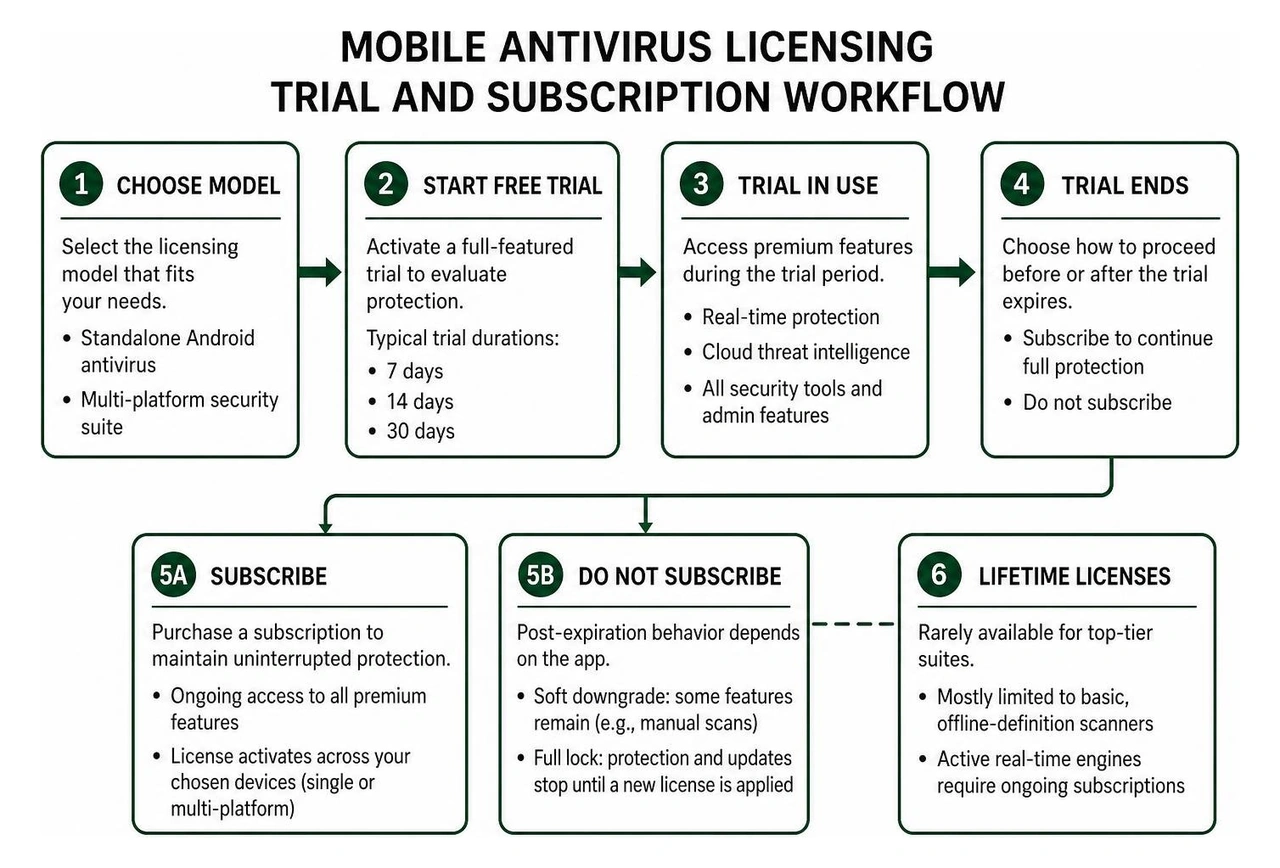
Testing a security app prior to committing capital is standard industry practice, but trial frameworks and post-expiration behaviors vary widely among vendors:
- Trial Durations: Most major providers offer a 14-day free trial directly through marketplace in-app purchases. Select privacy-focused suites offer 7-day trials, while enterprise-grade suites provide comprehensive 30-day evaluation windows that unlock all premium administrative tools without feature gating.
- Post-Expiration Fallbacks: When a paid subscription lapses, some applications perform a soft downgrade, reverting to a freemium baseline where manual scans still function but real-time shields and cloud heuristics are switched off. Other applications lock down completely, terminating signature downloads, cloud database queries, and scanning capabilities entirely until a new license key is applied.
- Lifetime and Perpetual Licenses: True lifetime licenses have largely vanished from top-tier consumer security suites. Because maintaining modern cloud intelligence networks, processing 50 billion daily threat queries, and writing zero-day definitions require sustained capital expenditure, perpetual licenses are unsustainable for active real-time engines. Where lifetime options exist, they are almost exclusively restricted to basic, offline-definition scanner editions.
Fine Print, Hidden Costs, and Post-Purchase Realities
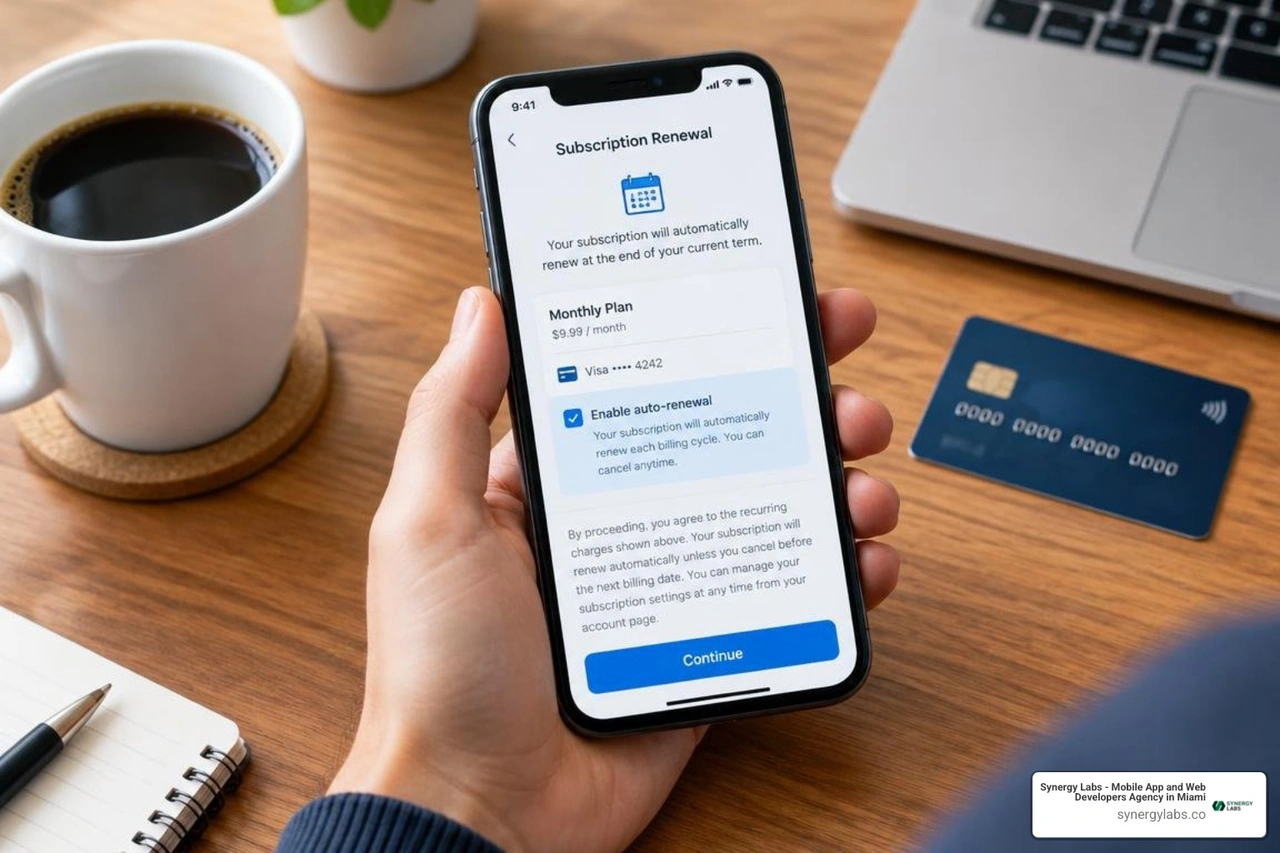
Evaluating an antivirus purchase strictly by its upfront sticker price is a common mistake. Cybersecurity vendors frequently deploy dynamic pricing models, introductory discounts, and modular upselling strategies that significantly raise the total cost of ownership over a multi-year product lifecycle.
When building applications or managing device fleets, engineering teams must maintain strict oversight over background data usage and system access. Reviewing how to secure mobile apps provides a foundational look at zero-trust architecture and mobile permission scoping.
Key Pitfalls in an Android Antivirus Licensing Model: Auto-Renewal and Hidden Upsells
The modern subscription economy thrives on friction-free onboarding paired with high-friction cancellations. When auditing licensing agreements, watch for these specific commercial tactics:
- Introductory vs. Renewal Price Spikes: A package advertised at $19.99 to $29.99 for the first year will frequently renew automatically at $69.99, $109.99, or more upon expiration of the introductory promotional period.
- Data-Capped Bundled Services: Many entry-level plans advertise an "included secure VPN," only for the user to discover a 200 MB to 500 MB daily bandwidth cap in the fine print. Uncapped VPN access is routinely paywalled behind an upgraded ultimate or prime tier.
- Ancillary Feature Upselling: Advanced features such as dark web breach monitoring, identity theft insurance, automated driver updaters, and multi-vault password managers are frequently marketed as integrated components, but require supplemental micro-subscriptions to activate.
- Intrusive Upgrade Notifications: Certain freemium apps actively deploy aggressive background push notifications, categorizing non-critical device settings as severe security risks to compel users to upgrade.
Refund Policies, Money-Back Guarantees, and EULA Compliance
Before inputting payment details, verify the vendor's legal terms of service and refund windows:
- Money-Back Windows: Reputable vendors typically offer a 30-day money-back guarantee for annual commitments, with select brands extending this window up to 60 days. Monthly subscriptions, when eligible, generally carry a shorter 14-day or 30-day refund window.
- Payment Channel Constraints: Purchases made directly via vendor websites are governed by direct refund processing. However, subscriptions activated via the Google Play Store are subject to platform-specific in-app billing rules, where refund requests after 48 hours must often be directed through vendor support channels.
- EULA and Device Allocation Constraints: Reviewing standard end-user license agreements highlights that consumer licenses strictly prohibit commercial re-licensing and enforce hard device caps. Exceeding your permitted device allocation can trigger immediate license termination or silent deactivation of cloud definition updates on the oldest linked device.
- License Transferability: Premium standalone and suite licenses generally allow transferring an active seat from an old Android phone to a new replacement device via an online user management portal, whereas certain unverified budget keys remain locked permanently to the original device hardware ID.
Frequently Asked Questions About Mobile Antivirus Licensing
What happens to Android protection when a paid subscription expires?
When a paid subscription reaches its end date without renewal, the application behavior depends entirely on the vendor's architecture.
In a freemium model, the application will typically drop down to the free tier. Your device retains the ability to run manual on-demand file scans, but you immediately lose access to real-time process monitoring, automatic daily definition updates, web phishing shields, and automated anti-theft commands.
In strict subscription-only products, the software may lock its interface completely. The background scanning service shuts down, no further cloud queries are processed, and the application displays persistent renewal banners until uninstalled or re-activated.
Are lifetime licenses still available for Android security apps?
True lifetime licenses for modern, cloud-connected Android security suites are virtually non-existent among leading cybersecurity firms. Effective malware detection in 2026 relies on continuous, cloud-based machine learning pipelines, behavioral sandboxing, and real-time threat telemetry that analyze hundreds of threats every minute.
Because maintaining this global threat intelligence infrastructure requires constant server and research expenditures, vendors rely on recurring subscriptions. Software advertised as a "lifetime mobile antivirus" is usually either a legacy offline scanning utility that cannot detect zero-day threats or an unsustainable offering that risks abandoning update servers within a few years.
How do money-back guarantees work for mobile antivirus apps?
Money-back guarantees allow users to request a full refund within a designated timeframe—typically 30 to 60 days for annual plans—if the software fails to meet expectations.
However, the redemption process depends on your purchase channel:
- Direct Vendor Purchases: You must contact the security provider's billing support directly through their customer portal before the refund window closes.
- App Store Purchases: Subscriptions purchased via Google Play in-app billing are subject to store policies. While Google handles immediate refund requests within the first 48 hours, refund requests beyond that window must generally be evaluated and processed directly by the software developer.
- Auto-Renewal Cancellations: Canceling an automatic renewal stops future billing cycles but does not automatically trigger a refund for the current active cycle unless requested within the vendor's designated post-renewal grace period (which typically ranges from 14 to 30 days).
Mastering Your Mobile Security Investment: The Smart Path Forward
Choosing the right mobile antivirus strategy comes down to balancing real operational risk against recurring subscription bloat. For many users, combining robust built-in mobile OS protections with a lightweight scanning solution—such as the options detailed in our best free virus protection for Android phone guide—provides dependable security without an inflated annual invoice.
For organizations, startups, and product leaders, security cannot simply be an off-the-shelf add-on; it must be built directly into your application architecture from day one. At Synergy Labs, we help visionary companies design, engineer, and deploy high-performance, ultra-secure mobile and web applications tailored to scale smoothly.
Whether you need to build custom enterprise software or harden mobile apps against emerging zero-day threats, our unique development model delivers unmatched results. We combine the strategic guidance of an in-shore CTO with the execution power of a world-class development team. With our transparent fixed-budget model and milestone-based payments, you maintain complete financial control while we bring your product to market rapidly and securely.
Ready to build custom, secure software without unpredictable overhead or runaway subscription fees? Schedule a consultation with our senior development team today, explore our full range of custom software engineering services, and browse our proven product portfolio to see how Synergy Labs turns complex mobile visions into market-leading digital realities.


.avif)

.avif)


