Built-in Android scanning is a solid baseline — but it won't catch phishing pages, scam texts, or sideloaded APKs. Here's what actually covers the gaps in 2026.
Best Virus Protection for Android Phone: The Quick Answer
The best virus protection for android phone users in 2026 is usually a trusted security suite with strong independent test results, real-time app scanning, phishing protection, and scam-link checks. For most people, built-in native scanning is a solid baseline. But it is not a complete answer for risky downloads, fake login pages, scam texts, or apps installed outside official app stores.
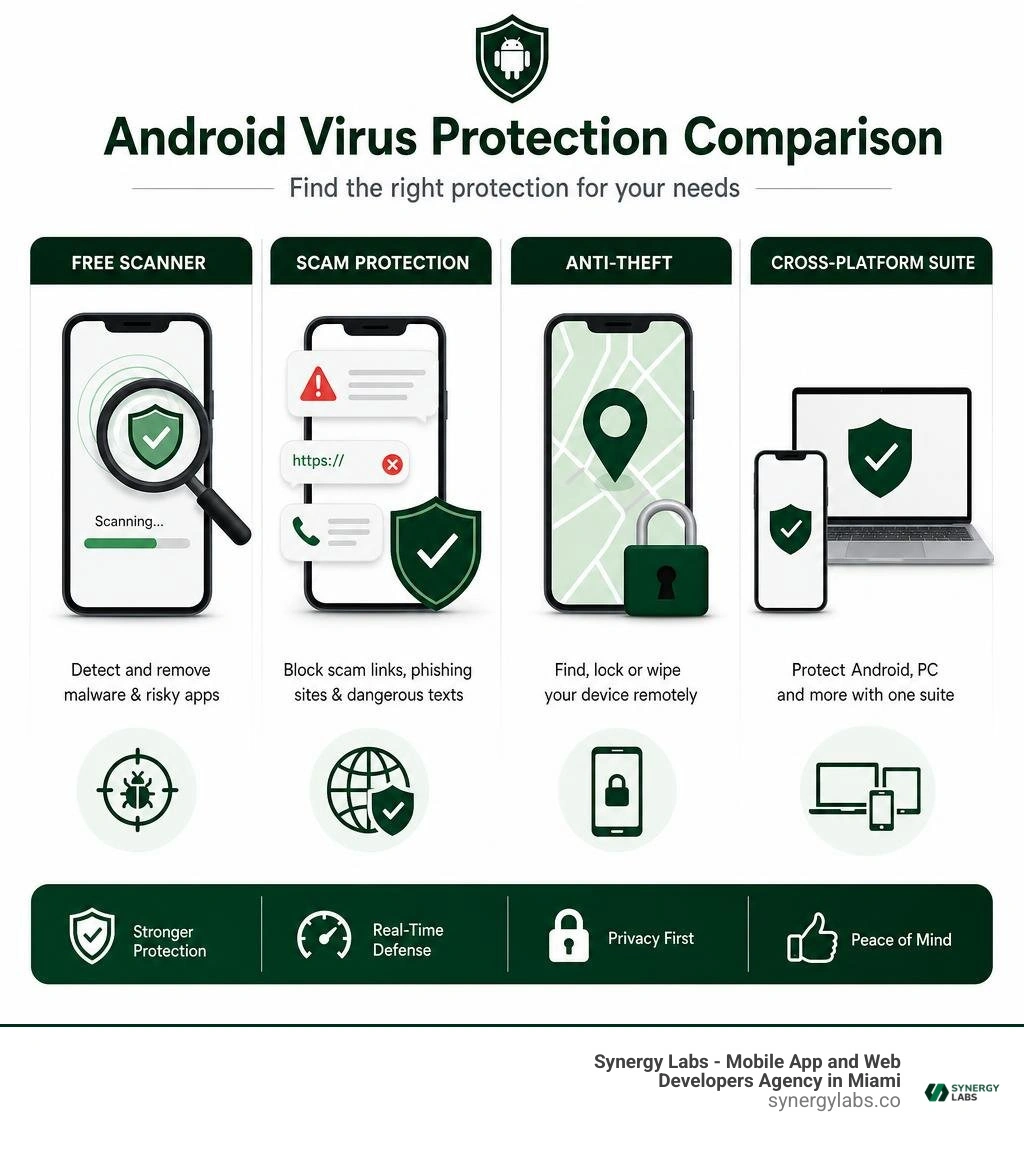
Simple, free malware scanning: A well-tested free antivirus scanner
Safer browsing, SMS, and public Wi-Fi: A security app with web and scam protection
Lost-phone controls and privacy tools: A premium mobile security suite
Protection for a PC and Android phone: A cross-platform security subscription
Independent testing has shown that several leading Android security tools can catch nearly all known mobile malware, while keeping false alarms low. That matters because security is not just about detecting a bad app after it lands on a phone. It is also about stopping the convincing text, link, or download that tries to get you to install it in the first place.
Modern phones have far more power than early PCs - some Android flagships offer up to 24GB of RAM, compared with an early desktop PC's 16KB - but extra memory does not make a device immune to malware. Sadly, scammers did not retire when phones got faster.
As Director of Product at Synergy Labs, I look at Android protection through the same lens we use for secure apps: reduce risk early, keep the experience simple, and choose tools that fit the real threat.
Discover more about best virus protection for android phone:
Why Modern Mobile Devices Require Antivirus Protection
It is easy to see why so many mobile users wonder if dedicated antivirus software is even necessary in 2026. After all, modern smartphones feel virtually indestructible compared to the desktop computers of two decades ago. When you hold an Android flagship packed with multi-core processors, ultra-fast storage, and upwards of 24GB of memory, it feels far removed from the fragile desktop setups of the past. To put that hardware leap in perspective, early personal computers operated on a modest 16KB of RAM. Today's mobile hardware boasts over one million times that capacity.
Yet hardware performance and cyber immunity are two completely separate things. In fact, as mobile operating systems have grown more powerful, they have also become far more lucrative targets for malicious actors worldwide.
Unlike closed, heavily restricted operating systems, Android's open platform architecture provides unmatched flexibility. Users love being able to customize their interface, manage local file directories, and sideload niche software packages. However, that very openness creates structural attack vectors that cybercriminals actively exploit.
When users install applications via external Android Application Packages (APKs) or third-party marketplaces outside the official ecosystem, they bypass standard security vetting. Software Development Kits (SDKs) embedded inside unverified utility apps, mobile games, or photo editors can stealthily download malicious payloads after installation.
The threats targeting mobile devices today extend far beyond mild ad pop-ups. Modern mobile security engines regularly combat sophisticated, multi-stage cyber threats:
Banking Trojans: Malicious software that overlays fake login screens over legitimate financial applications to capture account numbers, passwords, and biometric credentials.
Locker Ransomware: Code that encrypts local device files or locks users out of their operating system entirely, demanding cryptocurrency payouts to restore access.
Spyware and Stalkerware: Silent background applications that intercept keystrokes, record phone calls, track real-time GPS coordinates, and access camera feeds without user knowledge.
SMS Trojans and Clickers: Background scripts that secretly register your phone number for premium rate subscription services or use your device as a botnet node to send fraudulent texts.
Rooters and Rogue Apps: Threat vectors that exploit underlying Android kernel vulnerabilities to grant unauthorized administrative privileges to attackers.
Industry figures paint a stark picture of mobile risk exposure. Tech leaders have noted in historical security briefs that Android devices face significantly higher threat frequencies than closed ecosystems, with estimates suggesting mobile threat strains targeting open systems at vastly elevated volumes. Furthermore, global security telemetry confirms that active defense networks block tens of thousands of cyberattacks every single minute against connected mobile devices.
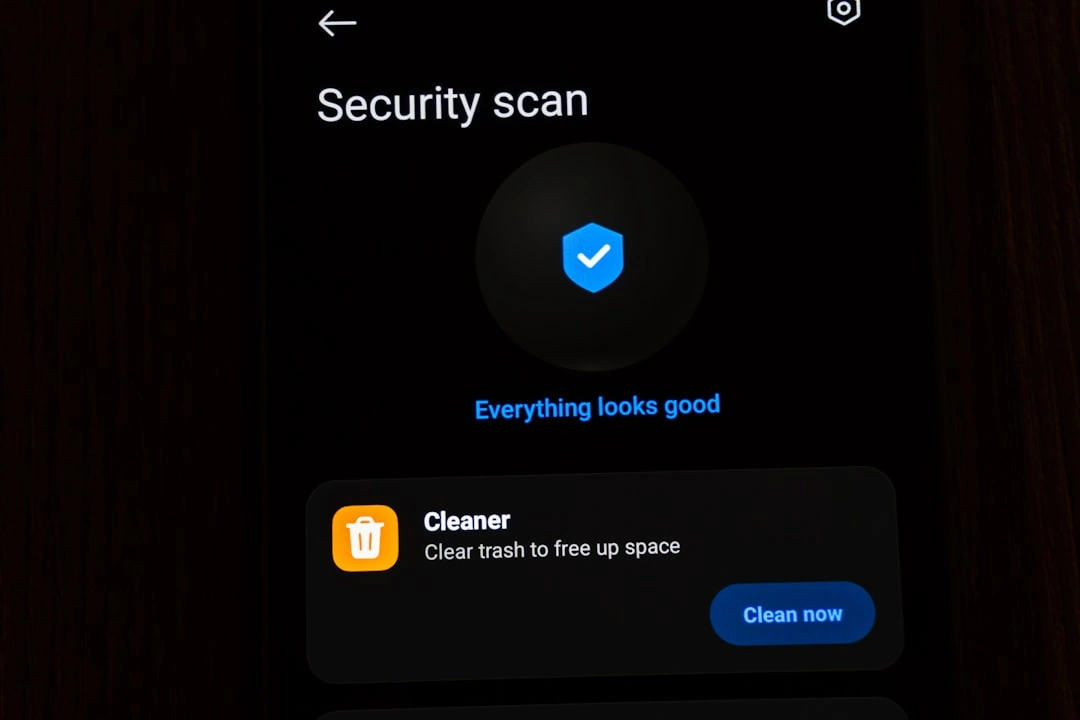
Many users assume native security scanners offer all the defense they will ever need. Built directly into modern mobile operating systems, built-in system protection continuously scans installed apps and checks software downloads against known threat databases. It serves as an essential baseline defense for everyday smartphone operation.
However, native protection has inherent functional limitations. Native security protection excels at background malware detection within the official store, but it lacks customizable manual scanning parameters, real-time phishing filters for web browsers, granular SMS link inspection, and automated network security audits when connecting to untrusted public Wi-Fi networks.
This functional gap is precisely where specialized third-party security software steps in. Independent security evaluation laboratories rigorously evaluate endpoint security tools against thousands of newly discovered real-world Android malware samples. Top-tier detection engines routinely earn maximum scores across Protection, Performance, and Usability categories, demonstrating a 100% detection rate against zero-day threats while generating zero false positive warnings.
Adding dedicated security software provides a vital layer of defense, especially for users who frequently handle sensitive business data, travel across public networks, or sideload niche applications. To dive deeper into mobile endpoint defenses, explore our comprehensive Best Mobile Security Software Guide 2026 and see how expert evaluations align with The Best Android Antivirus We've Tested for 2026 benchmarks.
Evaluating the Best Virus Protection for Android Phone Options in 2026
Choosing the best virus protection for android phone performance requires looking beyond flashy marketing materials and examining verified testing data. Modern mobile security applications have evolved far beyond simple desktop virus scanners ported over to a smaller screen. Today, top-rated apps function as intelligent, low-impact defense suites capable of analyzing real-time threat behaviors across mobile networks, storage files, and web traffic simultaneously.
Independent security testing organizations analyze mobile security apps using three critical criteria:
Protection Capability: The exact percentage of real-time malware, ransomware, and spyware threats detected and neutralized during live testing scenarios.
System Performance Impact: How heavily the security engine impacts processor speed, battery discharge rates, memory consumption, and system responsiveness during active scanning.
Usability and Accuracy: The engine's ability to distinguish legitimate software from malicious code without triggering frustrating false positives or breaking non-malicious third-party apps.
Leading mobile security applications maintain flawless 100% malware detection rates in independent lab evaluations while running seamlessly in the background. A major reason for this incredible efficiency is the shift toward cloud-based threat detection architecture.
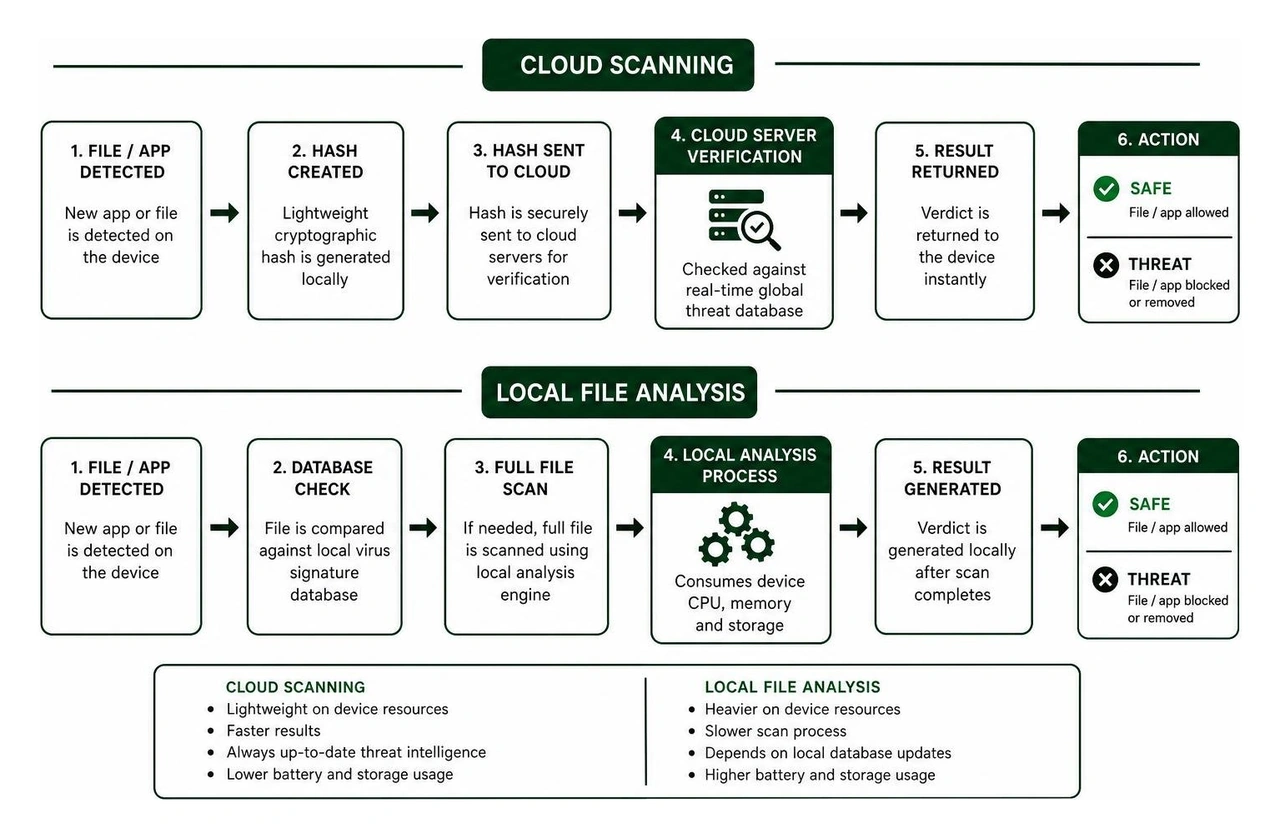
In the early days of mobile security, apps were forced to download heavy, regularly updated virus signature databases directly onto phone storage. This process consumed precious local storage and drained battery life through constant local file comparisons.
Modern mobile security tools utilize zero-configuration cloud scanning. Instead of storing massive threat dictionaries on your smartphone, the local application calculates lightweight mathematical cryptographic hashes of newly installed software or downloaded files. It sends those light hashes to secure cloud servers for instantaneous verification against global threat intelligence databases.
This feather-light cloud design allows mobile security tools to run continuously without causing thermal throttling, memory slowdowns, or noticeable battery drain.
Free vs Paid: Selecting the Best Virus Protection for Android Phone
When searching for the best virus protection for android phone hardware, one of the most immediate decisions you will face is choosing between free security tools and paid premium subscriptions. Both options serve valuable roles depending on your personal device usage habits and risk profile.
Free Android security apps are generally designed to provide core malware scanning and light maintenance tools at no financial cost. For users who strictly download apps from the official app store, rarely connect to unsecured public Wi-Fi networks, and do not use their personal device for corporate work, a reputable free security scanner may offer sufficient peace of mind.
Typically, free mobile security tools include:
On-install app scanning to verify new downloads immediately.
Manual on-demand virus scanning for local storage files.
Basic storage junk cleaners and memory management utilities.
Restricted photo vaults or app-locking features with capped file limits.
However, free applications often come with practical trade-offs. They frequently display inline advertisements or upgrade prompts to monetize their user base. Additionally, advanced real-time defenses—such as active anti-phishing web shields, automatic SMS scam filters, unmetered Virtual Private Network (VPN) encryption, and identity theft breach alerts—are usually locked behind paid subscription tiers.
Paid premium security suites eliminate ad clutter and unlock continuous proactive protection. Rather than simply cleaning up a malicious file after it has already landed on your storage card, premium suites focus on stopping cyber threats before they interact with your operating system. Premium tiers are particularly critical for business professionals, financial app users, and individuals who frequently handle sensitive documents on their mobile devices.
Essential Security Features to Look for in the Best Virus Protection for Android Phone
As mobile cybercrime techniques become more sophisticated, static file scanning alone is no longer enough to keep your device completely secure. Modern attackers know that tricking a user into tapping a bad link or granting permissions to a fake login page is much easier than cracking system encryption.
When evaluating high-quality mobile security applications, look for these critical protection features:
AI Scam Guardian and Web Shield: Cybercriminals routinely circulate fraudulent links via SMS texts, email campaigns, and messaging applications. Premium security tools employ artificial intelligence to inspect incoming links in real time before your browser opens them. By leveraging Android's native Accessibility Service API, these engines check visited URLs against live threat registries to block credential-harvesting phishing sites instantly.
Safe SMS and Spam Call Screening: Text message scams (often called "smishing") try to trick users into revealing personal banking credentials or verifying fake delivery alerts. Modern security tools scan incoming SMS messages for malicious links and automatically filter community-flagged spam and fraudulent telemarketing calls.
Wi-Fi Security Inspection and Network Auditing: Connecting to unsecured public Wi-Fi networks at coffee shops, airports, or hotels exposes your unencrypted mobile data to potential packet sniffing or Man-in-the-Middle (MitM) attacks. Essential mobile security tools inspect Wi-Fi router encryption protocols, test network integrity, and alert you if a connected hotspot is unsafe.
App Anomaly Detection and Behavioral Scanning: Traditional antivirus tools rely on recognizing known malware signatures. However, zero-day threats use new, uncataloged code structures. App Anomaly Detection continuously monitors installed applications for suspicious behavioral anomalies—such as a simple calculator app suddenly requesting permission to read your contacts or send background SMS messages.
Anti-Theft Remote Management: Physical security is just as important as digital protection. Comprehensive mobile security apps offer remote lock, precise GPS tracking, alarm triggering, and full-device remote wipe capabilities if your smartphone is lost or stolen.
Identity Breach and Password Leak Alerts: Integrated identity monitoring services continuously scan dark web databases and corporate data breach repositories for your associated email addresses, instantly alerting you if your account credentials have been exposed online.
For users seeking an enterprise-grade mobile defense built on proven security research, explore top-rated mobile security options available directly on official app stores.
How Cross-Platform Suites Enhance Mobile and App Defense
In today's hyper-connected environment, very few people rely on a smartphone in complete isolation. Most individuals switch seamlessly between personal laptops, desktop workstations, tablets, and smartphones throughout the day. Cybercriminals recognize this interconnected reality and frequently craft multi-stage campaigns that jump across operating systems to find the weakest entry point in a target's digital footprint.
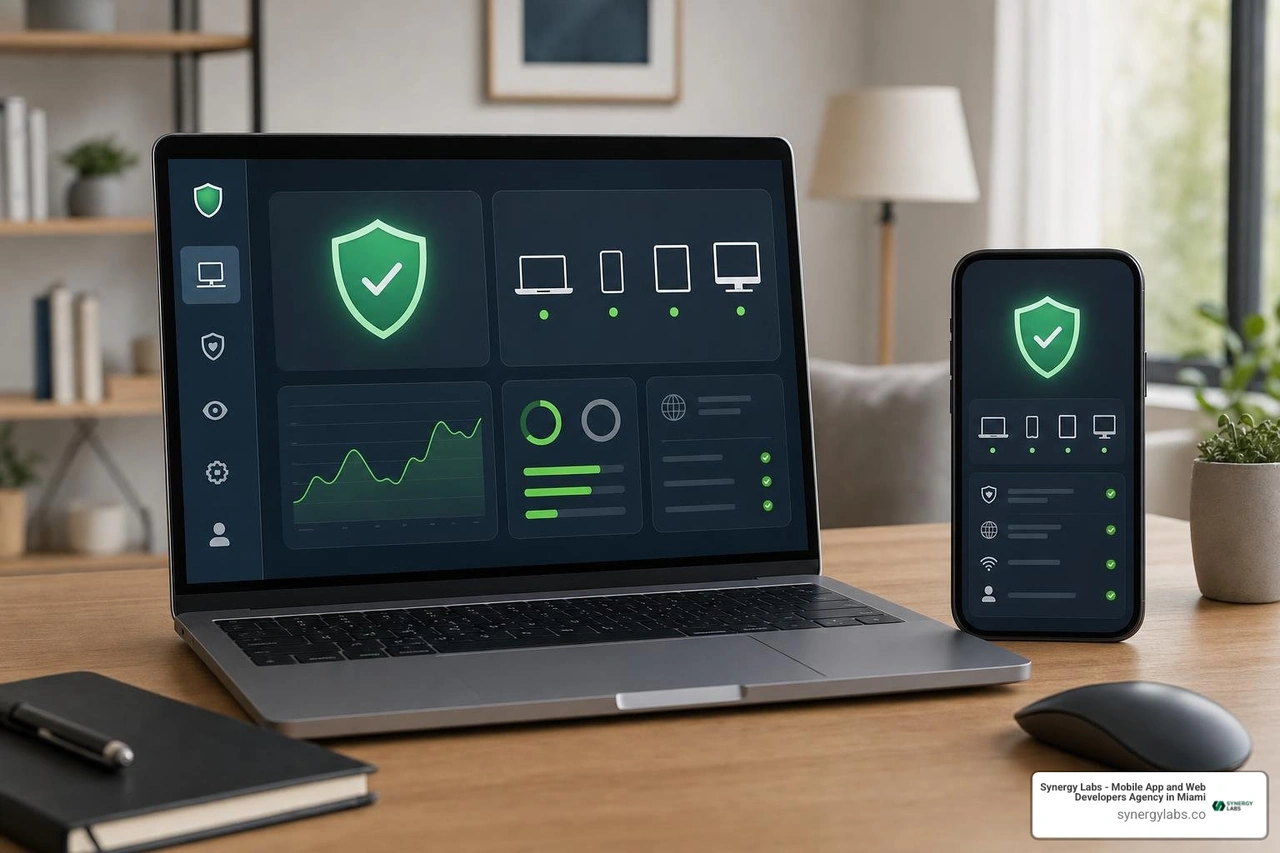
This is precisely why cross-platform security suites have become the preferred choice for comprehensive cyber defense. Rather than purchasing individual, disconnected security apps for each individual device, cross-platform subscriptions allow you to manage endpoint protection across Windows, macOS, Android, and iOS devices under a single unified dashboard.
Choosing a multi-device security suite offers several distinct advantages:
Centralized Threat Intelligence: Security policy changes, threat alerts, and scan reports from all your family or business endpoints are aggregated into a single web management portal.
Cost Efficiency: Multi-device licenses typically cover five to ten devices simultaneously, significantly reducing the per-device cost compared to buying standalone mobile security keys.
Unified Secure Protocols: Shared features like unlimited VPN access, encrypted password vaults, and dark web identity monitoring work seamlessly across both your desktop environment and your mobile smartphone.
From an engineering perspective, endpoint protection on mobile devices directly complements secure software development. When developers build enterprise mobile apps, they implement strict code obfuscation, encrypted local databases, and secure API transport protocols. However, if a user's mobile endpoint is already compromised by a background keylogger or a rootkit Trojan, even the most securely engineered application can face risk exposure.
At Synergy Labs, security is deeply woven into every line of code we write and every architecture we design. Establishing robust mobile endpoint defense ensures that carefully developed applications operate in a safe, uncompromised execution environment. To learn more about how secure development practices protect mobile applications from client-side vulnerabilities, check out our insights on Mobile App Security and explore our step-by-step framework on How to Secure Mobile Apps.
Frequently Asked Questions About Android Malware Protection
Do Android phones really need security software beyond native protection?
While native system scanning provides a solid baseline defense that automatically checks apps within the official store, it does not offer complete protection against all mobile attack vectors. Third-party security applications provide specialized layers of protection that native tools lack, including real-time web phishing shields, automated SMS scam filtering, Wi-Fi network vulnerability auditing, dark web identity monitoring, and customizable on-demand file scanning. If you frequently sideload applications, connect to public Wi-Fi networks, or use your smartphone for financial transactions, dedicated security software provides crucial additional defense.
Will running an antivirus app drain my Android battery or slow down performance?
Modern high-rated mobile security software is specifically engineered to run efficiently with negligible impact on system resources or battery longevity. Leading security applications utilize cloud-based threat detection engines. Instead of downloading heavy signature databases and running processor-intensive local comparisons on your device, the app calculates lightweight cryptographic hashes and verifies them against secure cloud servers. Independent testing laboratories regularly award top mobile security tools maximum points for minimal battery consumption and zero system slowdowns during everyday use.
Can a mobile security scanner protect against SMS phishing and scam calls?
Yes, advanced mobile security applications include dedicated AI-driven scam detection features designed to intercept fraudulent communications before you open them. By leveraging Android's built-in Accessibility Service and Call Screening APIs, these tools actively analyze web links sent via SMS, incoming phone numbers, and messaging links against live databases of known fraud campaigns. If a text message contains a malicious link designed to steal credentials or download malware, the security app flags the message and warns you before you interact with the content.
Fortifying Your Mobile Ecosystem for the Digital Future
Ensuring long-term security across your mobile ecosystem requires a combination of robust endpoint protection tools and smart digital habits. Installing the best virus protection for android phone hardware creates a strong safety net, but practicing safe downloading habits, keeping your operating system updated, and auditing app permissions regularly remain essential parts of complete mobile defense.
At Synergy Labs, we understand that robust security is the foundation of every successful digital product. As a premier mobile app and web development agency, we specialize in building scalable, enterprise-grade mobile applications engineered to resist modern threats from day one. Whether you are launching a complex cross-platform mobile solution or upgrading legacy software, our world-class engineering teams deliver exceptional digital experiences tailored to your business goals.
We eliminate development friction through a client-first approach built on transparency and technical excellence:
Fixed-Budget Model: Clear, predictable pricing structures that keep your project strictly on budget without surprising hidden fees.
In-Shore CTO Leadership with Offshore Execution: Direct access to experienced senior technical leadership paired with elite offshore development teams, delivering premium quality at optimized operational costs.
Milestone-Based Payments: Structure your investment around verifiable development progress, ensuring every deliverable meets strict quality and security benchmarks before payment release.
Ready to build secure, high-performing mobile apps that stand out in the marketplace? Partner with our expert engineering team today by exploring our Custom Mobile App Development Services and turn your mobile vision into a secure reality.


.avif)

.avif)


