Django's batteries-included philosophy makes it one of the fastest paths from idea to working social app — if you know which components to reach for first.
Your Journey to Building a Social Network

A django social media app is a web application built with the Django framework that enables social networking features. To get started, you'll need Python 3.x, Django (pip install django), and a basic understanding of web development. Throughout this guide, you'll build an app with user authentication, profiles, posts, comments, likes, and a following system.
Django is a go-to framework for social platforms. Its "batteries-included" philosophy provides user authentication, database management, and security tools out of the box, enabling rapid development. The framework's Model-View-Template (MVT) architecture and built-in admin interface streamline the process, while its proven scalability ensures your app can grow from a few users to millions.
This tutorial will guide you through building a fully functional django social media app from scratch, resulting in a portfolio-worthy project. I'm with Synergy Labs, a Miami-based mobile app and web development agency. My team has seen how Django's flexibility makes it ideal for building social media solutions that scale from MVP to millions of users without a complete rewrite.
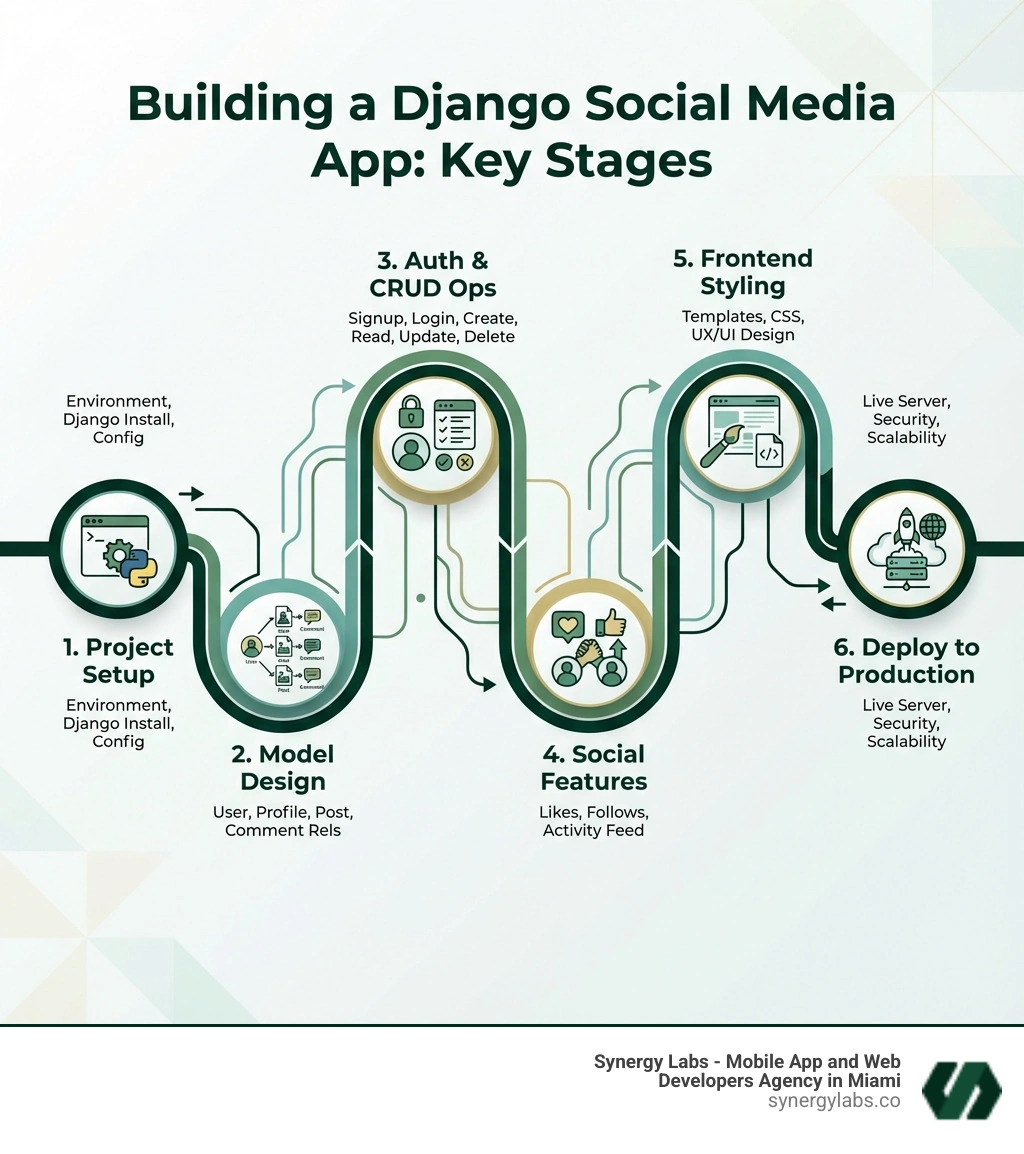
Why choose Django for your django social media app? The answer lies in its robust design and "batteries-included" philosophy. As a high-level Python web framework, Django enables rapid development of secure, maintainable, and scalable applications, and has been used to power large-scale sites.
At its core, Django uses the Model-View-Template (MVT) architectural pattern to separate concerns:
- Models: Define your data structure and interface with the database.
- Views: Handle business logic and process user requests.
- Templates: Manage the user interface and render data into HTML.
This separation keeps your codebase organized and scalable. Django's standout features include a powerful Object-Relational Mapper (ORM) that lets you interact with your database using Python, speeding up development and enhancing security. It also has built-in protections against common web vulnerabilities like CSRF, XSS, and SQL injection.
Furthermore, Django's auto-generated admin interface is a developer's dream, providing a ready-to-use backend for managing users and content. The vast Python ecosystem offers countless libraries to extend your app's capabilities, from image processing to machine learning. These strengths provide a solid foundation for any successful social media platform. If you're looking to develop a powerful web application, consider our Web App Development Service for expert guidance.
Project Kickoff: Setting Up Your Django Environment
To build your django social media app, start by setting up an isolated development environment using a virtual environment. This keeps your project's dependencies separate and manageable.
Create a Project Directory and Virtual Environment:
mkdir my_social_appcd my_social_apppython3 -m venv venv
Activate the Environment:
- On macOS/Linux:
source venv/bin/activate - On Windows:
venv\Scripts\activate
Install Django: With the virtual environment active, install Django from the Python Packaging Index (PyPI).
Start a New Django Project: Create the project structure in the current directory.
django-admin startproject social_app_project .
Create a Core Application: Apps are modules for specific functionalities. Let's create a core app.
python manage.py startapp core
Configure settings.py: Ouvrir social_app_project/settings.py and add your new app to the INSTALLED_APPS list.
# social_app_project/settings.pyINSTALLED_APPS = [# ... other apps'django.contrib.staticfiles','core', # Our new app]
Database Setup: Django defaults to SQLite, which is perfect for development. The configuration is already in settings.py.
# social_app_project/settings.pyDATABASES = {'default': {'ENGINE': 'django.db.backends.sqlite3','NAME': BASE_DIR / 'db.sqlite3',}}
Run Initial Migrations: Create the initial database tables for Django's built-in apps.
Your Django project is now set up and ready for development. This foundational setup is crucial for any django social media app.
Building the Backbone: Core Models and Relationships
The heart of any django social media app is its data structure. Django's Models API lets us define our data relationships using Python classes, which are then translated into database tables by its powerful object-relational mapper (ORM). We'll define models for users, profiles, posts, comments, and likes. For more on database design, you can explore the entity–relationship (ER) model.
Extending the Built-in User Model
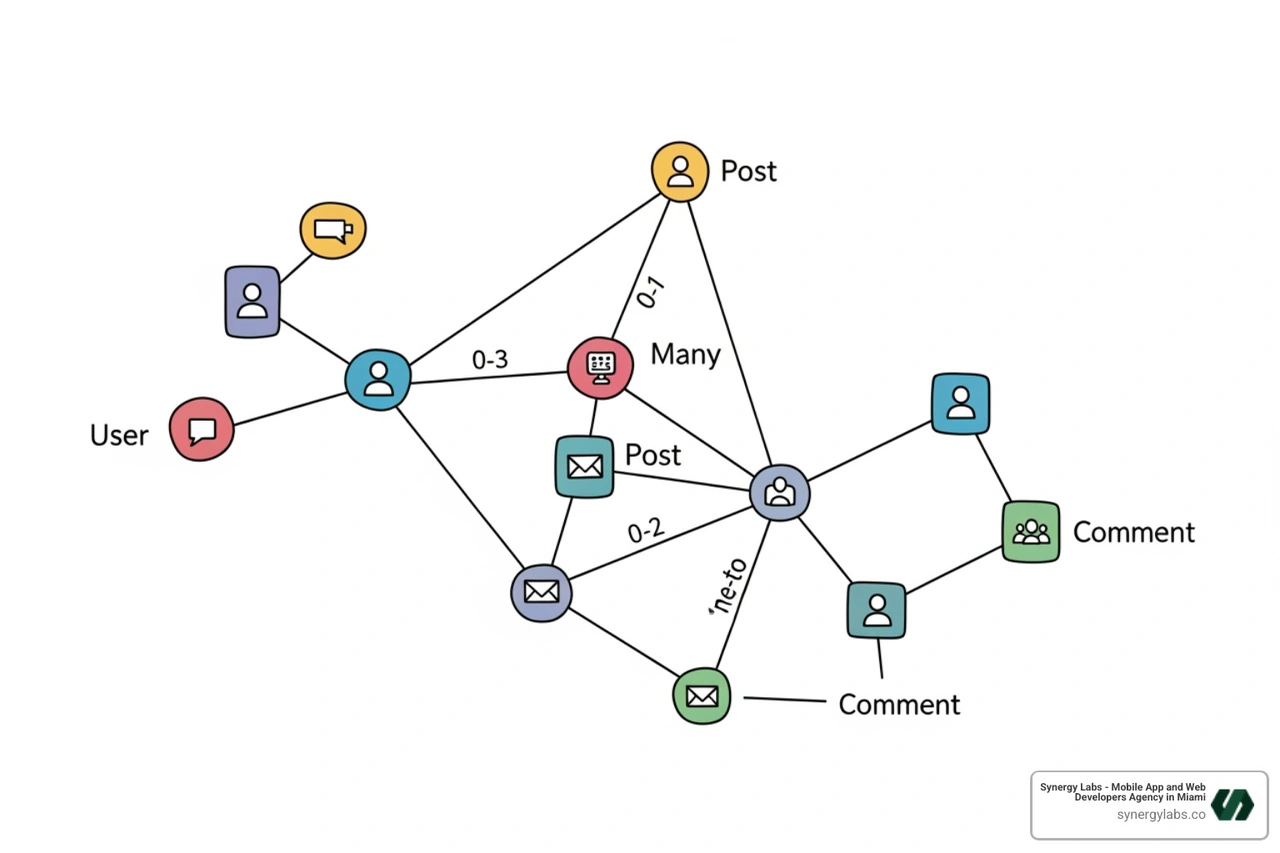
For a django social media app, we need more user information than Django's built-in User model provides. The best practice is to extend it with a custom Profile model using a OneToOneField. This keeps our app-specific fields separate while leveraging Django's robust authentication system. You can learn more on extending the User model.
Here is the Profile model defined in core/models.py:
from django.db import modelsfrom django.contrib.auth.models import Userclass Profile(models.Model): user = models.OneToOneField(User, on_delete=models.CASCADE) bio = models.TextField(blank=True, null=True) profile_picture = models.ImageField(upload_to='profile_pics/', blank=True, null=True) follows = models.ManyToManyField('self', related_name='followed_by', symmetrical=False, blank=True) def __str__(self): return f'{self.user.username} Profile'
The follows field uses a ManyToManyField to self with symmetrical=False to create a non-reciprocal following system (if A follows B, B doesn't automatically follow A).
To automatically create a Profile whenever a new User is created, we use Django signals. The post_save signal triggers a function after a model is saved.
from django.db.models.signals import post_savefrom django.dispatch import receiverfrom django.contrib.auth.models import Userfrom .models import Profile@receiver(post_save, sender=User)def create_profile(sender, instance, created, **kwargs): if created: Profile.objects.create(user=instance)@receiver(post_save, sender=User)def save_profile(sender, instance, **kwargs): instance.profile.save()
Remember to import these signals in your core/apps.py file to ensure they are loaded.
Defining Posts, Likes, and Comments
Next, we define the models for user-generated content. The Post model represents content shared by a user.
class Post(models.Model): user = models.ForeignKey(User, on_delete=models.CASCADE, related_name='posts') content = models.TextField() image = models.ImageField(upload_to='post_images/', blank=True, null=True) created_at = models.DateTimeField(auto_now_add=True) class Meta: ordering = ['-created_at'] def __str__(self): return f'{self.user.username} - {self.content[:30]}...'
The Like model tracks which user liked which post, with a unique_together constraint to prevent duplicate likes.
class Like(models.Model): user = models.ForeignKey(User, on_delete=models.CASCADE, related_name='likes') post = models.ForeignKey(Post, on_delete=models.CASCADE, related_name='likes') created_at = models.DateTimeField(auto_now_add=True) class Meta: unique_together = ('user', 'post') def __str__(self): return f'{self.user.username} likes {self.post.content[:20]}...'
Finally, the Comment model allows users to respond to posts.
class Comment(models.Model): user = models.ForeignKey(User, on_delete=models.CASCADE, related_name='comments') post = models.ForeignKey(Post, on_delete=models.CASCADE, related_name='comments') content = models.TextField() created_at = models.DateTimeField(auto_now_add=True) class Meta: ordering = ['created_at'] def __str__(self): return f'{self.user.username} commented on {self.post.content[:20]}...'
After defining these models, run migrations to update your database:
python manage.py makemigrations corepython manage.py migrate
This creates the structural backbone for our django social media app.
The Gates to Your App: User Authentication and Profiles
User authentication is the gateway to your django social media app, allowing users to access personalized features securely. Django's built-in authentication system handles user registration, login, and password management, but for advanced features like social logins, we recommend a third-party package.
A seamless user experience is crucial for adoption. For app development solutions that prioritize security and UX, explore a guide to our App Development Service.
Implementing User Authentication with django-allauth
For a modern django social media app, django-allauth is the ideal choice. It provides a complete solution for local and social authentication, email verification, and account management. To integrate it, follow the django-allauth installation guide, which involves these key steps:
Installation:
pip install django-allauth
settings.py Configuration: Add allauth and its dependencies to INSTALLED_APPS and set SITE_ID = 1.
# social_app_project/settings.pyINSTALLED_APPS = [# ... existing Django apps'django.contrib.sites', # Required by allauth'allauth','allauth.account','allauth.socialaccount',# 'allauth.socialaccount.providers.google', # Example]SITE_ID = 1
URL Configuration: Include django-allauth's URLs in your project's urls.py.
# social_app_project/urls.pyfrom django.urls import path, includeurlpatterns = [path('admin/', admin.site.urls),path('accounts/', include('allauth.urls')), # Allauth URLspath('', include('core.urls')),]
Once authenticated, a user's profile is their digital identity. We'll create views to display profile information, user posts, and follower/following counts. Users will also need a form to edit their profile (bio and picture).
The follows ManyToManyField in our Profile model is key to the social graph. We'll implement a view to handle follow/unfollow logic. This view will check if the current user already follows the target user and then either add or remove the relationship from the follows list. For a smoother user experience, this action is often handled with an AJAX request, which updates the page without a full reload. This functionality empowers users to connect and build their network within the django social media app.
The Heart of Interaction: Creating and Engaging with Posts
The core of any django social media app is user-generated content. This means implementing CRUD (Create, Read, Update, Delete) operations for posts, plus likes and comments. Django's ModelForms simplify user input, while the login_required decorator secures actions for logged-in users only. A great user experience is vital for engagement, a principle we emphasize at Synergy Labs. You can read more about L'importance de l'expérience utilisateur (UX) dans la conception d'applications mobiles.
From Thought to Post: Implementing Post CRUD
Let's implement CRUD for posts in our django social media app.
1. Create Post: We'll use a ModelForm based on our Post model and a view to handle the submission. The view associates the new post with the logged-in user.
# core/forms.pyfrom django import formsfrom .models import Postclass PostForm(forms.ModelForm): class Meta: model = Post fields = ['content', 'image']# core/views.pyfrom django.shortcuts import render, redirectfrom django.contrib.auth.decorators import login_requiredfrom .forms import PostForm@login_requireddef create_post(request): if request.method == 'POST': form = PostForm(request.POST, request.FILES) if form.is_valid(): post = form.save(commit=False) post.user = request.user post.save() return redirect('feed') else: form = PostForm() return render(request, 'core/create_post.html', {'form': form})
2. Read, Update, and Delete: We'll also need a detail view to read a single post. For updating and deleting, we'll create views similar to create_post but add logic to ensure only the post's owner can perform these actions.
Engagement is what makes a social app thrive. We'll implement likes and comments using the models we defined earlier.
Like/Unlike Logic: A like_post view will toggle a Like object's existence for a given user and post. For a responsive feel, this is best handled with an AJAX call that sends a background request and updates the like count dynamically.
# core/views.py (simplified like_post view)from django.http import JsonResponsefrom django.shortcuts import get_object_or_404@login_requireddef like_post(request, post_id): post = get_object_or_404(Post, id=post_id) like, created = Like.objects.get_or_create(user=request.user, post=post) if not created: like.delete() return JsonResponse({'liked': created, 'total_likes': post.likes.count()})
Commenting on Posts: A CommentForm and an add_comment view will handle comment submissions. The view will associate the new comment with the current user and the relevant post. In the post detail template, we can then loop through post.comments.all() to display all comments.
# core/views.py (simplified add_comment view)@login_requireddef add_comment(request, post_id): post = get_object_or_404(Post, id=post_id) if request.method == 'POST': form = CommentForm(request.POST) if form.is_valid(): comment = form.save(commit=False) comment.user = request.user comment.post = post comment.save() return redirect('post_detail', pk=post_id) # ...
These features are essential for building a vibrant community within your django social media app.
From Development to the World: Deployment and Advanced Features
Building a django social media app locally is a great start, but the goal is to share it with the world. This involves styling, deployment, and adding advanced features. Scaling an app requires foresight, a topic we cover in How to Successfully Scale Your Mobile App Development.
Styling, Deployment, and Next Steps
Styling: A professional look is crucial. You can integrate CSS frameworks like Bootstrap using packages like django-bootstrap-v5 to easily style your templates and forms.
Deployment: Cloud platforms simplify getting your app online. After preparing your project for production (configuring static files, using a database like PostgreSQL), you can deploy using Git. You can find many guides online for deploying Python applications to various cloud providers.
Advanced Features: To improve your app, consider:
- Real-time Features: Use Django Channels to add WebSockets for live chat and notifications.
- APIs: If you plan to build a mobile app or a JavaScript frontend, use Django Rest Framework (DRF) to create a robust RESTful API. This allows your Django backend to serve data to any client.
The Admin's Superpower: Managing Your App
Django's built-in admin interface is a powerful tool for managing your django social media app's data. By registering your models in core/admin.py, you get a ready-to-use backend for content moderation.
from django.contrib import adminfrom .models import Profile, Post, Comment, Like# Example of a customized admin view for the Post model@admin.register(Post)class PostAdmin(admin.ModelAdmin): list_display = ('user', 'content', 'created_at') list_filter = ('created_at', 'user') search_fields = ('content', 'user__username')# Register other models similarlyadmin.site.register(Profile)admin.site.register(Comment)admin.site.register(Like)
You can customize the admin to improve usability. list_display controls the columns shown in the list view, list_filter adds filtering options, and search_fields adds a search box. You can also use inlines to edit related models (like a User and their Profile) on the same page, streamlining data management.
Yes, Django is highly scalable and has been proven to power major platforms with millions of users. Scalability depends on proper database optimization, caching, and infrastructure design.
How can I add social login to my Django app?
The easiest way is to use a third-party package like django-allauth. It provides a comprehensive solution for both local and social account authentication.
What's the best way to handle the frontend for a Django app?
For server-side rendering, use Django's templates with a CSS framework like Bootstrap. For a dynamic single-page application (SPA), use Django with Django Rest Framework as a backend API for a modern JavaScript framework.
Your Social Network's Next Chapter
Congratulations on starting your journey to build a django social media app. You've learned to set up a Django project, design robust models, implement authentication with django-allauth, create CRUD functionality, and enable social interactions like follows, likes, and comments.
This project provides practical experience with Django's MVT architecture, ORM, and admin interface, giving you the skills to build a functional and engaging social platform. Building a django social media app is an excellent way to create a portfolio-worthy project that showcases your full-stack development abilities.
The journey of app development is continuous. At Synergy Labs, we specialize in turning complex ideas into scalable and engaging web and mobile applications. If you're ready to take your project from a concept to a global platform, explore our app development services and let's build the next big thing together.


.avif)

.avif)


