Android's remote lock features work fast when configured in advance — a two-minute setup now is the difference between a recoverable situation and a compromised account.
Your Android Is Gone — Here's How to Lock It Before Anyone Gets In

Remote lock Android phone is a built-in Android security feature that lets you lock your lost or stolen device from anywhere — no physical access needed.
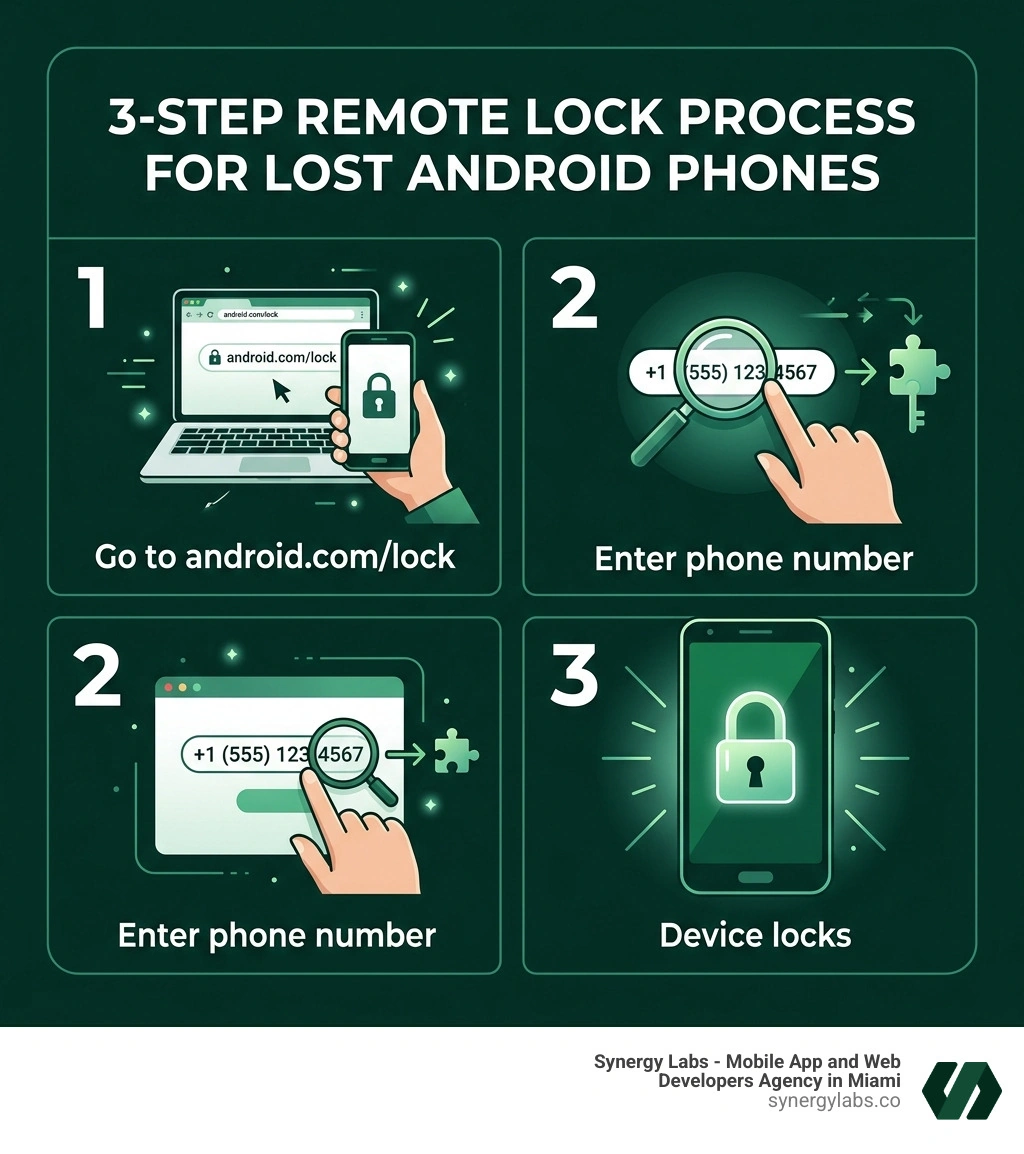
Here's how to do it in 3 steps:
- Go to android.com/lock in any browser
- Enter your phone's number (with international calling code)
- Complete the quick security challenge — your phone locks immediately
No Google account sign-in required. If your phone is offline, it locks automatically the moment it reconnects.
That's the short answer. But there's a lot more to know — like how to set it up before disaster strikes, what its limits are, and what to do if it doesn't work.
Here's the hard truth: most people don't think about remote locking until the moment they need it. And by then, it's often too late to enable it. Security experts have described Remote Lock as the most important security feature Google has released — and it's easy to see why. One moment your phone is in your pocket; the next, it's in someone else's hands, with your banking apps, photos, and passwords wide open.
With an estimated 1.5 billion smartphones in use worldwide, device theft is not a rare edge case — it's a daily reality.
I'm a senior security architect at Synergy Labs, and we've built and secured mobile apps across platforms, giving us deep hands-on experience with Android's security architecture — including features like remote lock Android phone that protect both end users and the sensitive data inside their apps. That background shapes everything you'll read here.
Understanding the New Remote Lock Android Phone Feature
As we move through April 2026, the landscape of mobile security has shifted significantly. Google has moved beyond the basic "Find My Device" tools of the past to create a more resilient ecosystem. The centerpiece of this evolution is the remote lock android phone tool, which is now integrated deeply into Google Play Services and the Android 15 security suite.
This isn't just a minor update; it's a fundamental change in how we protect our digital lives. In the past, if you lost your phone, you had to find another computer, remember your complex Google password (which was likely saved on the lost phone anyway), and navigate through two-factor authentication (2FA) prompts that—you guessed it—were sent to the device you just lost. It was a frustrating "catch-22" that left users vulnerable.
The new Remote Lock tool does more for security than any other feature from Google highlights that this tool provides the peace of mind users have been waiting for. It functions as a digital "kill switch" for your screen, ensuring that even if a thief manages to snatch your phone while it's unlocked, you can shut them out in seconds.
How Remote Lock Differs from Find My Device
You might be wondering, "Don't I already have Find My Device?" While they share a common goal, the remote lock android phone feature is designed for speed and emergency accessibility.
Standard Find My Device features usually require you to sign in to your Google Account. This is great if you have a secondary "trusted" device nearby, but a nightmare if you're out at a party or traveling. Remote Lock, accessible via Remote Lock - Google, allows for no-sign-in access. You only need the phone number associated with the device and a quick security challenge to verify your identity.
This difference is critical. If someone grabs your phone while you're standing in line at a cafe in Miami or Riyadh, you don't want to spend ten minutes trying to bypass 2FA on a stranger's laptop. You want to enter your number and lock that screen immediately.
The Role of the Find Hub Network
The effectiveness of the remote lock android phone feature is bolstered by the Find Hub network. This is a massive, crowdsourced network of over 1.5 billion Android devices globally. By 2026 standards, this network has become incredibly precise.
When you trigger a remote lock or a location request, the Find Hub uses end-to-end encrypted location data from nearby Android devices to pinpoint your phone's location, even if it's not connected to GPS or Wi-Fi. This "Find nearby" feature can narrow down the location to within 10 meters. Because the data is encrypted, not even Google can see where your device is—only you can. This ensures that while your device is being tracked for recovery, your privacy remains intact.
How to Enable and Use Remote Lock Android Phone
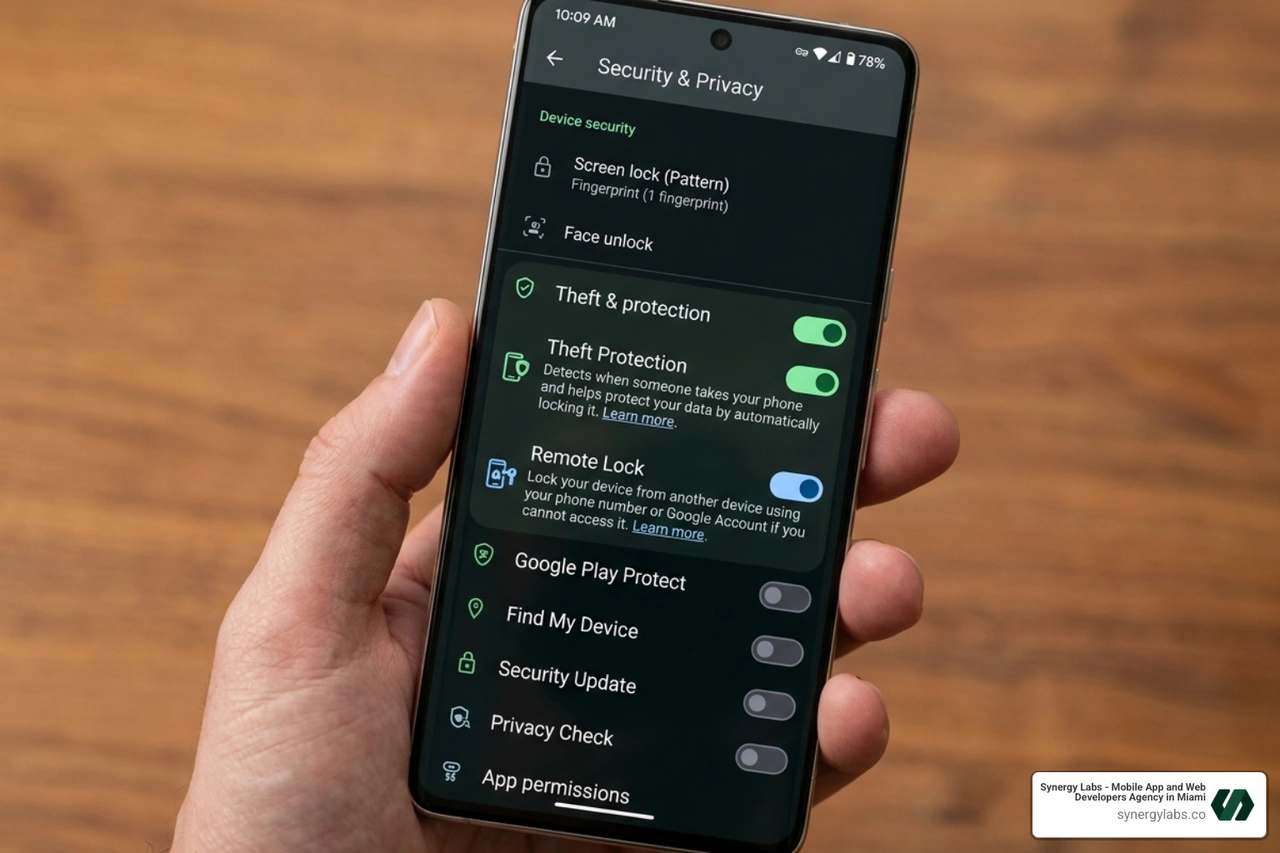
Before you can use this feature in an emergency, you must ensure it is active. Most modern Android phones (running Android 10 or higher) support this, but it often requires a manual toggle in the settings to be fully functional.
At Synergy Labs, when we develop apps, we always emphasize the importance of these native security layers. Whether we are building a custom enterprise tool or a consumer-facing app, we encourage users to leverage these built-in protections. You can learn more about our philosophy on app development services.
Setting Up Remote Lock Android Phone in Settings
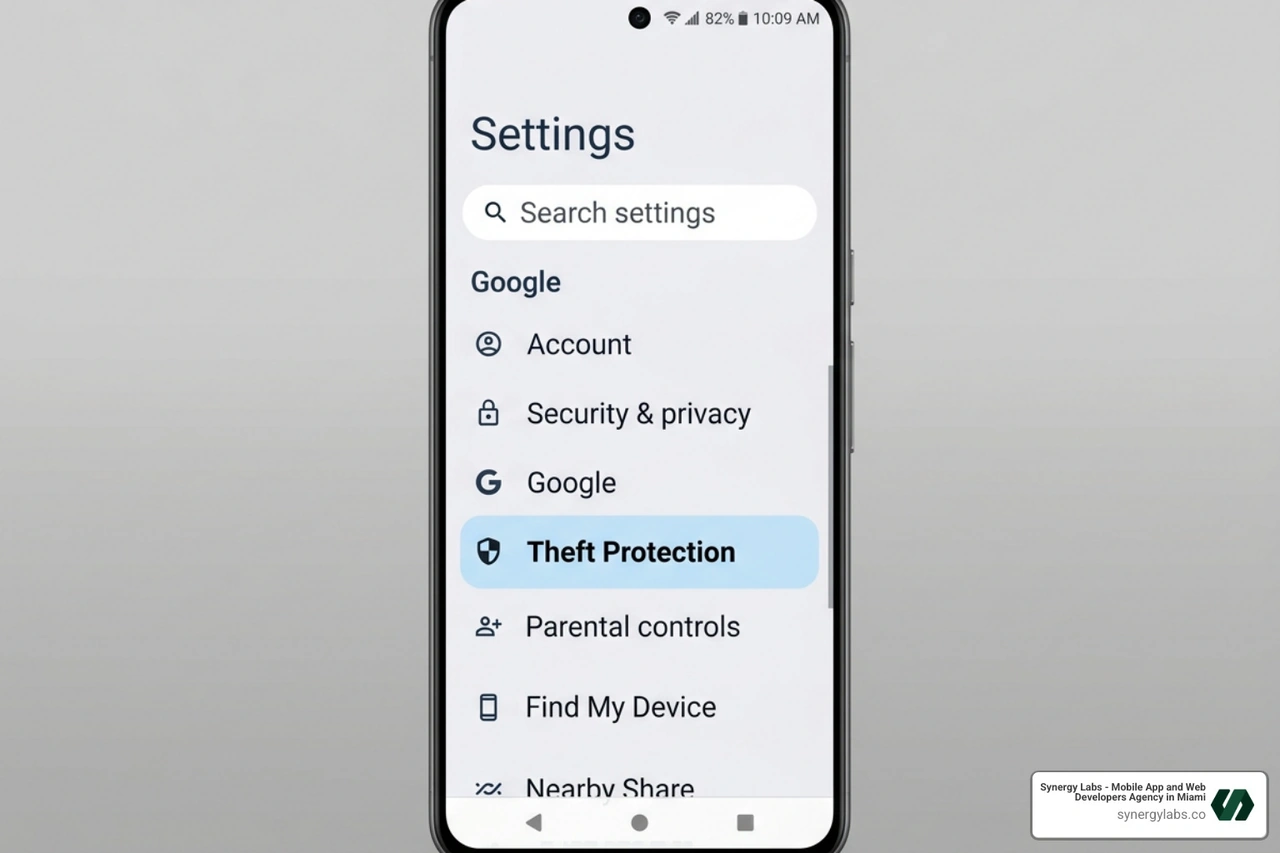
To enable the feature, follow these steps on your device:
- Open the Settings app.
- Scroll down and select Google.
- Tap on All services.
- Look for Theft protection and tap it.
- Find Remote Lock and toggle the switch to On.
A key prerequisite here is having a verified phone number. Under the Remote Lock settings, ensure that "Automatically verify phone numbers" is enabled. This allows Google to associate your SIM card and number with the remote locking service. You must also have a standard screen lock (PIN, pattern, or password) set up on the device for Remote Lock to function correctly.
Using Remote Lock Android Phone via Phone Number
If the worst happens and your phone is gone, here is the process to secure it:
- Use any available device (a friend's phone, a tablet, or a library computer) to visit android.com/lock.
- You will be prompted to enter your phone number. Make sure to include the international calling code (e.g., +1 for the US, +971 for the UAE, or +44 for the UK).
- Complete a brief security challenge. This is typically a series of questions or a verification step that you configured during setup.
- Once verified, the command is sent. Your phone’s screen will lock instantly, requiring your original PIN or password to regain entry.
This "Remote Challenge" is the secret sauce that makes the feature work without a full Google login, providing a much-needed shortcut during a high-stress situation.
Advanced Security Integration and Limitations
While the remote lock android phone feature is powerful, it doesn't exist in a vacuum. It is part of a broader "Theft Protection" suite that Google has refined for 2026.
Offline Behavior and Reconnection Triggers
One of the most common questions we get is: "What if the thief turns off my Wi-Fi or takes out the SIM card?"
Google has designed the system to be "sticky." If you send a remote lock request while the phone is offline, the command is queued by Google Play Services. The very second that device touches a Wi-Fi network or a cellular signal—even for a brief moment—the lock triggers. According to How to remotely lock the device if it's lost?, the device screen will lock automatically upon reconnection, preventing the thief from accessing your apps or data.
Frequency Limits and Device Requirements
To prevent abuse or accidental lockouts, Google has implemented a few guardrails. Currently, a device can only be locked remotely twice within a 24-hour period. This means you shouldn't "test" it repeatedly. Use it only when you genuinely believe the device is at risk.
Additionally, the device must have:
- An active SIM card with a verified number.
- Sufficient battery life to receive the signal.
- "Find My Device" turned on in the background.
Complementary Features: Theft Detection and Factory Reset
Remote Lock is even more effective when paired with Theft Detection Lock. This feature uses AI and device sensors to detect if someone snatches your phone out of your hand and runs away. If the accelerometer detects a sudden, high-speed movement typical of a "snatch-and-run," the phone locks itself automatically.
Furthermore, if you realize the phone is gone for good, you can use the Find Hub to perform a Remote Factory Reset. This wipes all data from the device. That once you erase the device, you can no longer track its location. However, for many of our clients at Synergy Labs, protecting sensitive data is more important than recovering the hardware. You can see how we prioritize data security in our Synergy Labs Portfolio.
Real-World Scenarios and Troubleshooting
Understanding the technical steps is one thing; applying them in the chaos of a real-world theft is another.
Common Theft Scenarios and Vulnerabilities
We’ve seen many cases where traditional security fails. For instance, many users utilize "Smart Lock" features like Trusted Devices. This keeps your phone unlocked as long as your smartwatch is nearby via Bluetooth. If a thief steals both your phone and your watch, your phone remains wide open.
Similarly, if you are at a party and leave your phone on a table, a thief can grab it while the screen is still active. This is where the remote lock android phone tool is a lifesaver. It overrides all "Trusted Device" settings and forces a hard lock, requiring your PIN or biometrics to open.
What to Do if Remote Lock Fails
If you try to lock your phone and it doesn't seem to work, don't panic. There are several backup steps you can take:
- IMEI Lookup: You can find your device's IMEI number through the Find Hub settings on another device. Provide this to your carrier to black-list the device, making it useless on any cellular network.
- Find Hub Guest Mode: If you don't have your number verified for the quick lock, you can use a friend's phone in "Guest Mode" within the Find My Device app to sign in to your Google account and trigger a lock or erase.
- Regional Considerations: If you are in a tech hub like Dubai or London, local law enforcement often has dedicated electronic crime units that can assist if you provide them with the location data from Find Hub. Lost Phone in Dubai? 4 Best Steps to Track, Lock and Recover suggests reporting the loss immediately to local authorities to increase your chances of recovery.
Unlocking Your Device After Recovery
If you are lucky enough to get your phone back, unlocking it is simple. The remote lock doesn't change your password; it just forces the device to ask for it. Simply enter your standard PIN, pattern, or password.
Once you have the device back, we recommend a "security audit":
- Check for any unauthorized apps installed.
- Change your Google and banking passwords.
- Review your "Recent Activity" in your Google account to see if any data was accessed.
Frequently Asked Questions about Remote Locking
Can I use Remote Lock if my phone is offline?
Yes. While the lock won't happen the exact millisecond you click the button, the command is queued. The moment the device reconnects to Wi-Fi or mobile data, the lock will trigger automatically.
Does Remote Lock require my Google password?
No, and this is the biggest advantage of the 2026 update. By visiting android.com/lock, you can secure the device using only your verified phone number and a quick security challenge. This bypasses the need for a full login, which is often impossible when your primary device is missing.
Is Remote Lock available on all Android versions?
It is widely available on devices running Android 10 and above. However, you must ensure that your Google Play Services are updated to the latest version. Some older devices or those without Google Play Services (like certain niche regional models) may not support the phone-number-based locking feature.
Securing Your Digital Future with Synergy Labs
In an era where our smartphones hold our entire identities—from banking and medical records to private memories—security cannot be an afterthought. At Synergy Labs, we understand that building a great app isn't just about a beautiful UI; it’s about creating a fortress for user data.
Why Synergy Labs Leads in Secure Development
Synergy Labs is a top-tier mobile app development agency specializing in creating high-quality, scalable, and secure cross-platform apps. With locations in major global hubs like Miami, Dubai, London, Riyadh, and New York City, we bring a global perspective to local security challenges.
Our unique selling proposition is the personalized service we provide. When you work with us, you get direct access to senior talent and an in-shore CTO who manages an expert offshore development team. This ensures that your project isn't just handed off to a nameless team; it is managed by experts who understand the nuances of Android security and cross-platform performance.
We operate on a fixed-budget model with milestone-based payments, ensuring that your project is completed efficiently and without hidden costs. Whether you are a startup looking for a rapid app launch or an enterprise needing robust security platforms, Synergy Labs is your partner in innovation.
Don't leave your app's security—or your users' data—to chance. Partner with an agency that prioritizes protection from the first line of code. Explore our services today or Visit Synergy Labs to start your journey toward a more secure digital future.


.avif)

.avif)


