Your app might open on a phone, then reappear as a floating spatial window moments later. Building for that reality — across foldables, tablets, and headsets — is what separates 2026's best apps from the rest.
The App Landscape Has Fundamentally Changed — Here's What You Need to Know
Beyond the Screen: The 2026 Guide to Building Multi-Surface Apps for Mobile and Spatial Computing is your complete roadmap for building apps that work seamlessly across phones, foldables, tablets, external displays, and spatial computing headsets like Apple Vision Pro and Meta Quest.
Quick answer for developers and founders:
Multi-surface apps adapt intelligently across every surface a user might encounter — not just different screen sizes, but entirely different interaction paradigms (touch, gesture, eye-tracking, spatial input)
Why it matters now: Users expect apps to follow them from a 6.7-inch phone to a 23-million-pixel spatial display without missing a beat
Core design shift: From responsive (reacting to screen size) to anticipatory (predicting what the user needs before they ask)
Business case: Multi-surface development can reduce build time by up to 60% and dramatically expand market reach across mobile, spatial, and wearable ecosystems
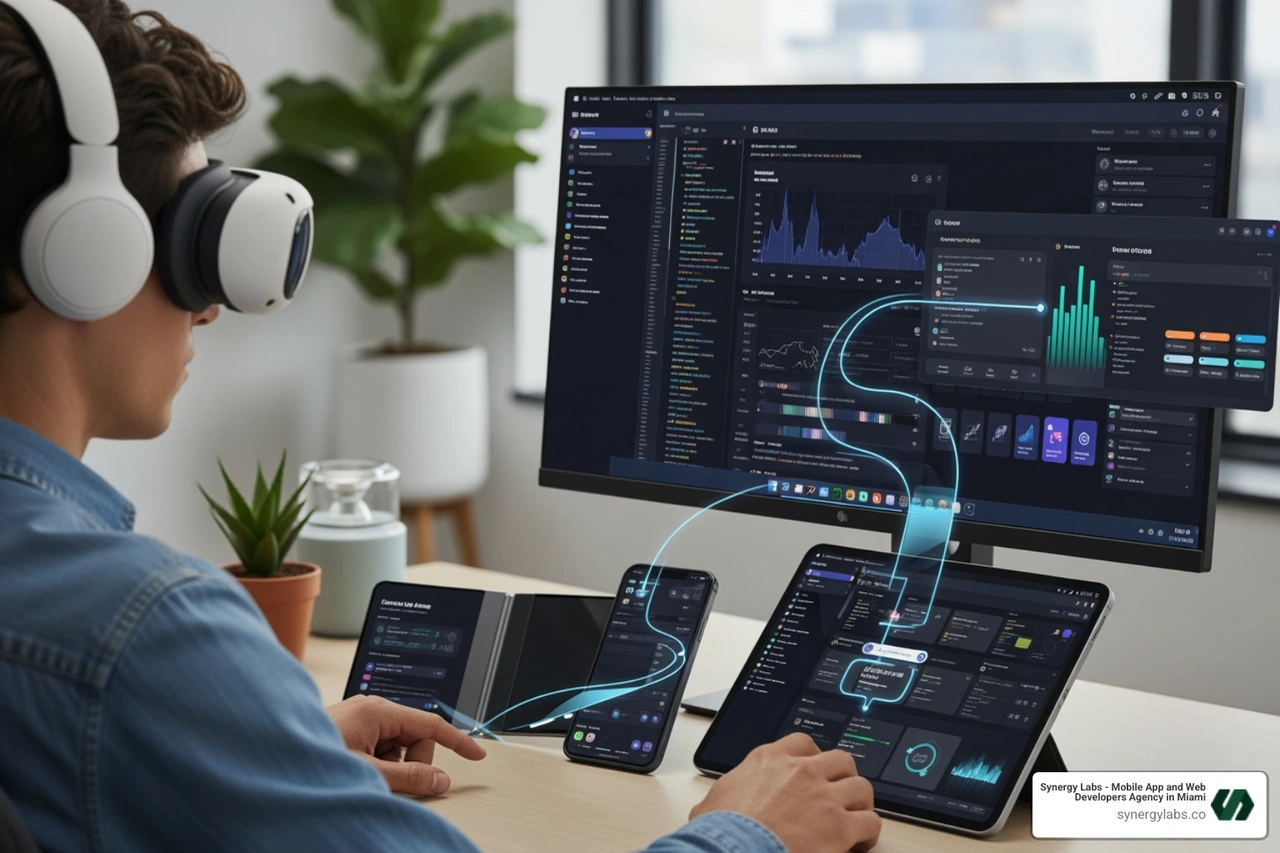
Think about this: your app might open on a phone held in one hand on a subway, then appear moments later as a floating spatial window while the user sits at their desk wearing a headset. Same app. Completely different context.
That's not a hypothetical. That's Tuesday in 2026.
The old mental model — build a mobile app, maybe port it to tablet — no longer cuts it. The surfaces users interact with have multiplied. So have the input methods, the content densities, and the expectations. And the developers who understand this shift are the ones shipping products that actually retain users across their entire day.
This guide covers everything: the technical architecture, the design principles, the AI integrations, the testing strategies, and the real business ROI of building for a multi-surface world.
At Synergy Labs, we've applied these exact principles across mobile and web projects — helping startups navigate cross-platform decisions and ship products that scale without rebuilding from scratch — which is exactly the kind of experience that informs this guide to Beyond the Screen: The 2026 Guide to Building Multi-Surface Apps for Mobile and Spatial Computing. If you're a founder trying to build once and reach users everywhere, you're in the right place.
Basic Beyond the Screen: The 2026 Guide to Building Multi-Surface Apps for Mobile and Spatial Computing terms:
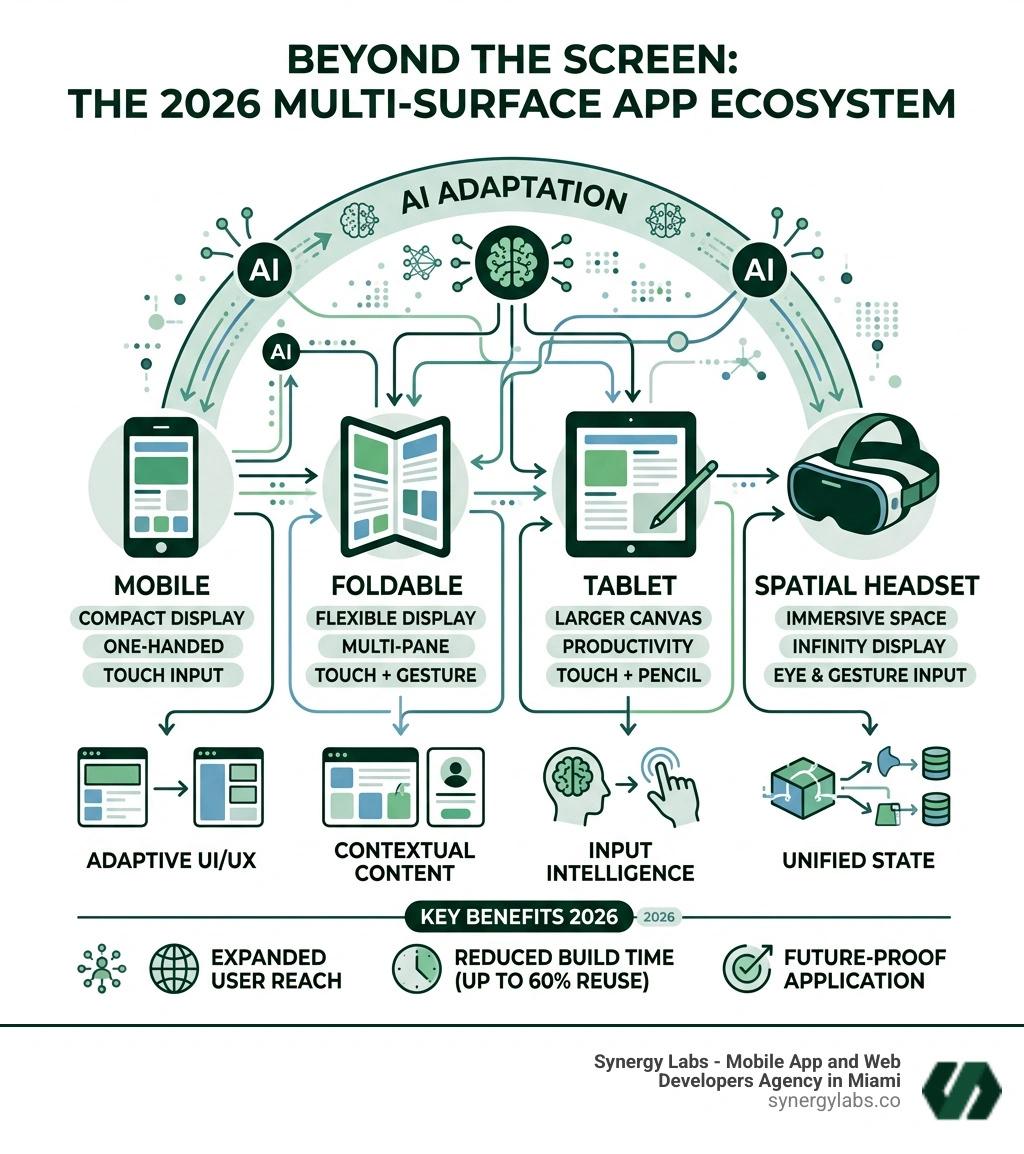
In 2026, we no longer think about "devices." We think about "surfaces." A surface can be the 6.7-inch glass on an iPhone, the expansive canvas of a Samsung foldable, or the infinite 3D volume of a spatial computing headset like the Vision Pro or Meta Quest 3.
The multi-surface paradigm differs from traditional multi-platform development because it moves beyond simply "porting" code. It is about device fluidity—the ability for an application to transition its state, UI, and interaction model based on the immediate context of the user. While multi-platform development traditionally focused on making an app "run" on iOS and Android, multi-surface development focuses on making the app "live" across an ecosystem.
At Synergy Labs, we emphasize cross-platform app solutions that prioritize this fluidity. We build adaptive ecosystems where the user is the center, not the hardware. This means the app respects user agency, allowing them to start a task on a watch, continue it on a phone, and finalize it in a spatial environment without friction.
Designing for Continuity: Beyond the Screen: The 2026 Guide to Building Multi-Surface Apps for Mobile and Spatial Computing
Continuity is the heartbeat of the multi-surface experience. If a user is editing a video on their tablet and puts on a spatial headset, the app should "persist" in that 3D space exactly where they left off.
Key transition triggers in 2026 include:
Physical Proximity: Moving near an external display or headset.
Posture Changes: Unfolding a device or docking a tablet into a keyboard.
Intent Signals: A user looking at a larger screen while holding a mobile device.
System Handoff: Explicitly moving a window from a 2D screen to a 3D spatial anchor.
Spatial persistence is particularly vital. In a spatial computing environment, "windows" aren't just pixels; they are objects anchored in physical space. Ensuring your app maintains its "Z-axis" position and state across sessions is what builds user trust.
The Shift from Responsive to Anticipatory Design
For years, we built "responsive" apps that reacted to screen width. In 2026, we build "anticipatory" apps. Using on-device AI, apps now use intent modeling to predict what a user needs. If you are at a grocery store, your app shouldn't just show your "Home" screen; it should anticipate your "Shopping List" surface.
This involves conversational UX for smart devices and behavioral signals. By inferring context—location, time of day, and even biometric stress levels—the system prepares the interface before the user even taps. This "Zero UI" approach reduces cognitive load, making the technology feel like a natural extension of the user's intent.
Beyond the Screen: The 2026 Guide to Building Multi-Surface Apps for Mobile and Spatial Computing: The Technical Blueprint
Building for multiple surfaces requires a robust, shared codebase. Gone are the days of maintaining four separate teams for iOS, Android, Web, and Spatial.
In 2026, the dominant tools are:
Flutter 4: Now featuring advanced spatial rendering and AI-assisted UI generation.
React Native + Expo: Perfect for rapid iteration with 80-95% code reuse.
Unity 6: The bridge between 2D mobile games and high-fidelity 3D spatial prototypes.
SKIP: A game-changer for migrating native Swift apps into multi-platform Kotlin stacks.
Kotlin Multiplatform (KMP): The gold standard for sharing business logic while keeping native performance.
When choosing the right framework for 2026, we look at the complexity of the spatial requirements. If your app is 90% data-driven, React Native or Flutter is ideal. If it requires heavy 3D manipulation, Unity 6 is the winner.
Bridging 2D Mobile and 3D Spatial Environments
The biggest hurdle for mobile developers entering spatial computing is the Z-axis. In a mobile app, everything is flat. In spatial computing, depth is a functional tool.
We use hybrid input fusion to bridge these worlds. This means an app can be controlled by physical touch on a phone (acting as a trackpad) while the visual output is projected into a 3D volume via raycast controls. This allows users to leverage the precision of touch for complex tasks while enjoying the immersion of spatial displays.
Overcoming Performance and Optimization Hurdles
High-fidelity spatial displays (like the 23-million-pixel Vision Pro) demand extreme optimization. A "jank" on a mobile screen is annoying; a "jank" in a spatial headset causes motion sickness.
We focus on:
Avoiding Layout-Triggered Re-renders: Using memoization to ensure only changed components update.
Asset Bundling: Utilizing the Addressables system to load high-res 3D assets only when needed.
Performance Profiling: Regular audits to ensure cold starts stay under 1200ms and interaction latency stays below 100ms.
Following W3C mobile accessibility standards is also critical. As we move beyond the screen, we must ensure that eye-tracking and gesture-based inputs are accessible to everyone, regardless of physical ability.
Design Principles for the Multi-Surface Era
The visual language of 2026 is defined by Liquid Glass UI. This isn't just the "frosted glass" look of 2023; it's a dynamic material that behaves like physical glass.
Dynamic Elevation: Objects cast shadows and change depth based on user focus.
Intelligent Color Adaptation: UI elements sample the real-world environment behind them to ensure legibility and "presence."
Responsive Lensing: Content subtly warps or magnifies based on the viewing angle, mimicking real-world optics.
Contextual Morphing: A button might be a simple icon on a watch but morph into a detailed menu on a spatial display.
Navigation and Layout Adaptation Across Ranges
We no longer design for "Phone" or "Tablet." We design for Ranges:
Compact: (Mobile) One-handed use, bottom navigation, high density.
Medium: (Foldables/Small Tablets) Two-handed use, side rails, split-view patterns.
Bottom navigation often fails on larger surfaces because it wastes vertical space and is hard to reach. In 2026, our designs automatically transition to side rails as the surface expands, ensuring the "One Foundation, Many Contexts" mental model holds true.
Gesture Evolution and Haptic Feedback
Gestures have evolved from simple swipes to complex spatial interactions. In 2026, we use:
Spatial Pinch: To "grab" and move windows in 3D space.
Multi-finger Air Taps: For shortcuts (e.g., a three-finger tap to "Undo").
Haptic Confirmation: Using device haptics to teach users when a spatial gesture has been "caught" by the system.
Research shows that AR mobile app engagement increases by 94% when interactive elements feel "tangible." By integrating haptic feedback and eye-tracking, we create a loop of "action and confirmation" that makes digital objects feel real.
The Role of On-Device AI and Spatial SDKs
AI is no longer a "feature" you call via an API; it is the foundation of the app. 2026 sees the rise of Foundation Models running locally on-device.
Developers now use declarative AI constructs:
@Generable Macro: Allows the system to autonomously populate data structures based on user context.
@Guide Macro: Constrains AI behavior to ensure it stays "on-brand" and follows the app's logic.
This is powered by Apple Intelligence and the Secure Enclave, ensuring that while the app is "smart," the user's data remains private and processed locally.
Integrating ARKit, ARCore, and Emerging Spatial SDKs
Spatial SDKs allow us to bridge the gap between digital twins and the physical world. For industries like construction or retail, this is transformative.
3D Product Previews: Letting customers see furniture in their actual living room before buying.
Immersive Training: Digital overlays that guide technicians through complex repairs.
Spatial Wayfinding: Directional arrows projected onto the real world for indoor navigation.
Future-Proof Architecture: Microservices and Cloud Sync
To support this multi-surface world, your backend must be as fluid as your frontend. We utilize:
GraphQL Federation: To fetch only the data needed for a specific surface.
WebSockets 2.0: For real-time, low-latency state synchronization across devices.
AI State Prediction: Predicting which device a user will switch to and pre-loading data.
Cloud-sync best practices for 2026:
Separate "Presentation State" from "Content State."
Ensure 99.5% crash-free sessions during device handoffs.
Implement robust offline-first capabilities so the app works in subways or "dead zones."
Maximizing ROI with Beyond the Screen: The 2026 Guide to Building Multi-Surface Apps for Mobile and Spatial Computing
Building a multi-surface app isn't just a technical flex—it's a massive business opportunity. By using a shared codebase, companies can achieve 80-95% code reuse, which slashes development time by up to 60%.
Business Benefits Include:
Increased Market Reach: One build targets mobile, foldable, and spatial users.
Higher Retention: Apps that follow the user are harder to "forget."
Boosted Conversions: AR-driven shopping increases conversion rates by 40%.
Cost Efficiency: Lower maintenance costs by managing a single logical core.
While a simple AR demo might cost $7,000 to $10,000, a full-scale multi-surface ecosystem typically ranges from $50,000 to $300,000. However, the ROI timeline is significantly shorter because you aren't paying to build the same app three times.
Testing Methodologies for Real-World Scenarios
You cannot test a multi-surface app on a single emulator. Our QA lifecycle involves:
Mid-task Resizing: Does the app crash if the user folds their phone while a video is playing?
Multi-window Multitasking: How does the app behave when it's a narrow column next to three other apps?
Keyboard-only Flows: Ensuring accessibility for users with external peripherals.
Avoiding Common Beginner and Advanced Pitfalls
We see many teams fall into the "Feature Parity Trap." You do not need every feature on every surface. A watch app should be for quick glances; a spatial app should be for deep immersion.
Other pitfalls to avoid:
Trend-chasing: Don't add AR just because it's cool. Add it because it solves a user problem.
Offline Neglect: If your app fails the moment the Wi-Fi drops, it's not a "mobile" app.
Redundant Controls: Don't clutter a spatial window with mobile-style "Back" buttons if the system already provides them.
Our portfolio showcases how we navigate these complexities, focusing on user trust and ethical design over "flashy" but useless features.
Frequently Asked Questions about Multi-Surface Apps
What is the difference between a multi-platform app and a multi-surface app?
A multi-platform app is built to run on different operating systems (like iOS and Android). A multi-surface app is designed to adapt its UI, interaction model, and state across different hardware contexts—from a tiny watch face to an infinite spatial environment—often within the same user session.
How much does it cost to build a multi-surface app for spatial computing in 2026?
Development costs generally range from $30,000 for a vertical "slice" or MVP to over $300,000 for a complex, AI-integrated ecosystem. The use of cross-platform frameworks like Flutter or React Native helps keep these costs manageable by maximizing code reuse.
Which framework is best for building apps that work on both mobile and Vision Pro?
For data-heavy apps, Flutter 4 or React Native are excellent. For highly immersive, 3D-first experiences, Unity 6 is the industry standard. If you are building a native Apple-centric experience, SwiftUI combined with SKIP for Android parity is a powerful 2026 strategy.
Partnering for Your Spatial Innovation Journey
The transition to a multi-surface world is the most significant shift in computing since the original iPhone. It requires more than just "coders"—it requires architects who understand the nuances of spatial depth, AI intent, and cross-platform fluidity.
At Synergy Labs, we don't just build apps; we build the future of how users interact with your brand. Our fixed-budget model ensures you never have to worry about runaway costs, and our in-shore CTO approach means you have direct access to senior talent who can translate your vision into a technical roadmap.
By combining the strategic oversight of our US-based leadership with the high-octane efficiency of our offshore development teams, we deliver rapid app launches without sacrificing quality. We operate on milestone-based payments, meaning you only pay for results that are delivered and verified.
Ready to take your product Beyond the Screen? Let's build the next generation of spatial experiences together.


.avif)

.avif)


