Introduction: Why Your App's Survival Depends on Listening

Mobile app customer feedback is what your users tell you about your app. This includes their thoughts, ideas, and any problems they find. Getting this feedback is key to making your app better.
To collect user feedback effectively, you should:
- Use in-app surveys: Ask questions directly within your app.
- Monitor app store reviews: Read what users say publicly.
- Check social media: See what people are saying online.
- Build a strong user support system: Offer easy ways for users to get help and share comments.
Launching a mobile app is just the first step. After that, your app needs to grow and keep users. But many apps struggle. A quarter of all apps are used only once and then deleted. That's a lot of lost users!
This is where listening to your users comes in. Mobile app customer feedback helps you understand what works and what doesn't. When you listen and act, users feel valued. Studies show that 87.8% of people are more likely to do business with a brand that responds to their feedback. If you fix their problems, 89.2% will have a better view of your brand overall. This leads to more loyal users and can boost your app's success.
As an informational content writer, I've seen how crucial mobile app customer feedback is for success, from improving user retention by 15% to driving engagement in diverse audiences. My experience involves ensuring user experience drives growth, leading to more intuitive and effective applications.
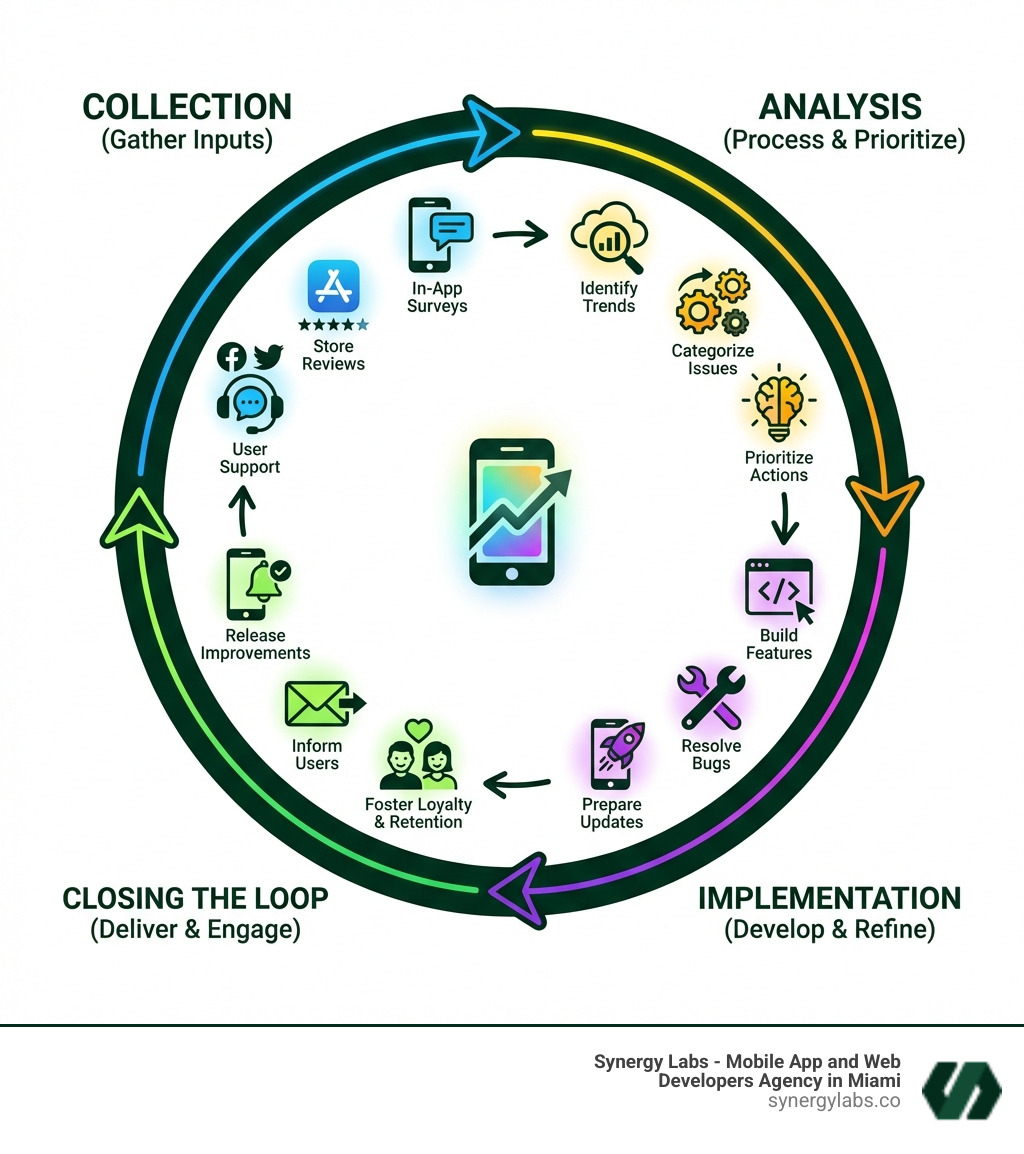
The "What" and "Where": Channels for Collecting Mobile App Customer Feedback
To truly understand your users, we need to meet them where they are. In the mobile world, that means inside your app, in the app stores, and across their digital journey. Collecting mobile app customer feedback isn't a one-size-fits-all endeavor; it requires a multi-channel approach to capture the full spectrum of user sentiment and experience.
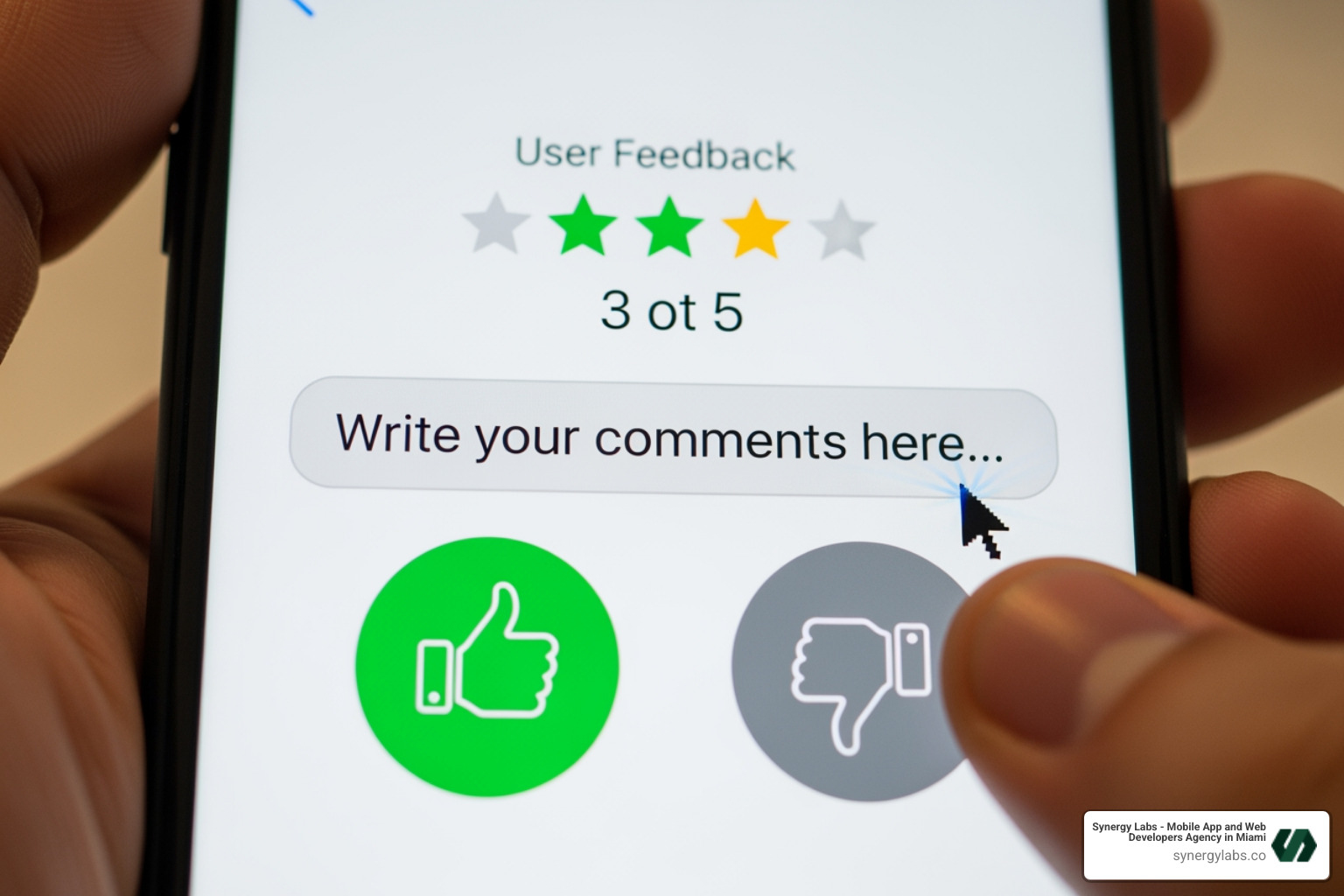
In-app feedback channels: These are perhaps the most direct and valuable. They allow users to provide feedback without leaving the app, capturing their thoughts while the experience is still fresh. This can include simple rating prompts, short surveys, or dedicated feedback forms.
App store reviews: The public face of your app. These reviews heavily influence potential users, with elevating an app store rating to 4 or more stars almost doubling the likelihood of a download. Managing these reviews effectively is crucial, as they are often the first impression a new user gets.
Social media: Users frequently turn to platforms like Facebook, Twitter, and Instagram to share their experiences, both good and bad. Monitoring these channels provides a pulse on public perception and can uncover trending issues or feature requests.
Email surveys: While not "in-app," email surveys still play a role, especially for deeper dives into user satisfaction or for reaching users who might not engage with in-app prompts. However, they lack the immediacy and context of in-app feedback.
User support systems: A robust support system is not just for problem-solving; it's a goldmine for feedback. When users reach out with issues, questions, or suggestions, they are providing invaluable direct feedback that can highlight critical pain points or unmet needs.
Direct vs. Indirect: Understanding the Types of Mobile App Customer Feedback
To effectively use mobile app customer feedback, we first need to understand its different forms. Think of it like listening to a conversation – sometimes people tell you exactly what they think (direct), and sometimes you have to infer it from their actions (behavioral).
Direct feedback is explicit. It's when users consciously tell you their thoughts. This includes:
- Bug reports: Users reporting crashes, glitches, or unexpected behavior. This is critical for app stability.
- Feature requests: Users suggesting new functionalities or improvements to existing ones. This helps shape your product roadmap.
- Usability issues: Users explaining where they found the app confusing, difficult to steer, or frustrating to use.
- Surveys and polls: Direct questions asked within the app or via email to gauge opinions on specific features, overall satisfaction, or preferences.
Behavioral feedback is implicit. It's derived from how users interact with your app, not what they say. This type of feedback often reveals issues users might not even articulate or be aware of themselves. Key sources include:
- Analytics data: Tracking user paths, feature usage rates, session duration, and retention rates. For instance, if a large number of users drop off at a particular screen, it signals a problem. The average mobile app saw a 30-day retention rate between 4-10% in 2022, down from 15-20% in 2021, highlighting the struggle to keep users.
- User session recordings: Visual playback of individual user sessions, showing exactly how they interacted with the app. This can uncover hidden friction points or unexpected usage patterns.
- Heatmaps: Visual representations of where users tap, swipe, or focus their attention on different screens, indicating areas of interest or confusion.
Combining both direct and behavioral feedback gives us a comprehensive picture of the user experience. Direct feedback tells us what users think, while behavioral feedback shows us what they actually do.
The Power of In-App Surveys for Mobile App Customer Feedback
When it comes to gathering mobile app customer feedback, in-app surveys are a game-changer. Why? Because they meet your customers where they're at – already engaged with your product.
In-app vs. email surveys: Traditional email surveys are often an afterthought, sent days or weeks after an interaction. By then, the context is lost, and the user's memory might be hazy. In contrast, in-app surveys capture feedback in the moment, making the data richer and more reliable. This immediacy leads to significantly higher response rates. While the industry average for email surveys might hover around 5%, in-app surveys often deliver rates of 13% or more. This is because users don't need to switch channels; they can quickly respond within the flow of their app experience.
Contextual insights: Imagine asking a user about a specific feature right after they've used it. That's the power of in-app surveys. They provide contextual insights that are nearly impossible to get through other methods. This allows us to understand exactly why a user feels a certain way about a specific interaction.
Real-time data: In-app surveys deliver feedback in real-time, allowing our teams to spot and fix issues quickly. This means we don't have to wait for weekly or monthly reports to understand what's happening; we get immediate signals that can trigger instant actions or investigations.
Non-disruptive surveys: The key to successful in-app surveys is making them unobtrusive. We certainly don't want to annoy our users. Advanced survey tools use a 'nudge' concept designed to ask the right questions at the right time without interrupting the user's flow. This technology learns user behavior to optimize when and where surveys appear, leading to better response rates and happier users.
Here's a list of common use cases for in-app surveys throughout the app lifecycle:
- Onboarding feedback: Asking new users about their initial experience to identify drop-off points and improve the first impression.
- Feature adoption: Gauging user sentiment and understanding of new features right after their first interaction.
- Customer Satisfaction (CSAT): Measuring overall satisfaction after a key interaction or at regular intervals.
- Net Promoter Score (NPS): Asking how likely users are to recommend the app, providing a measure of loyalty. For example, a good average NPS for mobile apps was found to be +37 in 2022, which is considered a strong score depending on the industry.
- Churn prevention: Proactively asking users who show signs of disengagement what could be done to improve their experience or what almost made them uninstall.
- Goal Completion Rate (GCR): GCR surveys assess whether users successfully accomplished their intended tasks, such as managing plans or accessing support.
- Fake Door Tests: Some companies use a "Fake Door Test" to gauge interest in new features before full development.
In-app surveys can boost repeat buyer rates by 111% (compared to those who receive no messages at all) and often deliver 51% longer average user lifetimes. This highlights their immense value in building long-term user relationships and driving revenue.
Mastering the "How": Best Practices for Feedback Collection and Management
Collecting mobile app customer feedback is only half the battle. To truly leverage its power, we need to master how we design our feedback mechanisms and manage the responses. This involves creating user-friendly forms, strategically placing them, effectively handling app store reviews, building robust support systems, and knowing which pitfalls to avoid.
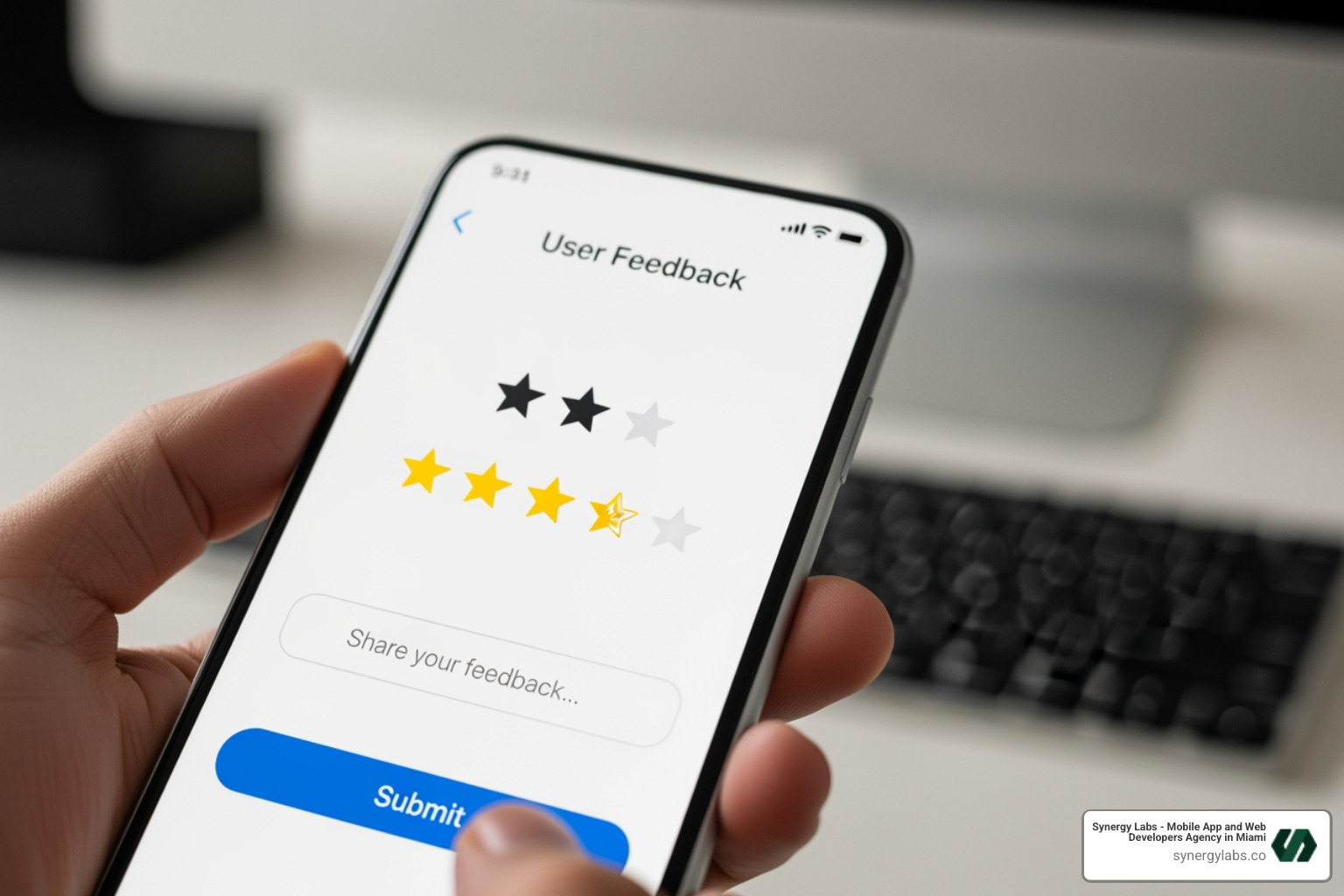
The easier you make it for users to provide feedback, the more likely they are to do so. A poorly designed form is a quick way to lose valuable insights.
- Keep it short: Mobile users are often on the go and have limited attention spans. One to three questions are usually ideal for in-app surveys. Friendly, human copy feels more natural and is less likely to interrupt the user experience.
- Clear, concise questions: Avoid jargon or ambiguous language. Each question should be easy to understand and directly related to the specific context or feature being evaluated.
- Mix of question types: Combine quantitative (e.g., rating scales, multiple-choice) with qualitative (e.g., open-ended text fields) questions. This provides both measurable data and rich, contextual insights.
- Mobile-first design: Ensure forms are optimized for small screens, with large tap targets, readable fonts, and minimal typing required. Accessibility and localization should be a priority.
- Gratitude message: Always thank users for their time and input. A simple "Thank You!" makes them feel appreciated.
- Incentives: While not always necessary, small, non-monetary incentives (like a "pro-tip" or early access to a feature) can boost response rates.
- A/B testing forms: Continuously test different versions of your forms, questions, and timing to optimize response rates and data quality.
Strategies for Managing App Store Reviews
App store reviews are your app's public report card and a critical source of mobile app customer feedback. How you manage them can significantly impact your app's reputation and download rates.
- Prompt responses: Respond to every review, positive or negative, within 24-48 hours. This shows users you're engaged and value their input.
- Professional tone: Always maintain a polite and professional demeanor, even when dealing with frustrated users.
- Acknowledge issues: For negative reviews, acknowledge the user's problem and apologize for their experience. This validates their feelings. Then, offer a concrete next step, like directing them to a private support channel (e.g., your message center) for resolution. This can turn a critic into a champion.
- Turn critics into champions: By addressing concerns professionally and offering solutions, you can often convert unhappy users into loyal advocates. As the research shows, 89.2% of people who had a company address and resolve their complaint report having a more positive view of the brand.
- Celebrate positive reviews: Thank users for their kind words. This encourages others to leave positive feedback and reinforces goodwill.
- App Store Optimization (ASO): Beyond reviews, ASO is crucial for boosting visibility and driving growth in a crowded market with over 5 million apps. A strategically optimized app store page improves conversion rates and attracts organic traffic.
Building a Robust User Support System
A strong user support system is more than just a help desk; it's an integral part of your feedback loop and a direct line to your users. When users experience an issue, have feedback, or need a fast response, it is essential to have a channel through which they can easily contact you.
- Easy-to-find help section: Embed a clear and accessible help or support section within your app.
- Searchable FAQ: A comprehensive and easily searchable FAQ can resolve common issues quickly, reducing the burden on your support team.
- Clear contact info: Provide multiple ways for users to get in touch, such as email, in-app chat, or a dedicated feedback form.
- Two-way communication: Implement channels that allow for ongoing conversation. A built-in message center, for example, provides a two-way conversation channel, enabling users to easily contact you and receive responses.
- Automated responses: Acknowledge receipt of user messages promptly, even with an automated response, to set expectations.
- Support workflows: Establish clear pathways for different types of support queries (e.g., bug reports, feature requests, billing issues) to ensure efficient routing and resolution.
Common Pitfalls to Avoid When Collecting Feedback
Even with the best intentions, collecting mobile app customer feedback can go wrong. Avoiding these common pitfalls will ensure your efforts are productive and don't alienate your users.
- Survey fatigue: Bombarding users with too many surveys or asking the same questions repeatedly will lead to low response rates and frustrated users. Be strategic with your timing and frequency.
- Interrupting user flow: Never pop up a survey during a critical task, like a checkout process or while a user is actively creating content. This is highly disruptive and can lead to abandonment.
- Biased or unclear questions: Frame questions neutrally to avoid leading users to a particular answer. Confusing questions will yield unhelpful data.
- Ignoring feedback: The fastest way to destroy user trust is to ask for feedback and then do nothing with it. If users feel their input is falling on deaf ears, they'll stop providing it.
- Poor mobile UX for surveys: If your survey itself is difficult to use on a mobile device (tiny buttons, long scrolling, slow loading), users will abandon it.
- Lack of follow-up: Even if you can't implement every suggestion, communicating back to users about changes made (or why certain changes weren't made) reinforces that their voice matters. Companies that don't close the loop increase their churn by a minimum of 2.1% every year. Conversely, those that do decrease churn by a minimum of 2.3% per year.
From Insight to Impact: Analyzing Feedback and Driving Growth
Collecting mobile app customer feedback is just the beginning. The real magic happens when we transform that raw data into actionable insights that drive product improvements and business growth. This is where analysis, prioritization, and communication become paramount.
Best Practices for Analyzing Collected App Feedback Data
Turning a flood of user comments into clear, actionable steps requires a systematic approach to analysis.
- Categorize feedback: Organize feedback into clear, predefined categories (e.g., bug reports, feature requests, usability issues, performance, content). This makes it easier to spot patterns.
- Identify patterns and trends: Look for recurring themes. If multiple users report the same issue or request a similar feature, it indicates a higher priority.
- Sentiment analysis: Use tools, often AI-powered, to automatically detect the emotional tone (positive, negative, neutral) within free-form text feedback. Customers using sentiment analysis see 7X greater retention rates than the industry average. This helps us quickly gauge overall user mood and identify areas of strong dissatisfaction or delight.
- User segmentation: Analyze feedback based on different user segments (e.g., new users vs. loyal users, iOS vs. Android users, free vs. premium users). This reveals how different groups experience your app.
- Contextual analysis: Always consider the context in which feedback was given. Was it after a crash? After a successful purchase? This adds crucial meaning to the comments.
- AI-powered analytics: Leveraging AI-powered analytics can significantly speed up the analysis of large volumes of qualitative data, turning free-form text into organized, measurable insights.
Translating Feedback into Actionable Product Improvements
Once feedback is analyzed, the next step is to translate those insights into concrete product improvements. Not all feedback can or should be acted upon immediately. Prioritization is key.
- Prioritization matrix (Impact vs. Feasibility): Evaluate each piece of feedback or identified issue based on its potential impact on users/business and the effort required to implement it.
- Critical issues: Bugs causing crashes or preventing core functionality. These are top priority.
- High-impact features: Requests that would significantly improve user experience or drive key business metrics.
- Quick wins: Small changes with high impact and low effort.
- Long-term projects: Larger features or overhauls that require significant development time.
- Roadmap decisions: Integrate prioritized feedback directly into your product roadmap. This ensures that user needs are at the heart of your development cycle.
- Real-world examples:
- A popular dating app uses feedback to measure the impact of new features, helping them understand how users interact with and value changes.
- A major telecom provider employs Goal Completion Rate (GCR) surveys to assess if users successfully complete tasks like managing plans, directly informing improvements to user flows.
- A children’s entertainment platform uses "Fake Door Tests" to gauge interest in new feature ideas before committing development resources, ensuring new features are desired by users.
Closing the Feedback Loop: The Key to Customer Loyalty
Collecting and analyzing feedback is powerful, but communicating what you've done with it is where customer loyalty truly blossoms. This is what we call "closing the feedback loop."
- Why communication is vital: Users want to know their voices are heard. When you communicate changes made based on their input, it builds trust, makes them feel valued, and reinforces their commitment to your app.
- In-app notifications: Use targeted in-app messages to announce new features or bug fixes, specifically mentioning that these changes were "based on your feedback."
- "What's New" section: Regularly update a "What's New" or "Release Notes" section in your app, clearly highlighting user-driven improvements.
- Email updates: Send personalized emails to users who provided specific feedback, letting them know their suggestion has been implemented or addressed.
- Increased retention: Studies show that customers are 21% more likely to answer the next in-app survey if you close the loop. Furthermore, companies that do close the loop decrease their churn by a minimum of 2.3% per year. This direct communication strengthens the user-app relationship.
- Building trust: Transparency about how feedback is used fosters a sense of partnership between you and your users, making them more invested in your app's success.
Frequently Asked Questions about App Feedback
How often should I ask users for feedback?
The goal is to get timely, relevant feedback without causing "survey fatigue." The best approach is to focus on key moments in the user journey rather than a fixed schedule. Ask for feedback:
- After a completed task: For example, after a successful purchase, booking, or content creation.
- After using a new feature: To gauge initial reactions and usability.
- During onboarding: To identify any friction points for new users.
- When a user shows signs of disengagement: A polite, well-timed question about their experience can help prevent churn.
Avoid over-prompting. A good rule of thumb is to trigger feedback based on user behavior (e.g., "Has completed X action 3 times") rather than simply time elapsed. If a user declines a survey, respect that choice and don't ask again too soon.
What's the best way to handle negative feedback and angry users?
Negative feedback is a gift in disguise – it highlights areas for improvement. Handling it well can turn a detractor into a loyal customer.
- Respond quickly and publicly (if the feedback is public): For app store reviews or social media comments, a prompt response shows you're attentive.
- Acknowledge their frustration and apologize: Validate their feelings. Start with phrases like, "We're sorry to hear about your experience" or "We understand your frustration."
- Take the conversation to a private channel: Public forums aren't the place for detailed troubleshooting. Offer to resolve the specific issue via a support ticket, email, or direct message. For example, "Please contact our support team at [email/link] so we can investigate this further for you."
- Use the feedback to identify and fix the root cause: Every piece of negative feedback is an opportunity to improve. Log the issue, investigate it, and prioritize a fix if it's a recurring problem.
How can I encourage more users to leave feedback?
Getting users to take the time to provide feedback can be challenging, but these strategies can help:
- Make it easy and accessible: Have a persistent, clearly labeled feedback button or section within your app. Don't hide it.
- Offer small, non-monetary incentives: This could be an exclusive "pro-tip," early access to a beta feature, or a small in-app bonus. Avoid monetary incentives if you want truly unbiased feedback.
- Proactively ask at the right moment: When a user has just had a positive interaction (e.g., completed a challenging level in a game, successfully placed an order), they are more likely to share positive feedback. Similarly, a gentle prompt if they seem stuck can lead to valuable bug reports.
- Assure them their feedback is valued and will be reviewed: A simple message like "Your feedback helps us make [App Name] better!" can go a long way. When you close the loop by showing them how their feedback led to improvements, you build a positive cycle that encourages more input.
Turn Feedback into Your Unfair Advantage
In the competitive landscape of mobile apps, mobile app customer feedback isn't just a nicety; it's a necessity. It's the lifeblood that fuels growth, fosters loyalty, and transforms good apps into great ones. By understanding the types of feedback, utilizing effective collection channels, mastering the art of user-friendly design, and diligently analyzing and acting on insights, we can build apps that truly resonate with our users.
The continuous feedback loop – from listening to implementing to communicating – is your secret weapon. It ensures your app evolves in lockstep with user needs, leading to higher retention, better app store ratings, and ultimately, greater success. This user-centric approach is what sets leading apps apart.
At Synergy Labs, we understand the profound impact of mobile app customer feedback. Our personalized service and direct access to senior talent ensure your app is built with a user-centric approach from day one. We specialize in creating high-quality, scalable, cross-platform apps, and a core part of that is helping you implement robust feedback systems and turn insights into action. We leverage a unique model with an in-shore CTO and an offshore dev team, combined with a fixed-budget and milestone-based payments, ensuring your project is completed with maximum efficiency and transparency, empowering you to open up new possibilities.
Ready to create an app that truly listens and evolves with its users?
Let's build an app your users will love


.avif)

.avif)


