"Google is integrating its advanced Gemini AI model directly into Google Maps, replacing Google Assistant to introduce conversational, context-aware navigation that goes far beyond simple turn-by-turn directions."
Why Google's AI-Powered Maps Update Matters for Modern Navigation
Gemini’s Visual Revolution: A Deep Dive into the Google Maps Update That Puts AI in the Driver’s Seat represents a fundamental shift in navigation technology. Google is integrating its advanced Gemini AI model directly into Google Maps, replacing Google Assistant to introduce conversational, context-aware navigation that goes far beyond simple turn-by-turn directions.
Quick Overview: What’s Changing in Google Maps
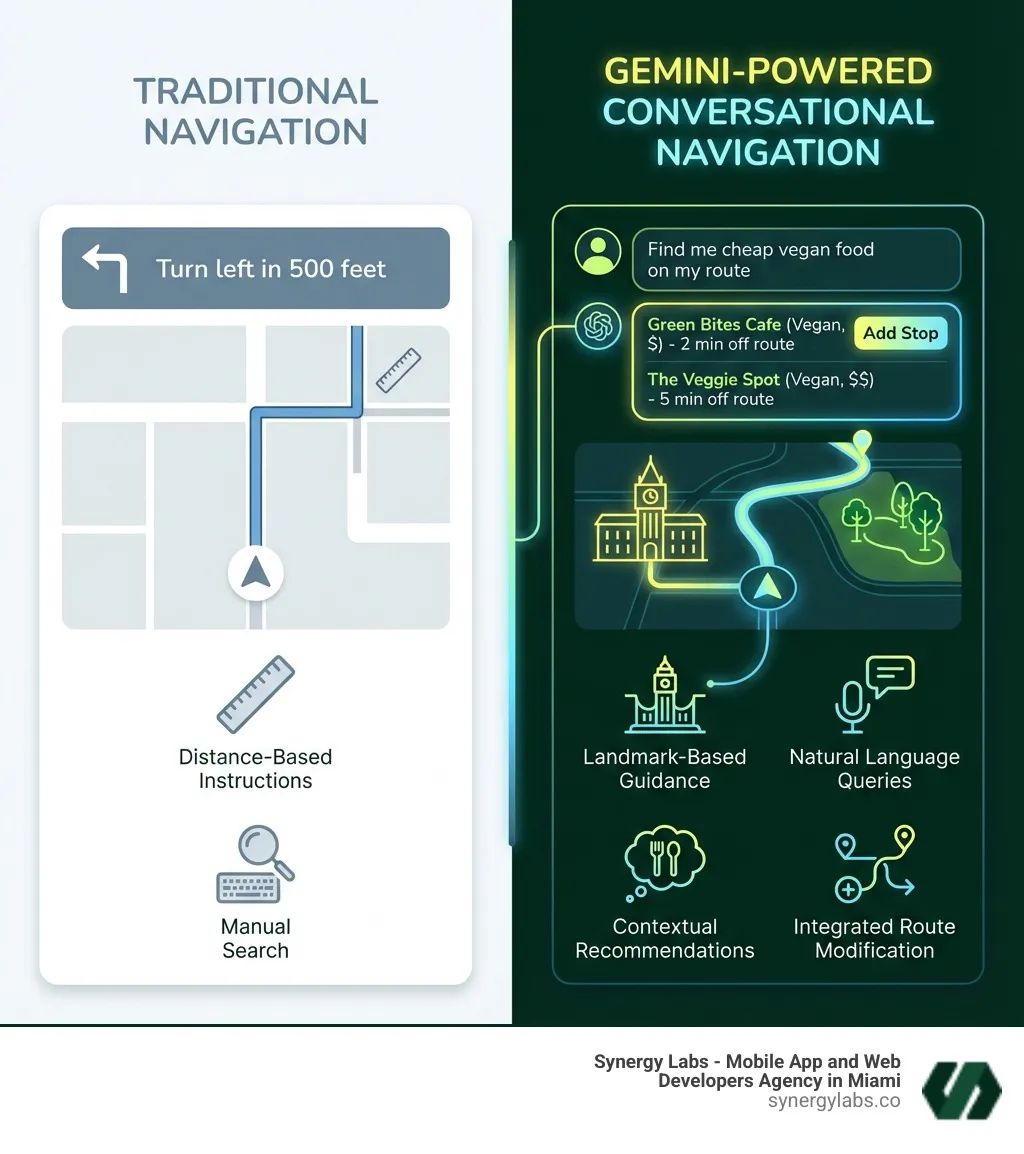
Conversational Navigation: Ask complex questions like "find a budget-friendly vegan restaurant along my route" and get intelligent responses custom to your trip.
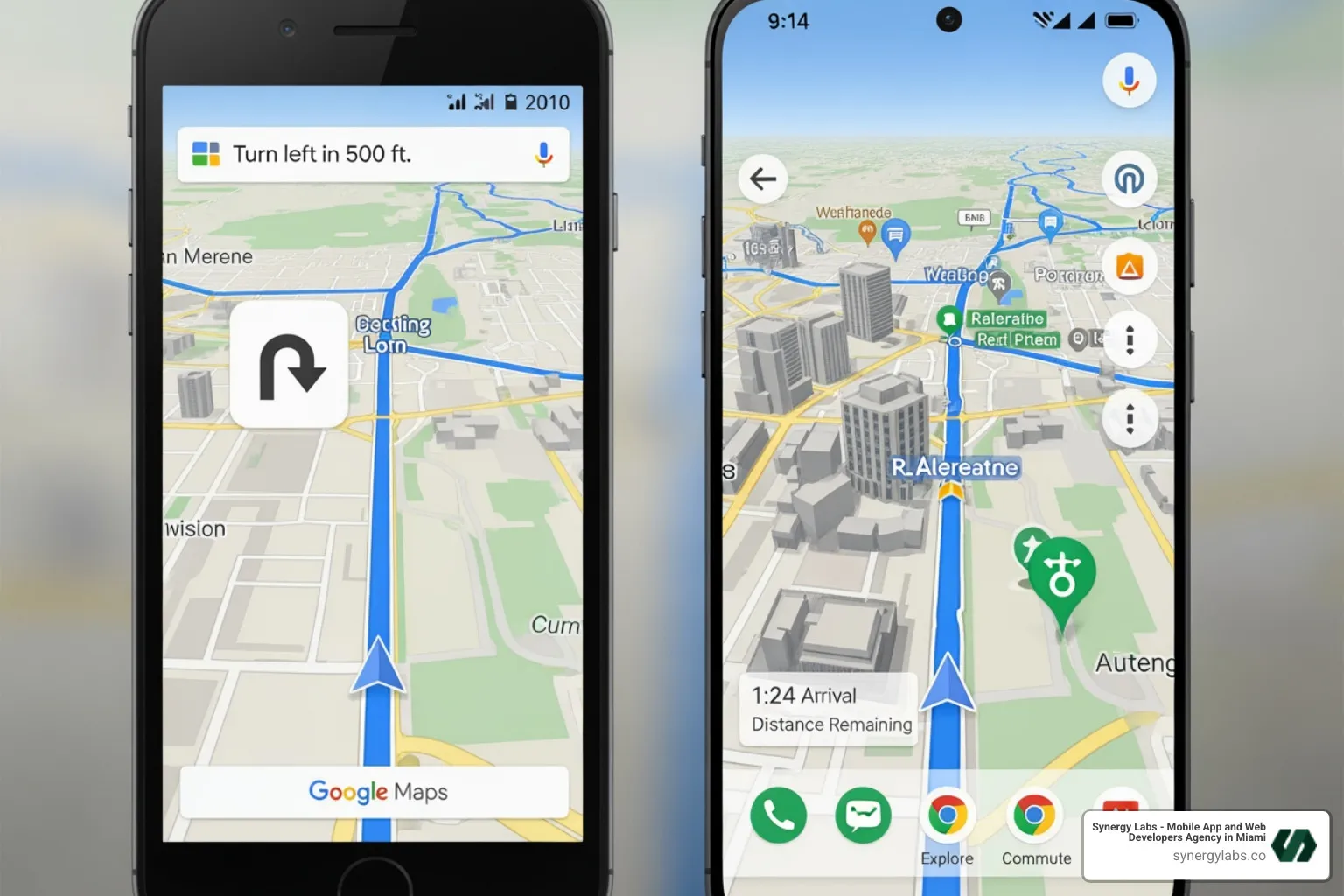
Visual & Audio Improvements: Improved lane guidance, clearer road signs, and landmark-based directions that feel more human and intuitive.
Proactive Alerts: Automatic monitoring of routine commutes with real-time traffic notifications, so you can avoid surprises on the way to work in Miami, London, or Riyadh.
Gemini Lens Integration: Point your camera at a landmark to get instant, location-specific information.
Cross-App Integration: Access your calendar or send messages without leaving the navigation screen.
Grounded in Real Data: AI responses are based on Google’s 250 million place listings and billions of Street View images to help keep answers accurate and useful.
The update is rolling out to Android and iOS users in the US, with broader availability coming to vehicles with Google built-in.
At Synergy Labs, we’ve been closely tracking this AI evolution because it shows where mobile app development is headed: toward AI-native experiences that understand context and anticipate needs. Our work building AI-powered mobile applications has given us deep insight into how multimodal AI transforms user experience from transactional to conversational.
The "Visual Revolution": What is Google's Big AI Update for Maps?
The "Visual Revolution" in Google Maps is about infusing Google’s advanced Gemini AI into the core navigation experience. This isn’t just an incremental update; it’s a shift from a reactive tool to a proactive, intelligent co-pilot that understands your needs and communicates conversationally.
This revolution leverages AI in several ways. Gemini’s multimodal intelligence processes various information types at once: spoken commands, visual cues from your camera, and real-time traffic data. This comprehensive understanding delivers contextually aware assistance that feels less like a menu of options and more like a smart navigator riding shotgun.
Its conversational AI also enables natural interaction. Instead of rigid commands, you can speak to Maps as you would a human passenger, asking complex questions and receiving nuanced answers that reflect your preferences, whether you are commuting through Chicago or exploring Phoenix.
The update’s foundation is Gemini’s reasoning and summarization capabilities, grounded in Google’s trusted data on 250 million places and insights from the Maps community. The AI draws from a deeply informed and constantly updated well of knowledge rather than guessing in the dark.
For us at Synergy Labs, this deep integration of AI for AI-Powered Personalization: Enhancing User Experience in Mobile Applications is a clear signal of how apps are evolving. This change makes the user experience more intuitive and intelligent, creating an app that feels like it truly understands you and adapts in real time.
How Gemini Puts AI in the Driver's Seat for a Smarter Journey
When we say Gemini puts AI "in the driver's seat," we mean the AI is an active, intelligent partner, not a passive assistant. Gemini transforms Google Maps into an "all-knowing copilot," as described by Google Maps product director Amanda Moore. This means less fumbling with your phone and more focus on the road while getting contextual and proactive guidance.
Imagine asking, "Hey Google, find me a budget-friendly restaurant with vegan options along my route," and getting suggestions you can add as a stop with a single tap or quick voice confirmation. This conversational ability is a game-changer. Gemini processes complex, multi-part instructions that stumped earlier voice assistants, making route planning seamless.
This integration reduces driving stress, especially in unfamiliar areas. Instead of distance-based instructions alone, Gemini provides landmark-based directions using recognizable cues. This makes navigating complex intersections in cities like New York City or London more intuitive. The hands-free control also helps drivers keep their attention on the road.
Gemini's integration vastly improves the conversational search and local findy experience (what many people casually call "findy"). Instead of simple keyword searches, Gemini allows for complex, multi-part queries. For example, you can ask, "Find me a quiet cafe with outdoor seating and good Wi-Fi near the park," and Gemini's advanced reasoning will provide highly personalized suggestions instead of a generic list.
This is especially useful for local exploration. Whether you're looking for a specific cuisine in Dubai or a family-friendly attraction in Phoenix, Gemini sifts through user reviews and local insights to offer custom recommendations, moving beyond a simple list to intelligent local search.
The AI also handles real-time information like event schedules, business hours, and parking availability, making itinerary planning more dynamic. You could plan a full day in San Francisco by asking Gemini to suggest and optimize a route based on opening hours and travel times, all through conversation. This contextual understanding is reshaping how people search, echoing patterns described in The Rise of AI Search Engines and Their Impact on Traditional Browsing, and turning search into a continuous, dialogue-based experience.
Proactive and Context-Aware Assistance
Gemini in Google Maps is designed to be proactive and context-aware, anticipating your needs. This is where the AI feels more like a smart companion than a tool.
A standout feature is Proactive Traffic Alerts. Gemini monitors your routine commutes and automatically notifies you of disruptions like crashes or construction, suggesting alternative routes before you hit the bottleneck. This predictive capability is invaluable for commuters in busy cities like Chicago or New York City.
Gemini's summarization capabilities extend beyond navigation. You can ask Maps to summarize recent news or important emails on the go, without leaving the navigation interface. This cross-app integration turns Maps into a central hub, giving you important information while you stay focused on your journey.
Gemini also introduces a powerful visual AI feature: landmark identification via a Gemini-infused Lens. After parking, point your phone's camera at a landmark, and Gemini provides instant, location-specific information through conversation. Want to know the menu of a restaurant in London? Just point and ask. This leverages real-world context, blurring the lines between physical and digital information.
A Deep Dive into the Google Maps Visual Revolution
The core of this AI update lies in its profound improvements to the visual aspects of Google Maps, making navigation clearer, safer, and more intuitive. It’s about providing richer, more actionable visual information, not just prettier graphics.
The updated features significantly improve the navigation experience. Building on Immersive View, Gemini takes route exploration to the next level, making it more visual and less abstract. This helps you understand your surroundings better, whether driving through Riyadh or navigating Doha.
Here’s a list of new Gemini-powered features in Google Maps:
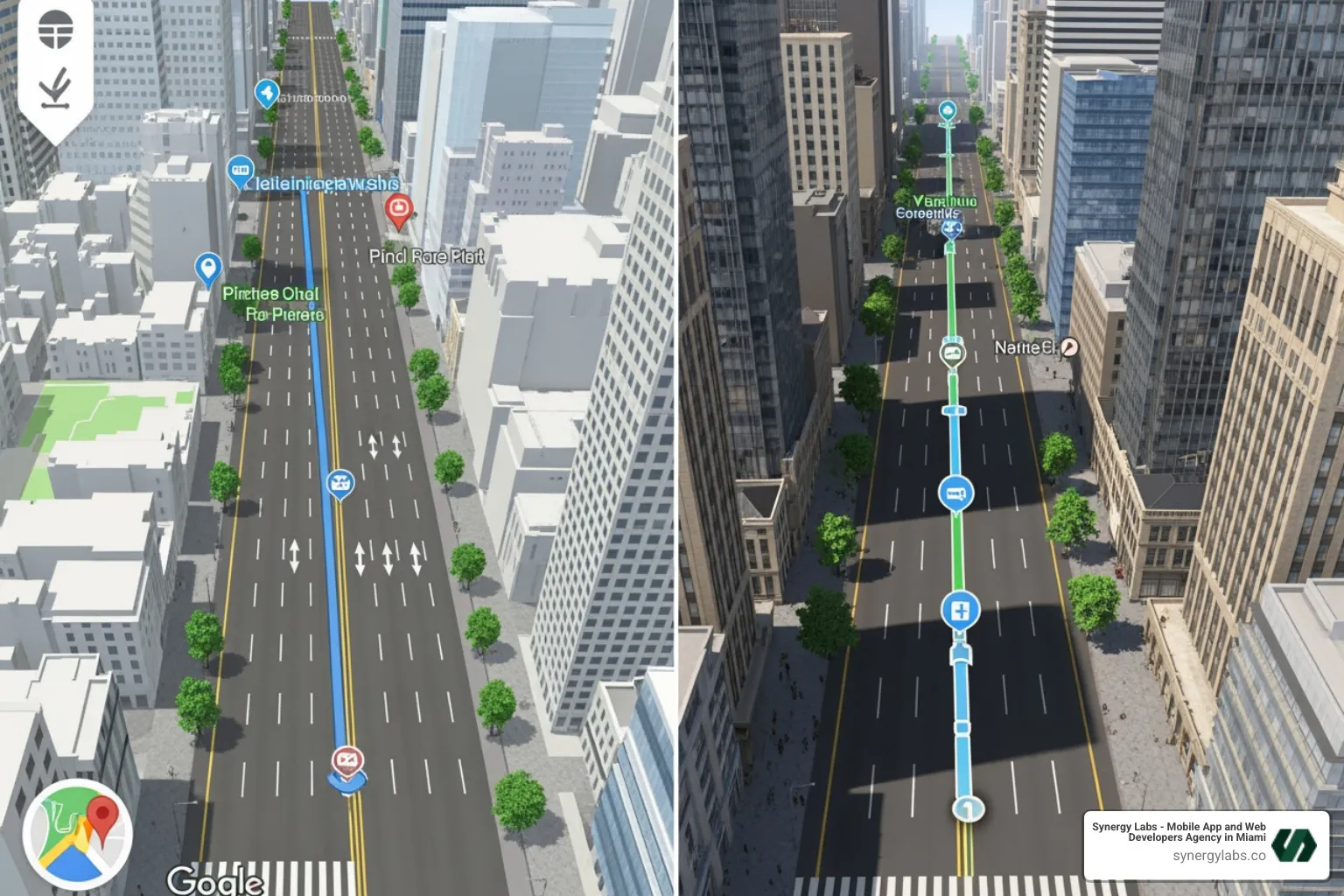
Improved Lane Guidance: A clear "blue line" shows you exactly which lane to be in, reducing stress and last-second swerves.
Visible Crosswalks and Road Signs: The map highlights crosswalks and signs, providing crucial context for drivers and pedestrians.
Weather Disruption Reporting: See and report real-time weather disruptions like flooded or unplowed roads.
Landmark-Based Directions: Audible directions use recognizable landmarks, making them more natural to follow.
Gemini-Infused Lens: Point your camera at locations for instant, conversational information.
Complex Conversational Queries: Ask multi-part questions to refine your route or find points of interest.
Proactive Commute Alerts: Get automatic notifications for traffic or construction on your regular routes.
Cross-App Functionality: Interact with other Google apps like Calendar or Messages from the Maps interface.
The upgraded visuals in Google Maps, powered by Gemini, provide a new level of clarity and detail. This is about making navigation safer and more intuitive, not just aesthetics.
The improved lane guidance, with its distinct "blue line," is a prime example. For anyone navigating a multi-lane interchange in Chicago or San Francisco, knowing which lane to be in well in advance is a massive stress reliever. This visual cue eliminates guesswork for smoother, safer maneuvers. Similarly, clearer crosswalks and road signs add contextual information for drivers and pedestrians.
While 3D building views existed before, Gemini integrates these visual elements more intelligently into navigation, potentially supporting more precise AI-driven directions and better orientation in dense urban areas.
The ability to see and report weather disruptions like flooded or unplowed roads is a critical safety feature. This real-time, community-driven data, analyzed by Gemini, helps users make informed route decisions instead of relying on static maps. This visual clarity and AI processing push the boundaries of digital design, as discussed in AI Design Tools: Progress, Limitations, and and the Future of Human Creativity. It’s about using AI to create visual interfaces that are profoundly functional and responsive.
A Closer Look at the Visual Revolution
The visual revolution driven by Gemini makes the Google Maps experience deeply immersive and interactive.
A compelling aspect is the evolution of Immersive View for routes. This feature now benefits from Gemini’s ability to process and summarize complex information. Users can visually explore a route and ask for AI-generated summaries about locations along the way. Imagine previewing a route in Hartford or Austin and asking Gemini, "What’s the vibe like at that restaurant on the corner?" to get an intelligent summary that blends reviews, photos, and practical details.
The integration of Gemini Lens lifts visual search within Maps. This "point-and-ask" feature lets you point your phone at a building or landmark, and Gemini will provide location-based answers in a natural conversation. Whether you’re curious about a monument’s history in London or a shop’s hours in Miami, this offers instant, contextual information.
This capability is a prime example of ideas explored in AI-Native UX: Why the Next Great Products Won't Look Like Apps, where the interface blends with the real world and the user’s surroundings become part of the UI. Visual search integration, powered by multimodal intelligence, allows the AI to recognize and interpret places in context, enriching your interaction with the physical world rather than pulling you away from it.
Under the Hood: How Gemini's Multimodal Intelligence Works
At its core, Gemini’s strength is multimodal data processing. Unlike older models specializing in one input type, Gemini can understand text, images, audio, and video together. When you ask Maps a question, Gemini isn’t just listening; it’s also aware of what’s on your screen, Street View imagery, and a massive geographic database. This holistic approach allows for deeper contextual understanding.
"Data grounding" is paramount for accuracy. Google emphasizes that Gemini’s suggestions are grounded in real-world data, relying on billions of place listings, Street View photos, and user reviews. This reduces the risk of the AI "hallucinating" or providing incorrect information. Developers can leverage this via the Grounding with Google Maps: Now available in the Gemini API.
The specific models powering Maps are fine-tuned. Gemini Pro handles advanced reasoning in the cloud, while smaller models like Gemini Nano are designed for on-device tasks, enabling faster responses and potential offline capabilities. Together, these models help the AI remain both powerful and efficient for real-world navigation.
The Data Driving the Experience: Accuracy, Privacy, and Safety
The vast amount of data Gemini processes enables this visual revolution. Google Maps uses data from 250 million places, constantly updated by businesses, community contributions, and Google’s mapping efforts. This information, combined with billions of Street View photos and user reviews, forms the bedrock of Gemini’s intelligence.
For accuracy and safety, Google uses several mechanisms. Data grounding is the primary defense against AI hallucinations, ensuring responses are tied to verifiable real-world data. Google also employs extensive trust and safety checks, including external red-teaming and quality evaluation, to mitigate biases or inaccuracies before deployment.
Privacy is a major consideration. Google states that Gemini’s suggestions are grounded in public place listings and Street View, not individual user data for every query. Accessing other apps like Calendar requires explicit permission. For developers, the Gemini API has clear data use terms, with paid access offering more privacy control. Balancing functionality with privacy is a continuous challenge, as we discuss in AI Growth Challenges: Balancing Speed with Sustainable Scaling.
For Developers: Building with the Visual Revolution
The Gemini-powered advancements in Google Maps open opportunities for developers who want to build richer, more context-aware experiences. Google’s Gemini API allows teams to integrate multimodal AI capabilities into their own applications, turning this visual revolution into a platform for broader innovation.
Developers can access Gemini Pro via the Gemini API through Google AI Studio (a free, web-based tool) or Google Cloud Vertex AI (a fully-managed platform). This allows for customization, enabling teams in tech hubs like San Francisco, New York City, or Dubai to build sophisticated location-aware apps.
The ability to use grounding data with Google Maps is a powerful feature. An AI model can automatically detect geographical context in queries and use Maps data to provide accurate responses. Imagine a travel app that generates a full itinerary with distances and local details, all powered by Gemini, or a delivery dashboard that understands traffic and location constraints in real time.
The rise of agentic AI is also relevant. Developers can create AI agents for more complex tasks within their apps, such as monitoring routes, sending alerts, or adjusting schedules based on conditions. Google AI Studio offers a demo app to start building with Grounding on Google Maps.
At Synergy Labs, we see this accessibility as critical for the next wave of intelligent products. It enables teams like ours to pair deep engineering expertise with modern AI tooling and deliver robust, user-centered solutions.
The Road Ahead: Implications for Users and the Future of Navigation
The implications of Gemini’s integration into Maps are profound for users and the future of navigation. For everyday drivers, the immediate benefit is a more intuitive, personalized, and less stressful experience. The AI-powered conversational interface evolves Google Maps from a simple tool into an intelligent companion that anticipates needs, improving convenience and safety for commuters in places like Austin, Phoenix, or Hartford.
Looking ahead, this update is an important step toward a future where navigation is more deeply integrated with autonomous technologies. As AI becomes more adept at interpreting complex real-world data, the transition to increasingly automated systems becomes more feasible. Gemini’s ability to process multimodal data lays useful groundwork for vehicles that can better understand and interact with their surroundings, aligning with ideas in Agentic AI Explained: From Chatbots to Autonomous AI Agents in 2026.
In the broader digital landscape, this update positions Google Maps as a flagship example of AI-first product design. Replacing Google Assistant with Gemini signals a deeper commitment to AI-native experiences, encouraging other platforms to accelerate their own AI integration and driving the kind of AI-Driven Growth: Transforming Business Innovation and Competition that reshapes industries.
For businesses and product teams, the message is clear: navigation and location are no longer "just maps" features. They are becoming intelligent layers of context that can power recommendations, automation, and richer user journeys across mobile and web products. That shift will influence how organizations design services in Miami, Dubai, London, Riyadh, and beyond.
Frequently Asked Questions about Gemini in Google Maps
Will Gemini completely replace Google Assistant in Maps?
Yes, Gemini is replacing Google Assistant's hands-free role in Google Maps. The rollout is phased, but the goal is for Gemini to take over all conversational and assistive functions within the app, offering a more advanced, integrated AI experience. The new Gemini spark icon replacing the microphone indicates this transition.
How does Google prevent the AI from giving incorrect directions or "hallucinating"?
Google uses "data grounding" to prevent AI "hallucinations." Gemini's suggestions are rooted in Google's trusted datasets, including 250 million places, billions of Street View images, and user-contributed data. By cross-referencing queries with this verified information, Gemini ensures its responses are accurate and reliable.
What kind of data does Gemini use, and is my privacy protected?
Gemini in Maps primarily uses geographical and place-based data, including information on 250 million places, community insights, and Street View photos. It uses this to provide directions and recommendations. For tasks requiring access to other apps like your Calendar, Gemini needs your explicit permission. Google states its features are grounded in these public datasets, with privacy in mind. Users should always review Google's privacy policies for detailed data handling information.
Charting Your Course with AI-Powered Innovation
The integration of Gemini into Google Maps marks a pivotal moment, ushering in a true visual revolution in navigation. This powerful AI is changing Maps from a simple utility into an intelligent, conversational co-pilot, enhancing everything from visual clarity to hyper-local findy. By integrating sophisticated AI like Gemini, the line between the digital and physical world blurs, creating more intuitive and powerful user experiences.
For businesses looking to build the next generation of intelligent applications, partnering with an expert team is crucial. Synergy Labs specializes in using the power of AI to create custom, scalable, and innovative mobile and web apps that leverage conversational UX and visual AI.
Whether you’re serving users in Miami, Dubai, Hartford, San Francisco, Doha, New York City, Austin, Riyadh, London, Chicago, or Phoenix, we understand the nuances of building products that perform globally but feel personal locally.
If you’re ready to explore how Gemini-style multimodal intelligence could transform your product roadmap, our senior engineers and designers are here to help.



.avif)

.avif)


