Beyond a Pretty Interface: Why User-Centered Mobile App Design Determines Your Success
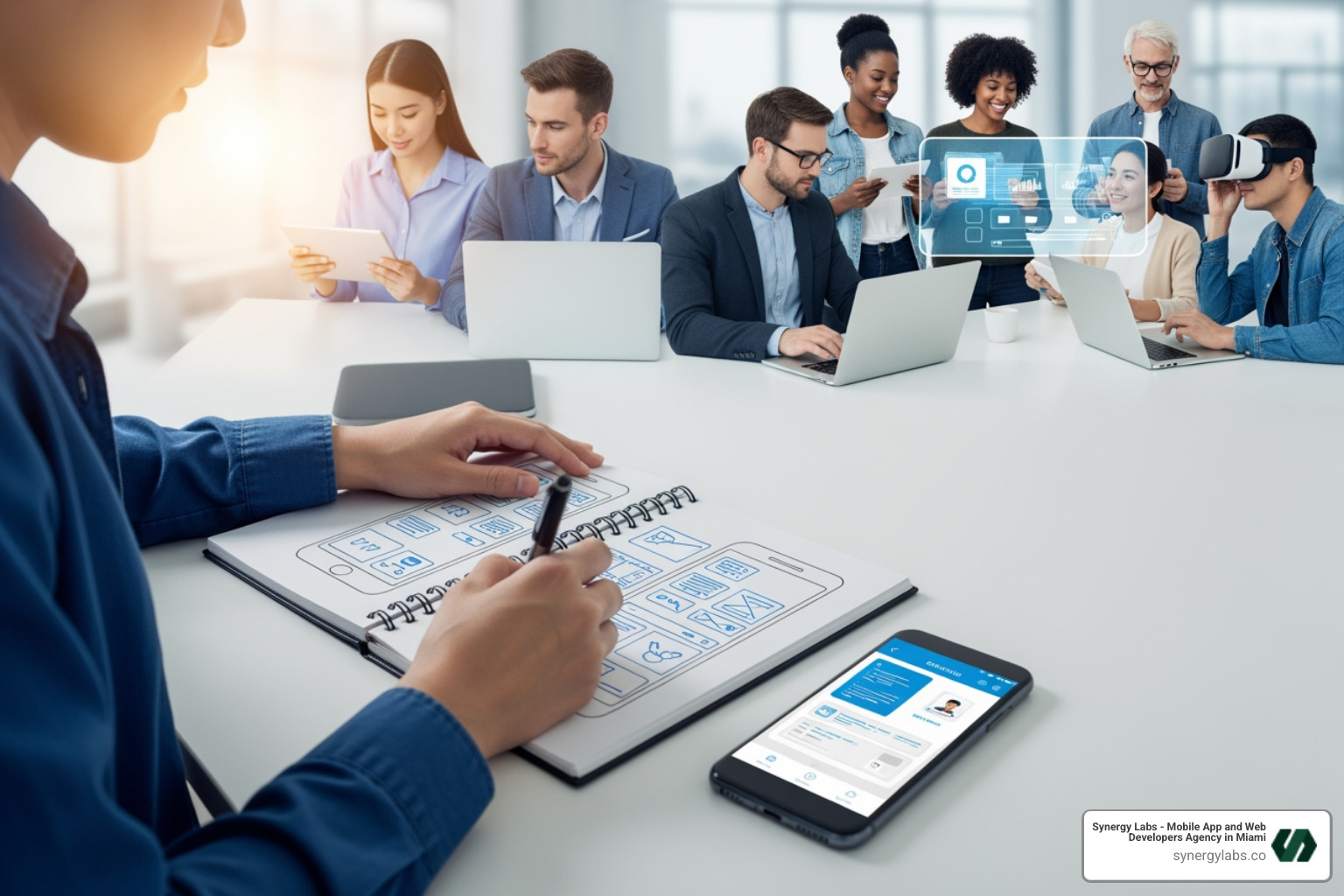
User-centered mobile app design is an iterative approach that places your users—their needs, behaviors, and pain points—at the heart of every development decision. It’s not about building what you think users want; it's about finding what they actually need and designing an experience that feels effortless.
This means you must:
- Start with research: Understand your target audience through surveys, interviews, and usability testing.
- Create user personas: Build profiles of ideal users to guide design decisions.
- Prototype and test early: Use wireframes and MVPs to validate ideas before full development.
- Iterate constantly: Gather feedback and refine your app based on real user behavior.
- Design for accessibility: Ensure your app works for everyone, including users with disabilities.
- Focus on core problems: Prioritize features that solve real user needs.
The stakes are high. With as many as 25% of users abandoning an app after one use, your app has seconds to prove its value. In a market with over 200 billion annual downloads, that first impression hinges on how well you've understood and addressed user needs. A poorly designed app drives users away, regardless of its functionality. Confusing navigation or a frustrating form can trigger abandonment. In contrast, user-centered apps feel intuitive, solve real problems, and keep people coming back.
At Synergy Labs, we've seen how this approach transforms outcomes. By defining core personas and tailoring experiences to their needs, we've helped apps improve engagement by 15% or more, turning downloads into loyal users.
Must-know user-centered mobile app design terms:
What is User-Centered Design and Why is it Your App's Secret Weapon?
User-centered design (UCD) is a mobile development strategy focused on creating apps that meet specific user needs, are easy to use, and are highly interactive. It’s an iterative process that prioritizes end-user preferences throughout development, bridging the gap between what a team thinks users want and what they actually need. In today's saturated market, a user-centered approach provides a significant competitive advantage by delivering a superior user experience.
Putting users first isn't just good practice; it's good business. UCD delivers tangible benefits:
- Reduced Development Costs and Higher ROI: By gathering user feedback early, UCD helps eliminate costly redesigns post-launch. Fixing issues during the design phase is far more economical and directly translates to a better return on investment.
- Improved Satisfaction and Retention: An app built around user needs is inherently more satisfying. Happy users spend more time in the app and are more likely to return, boosting engagement and retention rates.
- Increased Adoption and Brand Loyalty: A user-friendly app attracts a larger user base. This positive experience fosters brand loyalty, leading to better app store ratings, positive reviews, and powerful word-of-mouth marketing.
- Data-Driven Decisions: UCD replaces guesswork with evidence from user research and testing. This ensures that every design choice is backed by data, reducing the risk of building features nobody wants.
User-centered mobile app design is especially critical for apps requiring consistent engagement, such as those for productivity, health, or education. It's also vital for apps with diverse audiences, like in healthcare. While it might seem less critical for some specialized internal B2B tools where functionality is paramount, prioritizing user needs ultimately leads to greater efficiency and satisfaction even in those cases.
Understanding the Core Principles of User-Centered Design for Mobile Apps
At Synergy Labs, we adhere to core principles that guide our user-centered mobile app design process:
- Focus on the User: We prioritize the needs and preferences of end-users throughout the development lifecycle, understanding who they are and their context of use.
- Solve Real Problems: We focus on solving actual user problems rather than just adding features. Great UX works so seamlessly that users barely notice the design.
- Design for Actual Behavior: We design for how people actually behave, not how we wish they would. This requires insight into user psychology and habits.
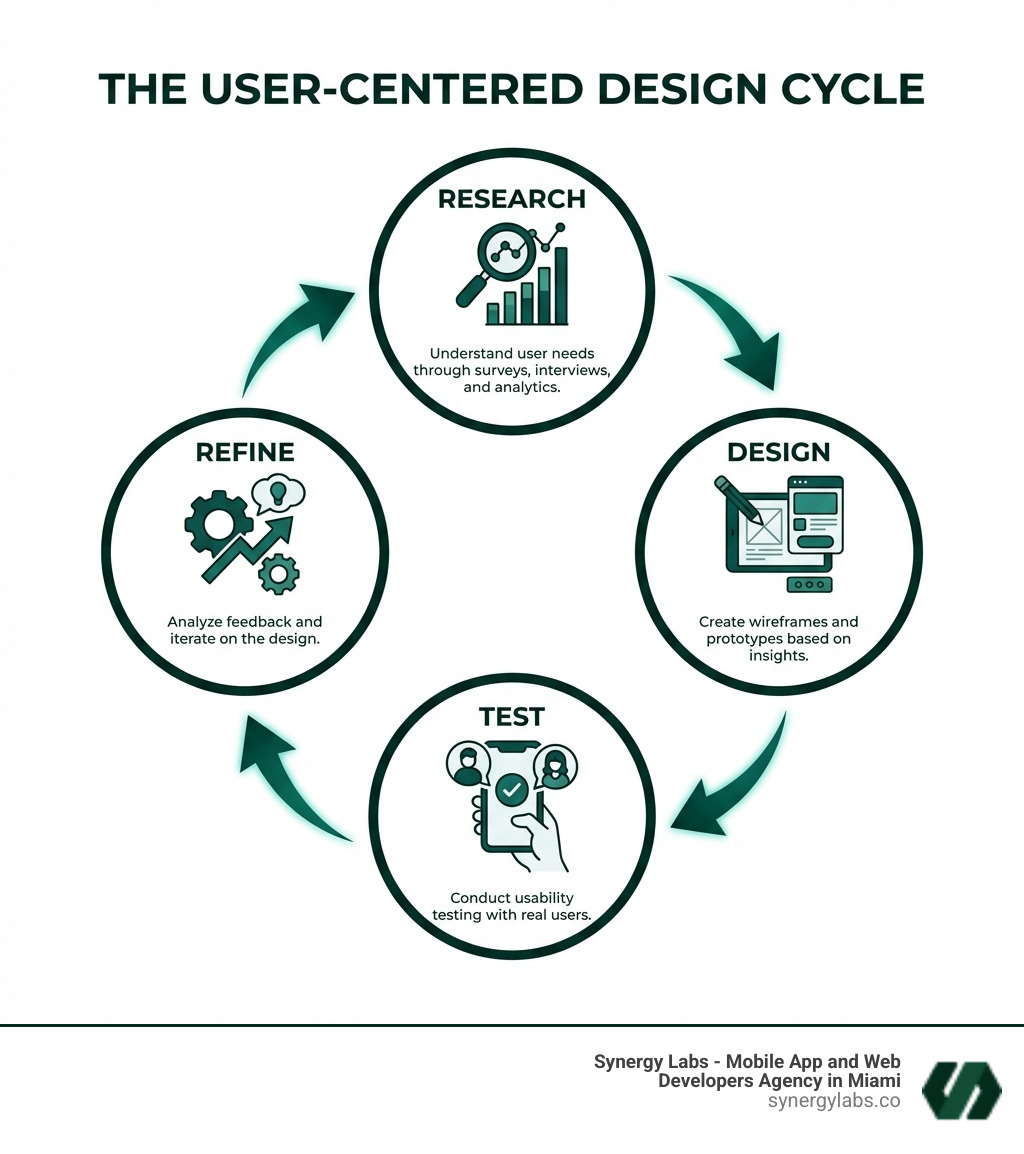
- Iterative Process: UCD is a continuous loop of design, testing, and refinement. We constantly gather feedback to make improvements as user needs evolve.
- Simplicity and Intuition: We create intuitive designs that don't require a manual. Clear, simple, and straightforward interactions are key.
- Accessibility for All: We believe in creating apps that serve all users, regardless of their abilities. Accessibility is an essential part of our process.
The Blueprint: A Practical Guide to User-Centered Mobile App Design
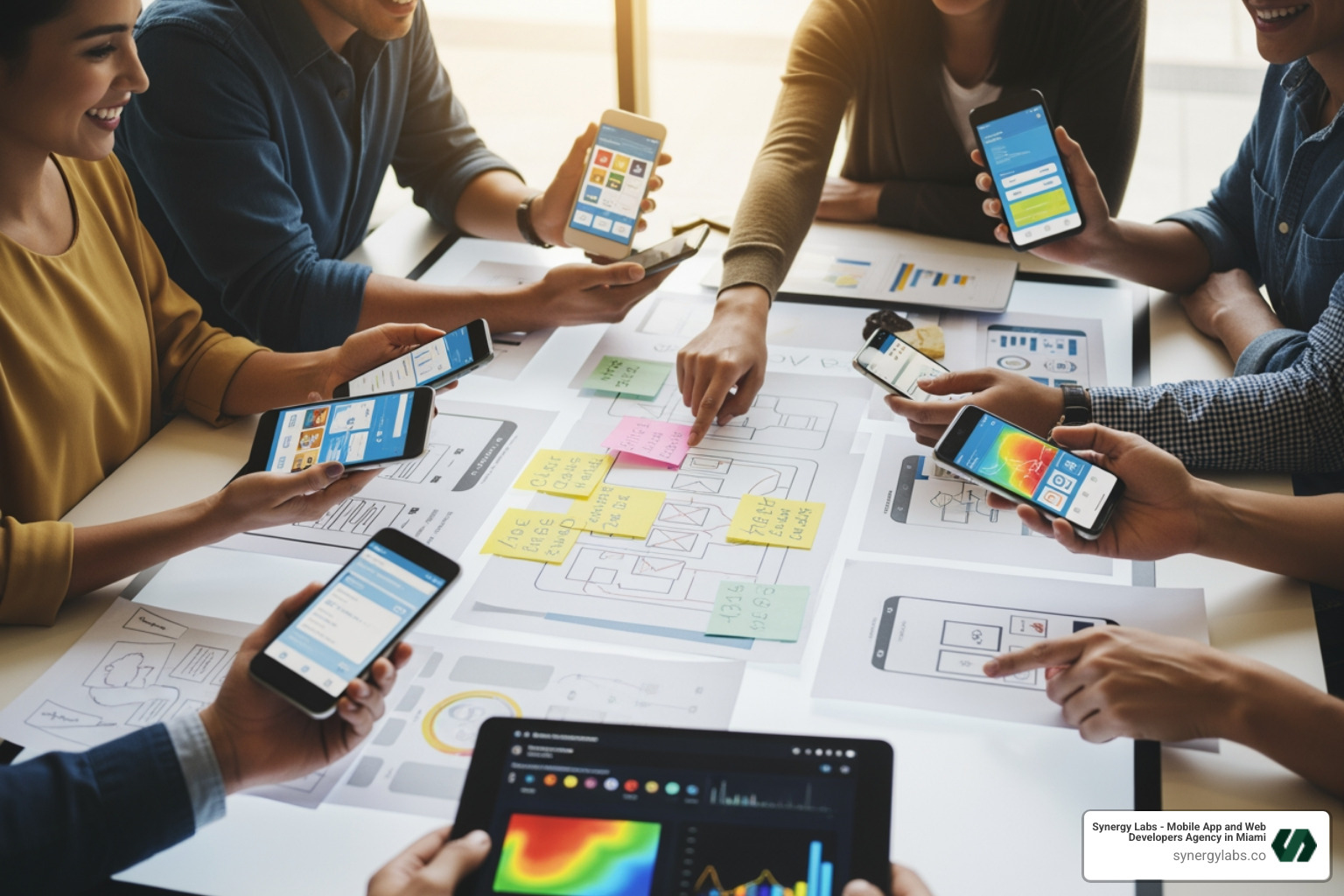
Implementing user-centered mobile app design is a structured journey. Here's a step-by-step process for integrating UCD into your mobile app development lifecycle.
Phase 1: Empathy and Understanding (User Research)
UCD begins with a thorough understanding of the target audience. The goal of user research is to build empathy by gaining insights into user behaviors, preferences, and pain points.
Our essential research methods include:
- Interviews: One-on-one chats to uncover user motivations and challenges.
- Surveys: Gathering quantitative data to identify trends.
- Observation: Watching users perform tasks to identify unarticulated pain points.
- Analytics: Reviewing data from existing products to understand behavior patterns.
- Competitor Analysis: Learning from the strengths and weaknesses of existing solutions.
- User interviews can sometimes be misleading.
Based on this research, we create user personas—detailed profiles of ideal users (typically 3-4) that guide design decisions. Next, we map user journeys to visualize each step a user takes to accomplish a goal. This helps us identify friction points and opportunities for improvement from the user's perspective.
Phase 2: Ideation and Creation (Design and Prototyping)
This phase translates insights into tangible designs through sketching, wireframing, and rapidly prototyping concepts.
- Wireframing: We start with low-fidelity wireframes to explore concepts quickly. Paper sketching is an excellent, efficient starting point.
- Rapid Prototyping: We then create preliminary models, or prototypes, for quick testing and feedback. This agile approach ensures we align with user preferences.
- Creating Intuitive Navigation: We use familiar patterns like bottom navigation bars or hamburger menus to make navigation simple and intuitive.
- Following Established Patterns: Leveraging established design patterns minimizes the learning curve and provides a sense of familiarity.
- Visual Hierarchy: We use size, color, and spacing to guide the user's eye to the most important information.
- Limiting Choices: To reduce cognitive load, we limit the choices presented to users on critical screens.
- Clear Calls-to-Action (CTAs): Every interactive element should have a clear purpose. We use simple, descriptive labels (e.g., "Rent," "Buy") instead of vague ones.
Phase 3: Validation and Refinement (Testing and Iteration)
Continuous testing and iteration are paramount. This phase is about putting prototypes in front of real users and learning from their interactions.
- Minimum Viable Product (MVP): We often start with an MVP—a version with just enough features to satisfy early users and gather feedback for future development.
- Usability Testing: We observe real users as they complete tasks within the app to identify areas of confusion, frustration, or delight.
- Gathering User Feedback: We actively collect feedback through in-app surveys, app store reviews, social media, and moderated testing sessions.
- Analyzing Feedback: We analyze both qualitative feedback (user suggestions, emotional responses) and quantitative data (task completion rates, error rates) for a comprehensive view.
- Refining the Design: Based on feedback, we refine the design, prioritizing changes that address core functionality or impact the most users.
- The Iterative Loop: This is a continuous loop. We refine, test, and gather new feedback to ensure the app evolves with user needs, continually improving the design.
Building for Everyone: Key Considerations for a Winning App
A truly winning app is universally usable. This section covers the technical and ethical aspects of creating an accessible, high-performing app.
How to Ensure Your Mobile App Designs are Intuitive and Easy to Steer
Intuitive design feels natural and effortless, requiring no manual.
- Clarity and Simplicity: Use simple, descriptive labels and avoid jargon. Every element should have a clear purpose.
- Consistency: Maintain consistency in design elements (typography, colors, layouts) and interactions across all screens to make the app predictable.
- Familiar Navigation Patterns: Leverage established patterns like bottom navigation bars or hamburger menus to reduce the learning curve.
- Logical User Flow: Guide users seamlessly through tasks with a natural, logical sequence.
- Providing Feedback for Actions: Use visual cues like animations or confirmation messages to let users know their actions have been registered.
- Error Prevention and Handling: Design to prevent errors. When they occur, provide clear, real-time guidance to help users correct them.
- Using Simple Language: Speak the user's language with clear terminology, avoiding jargon.
A slow app is a quickly abandoned app. Mobile users expect instant responsiveness.
- Mobile-First Optimization: Prioritize usability on smaller screens before adapting to larger ones.
- Fluid Grids: Use relative units and breakpoints instead of fixed pixels to create a flexible, responsive design that adapts to any screen size.
- Designing for Touch (48x48 pixel targets): Make touch targets at least 48dp (Android) or 44x44 points (iOS) to ensure comfortable interaction.
- Readability (16px font size): Use legible font sizes (at least 16px for body text) and maintain high contrast (at least 4.5:1) to ensure text is easy to read.
- Performance Optimization: Optimize code and manage resources carefully for quick load times and smooth responsiveness.
- Compressing Assets: Compress images and use vector graphics to reduce file sizes and speed up loading.
- Minimizing Animations: Use animations purposefully to improve UX without causing lag.
- Testing on Real Devices: Test on actual devices and operating systems to ensure smooth performance in real-world conditions.
Making Mobile Apps Accessible to All Users
Accessibility is a social responsibility that makes your app truly universal.
- Accessibility as a Necessity: Ignoring accessibility alienates a significant portion of potential users.
- Contrast Ratios (4.5:1): Ensure a contrast ratio of at least 4.5:1 for normal text to aid readability for users with visual impairments.
- Scalable Fonts: Allow users to adjust font sizes within the app.
- Alt Text for Images: Provide descriptive
alt text for all meaningful images so screen readers can convey their content. - Screen Reader Compatibility: Ensure the app works seamlessly with screen readers by providing proper labels for all interactive elements.
- Voice Commands: Consider offering voice commands as an alternative input method for users with motor impairments.
- Social Responsibility: Creating accessible apps is about inclusivity and ensuring technology serves everyone.
From Problems to High Fives: Overcoming Common UCD Challenges
Implementing user-centered mobile app design isn't always a smooth ride. There are common obstacles, but with the right strategies, these challenges become opportunities for innovation.
Common Challenges Companies Face
- Budget and Time Constraints: Comprehensive user research and iteration can be perceived as time-consuming and expensive, leading to pressure to cut corners.
- Lack of Resources: Not every team has dedicated UX researchers or designers, forcing other team members to fill roles without adequate training.
- Fear of Complexity: Integrating UCD into agile processes can seem daunting, with concerns that it will slow down development.
- Getting Stakeholder Buy-in: Convincing leadership of the long-term value of UCD can be difficult, especially when immediate results aren't visible.
- Conflicting Feedback: User preferences can vary wildly, and feedback can seem contradictory, making it hard to decide on a direction.
Strategies for Success
Overcoming these challenges requires a pragmatic approach. At Synergy Labs, we employ several strategies to ensure UCD success:
- Start Small: If resources are limited, simply tracking user behavior in an existing app can provide valuable insights without extensive upfront research.
- Introduce UCD Principles to All Teams: User-centered thinking isn't just for designers. Introducing UCD principles to developers, QA, and marketing fosters a shared understanding of user needs.
- Leverage Lean UX Methods: To address time and resource constraints, we use lean UX methods that focus on rapid prototyping and continuous feedback, integrating seamlessly with agile development.
- Demonstrate ROI with Data: We use data on engagement, retention, and conversion to demonstrate the tangible return on investment of UCD, which helps secure stakeholder buy-in.
- Create Inclusive Designs: To address user diversity, we follow accessibility best practices and gather insights from a varied user base.
- Explore our portfolio of successful projects: See how we've applied these principles to create impactful mobile apps. Check out our approach and results at Explore our portfolio of successful projects.
The Future is Human: What's Next for UCD in Mobile Apps?
The landscape of mobile app development is constantly evolving, driven by new technologies. As we look to 2026 and beyond, user-centered mobile app design will remain at the forefront, adapting to these innovations while staying true to its core philosophy of human-centricity.
- Emerging Technologies: The integration of cutting-edge technologies will redefine what's possible in mobile experiences.
- Artificial Intelligence (AI) for Personalization: AI and Machine Learning (ML) will play an increasingly significant role in creating hyper-personalized experiences. AI-powered features like intelligent chatbots, predictive content recommendations, and adaptive interfaces will tailor the app to individual user behaviors and preferences in real-time. This allows for truly unique and intuitive interactions, making the app feel like it was custom-built for each user.
- Augmented Reality (AR) and Virtual Reality (VR): As AR and VR technologies become more mainstream and accessible on mobile devices, UCD will be crucial in designing immersive and intuitive environments. This will open new avenues for interaction, from virtual try-ons in e-commerce to interactive learning experiences.
- Ethical Considerations: With greater personalization and data collection, ethical considerations will become even more paramount. UCD will need to address data privacy, algorithmic bias, and transparent communication about how user data is used.
- Inclusivity and Diversity: The emphasis on inclusivity and catering to diverse abilities will only grow. Future UCD will push for even more robust accessibility features, considering a broader spectrum of needs and ensuring technology genuinely serves everyone.
- The Enduring Importance of Human-Centricity: Regardless of how advanced technology becomes, the fundamental principle of UCD—putting the human user at the center—will remain the guiding star. The goal will always be to create technology that improves human life, solves real problems, and delights users in meaningful ways.
Building Digital Masterpieces That Connect
User-centered mobile app design is a commitment, not a checklist. It's about building a meaningful connection between your app and its users, leading to higher engagement, loyalty, and success. It's about ensuring that every tap, swipe, and interaction feels natural, intuitive, and valuable. When you design with your users in mind, you're not just creating an app; you're crafting a digital masterpiece that resonates deeply and delivers tangible results.
If you're ready to create a mobile app that truly resonates with your audience—an app that wins hearts and drives downloads—Synergy Labs can help. With locations in Miami FL, Dubai UAE, Hartford CT, San Francisco CA, Doha Qatar, New York City NY, Austin TX, Riyadh Saudi Arabia, London UK, Chicago IL, and Phoenix AZ, we offer a personalized service with direct access to senior talent. Our fixed-budget model, combining an in-shore CTO with a talented offshore development team, ensures transparent costs and efficient project management. Plus, our milestone-based payments keep your project on track and on budget, delivering an innovative, secure, and user-loved app that stands out in any market.
Learn more about our mobile app development services and let's build something amazing together.


.avif)

.avif)


