Is the Avast Mobile Security App Worth Downloading in 2026?
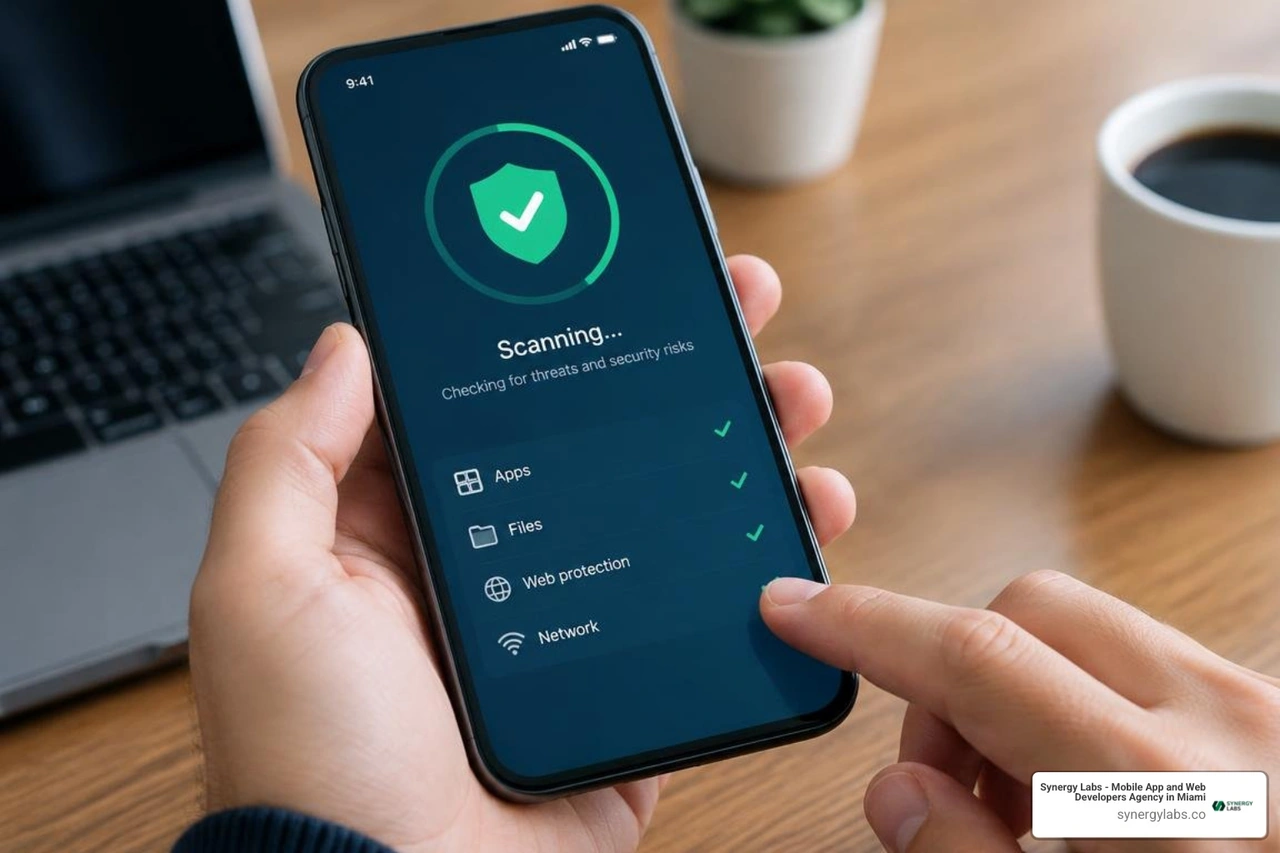
Yes, for most Android users, the app Avast Mobile Security is a practical free starting point for malware scans, phishing defense, unsafe Wi-Fi alerts, and phone cleanup. In 2026, new Android installs are directed to Avast One, the newer version of the Avast mobile security suite. Start by installing it from Google Play, running a Smart Scan, then enabling Web Guard and scam protection before you use public Wi-Fi or open unfamiliar links.
Avast One combines traditional Android antivirus with Scam Guardian tools that can flag suspicious texts, calls, emails, and websites. Premium plans add deeper scam controls, app locking, expanded breach monitoring, and SecureLine VPN access. For iPhone users, protection is different: iOS does not allow third-party apps to scan and remove files like Android antivirus can, so Avast focuses on malicious-link blocking, Wi-Fi checks, and privacy tools instead.
The app has a strong legacy detection record, including a 100% protection and usability result in an older AV-Comparatives Android test. Still, check permissions and subscription terms carefully. Some users report upgrade prompts, billing friction, and occasional stability issues. Security apps should protect your phone, not become its most demanding roommate.
As Director of Product at Synergy Labs, I look at tools like Avast through the same lens we use to build secure, dependable mobile products: useful protection, clear controls, and minimal drag on the user experience.
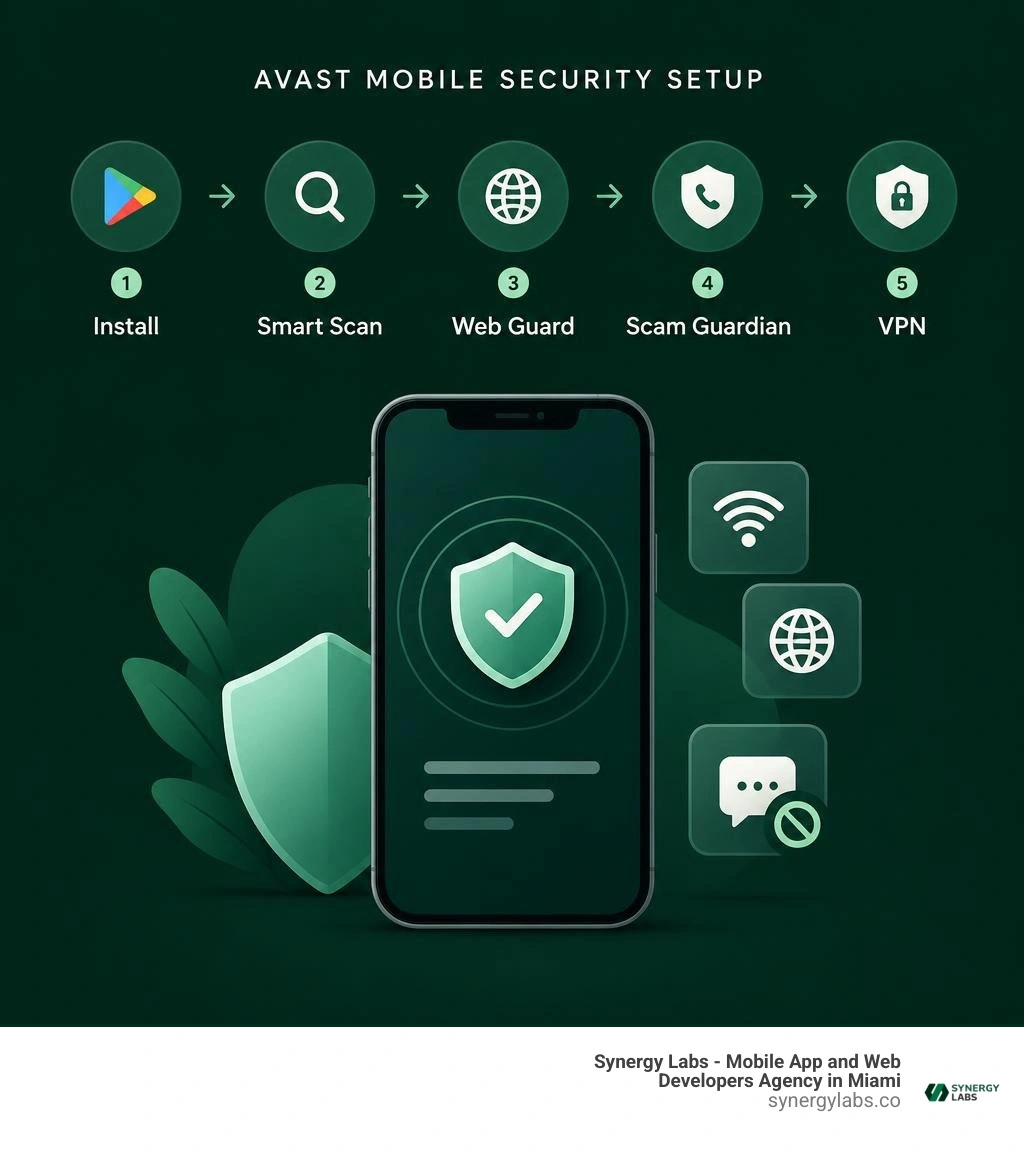
Easy app avast mobile security glossary:
Comprehensive Review of the App Avast Mobile Security Features and Capabilities
Smartphones carry our banking credentials, work emails, and private photos, making mobile endpoints high-value targets for attackers. Understanding modern endpoint defense is essential, as detailed in our best mobile security software guide 2026. Avast's threat engine blocks over 14,000 cyberattacks every minute, processing data from millions of connected endpoints. Its detection database monitors over 8 million malicious samples, adding roughly 6,000 new threats daily to defend against banking trojans, rooters, spyware, ransomware, and malicious ad injectors.
Evaluating a security tool requires looking at both detection metrics and everyday usability. The application balances automated real-time background protection with on-demand scanning utilities, giving users clear visibility into their device's overall security posture.
Core Protection: What Does the Free App Avast Mobile Security Include?
The free tier offers practical protection for users who want dependable baseline defenses without an immediate financial commitment.
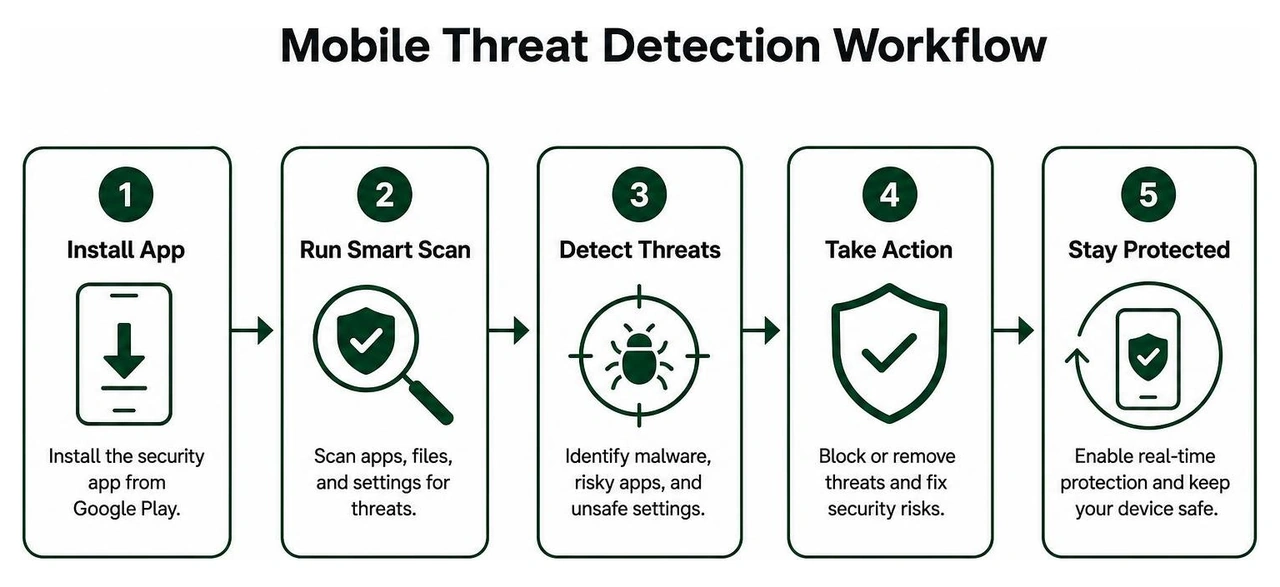
- Smart Scan Engine: Serves as an integrated virus scanner for Android phone systems, scanning installed application packages, system settings, and internal storage structures for hidden anomalies.
- Web Guard: Runs continuously to block known phishing domains, malicious scripts, and fraudulent landing pages across mobile browsers.
- Network Inspector: Scans wireless networks to detect weak encryption protocols, compromised routers, and unauthorized devices connected to the same local network.
- Junk Cleaner: Analyzes cache directories, residual application fragments, and obsolete setup files to reclaim device storage.
- Basic Hack Alerts: Provides single-account email monitoring, cross-referencing compromised credential repositories to alert users when a password leak occurs.
These foundational capabilities are accessible directly through the Avast Free Mobile Security Portal.
Premium Upgrades, Scam Guardian AI, and SecureLine VPN

Upgrading to the paid tiers (such as Premium and Ultimate) unlocks deeper privacy controls and automated threat filtering.
- Scam Guardian Pro & Avast Assistant: An AI-powered defense suite that evaluates incoming communications in real time. It monitors communications across multiple channels:
- Call Guard: Analyzes incoming calls against fraud patterns and telemarketing blacklists to silence nuisance calls.
- SMS Guard: Evaluates text links and sender identities to flag malicious smishing attempts.
- Email Guard: Integrates with mobile mail workflows to flag spoofed sender headers and deceptive inline hyperlinks.
- Photo Vault: The free tier restricts users to storing 10 encrypted photos, whereas premium subscriptions unlock unlimited local vaulting protected by custom PINs, patterns, or biometric authentication.
- SecureLine VPN Integration: Encrypts network traffic via bank-grade encryption protocols across more than 100 global server locations. It masks the device's public IP address and bypasses geo-blocking, though it remains unavailable in regions like India due to local server data logging mandates.
- Pricing & Multi-Device Tiers: Subscriptions are offered on monthly and annual cycles. Multi-device plans cover cross-platform environments across mobile and desktop endpoints.
Deploying a mobile security suite requires proper setup so that background monitoring runs smoothly alongside the operating system. Understanding the baseline steps for how to secure mobile apps helps keep background defenses running reliably.
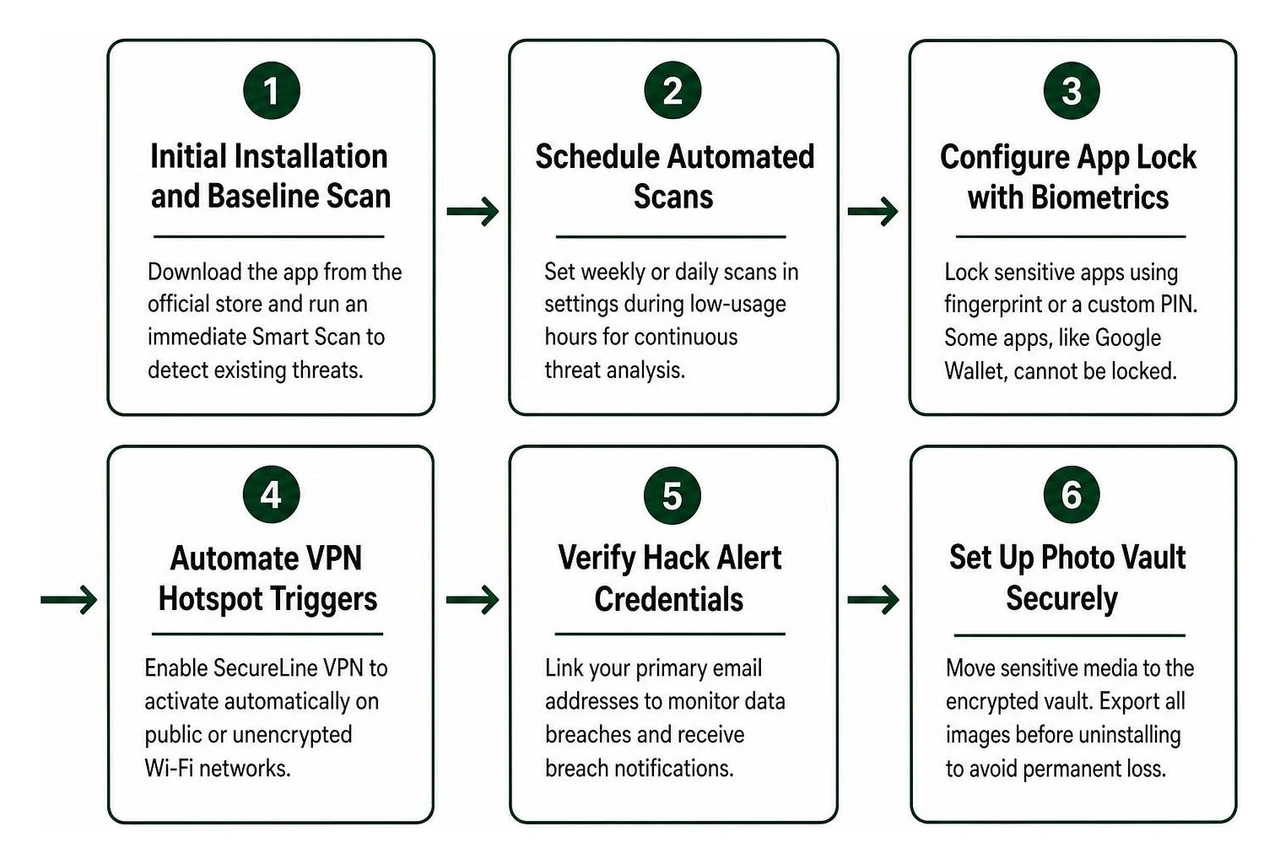
To establish a solid mobile defense perimeter, configure your installation using the following setup sequence:
- Initial Installation and Baseline Scan: Download the app from the official application repository and execute an immediate Smart Scan to identify pre-existing vulnerabilities or corrupted installation packages.
- Schedule Automated Scans: Open the settings panel and set weekly or daily automated scans during low-usage hours to ensure constant threat analysis.
- Configure App Lock with Biometrics: Secure sensitive finance, healthcare, and messaging apps behind biometric fingerprint verification or a custom secondary PIN. Certain specialized apps, such as Google Wallet, utilize hardware-enforced safeguards and cannot be locked by third-party app lockers.
- Automate VPN Hotspot Triggers: Set SecureLine VPN to activate automatically whenever the mobile device joins an unencrypted or public Wi-Fi network.
- Verify Hack Alert Credentials: Link your primary email addresses to monitor public data breach repositories and receive breach notifications.
- Set Up Photo Vault Securely: Move sensitive media to the encrypted vault. Remember to export all stored images before uninstalling the application, as removing the app permanently deletes local vault storage.
Navigating the Ecosystem Transition to Avast One in 2026
The security ecosystem has transitioned from legacy standalone tools toward unified all-in-one privacy suites. In 2026, new installations on Android are routed directly to the modernized suite available via Avast One on Google Play.
This modernized platform consolidates device optimization, network-level VPN encryption, dark web credential monitoring, and real-time antivirus filtering into an integrated interface. For existing users running legacy installations, automated migration prompts carry custom settings and active subscription entitlements into the unified framework.
Android vs iOS Capabilities, Battery Impact, and Permissions
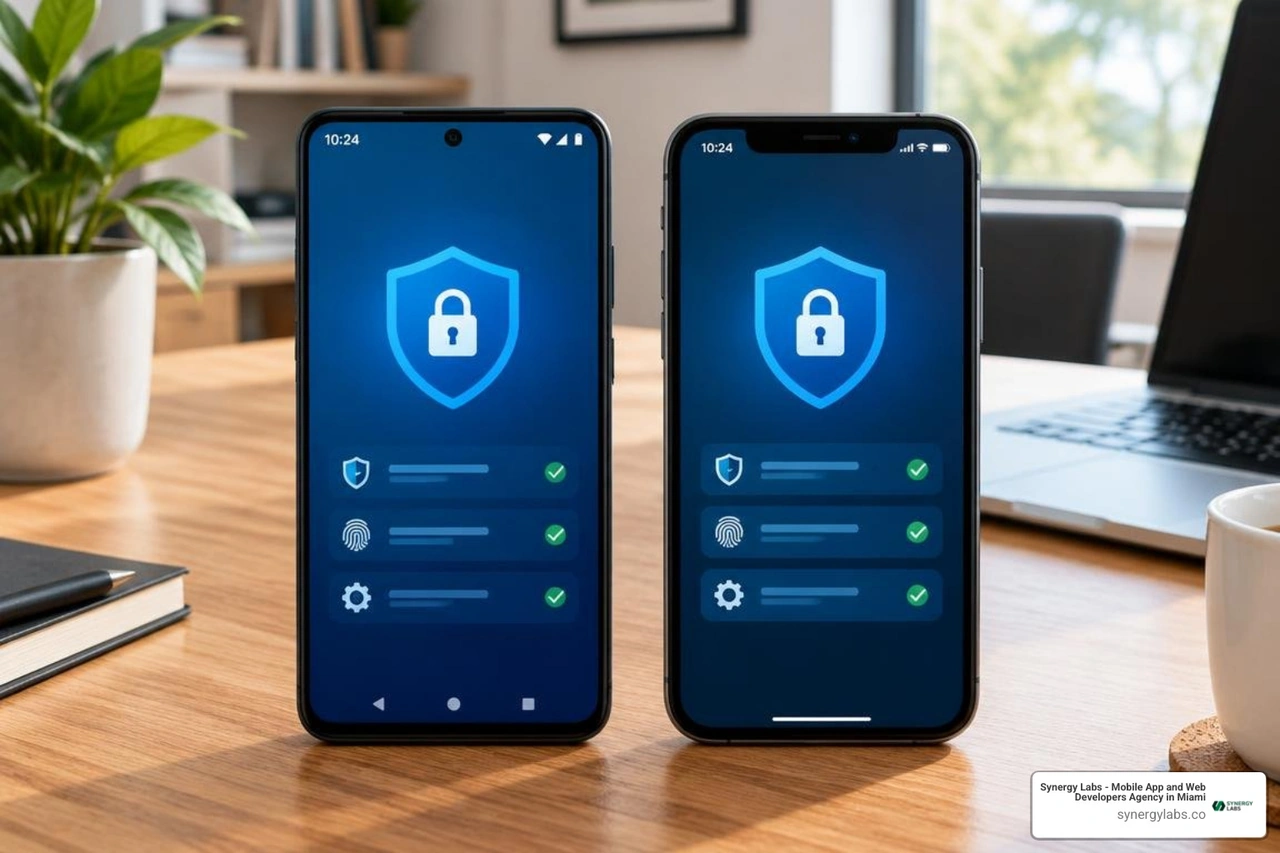
Operating system architectures dictate how security tools protect your hardware. Android and iOS handle file access and background system scanning very differently.
In independent testing environments, Avast's scanning engine achieved a 100% protection and usability score in the AV-Comparatives mobile test, successfully stopping 1,000 common mobile malware variants without raising false alarms. This high detection rate places the suite alongside the industry's best free security apps for Android.
On Android, security applications access the broader file system to detect trojans, adware, and malicious APK packages before they execute. By contrast, Apple’s sandboxed architecture prevents third-party apps from scanning the local file systems of other applications. As a result, the iOS client operates primarily as a network filtering and identity monitoring utility. It blocks malicious web links, scans Wi-Fi networks for interception risks, and tracks compromised login credentials across known breaches.
Running background scans requires system resources, making efficient performance management essential:
- Battery and RAM Consumption: The app maintains a lightweight footprint during idle states, though active background VPN routing and deep storage scans can cause slight battery usage.
- Required System Permissions: Real-time web filtering uses the Android Accessibility Service API to inspect browser links before pages load. The app also requires background location permissions to verify local Wi-Fi SSIDs during network safety checks.
- Operating System Compatibility: Advanced operating system features, such as Android 17's Advanced Protection settings, may restrict accessibility hooks and limit continuous real-time scanning unless user exceptions are granted manually.
- Troubleshooting Common Issues: If you encounter unexpected freezes or upgrade notifications, clearing the application cache via system settings, updating to the latest build, and verifying active subscription receipts in Google Play will resolve most operational hiccups.
Frequently Asked Questions About Mobile Security Apps
The application is engineered to run in the background with minimal overhead on modern multi-core mobile processors. Smart Scans consume modest CPU cycles for brief periods, while the primary source of ongoing battery consumption comes from maintaining an active, continuous VPN tunnel.
How does the app handle malware detection on iOS versus Android?
On Android, the security suite inspects local file structures, monitors newly installed APK packages, and isolates malicious binaries directly. On iOS, due to Apple's strict sandbox model, the app uses network-layer DNS filtering, Web Guard URL inspection, and remote breach databases rather than traditional local file system scanning.
What happens to files stored in Photo Vault if the app is uninstalled?
Files moved into the Photo Vault are encrypted within the application's isolated local storage directory. If the app is uninstalled without first manually exporting those images, the operating system deletes the encrypted folder, resulting in permanent data loss. Always export your media before removing the software.
Building Resilient Mobile Ecosystems in 2026
Keeping your smartphone secure requires a multi-layered approach: pairing reliable endpoint security software with safe browsing habits, disciplined permission management, and prompt operating system updates.
At Synergy Labs, we understand that true security must be designed into every layer of software development. As a premier mobile app and web development agency, we build scalable, enterprise-grade mobile applications with end-to-end security, intuitive user experiences, and clean code architectures.
Whether you need to create a cross-platform application or audit an enterprise platform, our team delivers high-performing digital products tailored to your needs. We provide direct access to senior technical leaders through our in-shore CTO leadership combined with an expert offshore engineering team. Our milestone-based payment schedules and fixed-budget models ensure your custom software launches efficiently, within budget, and on schedule.
Explore our Synergy Labs app development service to see how our engineering team can turn your digital vision into an engaging, secure, market-ready mobile product.


.avif)

.avif)


