

Why Android App Distribution Matters More Than Ever in 2026
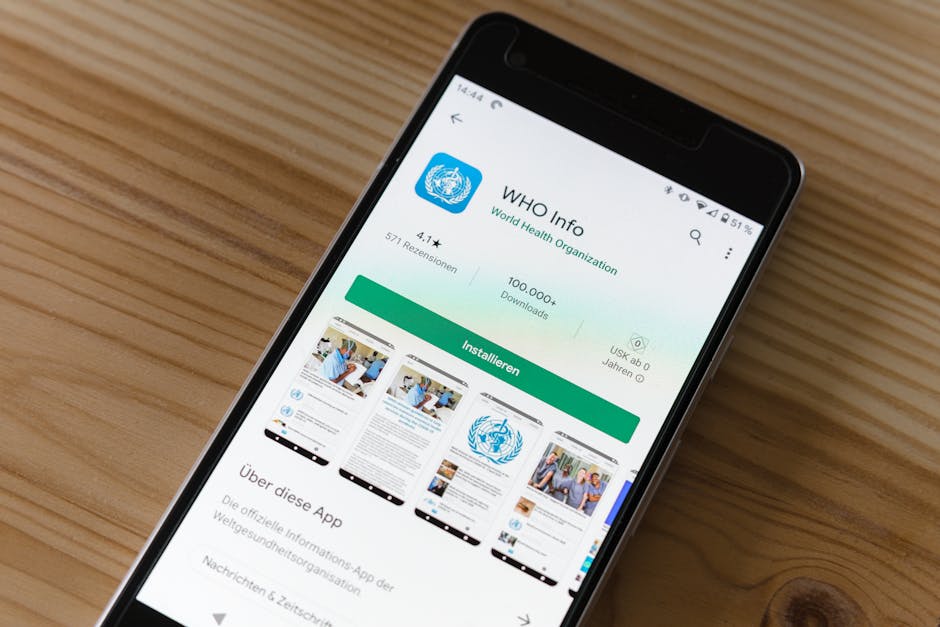
Android app distribution is the process of getting your app from a finished build onto the devices of real users — and in 2026, the stakes have never been higher.
Here are the main ways to distribute an Android app:
- Google Play Store — the largest Android marketplace, reaching over 2.5 billion active devices worldwide
- Direct download (sideloading) — share an APK file via email, website, or direct link
- Firebase App Distribution — send pre-release builds to testers before launch
- Managed Google Play — distribute private apps to enterprise employees via EMM tools
- Alternative app marketplaces — third-party stores outside of Google Play
Android's open platform is one of its biggest strengths. Unlike more closed ecosystems, you can distribute your app through any of these channels — or all of them — without being locked into a single path.
The numbers tell the full story. Google Play alone hosts approximately 2.06 million apps, with around 1,205 new apps added every single day. By 2026, consumers are expected to download roughly 143 billion apps from the platform. Android already commands 71.44% of the global mobile OS market share — meaning the audience you can reach is enormous.
But size also means competition. Getting your app in front of the right users requires understanding not just how to build an app, but how to distribute it effectively, securely, and at scale.
At Synergy Labs, our team has guided numerous startups through the full android app distribution process — from signing and packaging to Play Store submission and enterprise rollouts. In this guide, we'll break down every method, tool, and best practice you need to get your app into users' hands.
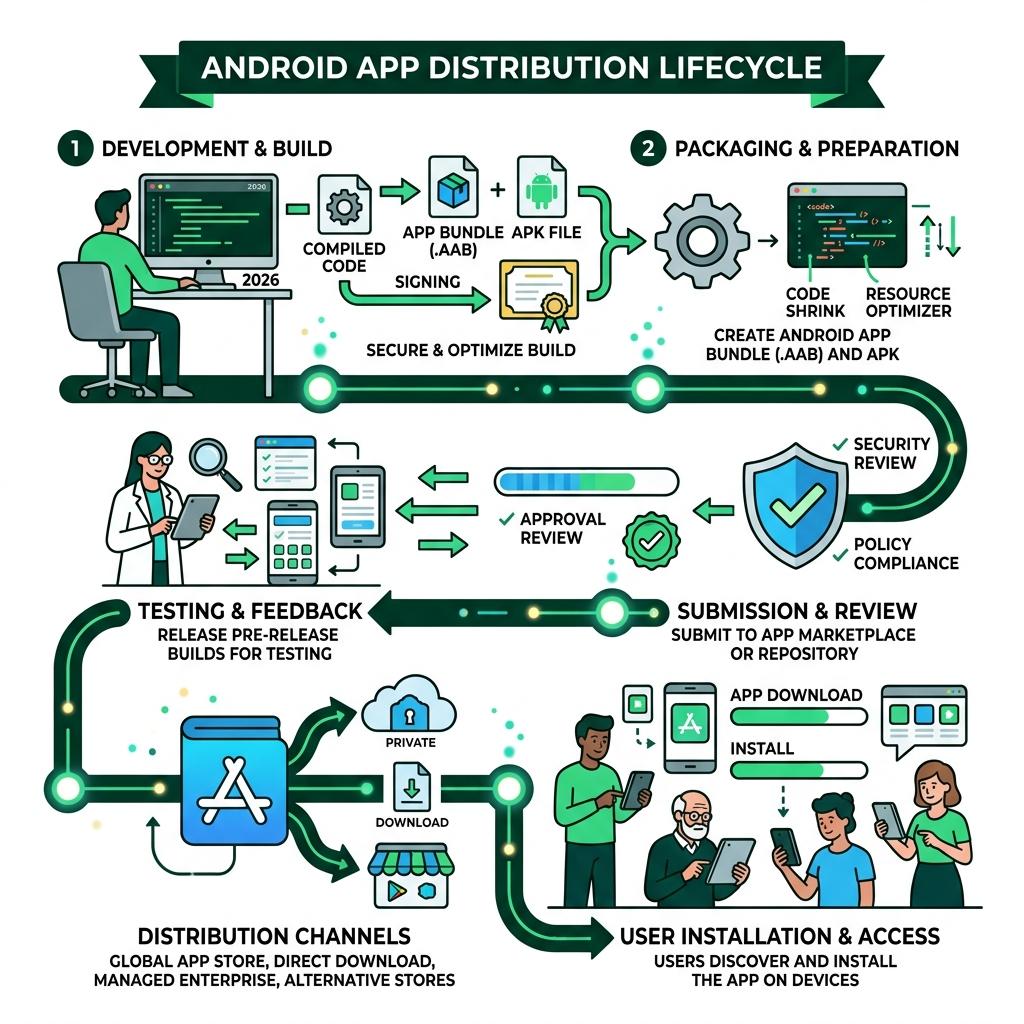
Core Methods of Android App Distribution

When we talk about android app distribution, we aren't just talking about a single "Upload" button. Because Android is an open-source ecosystem, developers have the freedom to choose how they reach their audience. Whether you want the massive reach of a global storefront or the tight control of a private server, there is a path for you.
The most common route is, of course, the Google Play Store. It is the gold standard for reach, security, and monetization. However, "sideloading"—the act of installing an app from a source other than the official store—is a core part of the Android identity. We often see businesses use a mix of these methods: Google Play for the general public and direct downloads for internal beta testing or specialized enterprise tools.
For a deeper dive into the official philosophy of these channels, you can explore the Official guide to distributing your apps.
Distributing via Websites and Direct Links
Sometimes, you don't want or need a middleman. Distributing your app via a website or a direct link is a powerful way to maintain 100% control over the user experience. This method involves hosting your APK (Android Package) file on a secure server and providing a download link to your users.
To make this work smoothly, we recommend a few key steps:
- Server Preparation: Ensure your server is configured to handle large downloads and that the MIME type for
.apkfiles is correctly set so browsers don't try to "read" the file as text. - User Instructions: Since Android blocks "unknown sources" by default, you must provide clear instructions to your users on how to enable installations from their browser or file manager.
- Security: Always host your files over HTTPS to prevent man-in-the-middle attacks where your app could be swapped for malware.
Before you hit "upload" on your server, make sure you've followed the technical Steps to prepare your app for release.
Enterprise and Private Android App Distribution
For our corporate clients in Miami, Dubai, and London, public distribution isn't always the goal. If you’ve built an internal tool for your sales team or a secure portal for employees, you need a private distribution channel.
Managed Google Play is the best solution here. It allows you to publish "private apps" that are only visible to users within your specific organization. By using Enterprise Mobility Management (EMM) tools, IT administrators can even remotely install these apps onto company-issued devices without the user needing to do anything.
To set this up, you'll need your Organization ID from your EMM provider. Once you have this, you can whitelist specific organizations in the Google Play Console under the "Managed Google Play" tab. This ensures your proprietary software stays within your company walls. Learn more about How to distribute private apps for business to keep your internal data secure.
Preparing Your App for a Seamless Launch
Preparation is where the "magic" happens—or where the headaches begin if you skip a step. In 2026, Google has introduced stricter requirements for developer verification to link individuals and organizations to their apps, ensuring a safer ecosystem for everyone.
Every app must be digitally signed with a cryptographic key. This certificate identifies you as the author of the app and ensures that no one can tamper with your code after it's been published. If you lose this key, you typically cannot update your app ever again, which is why we at Synergy Labs emphasize secure key management from day one.
For most modern apps, Google Play handles the heavy lifting through Play App Signing. You provide an "upload key" to Google, and they manage the "release key" that actually signs the app for the users. This is safer because if you lose your upload key, Google can help you reset it. Dive into the details of Understanding Play App Signing to ensure your app stays updateable for years to come.
Optimizing with Android App Bundles (AAB)
Since August 2021, Google Play has required all new apps to use the Android App Bundle (AAB) format instead of the traditional APK for submission. Think of an AAB as a "master file" that contains all your app's code and resources for every possible device configuration (different screen sizes, languages, and CPU architectures).
When a user hits "Install," Google Play uses that bundle to generate a "Split APK" tailored specifically for that user's device. This results in:
- Smaller Download Sizes: Users only download the code they actually need.
- Dynamic Delivery: You can deliver specific features (like a heavy game level) only when the user requests them.
- Higher Limits: While the initial download is optimized, Google Play supports a cumulative size of up to 4GB.
We also keep a close eye on technical compliance, such as the Guide to Google Play’s 16 KB compliance, which is essential for ensuring your app runs efficiently on the latest Android versions.
Essential Release Checklists
Before we consider an app "ready," we put it through a rigorous checklist. You don't want to find a bug after 100,000 people have downloaded it.
Our standard pre-release ritual includes:
- Updating Version Codes: Every new release must have a higher
versionCodethan the last. - Disabling Debugging: Ensure
debuggableis set tofalsein your build configuration to prevent unauthorized access to your app's internals. - Code Shrinking: Use tools like R8 to remove unused code and resources, making your app leaner and harder to reverse-engineer.
- Manifest Updates: Check that your permissions are still accurate. If you don't need a permission anymore, remove it!
Staying ahead of the curve is vital, so we always align our builds with the Top 5 Android app development trends to follow in 2026.
Beta Testing and Pre-Release Strategies
Nothing is more dangerous than "shipping and praying." A controlled beta test is the secret weapon of successful apps. By distributing your app to a small group of trusted testers, you can catch crashes, UI glitches, and "weird" behavior on specific hardware before the general public sees it.
Google Play offers internal, closed, and open testing tracks. Internal tracks are the fastest, allowing you to share your app with up to 100 testers almost instantly. For larger groups, closed testing tracks allow you to invite testers by email or through Google Groups.
Managing Builds with Firebase App Distribution
For many of our projects, we rely on Firebase App Distribution. It is a no-cost tool that makes getting pre-release versions of your app onto testers' devices incredibly simple.
Unlike the Play Store, which requires a review process even for some test tracks, Firebase allows for near-instant deployment. You can manage tester groups, see who has actually downloaded the build, and even collect in-app feedback.
- 150-Day Availability: Builds stay active for five months, giving your QA team plenty of time to work.
- Cross-Platform: It works for both iOS and Android, which is a lifesaver for our cross-platform projects.
You can Get started with Firebase App Distribution to streamline your feedback loop and ensure your app is polished to a mirror finish.
Automating Your Android App Distribution Pipeline
In a modern development environment, manual uploads are a relic of the past. We use CI/CD (Continuous Integration/Continuous Deployment) pipelines to automate the android app distribution process.
When a developer pushes code to our repository, a server automatically:
- Runs all unit and UI tests.
- Builds the signed AAB or APK.
- Uploads it to Firebase for the QA team.
- (If it's a release branch) Uploads it to the Google Play Console internal track.
Tools like Fastlane and Gradle are the workhorses here. By using the Google Play Developer APIs, we can automate everything from uploading screenshots to updating release notes, allowing our team to focus on building features rather than managing files.
Security, Sideloading, and User Trust
Security is the cornerstone of user trust. While Android allows sideloading, it doesn't do so blindly. The system includes several layers of protection to ensure that even if a user installs an app from a website, they are protected from malicious code.
The Play Integrity API is a vital tool here. It helps developers detect if their app is running on a genuine, uncompromised Android device. It can also tell if the app was installed from Google Play or sideloaded, allowing you to limit certain high-security features (like payments or sensitive data access) to official installs.
Google also provides Automatic protection features that help prevent app tampering and "cracking," which is essential for protecting your intellectual property.
Navigating "Unknown Sources" on Modern Android
If you've ever tried to install an APK from a browser, you've seen the "For your security, your phone is not allowed to install unknown apps from this source" message.
Since Android 8.0 (Oreo), this is no longer a global "On/Off" switch. Instead, it is a per-source permission. If a user downloads an app via Chrome, they must specifically grant Chrome the permission to "Install unknown apps." This is a significant security improvement because it prevents a malicious app from silently installing other apps in the background.
As a developer, you should guide your users through this process with clear, friendly UI prompts, explaining why they need to enable this setting and reassuring them of your app's safety.
Frequently Asked Questions about Android App Distribution
How do I enable the installation of apps from unknown sources in 2026?
On devices running Android 8.0 or higher, navigate to Settings > Apps > Special app access > Install unknown apps. From there, select the app you used to download the APK (like Chrome or a File Manager) and toggle the "Allow from this source" switch to on. In 2026, some devices may also require a secondary "Verified Developer" check to ensure the app comes from a registered source.
What is the difference between an APK and an Android App Bundle (AAB)?
An APK (Android Package) is a ready-to-install file that contains everything needed for all devices. An AAB (Android App Bundle) is a publishing format that you upload to Google Play. Google then uses the AAB to generate smaller, optimized APKs specifically for each user's device. You cannot "install" an AAB directly on a phone; it must be processed by a store first.
Is Firebase App Distribution free for large testing teams?
Yes! Firebase App Distribution is a no-cost tool provided by Google. There are no fees based on the number of testers or the number of builds you distribute. This makes it an ideal choice for startups and large enterprises alike who need to iterate quickly without worrying about mounting costs.
Launching with Excellence: The Synergy Labs Advantage
Navigating the complexities of android app distribution shouldn't be a hurdle to your business goals. At Synergy Labs, we specialize in taking the technical weight off your shoulders so you can focus on your vision.
We pride ourselves on our fixed-budget model, which means no surprise invoices or "scope creep" nightmares. You’ll work directly with an in-shore CTO located in one of our global hubs—like Miami, NYC, or London—who oversees a high-efficiency offshore development team. This hybrid approach gives you the best of both worlds: local, high-level strategy and world-class technical execution.
Our milestone-based payments ensure that you only pay for results that have been delivered and verified. Whether you are aiming for a rapid app launch or building a scalable enterprise architecture, we provide the ongoing support and robust security your project deserves.
Ready to see your app on the home screens of millions? Start your project with Synergy Labs today and let's build something incredible together.