

Why Phone Antivirus Protection Is Essential in 2026
A phone antivirus is a specialized mobile security application designed to detect, block, and remove malicious software like spyware, ransomware, adware, and banking Trojans from your smartphone.
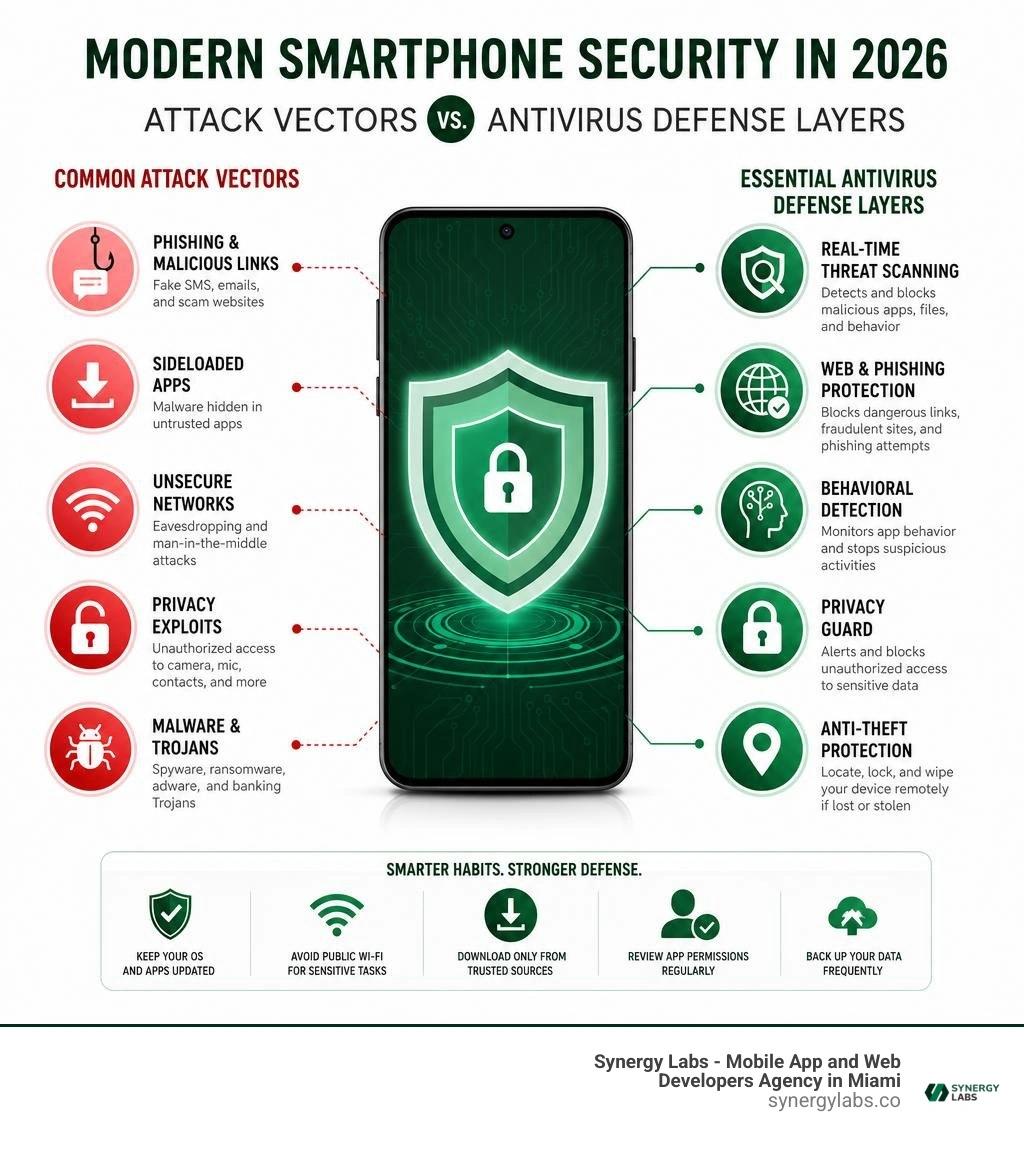
While modern mobile platforms offer built-in baseline defenses, third-party phone antivirus solutions fill critical security gaps by providing:
- Real-time scanning: Automatically inspects newly installed apps, downloaded files, and system storage for zero-day threats.
- Web & phishing protection: Intercepts fraudulent SMS links, malicious websites, and credential-harvesting schemes in real time.
- Behavioral anomaly detection: Flags background processes attempting unauthorized access to your microphone, camera, or sensitive data.
- Proactive anti-theft tools: Enables remote location tracking, biometric app locking, and remote data wiping if a device is lost or stolen.
With Android powering nearly 73% of smartphones globally, mobile devices have become the prime target for digital attackers. Recent data shows mobile attacks climbed by 29% in 2026, while banking Trojan incidents surged by almost 200%—with over 95% of those banking threats arriving through sideloaded applications outside official app stores.
As the Director of Product at Synergy Labs, I work daily with founders building high-growth apps, and we know that real digital security starts right at the device level.
Do Smartphones Truly Need Third-Party Security in 2026?
A frequent debate among tech enthusiasts centers on whether modern mobile operating systems require supplementary protection. Out of the box, contemporary smartphones are engineered with remarkable architectural safeguards. Android, for instance, isolates every application inside its own Linux process sandbox. This prevents a misbehaving utility or casual game from peeking into your mobile banking app or extracting local authentication tokens without explicit consent.
Furthermore, dynamic runtime permissions ensure that applications cannot quietly activate your camera, read your contact lists, or trace your geographic location without presenting a visible system prompt. Google Play Protect scans billions of apps daily across the official ecosystem, flagging known malicious binaries and outdated software.
Yet, despite these impressive foundational walls, modern threat actors have adapted. Built-in OS scanners primarily rely on known signature databases and static repository evaluations. When sophisticated adversaries deploy polymorphic malware, modular backdoors, or exploit operating system zero-days, baseline OS defenses often experience critical blind spots.
Malicious software can also compromise system integrity via firmware vulnerabilities on budget hardware, unpatched operating system exploits, or malicious code that dynamically pulls secondary payloads from remote command-and-control servers long after passing initial app store screenings. To explore these threat dynamics in greater depth, review our comprehensive Best Mobile Security Software Guide 2026.
Evaluating Built-In Protection vs Dedicated Phone Antivirus Apps
When comparing baseline native protection against dedicated security applications, the divergence becomes obvious across detection benchmarks, zero-day responsiveness, and proactive defense vectors. Native scanners generally execute periodic passive sweeps or check installation packages during download. In contrast, top-tier mobile security suites employ behavioral heuristics, machine learning engines, and continuous cloud-based intelligence.
- Zero-Day Exploit Prevention: Dedicated security tools analyze active system behavior rather than relying strictly on outdated local definition files. If a recently installed application suddenly initiates rapid background memory alterations or attempts privilege escalation, behavioral engines neutralize the threat immediately.
- Real-Time Web and Phishing Interception: Native OS scanners rarely inspect network packets across third-party web browsers or incoming communication streams. Specialized security apps leverage secure accessibility frameworks to intercept fraudulent credential-harvesting pages before the browser finishes rendering them.
- Enterprise-Grade Endpoint Hygiene: Dedicated tools provide on-demand file system audits, USB On-The-Go (OTG) external drive inspections, and network vulnerability checks. For broader institutional perspectives on maintaining endpoint resilience across personal and organizational hardware, refer to established Anti-Virus/Anti-Malware Best Practices.
Everyday Habits That Compromise Device Security
Smartphones rarely get infected through spontaneous digital combustion; infections almost always trace back to routine, seemingly harmless human habits. In our software development work at Synergy Labs, we frequently audit how everyday usage patterns inadvertently open entry doors to sophisticated threats.
- Sideloading Unverified APK Files: Bypassing official storefronts to install modified games, free utilities, or regional applications is the primary vector for severe mobile infections. More than 95% of mobile banking Trojans are distributed through sideloaded installation packages that masquerade as benign software.
- Interacting with SMS and Chat Phishing: Known as smishing, fraudulent text messages claiming an urgent delivery issue, unexpected bank transfer, or pending tax rebate trick users into downloading malicious executables or surrendering credentials on spoofed portals.
- Connecting to Open, Unencrypted Public Wi-Fi: Browsing the web on unsecured cafe or airport networks exposes data transmissions to man-in-the-middle exploits, where attackers can intercept unencrypted sessions or redirect traffic toward rogue domains.
- Granting Excessive Application Permissions: Blindly tapping "Allow" when a basic calculator or flashlight application demands access to your SMS inbox, contact book, or accessibility services exposes device telemetry to predatory data brokers. Understanding How to Secure Mobile Apps is essential for maintaining safe personal workflows.
Key Features to Demand in a Modern Phone Antivirus Solution
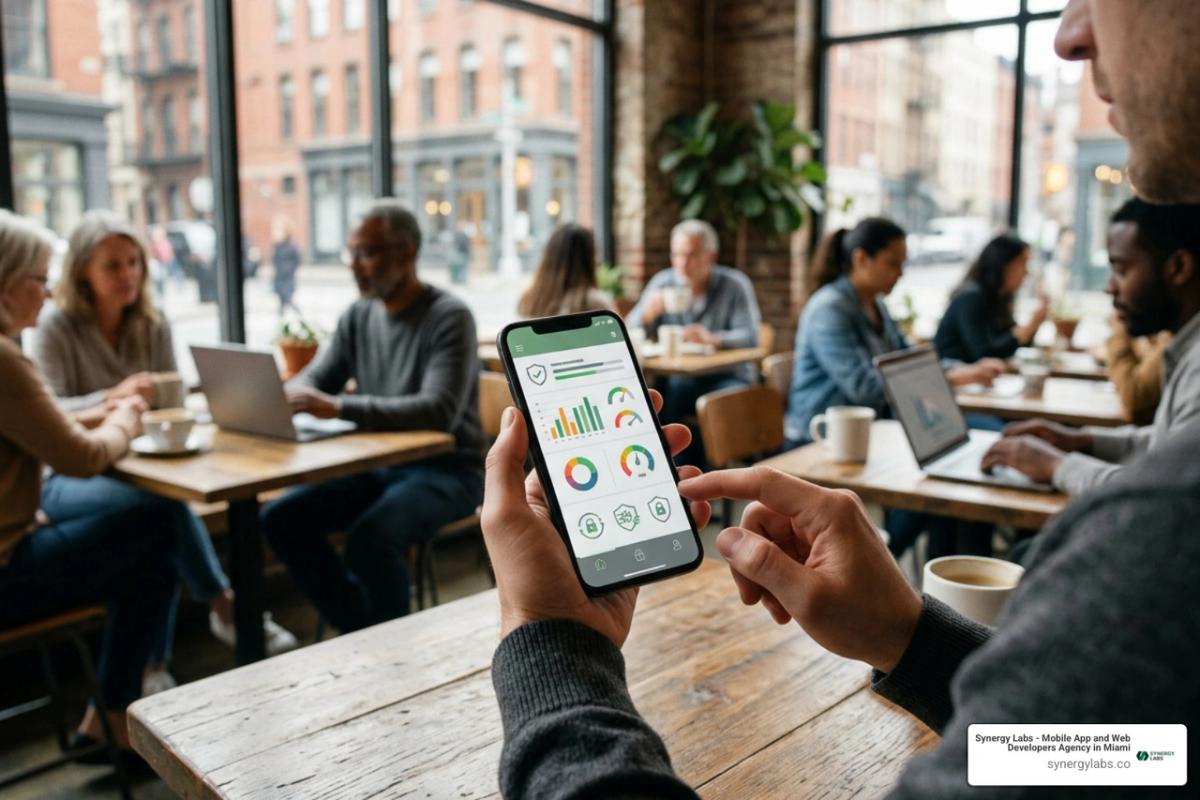
Modern security software must do much more than scan stored files for legacy viruses. Mobile cybercrime focuses on identity theft, financial credential interception, and covert tracking. When selecting an endpoint protection solution, make sure it functions as a comprehensive privacy and protection hub. Robust engineering must align with industry-grade Mobile App Security standards to provide meaningful defense against sophisticated adversaries.
Essential Privacy Controls and Scam Protection
The most valuable security solutions focus heavily on communication vectors and proactive network privacy. Look for these essential components:
- AI-Driven Scam and Phishing Filtering: Real-time analysis of incoming SMS messages, messaging app links, and web pages to isolate fraudulent hyperlinks before they compromise account access.
- Accessibility API Inspection: Utilizing secure OS accessibility layers to evaluate URLs across all web browsers without introducing network latency or degrading render performance.
- Credential Breach Monitoring: Continuous cross-referencing of your email addresses against known global data leak repositories, alerting you instantly if passwords require updating.
- Camera and Microphone Surveillance Alerts: Active monitoring that highlights when background applications attempt to engage hardware sensors without your explicit knowledge. Discovering actionable safeguards within our Best Free Android Security Tips 2026 helps establish these everyday defenses.
Anti-Theft Tools and Physical Device Safeguards
Physical device compromise is just as hazardous as digital malware. If an unauthorized individual gains physical control of an unlocked smartphone, two-factor authentication tokens, personal photographs, and banking portals are instantly exposed. Advanced security tools provide integrated anti-theft capabilities that operate remotely.
Using specialized administrative controls, users can track geographic coordinates in real time or trigger an audible emergency siren. When recovery is impossible, users can execute a Remote Lock Android Phone command to secure the screen against brute-force entry.
For routine daily privacy, pairing these systems with biometric authentication allows you to Lock Android Phone with Fingerprint credentials on sensitive apps. As an ultimate countermeasure, remote wiping commands completely purge internal flash storage, protecting confidential personal and corporate data from extraction.
Recognizing Malware Infections and Performance Overhead
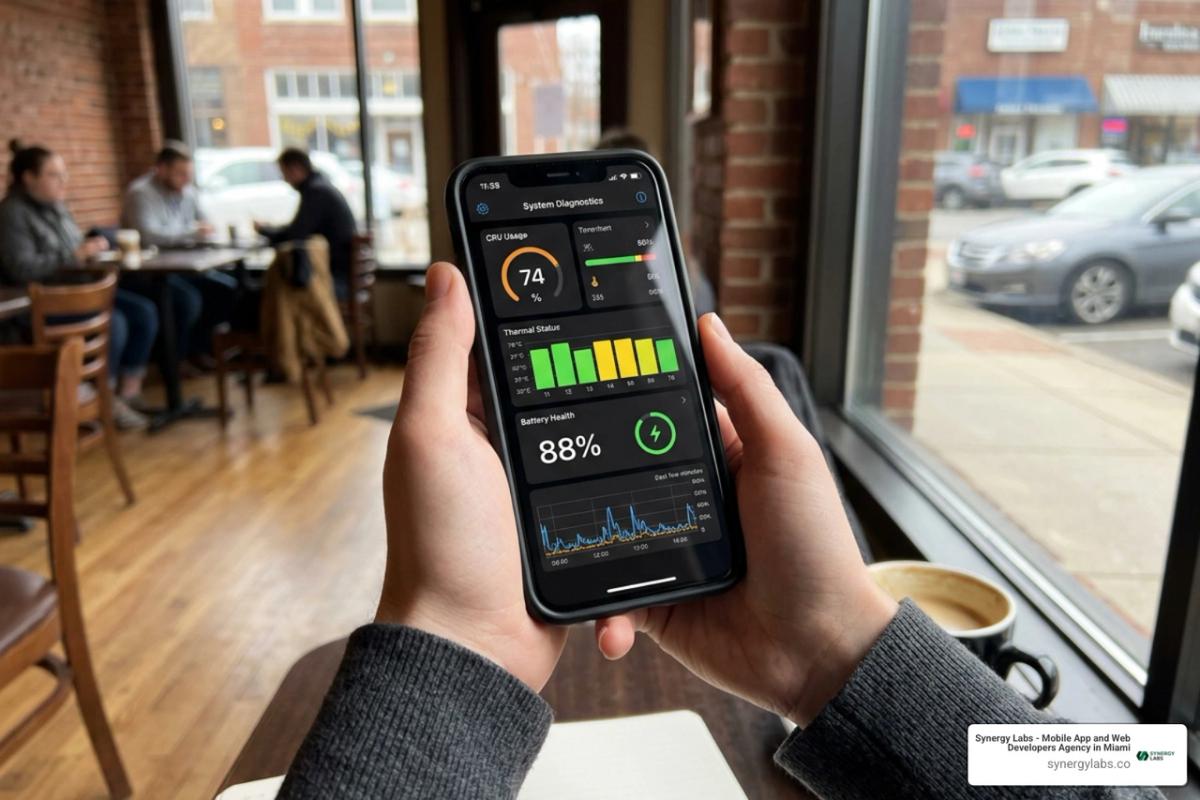
Identifying a mobile infection requires paying attention to subtle hardware anomalies and performance changes. Unlike early computer viruses that intentionally disrupted system operation to announce their presence, modern mobile malware prefers to remain hidden, quietly siphoning credentials, clicking background advertisements, or routing illicit traffic.
Key warning signs that your phone may be harboring malicious software include:
- Abrupt, Unexplained Battery Drain: Background spyware, persistent beaconing, and unauthorized crypto-mining scripts consume significant CPU cycles, causing rapid battery drain even while the screen is off.
- Noticeable Device Overheating: If your device feels hot to the touch while resting in your pocket or sitting idle on a desk, hidden background processes are actively working the processor.
- Spikes in Cellular Data Consumption: Banking Trojans and surveillance tools continuously transmit collected keystrokes, contact books, and media files back to remote command servers, driving up monthly data usage.
- Persistent Pop-Up Ads and Rogue Redirects: Intrusive advertisements appearing outside of web browsers—such as over the home screen or app drawer—indicate active adware running with overlay privileges.
Will a Phone Antivirus Impact Device Speed and Battery Life?
A widespread misconception is that running a mobile security application will inevitably slow down your device, introduce lag, and drain battery reserves. While this was sometimes true in the early days of mobile security, modern cloud-native architecture has completely changed how endpoint protection operates.
Contemporary security suites no longer download massive, multi-gigabyte signature databases directly onto your local phone storage. Instead, they utilize lightweight, cloud-based signature matching. When a new application is installed or an unknown file is downloaded, a cryptographic hash is generated locally and checked against cloud threat intelligence repositories in milliseconds.
Local system resources are only engaged during active file analysis or on-demand sweeps. By offloading intensive threat computation to remote servers, reputable antivirus applications run feather-light background tasks that consume minimal RAM and battery life. For formal academic guidance on managing endpoint software efficiency, consult the University Security Guidance on Endpoint Protection.
Step-by-Step Free Removal for Stubborn Mobile Malware
If you suspect your smartphone is already compromised by aggressive adware or a stubborn trojan, follow this structured disinfection process:
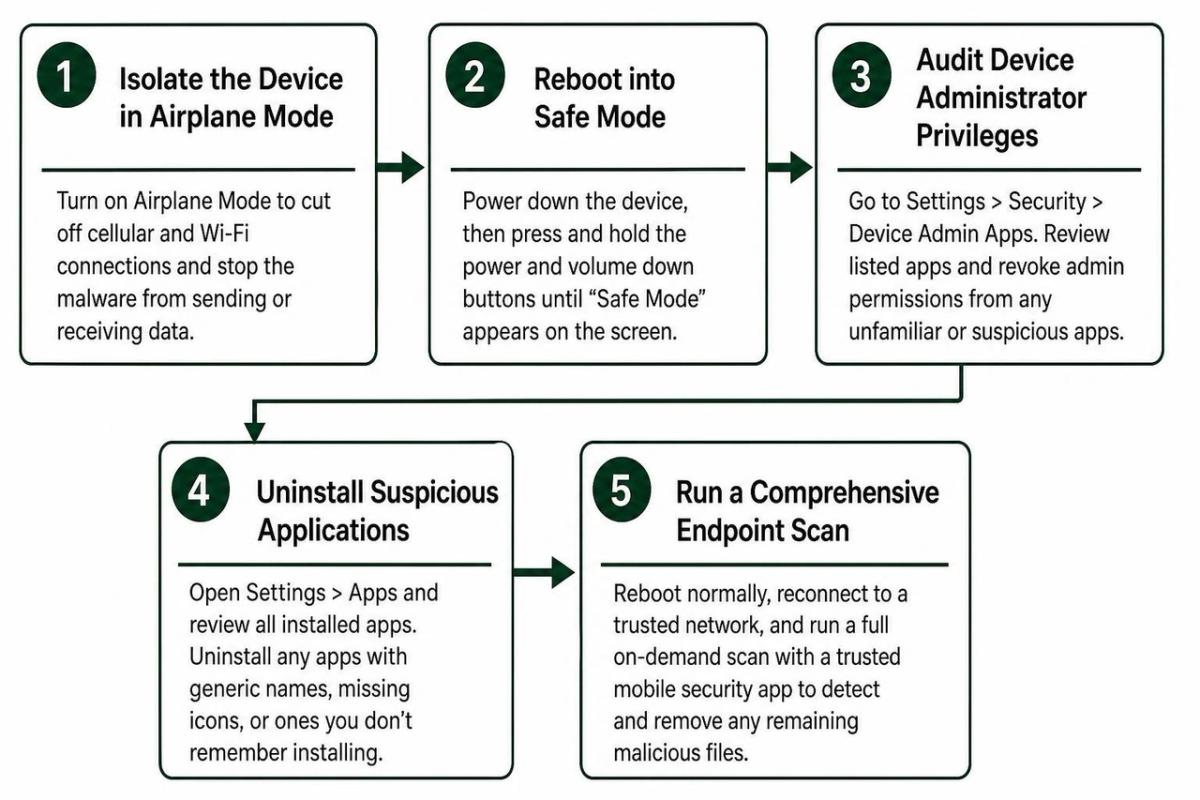
- Isolate the Device in Airplane Mode: Immediately terminate cellular and Wi-Fi connections to prevent the malware from exfiltrating data or receiving remote instructions.
- Reboot into Safe Mode: Power down your device, then press and hold the power and volume down buttons (depending on your specific handset model) until the "Safe Mode" indicator appears on the screen. Safe Mode disables all third-party applications from launching automatically.
- Audit Device Administrator Privileges: Navigate to Settings > Security > Device Admin Apps. Review the listed applications and immediately revoke administrative permissions from any unfamiliar utility, suspicious media player, or rogue scanner. Malicious applications routinely grant themselves admin privileges to block uninstallation.
- Uninstall Suspicious Applications: Go to Settings > Apps and inspect the entire application directory. Look for apps with generic names, missing icons, or tools you do not remember installing, and tap Uninstall.
- Run a Comprehensive Endpoint Scan: Reboot normally, reconnect to a trusted network, and run a full on-demand scan using a trusted mobile security suite to clean any residual malicious files.
- Execute a Factory Data Reset (Last Resort): If system anomalies persist or deep rootkits are present, back up only your critical, clean documents and media to cloud storage, then perform a complete factory data reset via system settings.
Frequently Asked Questions About Mobile Device Protection
How often should you scan your smartphone for threats?
You do not need to spend your day manually pressing scan buttons. High-quality mobile antivirus software provides continuous real-time protection, automatically inspecting every new application, file download, and operating system update the moment it arrives on your storage partition.
However, running a manual on-demand system scan is recommended in specific situations: immediately after sideloading an application from an external repository, following connections to untrusted public Wi-Fi networks, or whenever you notice unusual battery drain or unexpected pop-ups. Scheduling an automated full-storage scan once a week offers reliable peace of mind without interfering with your daily device usage.
What immediate steps should you take if your device is lost or stolen?
Physical loss demands rapid incident response to secure your identity and financial assets:
- Trigger Remote Tracking and Screen Locking: Access your security management portal or native cloud device manager from another computer to locate the hardware on a map and lock the display behind a strong security PIN.
- Contact Your Cellular Carrier: Request an immediate suspension of your SIM card or eSIM profile to prevent thieves from intercepting SMS two-factor authentication codes.
- Revoke Active Device Sessions: Log into your primary email accounts, social platforms, and banking portals from a secure desktop browser to sign out of all active mobile sessions.
- Initiate a Remote Data Wipe: If physical recovery is improbable, send a remote wipe command to erase all local storage partitions, cryptographic keys, and cached credentials permanently.
Does built-in operating system security eliminate all mobile risks?
While built-in defenses like app sandboxing and Google Play Protect provide a solid foundation, they cannot neutralize every mobile threat vector. Built-in scanners struggle with deceptive phishing URLs in private chats, firmware vulnerabilities in budget devices, and sophisticated banking Trojans that hide their true behavior until well after installation.
Pairing operating system defenses with dedicated endpoint protection and sensible security habits delivers comprehensive, multi-layered mobile defense. For practical evaluations of accessible protection tools, explore our breakdown of the Best Free Virus Protection for Android Phone.
Securing Your Digital Future with Synergy Labs
Maintaining secure mobile devices requires a balanced combination of built-in operating system protections, dedicated threat scanners, and vigilant security habits. As digital architecture evolves throughout 2026, smartphones remain our primary gateways for personal communication, professional collaboration, and financial transactions. Ensuring these endpoints remain fortified against emerging malware, credential-harvesting schemes, and physical compromise is essential for personal privacy and enterprise security. To discover more about advanced defense strategies, explore our comprehensive analysis of Mobile Security Software.
Building resilient digital experiences is our core mission at Synergy Labs. As an elite mobile app and web development agency, we help ambitious founders and modern enterprises transform innovative concepts into scalable, secure, and market-defining digital products.
We eliminate development friction through a proven delivery model:
- Fixed-Budget Model: Clear, transparent pricing with no surprise scope creep or hidden fees, ensuring your capital is deployed effectively.
- In-Shore CTO with an Offshore Dev Team: Enjoy the strategic guidance, clear communication, and architectural oversight of an experienced in-shore technical leader paired with the cost efficiency and speed of our world-class global development engineering talent.
- Milestone-Based Payments: Our structured billing model ties disbursements directly to completed, verifiable deliverables, ensuring every phase of your project is built to production standards before you pay.
Whether you are launching a secure fintech application, modernizing enterprise workflows, or scaling a consumer mobile platform, our senior engineers and product strategists are ready to bring your vision to life. Connect with our technical team today at Synergy Labs to start building scalable, secure, and high-performance software.