
Is an App Maker Application Right for Your Startup?

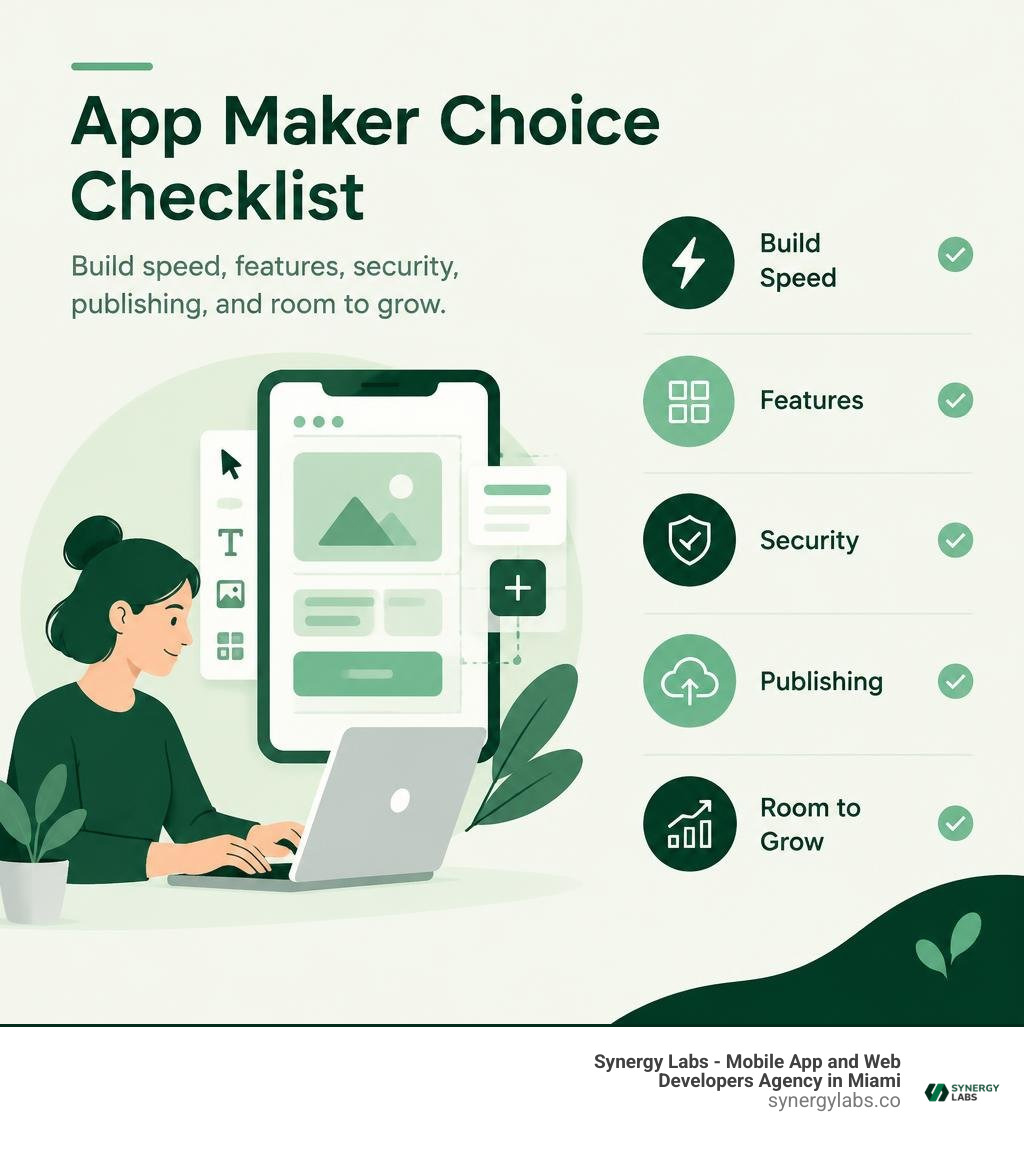
An app maker application lets you build an app with visual tools, templates, or AI prompts instead of writing every feature from scratch. It can help you test an MVP, customer portal, or internal tool quickly. Before choosing one, check whether it supports the data, payments, security, and iOS or Android publishing your app needs. A fast first build is useful; a tool that cannot support your next step is less so.
As director of product at Synergy Labs, I’ll help you weigh that speed against the control and room to grow your app may need.
Understanding App Makers vs. Traditional Custom Development
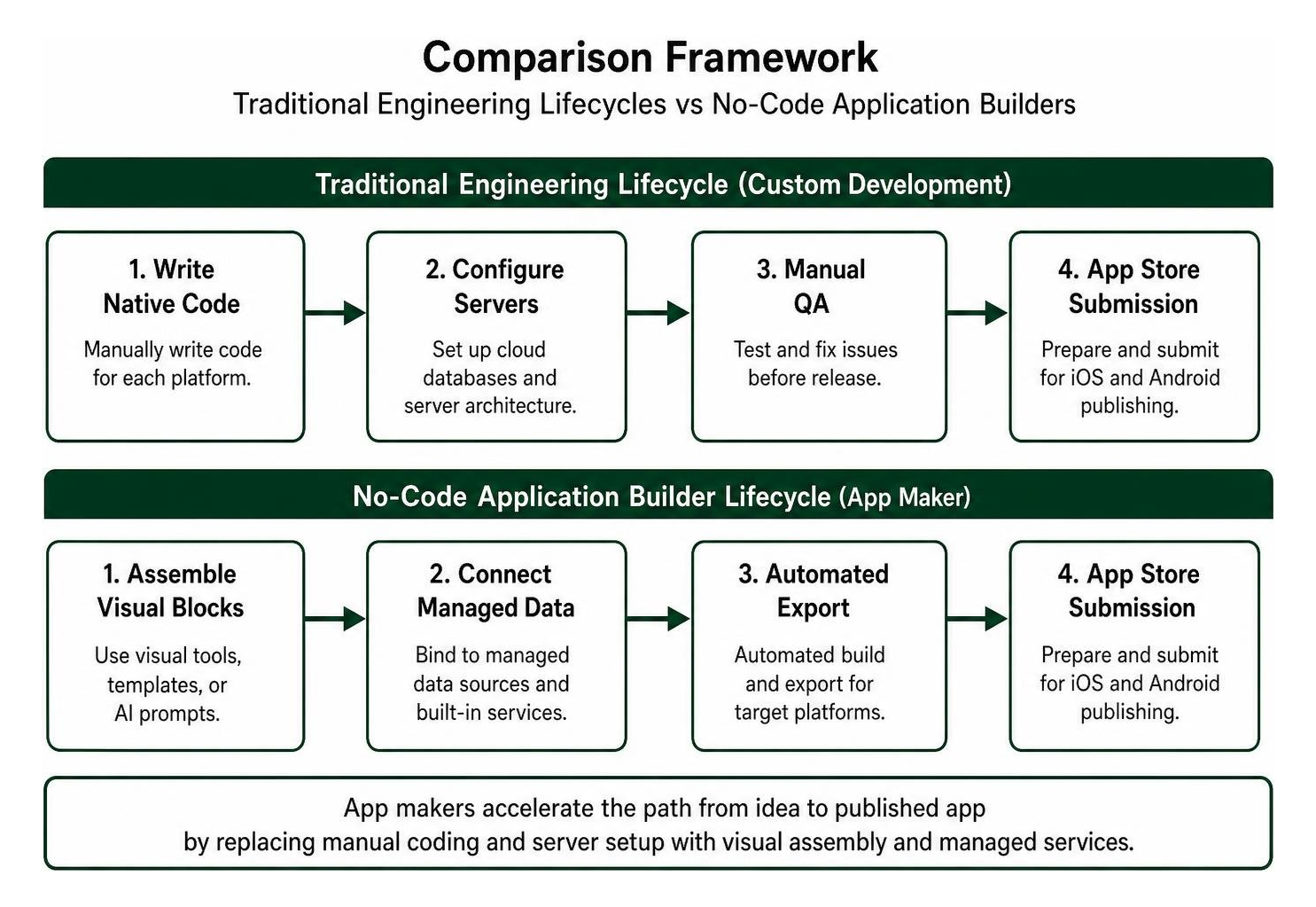
Every software product starts as an idea, but the bridge connecting that concept to a published binary has changed dramatically. Traditionally, building a digital product required hiring a specialized engineering team to manually write thousands of lines of frontend and backend code, configure cloud databases, and manage complex server architectures.
Visual application builders change this dynamic by abstracting low-level programming into modular, pre-configured building blocks. Instead of manually engineering network calls or UI rendering pipelines, creators can use Rapid Application Development (RAD) principles to visually assemble workflows, design interfaces, and bind data. For founders and operational leaders looking to get products to market without months of upfront engineering, learning how to create an app without code has become a practical business strategy.
Traditional Coding Constraints and Hidden Costs
Custom engineering offers complete technical flexibility, but it introduces major bottlenecks for early-stage products and internal company tools. Writing raw code across separate platforms (such as Swift for iOS and Kotlin for Android) multiplies initial capital requirements, extends development timelines from weeks to quarters, and requires dedicated infrastructure engineers just to keep servers alive.
The largest surprise for non-technical stakeholders is rarely the initial build quote; it is the long-term upkeep. Software maintenance typically consumes about 28% of the total initial development cost in year one alone. Once an application stabilizes, ongoing operational upkeep, OS compatibility patches, dependency updates, and bug fixes settle into a predictable 10% to 15% annual overhead. When a product is built from scratch, technical debt accumulates rapidly, turning minor feature adjustments into expensive engineering sprints.
How an AI-Driven App Maker Application Speeds Up Development
Modern visual builders now incorporate generative artificial intelligence directly into the creation flow. Rather than manually positioning every button and designing every layout from a blank canvas, creators can provide natural language prompts to scaffold functional screens, draft database schemas, and map complex business logic in seconds.
Industry research reflects this shift. Designers who integrate AI into their processes report substantial improvements in day-to-day execution: 80% of designers who increased their AI usage note that it helps them collaborate more effectively across cross-functional teams, while 72% of designers globally now use generative AI within their everyday workflows. Furthermore, 91% of designers state that AI directly improves the quality of their creative outputs.
Product builders are driving similar adoption: 83% of builders are actively working on AI-powered projects in 2026, up from 65% in the previous year. In fact, 46% of product builders dedicate at least half of their daily work to building AI features, doubling the 23% recorded a year earlier. When evaluating no-code vs AI generated apps, these automated scaffolding features dramatically compress the distance between concept ideation and an interactive prototype, backed by verified benchmarks for AI design and app generation.
Core Features to Look for in an App Maker Application
Choosing the right development platform requires looking past marketing buzzwords and assessing whether the underlying engine can handle your product's specific functional requirements. A complete visual platform must deliver more than cosmetic UI templates; it must provide robust data persistence, clean API extensibility, and granular access management.
When reviewing top no-code AI app development tools, prioritize platforms that support:
- Visual UI builders with responsive layout engines that adapt dynamically to phones, tablets, and desktop viewports.
- Integrated relational or document database systems capable of handling structured querying and file storage.
- RESTful and GraphQL API connectors to integrate third-party web services and internal enterprise systems.
- Granular, role-based access control (RBAC) to ensure strict data separation between standard users, managers, and administrators.
- Real-time multi-user collaboration that lets product managers, visual designers, and technical leads build concurrently.
- Standard compliance with established mobile architecture benchmarks, such as the OWASP Mobile Application Security standard.
Visual Drag-and-Drop and Pre-Built Workflow Automation
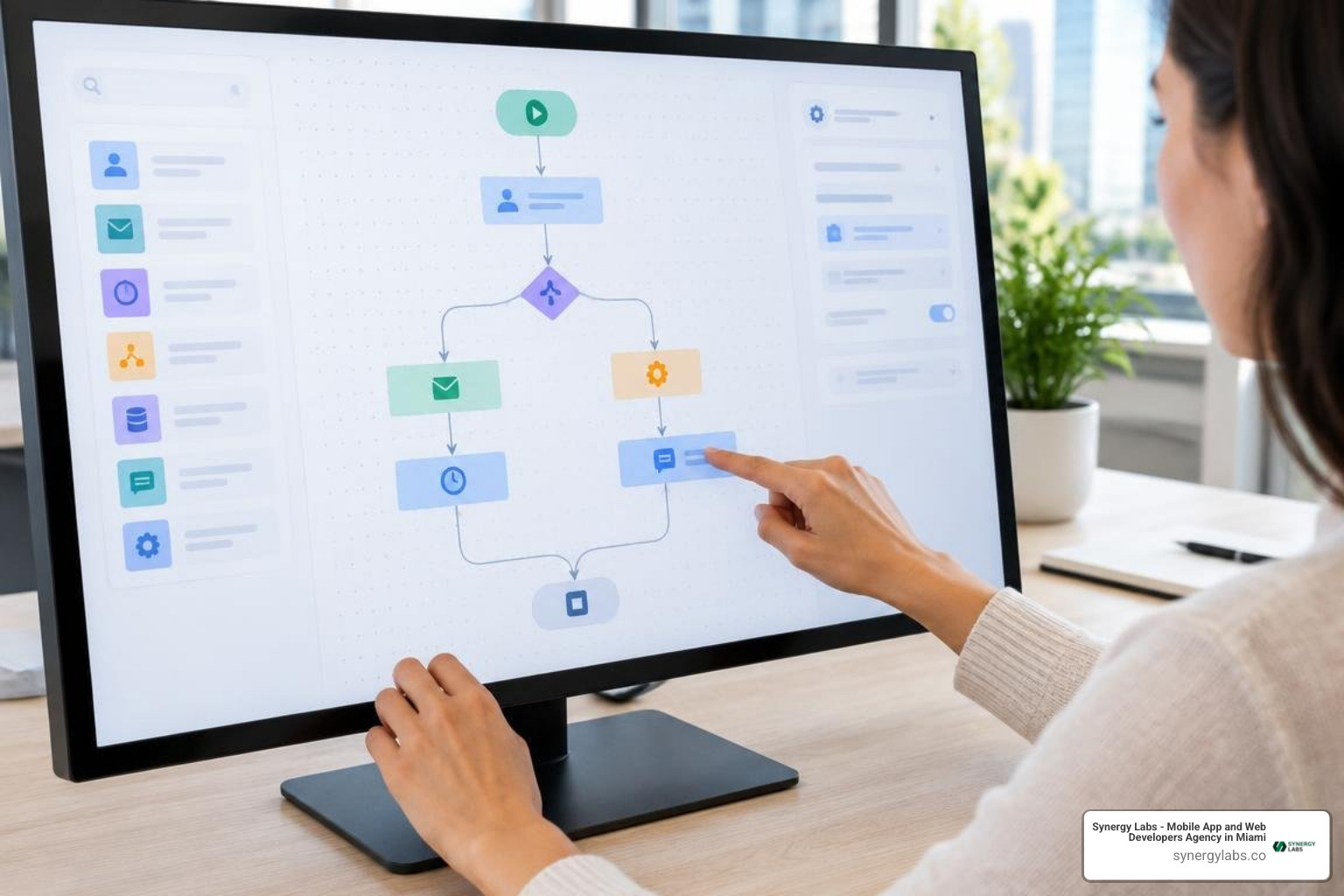
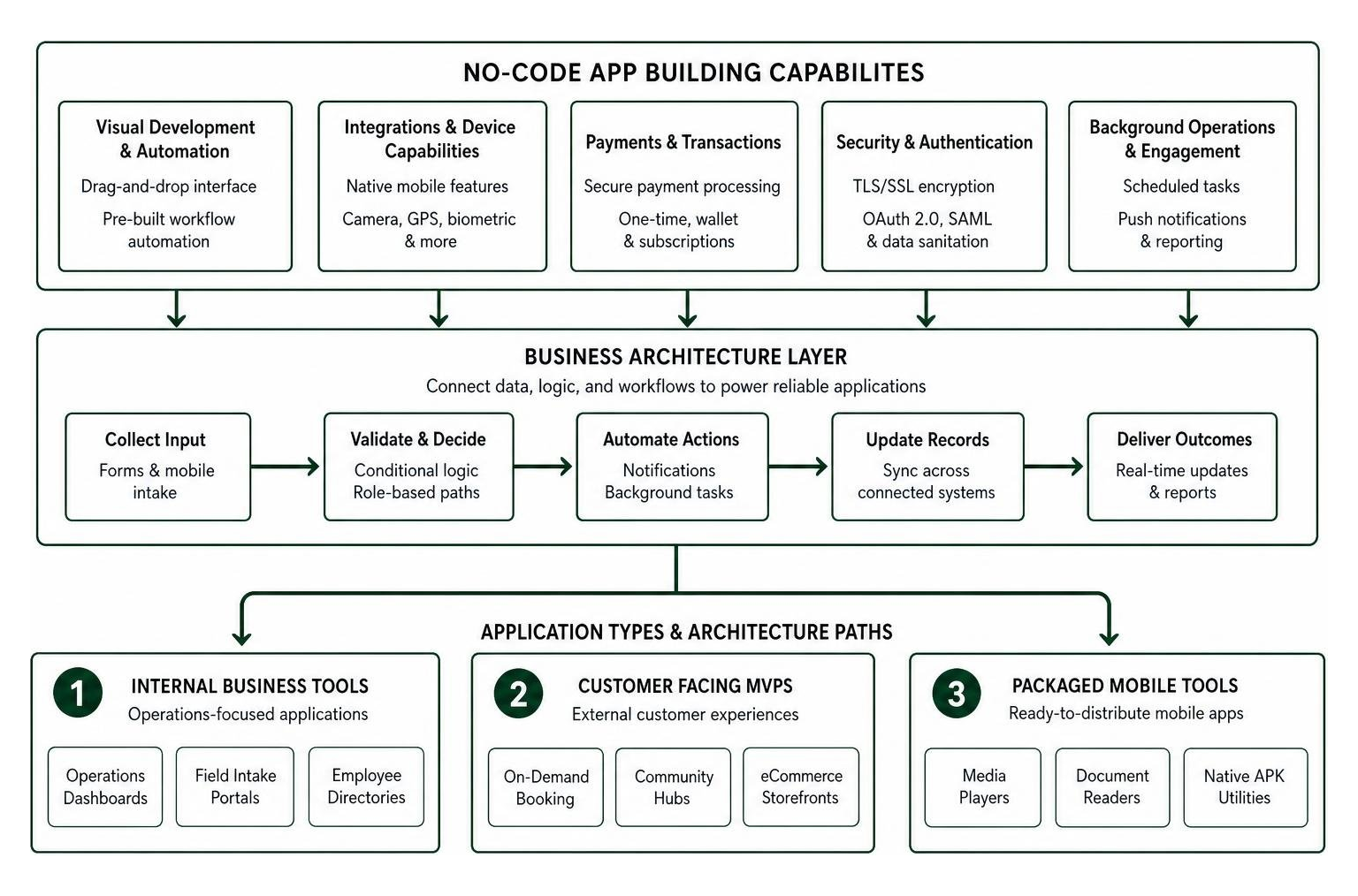
The core value of visual development is simplifying complex procedural tasks. Business workflows typically rely on routine operational loops: collecting input through forms, verifying entry data, triggering notifications, and updating records across connected systems.
Essential automation modules to look for include:
- Dynamic form bundling that consolidates disconnected intake processes into a single unified mobile interface.
- Conditional logic triggers that branch user pathways based on user selections or profile roles.
- Automated push notification engines to re-engage inactive users and deliver time-sensitive transactional updates.
- Scheduled background tasks that execute automated data aggregations, nightly reporting, or inventory checks.
- Native mobile device integrations, including camera scanning, GPS location tagging, and biometric authentication.
Payment Processing, Data Security, and Authentication
For consumer apps and commercial portals, handling transactions securely is a primary requirement. Reliable visual builders provide turn-key integrations with enterprise payment processors, enabling you to collect one-time checkouts, process digital wallet payments, or manage recurring subscription tiers without engineering custom PCI-compliant payment vaults.
Data security must never be compromised for development speed. Ensure your platform enforces end-to-end transport layer security (TLS/SSL encryption), supports standard authentication protocols like OAuth 2.0 and SAML for enterprise single sign-on (SSO), and provides automated data sanitation to protect against injection exploits. Platforms that do not levy hidden per-transaction platform fees on top of standard payment gateway processing help preserve your operating margins as sales scale.
Types of Apps You Can Build with Modern No-Code Builders
Visual app creators are versatile enough to power a broad range of production use cases across B2B, B2C, and internal business environments. Whether you are assembling internal tools or exploring no-code platforms for startups, modern tools accommodate everything from basic utilities to full-featured digital portals.
Internal Portals, Dashboards, and Workflow Utilities
Internal operations often suffer when teams rely on disconnected spreadsheets, paper intake forms, and slow email threads. Visual app builders allow operational leaders to rapidly assemble custom software tailored to their exact back-office requirements without pulling dedicated engineering resources away from primary product roadmaps.
Standard internal implementations include:
- Operational and logistics dashboards that display live performance metrics and track field asset movements.
- Custom applicant tracking systems (ATS) that parse incoming resumes, manage interview stages, and store evaluator scorecards.
- Centralized employee directories with integrated shift scheduling, time-off requests, and direct communication channels.
- Field inspection apps equipped with offline data caching, letting remote technicians log reports without continuous cellular coverage.
Customer-Facing Storefronts and Rapid Minimum Viable Products
For founders validating new business models, time-to-market is critical. Building a Minimum Viable Product (MVP) using visual tools lets you test real market demand, observe genuine user interactions, and collect payment data while keeping capital exposure low.
Entrepreneurs frequently launch:
- Direct-to-consumer eCommerce stores featuring product catalogs, integrated carts, and automated order fulfillment tracking.
- Interactive service booking and reservation platforms with calendar synchronization and automated SMS confirmations.
- Niche community platforms featuring user profiles, content feeds, direct messaging, and discussion boards.
- Dedicated utility apps using Android application creator tools or AI mobile generators to wrap specialized media, audio streaming, or interactive calculators into downloadable mobile packages.
Cost Analysis, Deployment, and Platform Limitations
While visual builders lower upfront investment barriers, scaling an application requires an objective understanding of pricing structures, distribution expenses, and architectural limitations.

Most visual application builders operate on tiered Software-as-a-Service (SaaS) subscription models. Free tiers generally allow initial prototyping, database schema configuration, and basic web testing. However, moving to production environments—such as custom domains, expanded database storage quotas, higher monthly active user (MAU) thresholds, and native mobile binary exports—requires upgrading to paid subscription tiers.
Before committing your core operations to a platform, evaluate the risks of proprietary lock-in. Investigate whether the platform allows you to export underlying source code or migrate your data schemas to independent cloud infrastructure when your technical needs evolve. Teams looking for a middle ground often evaluate low-code development tools to retain visual design speed while preserving custom code extensibility.
App Store Publishing and Cross-Platform Distribution Costs
Deploying software to end users involves specific distribution channels, each with its own cost considerations and submission workflows:
- Progressive Web Apps (PWAs): PWAs deploy instantly across web browsers, require zero app store approval processes, can be added directly to user home screens, and bypass public marketplace developer fees. Distribution can happen immediately via direct URLs or scannable QR codes.
- Google Play Store: Publishing native Android builds (APK or AAB packages) to Google Play requires a one-time developer registration fee of $25. Apps must comply with platform safety guidelines, background execution policies, and privacy disclosures.
- Apple App Store: Distributing native iOS apps requires an Apple Developer Program subscription costing $99 annually. Submissions undergo rigorous human and automated reviews to evaluate UI design standards, stability, and adherence to platform privacy requirements.
Choosing the Right App Maker Application for Your Business Needs
To choose the best platform for your technical and business requirements, evaluate these core questions:
- Does the platform compile true native binaries (iOS Swift, Android Kotlin) or simply wrap a responsive website in a webview container?
- How does the system handle complex relational queries, concurrent user connections, and peak traffic spikes?
- Can our developers insert custom Javascript, Python, or API endpoints to extend out-of-the-box components?
- What are the platform's data sovereignty policies, daily automated backup routines, and export options if we decide to migrate?
- Does our internal team have the technical bandwidth to maintain this tool long-term, or do our growth goals require dedicated app development services to engineer a fully customized system?
Best Practices for Designing, Testing, and Launching Your App
Achieving high adoption and strong user ratings requires following structured product development principles, regardless of the tools you use to build.
- Start with Low-Fidelity Wireframes: Map your primary user journeys, screen transitions, and information architecture using simple wireframes before assembling high-fidelity visual elements in your app maker.
- Build Interactive Prototypes: Test interactive flows with internal team members and target users to spot UI confusion, redundant clicks, or broken navigation paths before connecting live production databases.
- Execute Rigorous Quality Assurance (QA): Test your builds across multiple physical devices, varying screen resolutions, and different operating system versions. Validate form validation rules, network drop recovery, and edge-case errors.
- Run Controlled Beta Deployments: Use platform testing channels (such as Apple TestFlight and Google Play Internal Testing) to distribute early builds to a focused cohort of beta testers.
- Establish Post-Launch Analytics and Feedback Loops: Monitor crash rates, drop-off points, and session lengths using in-app telemetry. Treat your initial release as a foundation, prioritizing new feature rollouts using real user feedback.
Frequently Asked Questions About App Creators
Can an app maker application create both iOS and Android apps?
Yes. Leading app makers use cross-platform layout engines that compile visual designs and logic flows into responsive Progressive Web Apps or native binaries compatible with both iOS and Android. This single-build approach eliminates the need to maintain separate codebases for different operating systems.
What are the ongoing maintenance costs of building without code?
Ongoing costs for visual apps center on platform subscription tiers, third-party API usage fees, and custom domain routing, rather than manual operating system bug fixing. These costs scale with active user volume and database storage, typically starting from basic monthly platform fees ($30 to $100 monthly) and growing as enterprise infrastructure needs expand.
When should you upgrade from a no-code tool to custom development?
You should consider migrating to custom development when you hit platform-specific performance ceilings, need complex background processing routines, require specialized on-device hardware integrations (such as advanced Bluetooth or custom computer vision), or want to eliminate recurring per-seat platform fees at high scale.
Scaling Beyond Visual Builders with Synergy Labs
Visual application builders provide an accessible, cost-effective way to validate initial business concepts, automate internal office tasks, and launch MVPs quickly. But as your product gains market traction, enterprise user bases grow, and complex technical requirements emerge, visual platforms can eventually run into architectural limitations.
Transitioning from an early prototype to enterprise-grade cross-platform mobile app development software requires a proven technical partner. At Synergy Labs, we combine strategic technology leadership with disciplined execution to help businesses build scalable, high-performance web and mobile products.
Our hybrid delivery model gives you direct access to an in-shore CTO who oversees your architecture and product roadmap, paired with a dedicated offshore engineering team to maximize development velocity and cost efficiency. We work under a transparent fixed-budget model with milestone-based payments, ensuring your capital is protected and every deliverable meets rigorous enterprise quality, performance, and security standards before you release funds.
Whether you need to extend your existing visual application, build a scalable custom backend, or engineer a purpose-built mobile product from the ground up, our senior engineering team is ready to help you execute. Connect with Synergy Labs today to schedule an architectural consultation and take your mobile product from validation to market scale.