
How Do I Unlock My Phone? Start With the Type of Lock
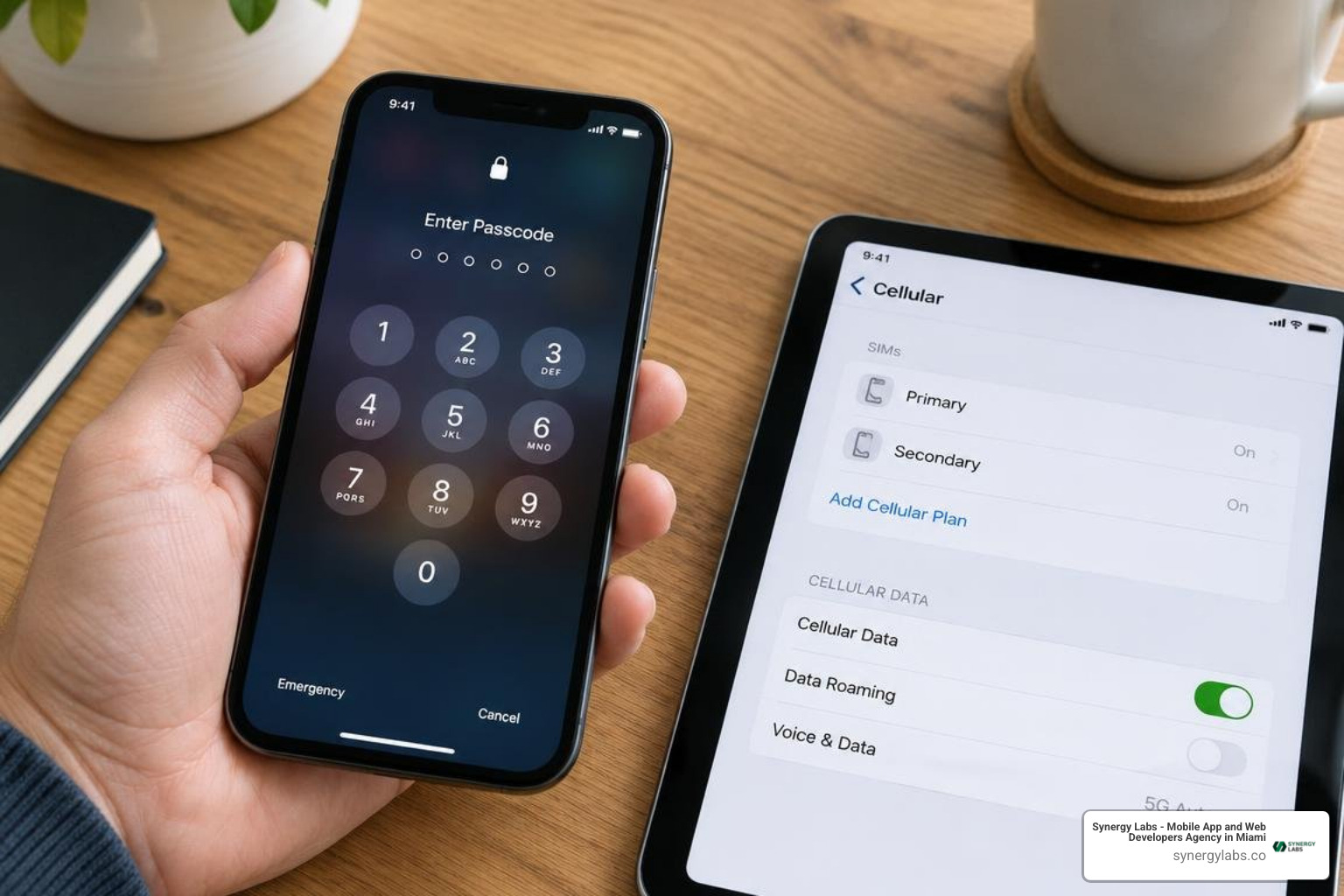
If you know your screen passcode, enter it to unlock the phone. If you forgot it, use the phone maker’s official recovery steps; you may need to erase the device, which can remove data that is not backed up. If the phone works but rejects another carrier’s SIM or eSIM, check whether it is eligible for a carrier unlock, then request one from the carrier that locked it. These are different problems, so the right first step is to identify which lock you’re facing. When people ask, “How do I unlock my phone?”, they are usually describing one of these two situations, and the solution depends on which one applies.
As director of product at Synergy Labs, I’ll walk you through both paths, starting with how to check your phone’s lock status.
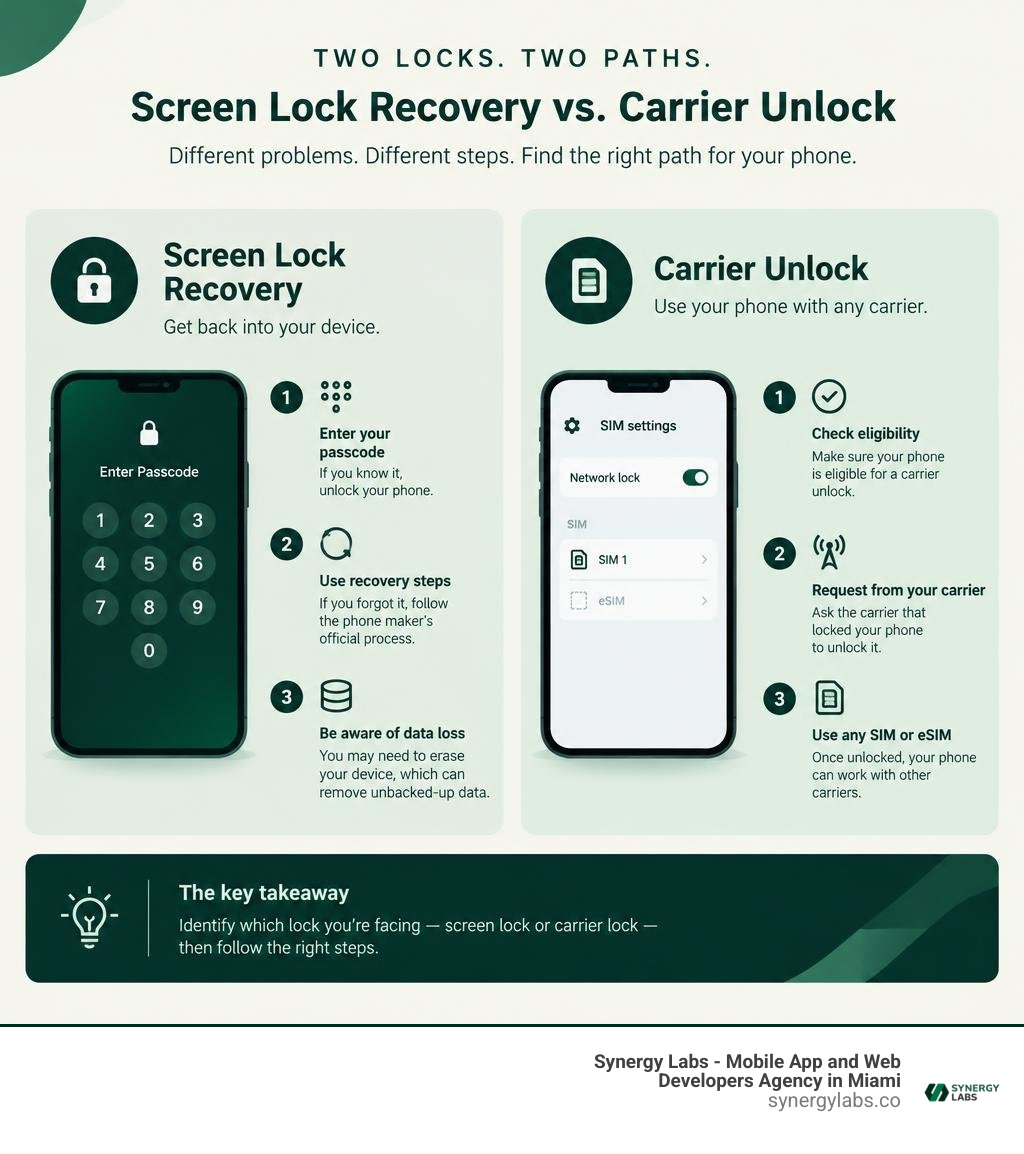
Basic how do i unlock glossary:
Understanding Phone Lock Types: Screen Lock vs Carrier Network Lock
Getting locked out of your handset is frustrating, whether you are staring at a forgotten PIN screen or trying to switch to a cheaper wireless plan only to see a "SIM Not Supported" error. To resolve the issue quickly, we must distinguish between the two primary locking mechanisms: screen passcode locks and carrier network locks.
A screen lock is a device-level security feature implemented by operating systems like iOS and Android. It prevents unauthorized physical access to personal photos, banking apps, and communication records using an alphanumeric phone lock password, biometric fingerprint scanner, or facial recognition. When you fail to enter the correct code after multiple attempts, the device enters a software lockdown to prevent brute-force intrusion. Recovering from this state requires operating system authentication or factory recovery.
A carrier network lock (frequently referred to as a SIM lock, network subsidy lock, or master subsidy lock) is a firmware-level restriction imposed by wireless providers. When telecom providers sell mobile hardware on subsidized installment plans, they lock the device's baseband software to ensure it only establishes radio handshakes with their cellular towers. This prevents users from taking a discounted phone to a competing network before paying off the hardware balance. Removing this restriction requires authorization from the carrier rather than the hardware manufacturer.
How to Check If Your Device Is Locked
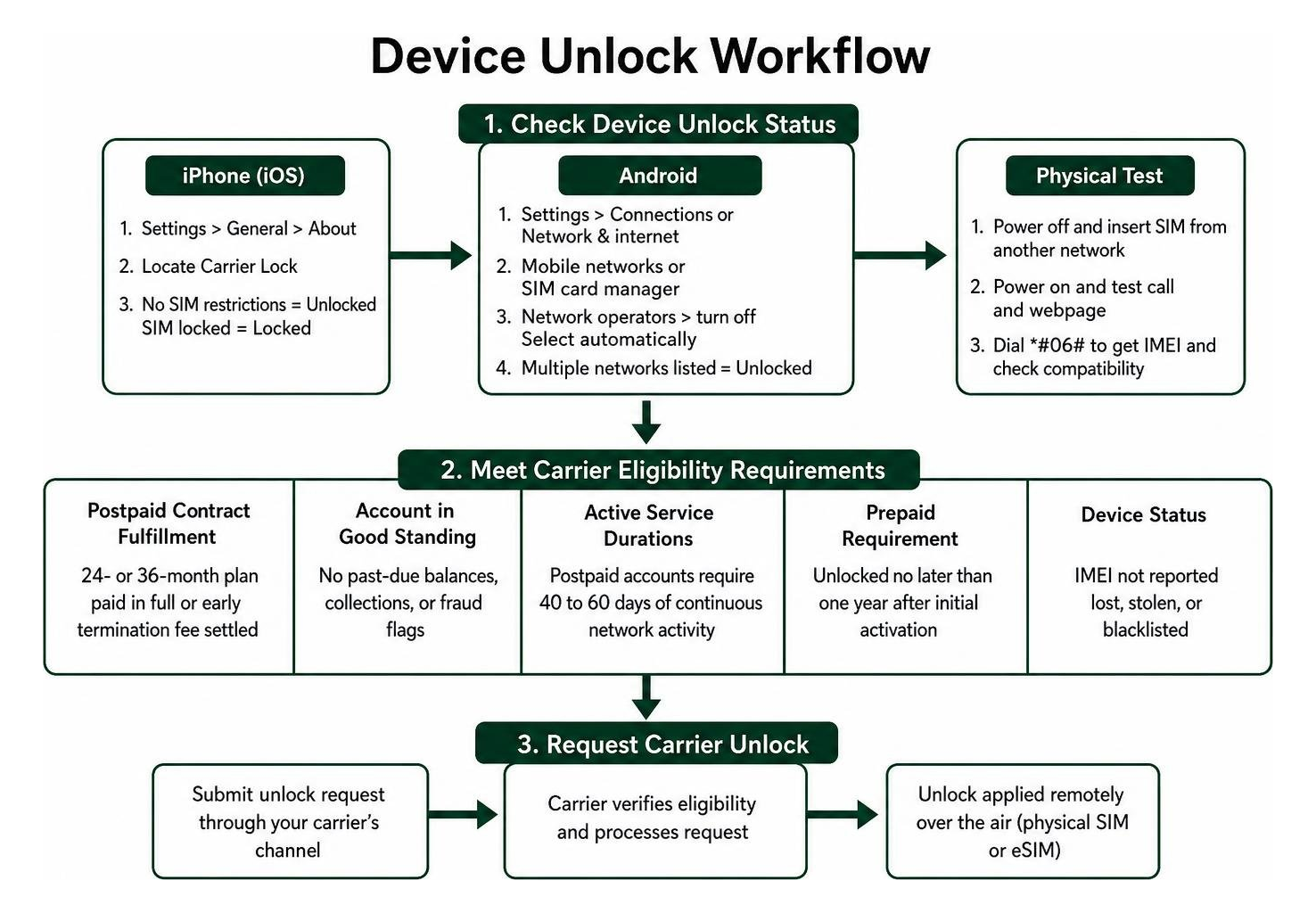
Before filing support requests or attempting factory resets, verify your device's current carrier restriction status directly within the operating system.
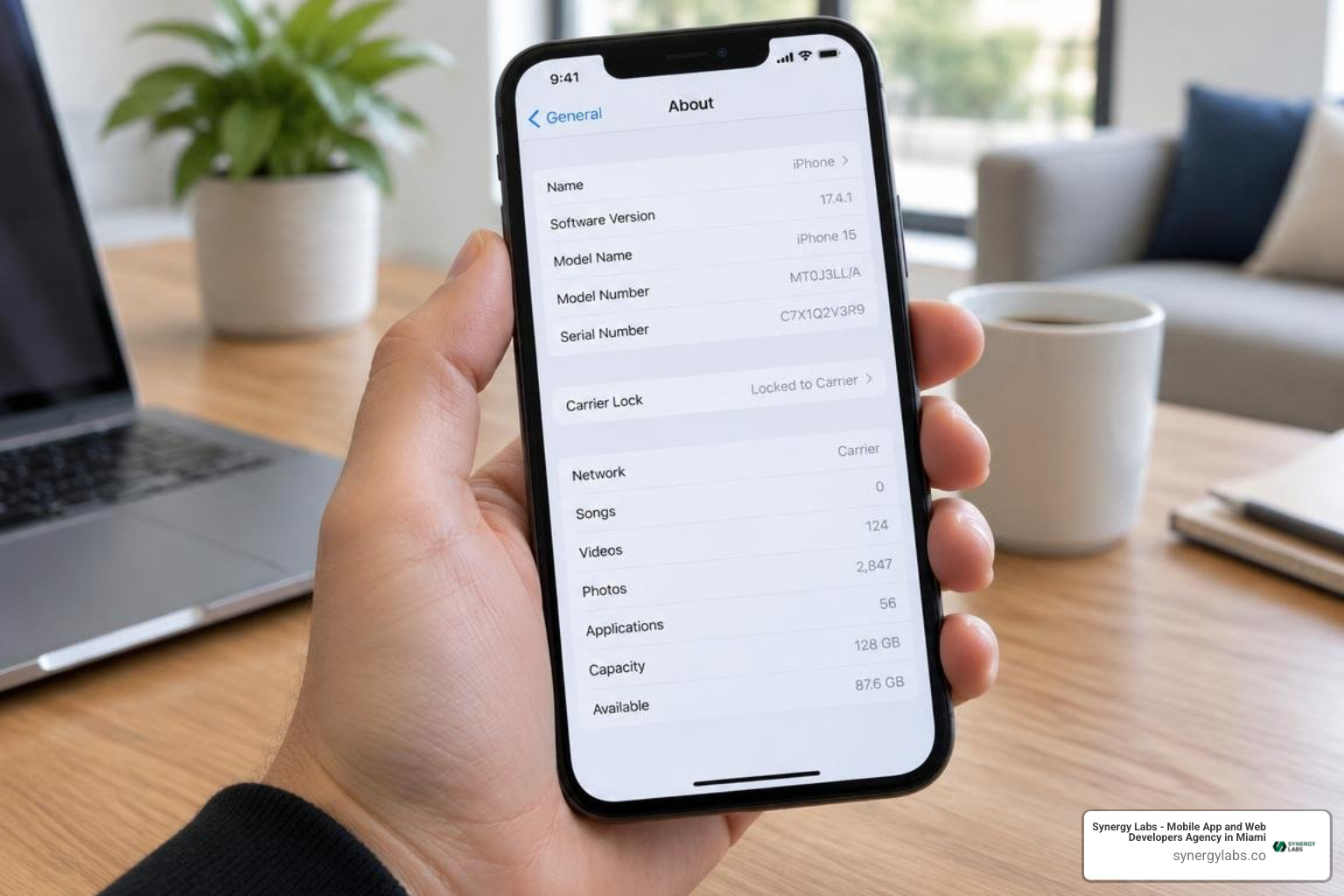
On an Apple device running modern iOS software:
- Open the Settings application.
- Tap General, then select About.
- Scroll down to locate the Carrier Lock field.
- If the status displays No SIM restrictions, your iPhone is fully unlocked and ready for any compatible provider. If it says SIM locked, restrictions remain active. Official documentation on how to unlock your iPhone for use with a different carrier confirms that only your mobile provider can lift this restriction.
On Android devices, navigation varies slightly by manufacturer:
- Open Settings and select Connections or Network & internet.
- Tap Mobile networks or SIM card manager.
- Select Network operators and turn off Select automatically. If your handset scans and displays a list of multiple competing network operators, it is generally unlocked.
- On Samsung models, navigate to Settings > Connections > More connection settings > Network Unlock to view your permanent unlock status.
Another direct physical test is the SIM swap method. Power down your smartphone, eject the SIM tray, insert an active physical SIM card from a different cellular network, and turn the device back on. If you can place a phone call and load a webpage without encountering an activation error or unlock code prompt, your handset is carrier-free. You can also dial *#06# on your phone dialer to retrieve your unique 15-digit International Mobile Equipment Identity (IMEI) number, which you can run through carrier compatibility portals.
Carrier Eligibility Requirements in 2026
Carriers cannot lock your hardware indefinitely. Under standards established in the CTIA Consumer Code for Wireless Service and enforced alongside the Federal Communications Commission regulatory framework, participating mobile providers are legally obligated to unlock devices once clear conditions are met:
- Postpaid Contract Fulfillment: If you purchased your phone on a 24- or 36-month installment plan, the financing balance must be paid in full, or the applicable early termination fee settled.
- Account in Good Standing: The associated billing account must have no past-due balances, unpaid collections, or unresolved fraud flags.
- Active Service Durations: Postpaid accounts typically require 40 to 60 days of continuous network activity before the hardware becomes eligible for unlocking.
- Prepaid Requirement: Participating wireless providers must unlock prepaid mobile devices no later than one year after initial activation, subject to reasonable usage or initial purchase terms.
- Device Status: The handset's IMEI must not be reported as lost, stolen, or flagged in the central equipment identity register blacklist.
Carrier Unlocking: How Do I Unlock My Phone on Major Networks?
Once your handset satisfies standard eligibility criteria, requesting a network unlock is straightforward. Modern devices utilizing physical SIM cards or digital eSIM profiles receive remote configuration tokens over the air, eliminating the need to type complex 8-digit unlock codes in most cases.
How Do I Unlock an iPhone or Android Device on AT&T, Verizon, and T-Mobile?
The major nationwide wireless carriers each maintain distinct processing timelines and submission channels:
AT&T Unlock Steps
AT&T requires all subsidized installment devices to be paid off completely before unlocking. If you pay off your installment balance early, wait at least 48 hours for billing databases to synchronize before submitting a request.
- Visit the official AT&T Device Unlock portal.
- Select Unlock your device and choose whether you are an active AT&T wireless customer.
- Enter your 15-digit IMEI number and primary account details.
- Submit the form, then open the automated verification email and click the confirmation link within 24 hours.
- AT&T will evaluate your request and send an approval notification within two business days.
Verizon Automatic 60-Day Policy
Verizon operates the most straightforward unlocking policy among tier-one providers. All postpaid and prepaid smartphones purchased directly through Verizon are locked for an initial 60-day security period following activation. Once those 60 days elapse and the device is not flagged for fraud, Verizon's billing servers automatically send an over-the-air signal to permanently remove the network lock. No manual web form or customer service call is required. If your phone remains locked after day 61, you can dial *611 from the device to prompt customer support to push the unlock command.
T-Mobile Network Unlock Steps
T-Mobile requires postpaid devices to have been active on their network for at least 40 consecutive days, with all installment plans cleared. For prepaid lines, the account must have had at least $100 in total refills or completed 12 months of service. T-Mobile enforces an annual limit restricting accounts from unlocking more than two devices per line within a rolling 12-month window.
- Ensure your device is connected to a reliable Wi-Fi network.
- For iPhones, contact customer care or submit an unlock request through your online T-Mobile account portal; the unlock applies automatically over Apple's activation servers within two business days once approved via T-Mobile device unlock procedures.
- For Samsung devices, open Settings > Connections > More connection settings > Network Unlock, then tap Permanent Unlock.
- For Google Pixel devices, launch the pre-installed carrier unlock utility or access Settings > Network & internet, verify eligibility, and tap permanent unlock.
- Restart your phone once the unlock confirmation appears on the screen.
Unlocking Phones on Prepaid Carriers and MVNOs
Mobile Virtual Network Operators (MVNOs) and prepaid providers (such as Cricket Wireless, Boost Mobile, Spectrum Mobile, and Metro by T-Mobile) lease network infrastructure from major carriers while maintaining independent unlocking rules.
Prepaid handsets purchased at steep retail discounts generally require 6 to 12 months of paid, continuous service before the MVNO releases the device. Once eligible:
- Check your carrier's customer portal or companion app to see if an automated unlock button is available.
- If your phone does not support remote unlocking, customer support will issue a numerical Master Subsidy Lock (MSL) or SIM Network Unlock PIN.
- Insert a non-supported SIM card into the phone, power it on, and type the carrier-provided PIN into the prompt. Take care not to guess; entering incorrect codes multiple times can permanently disable the SIM reader.
Military Deployment and Special Unlock Exceptions
Active-duty military service personnel receive special accommodations under the CTIA Consumer Code and federal law. If you are deployed overseas to an area outside your carrier's coverage zone, providers must grant an expedited network unlock regardless of whether your device has satisfied its standard active service duration or contract completion period.
To secure a military deployment unlock:
- Contact your carrier's military support department.
- Provide official deployment orders demonstrating operational assignment outside the domestic service footprint.
- Confirm that your account is in good standing without fraud alerts.
The carrier will lift network restrictions, allowing you to install local international SIM cards or temporary eSIM profiles while stationed abroad.
Screen Lockouts: Recovering Access to a Disabled Phone
If your issue is a forgotten PIN, drawn pattern, or password lockout rather than a carrier restriction, the recovery process requires verifying your identity through operating system credentials.
How Do I Unlock an iPhone with a Forgotten Passcode?
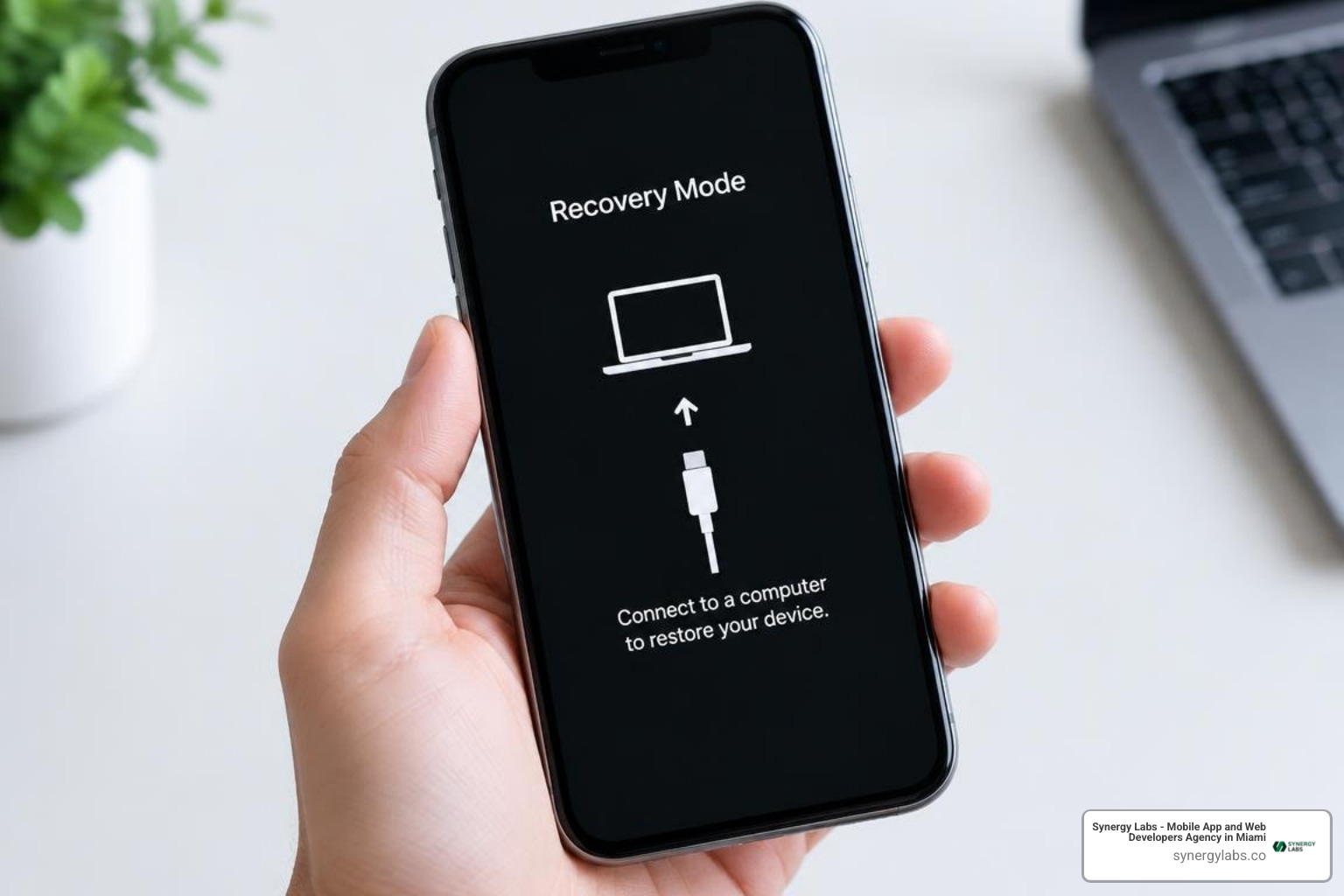
When an iPhone passcode is forgotten, iOS enters progressive timed lockouts before disabling access completely to protect encrypted user data. If you are wondering how do I unlock my iPhone without the passcode, the operating system must be restored to factory settings.
Method 1: On-Device Security Lockout Reset (iOS 15.2 and Later)
If your locked iPhone is connected to Wi-Fi or cellular data and has an active Apple ID:
- Enter incorrect passcodes until the screen displays iPhone Unavailable or Security Lockout with an Erase iPhone option in the lower corner.
- Tap Erase iPhone, then confirm your choice.
- Enter your Apple ID password to sign out of iCloud and disable Find My (Activation Lock).
- The device wipes local storage, restarts to the initial setup screen, and allows you to restore your data from an iCloud or computer backup.
Method 2: Recovery Mode via Mac or PC
If the on-screen erase option does not appear, follow our disabled iPhone recovery approach using Recovery Mode:
- Turn off your iPhone.
- Connect the iPhone to your computer using a USB cable while holding the required hardware button (the Side button on iPhone 8 and newer; Volume Down on iPhone 7).
- Keep holding the button until the computer-and-cable Recovery Mode icon appears on the screen.
- Open Finder (on macOS) or the Apple Devices / iTunes app (on Windows), locate your device, and select Restore.
- Once the firmware downloads and installs, configure the device anew or restore your latest backup.
Bypassing Android Screen Lockouts and Security Resets
Android devices protect local partitions using file-based encryption tied to your screen credentials. If biometrics fail and you forget your PIN:
Google Find My Device Remote Reset
If your phone is powered on, connected to the internet, and signed into a Google Account, you can manage device access using the same administrative tools found in remotely locking Android devices:
- Navigate to
google.com/android/findon a secondary browser. - Log in with the primary Google Account tied to the locked handset.
- Select your device from the hardware list.
- Choose Factory Reset Device (or Erase Device) and confirm the prompt.
- Once wiped, the phone restarts. Enter your original Google account email and password during setup to clear Android's Factory Reset Protection (FRP) and restore cloud backups.
Hardware Button Recovery Wipe
If your device is offline, power off the phone and hold the Power + Volume Up buttons (or manufacturer equivalent) until the bootloader recovery menu appears. Use the volume keys to highlight Wipe data/factory reset, press Power to execute, and confirm. Because modern Android operating systems enforce strict FRP security, you must still provide the original Google Account credentials during initial setup to gain access. For an exhaustive walkthrough of device security configurations, consult our resource on unlocking a locked phone.
Frequently Asked Questions About Phone Unlocking
Are there fees for unlocking an eligible carrier phone?
No. Under FCC regulations, participating carriers cannot charge current or former customers fees to unlock eligible devices once contractual obligations are met. However, carriers may assess a reasonable administrative fee if a non-customer requests an unlock for a third-party secondhand device. Standard remote unlock requests are processed free of charge within two business days.
Will unlocking my phone allow it to work on any cellular network?
Unlocking removes firmware and software restrictions, but it cannot alter the physical radio frequency antennas built into your smartphone. Modern smartphones support a wide range of global 5G and 4G LTE frequency bands, but older hardware may lack support for specific spectrum bands (such as millimeter-wave 5G or mid-band frequencies) used by certain carriers. Always verify your device's model number and supported radio bands against your intended carrier's Bring Your Own Device (BYOD) network compatibility checker.
What should I do if my carrier denies my unlock request?
If a network unlock request is denied:
- Request the Specific Rejection Code: Carriers are required to provide a clear explanation for denials (e.g., unpaid installment balance, insufficient active days, or an unconfirmed verification email).
- Review Billing Records: Confirm that all early termination fees or device balance payoffs have posted to your account ledger.
- Check IMEI Cleanliness: Ensure the handset's IMEI was not erroneously added to the lost/stolen registry by a previous owner.
- Escalate to Regulatory Channels: If your device meets all published CTIA eligibility criteria and the carrier refuses to release the lock, file an informal consumer complaint with the Federal Communications Commission (FCC) via their online consumer complaint center. Carriers must formally respond to FCC inquiries within 30 days.
Build Secure, High-Performance Mobile Experiences with Synergy Labs
Navigating device security, hardware-level encryption, and network provisioning highlights the importance of thoughtful technical architecture. Whether you are building consumer mobile apps, enterprise device management tools, or secure cloud integrations, modern digital products demand engineering that balances data protection with seamless user authentication.
At Synergy Labs, we engineer custom, scalable, cross-platform mobile and web applications designed for performance, stability, and growth. Our client-focused engagement model pairs you with an in-shore CTO and a dedicated development team, giving you direct access to senior technical leadership from initial concept to launch and post-release support.
We protect your capital and timeline through a transparent fixed-budget model and milestone-based payments, ensuring deliverables are met with precision before funds are released. From hardened biometric security protocols to intuitive cross-platform user interfaces, we bring your vision to life on time and on budget.
Explore how our senior product team can accelerate your development roadmap by visiting our portfolio of successful projects, discovering our full range of custom development services, or reading our practical guide on implementing enterprise-grade mobile security software. Ready to start building? Contact Synergy Labs today to schedule an architectural consultation.