

How to Build HIPAA Secure Mobile Apps in 2026

To build HIPAA secure mobile apps, first determine whether your app handles protected health information (PHI) for a healthcare provider or another HIPAA-covered organization. If it does, map where PHI moves, assess the risks, and build safeguards into the app from day one. That means strong sign-in controls, encrypted data, limited access, audit logs, and a plan for security incidents. Get a Business Associate Agreement (BAA) from vendors that handle PHI on your behalf.
For a fast-moving team, the goal is not just to pass a pre-launch check. It is to make secure choices that still work for patients and clinicians, then keep testing and improving after launch. I'm the director of product at Synergy Labs, and this guide walks through that work step by step.
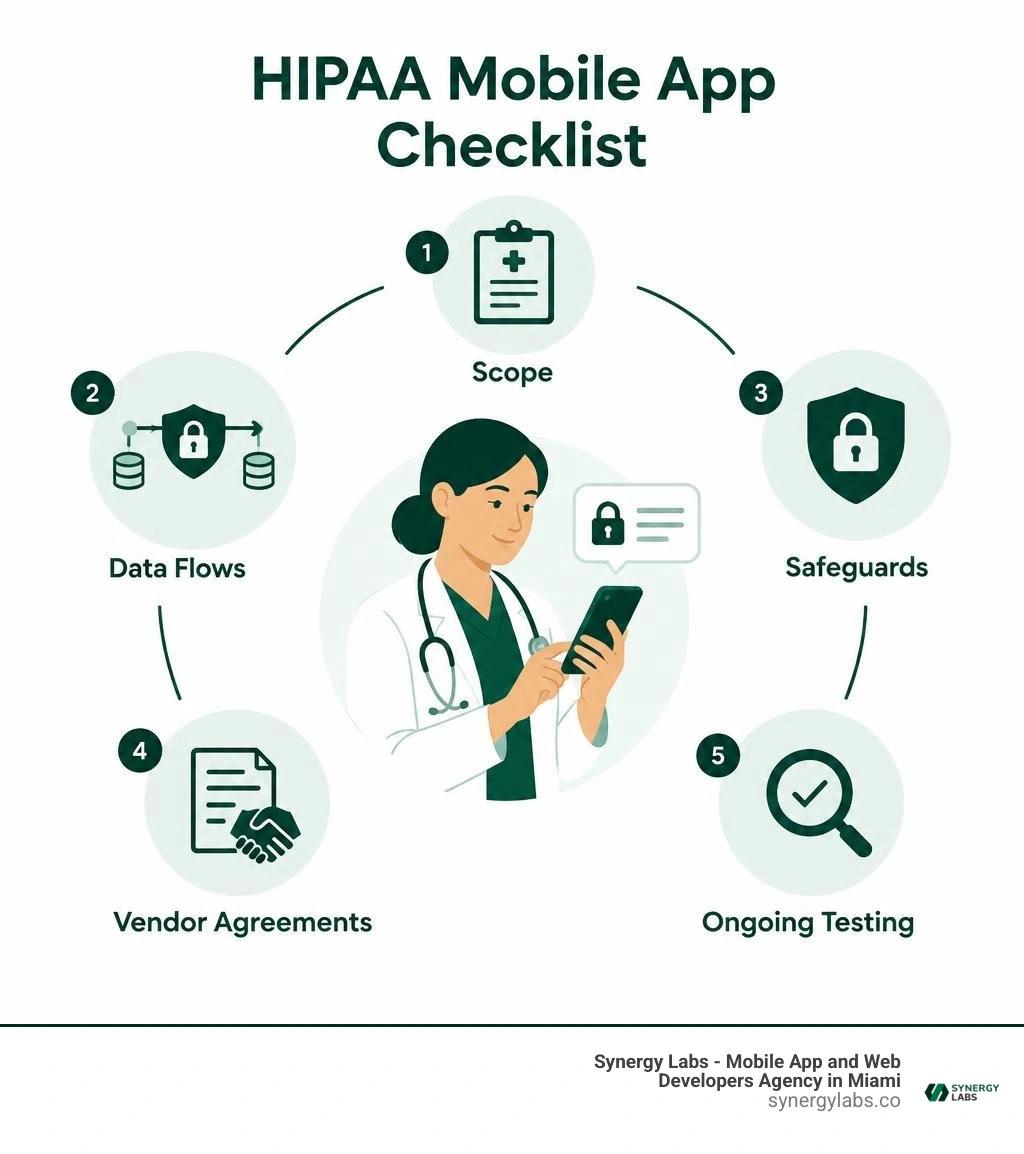
HIPAA secure mobile apps word guide:
- healthcare app security solutions
- mobile app security
- mobile app firewall protection
Understanding HIPAA Regulatory Scope for Health Applications
Navigating federal healthcare regulations can feel like deciphering an ancient language written exclusively by attorneys and IT risk officers. However, at its core, the Health Insurance Portability and Accountability Act (HIPAA) exists to ensure patient records remain confidential, intact, and available when needed. In 2026, creating compliant digital health tools requires navigating three fundamental pillars:
- The Privacy Rule: Dictates how Protected Health Information (PHI) can be used and disclosed, granting patients rights over their health records.
- The Security Rule: Establishes mandatory technical, physical, and administrative safeguards to protect electronic PHI (ePHI).
- The Breach Notification Rule: Requires covered entities and app vendors to notify affected individuals, HHS, and sometimes the media following a security breach.
For development teams evaluating regulatory boundaries, consulting the Resources for Mobile Health Apps Developers provided by the U.S. Department of Health and Human Services (HHS) offers clear guidance on federal cross-statute requirements.
Determining When HIPAA Secure Mobile Apps Are Legally Required
Not every digital health app must comply with HIPAA. The legal requirement depends entirely on two factors: the nature of the data and your relationship with covered entities.
- Covered Entities: Healthcare providers, health plans, and healthcare clearinghouses transmitting data electronically.
- Business Associates: Organizations, software developers, or SaaS vendors that create, receive, maintain, or transmit ePHI on behalf of a covered entity.
- Direct-to-Consumer (DTC) Wellness Apps: Applications that track steps, sleep, or calorie intake directly for users—without exchanging data with a covered entity or acting on their behalf—generally fall under FTC regulation rather than HIPAA.
If your mobile application collects identifiable medical data, diagnoses conditions, coordinates care, or connects directly with a clinic's electronic health record (EHR) system, it handles ePHI. At that moment, HIPAA compliance becomes a strict legal obligation.
Business Associate Agreements and Cloud Vendor Governance
When developing a digital health ecosystem, your code does not live in isolation. You rely on cloud infrastructure, backend databases, push notification services, and analytics pipelines. If any vendor touches, stores, or routes ePHI, they must sign a Business Associate Agreement (BAA).
A BAA legally binds third-party service providers to uphold HIPAA administrative and technical safeguards. When evaluating cloud vendors:
- Confirm they offer an explicit, signed BAA prior to routing live patient records.
- Understand the shared responsibility model; a BAA from a cloud provider does not make your mobile application compliant automatically. You remain responsible for configuring access controls, encryption, and secure APIs.
- Audit third-party SDKs carefully to ensure crash reporting or usage tracking tools do not inadvertently scrape patient details from app memory.
Designing HIPAA Secure Mobile Apps: Core Security Architecture
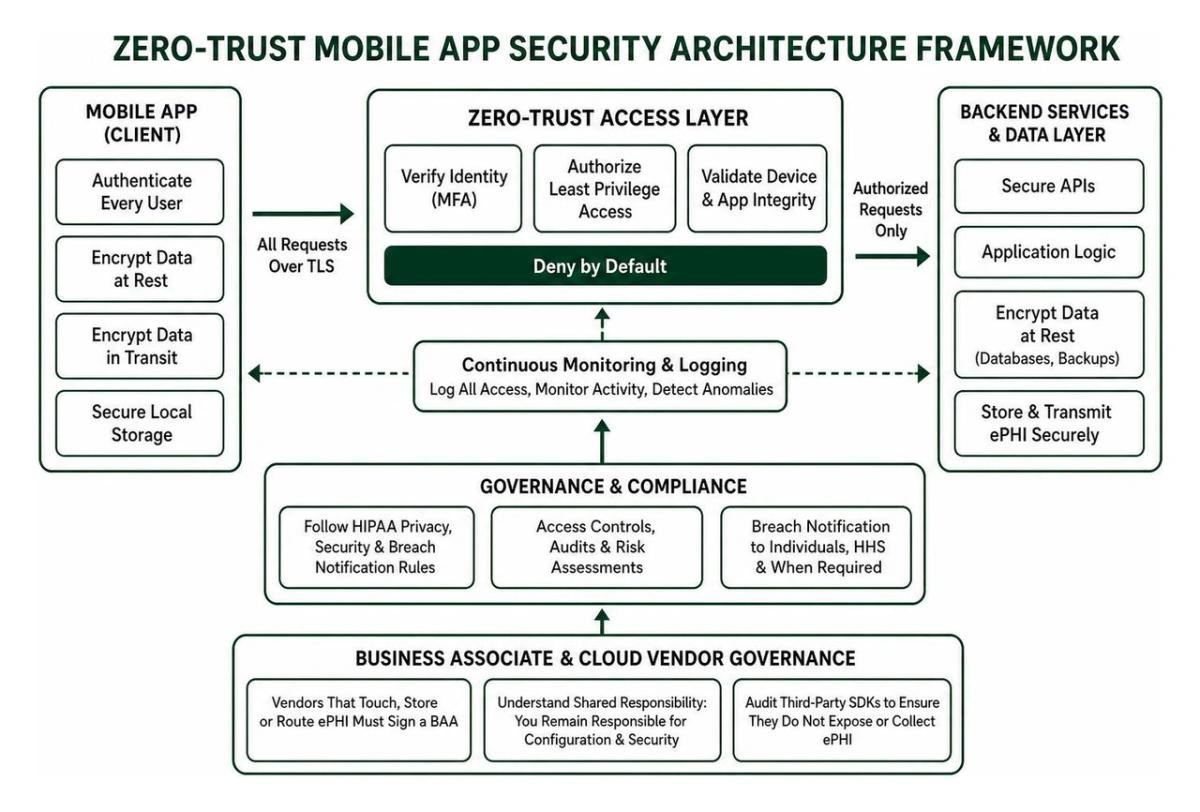
Modern healthcare software demands a zero-trust security architecture. Under this model, your app assumes no network perimeter is secure—whether the user is connected to hospital Wi-Fi or home broadband. Every request must be authenticated, authorized, and logged. Implementing robust healthcare app security solutions protects clinical operations from modern cyber threats while preserving smooth user experiences.
Data Encryption at Rest and in Transit
Encryption is your first and strongest defense against unauthorized data interception.
- Data at Rest: All ePHI saved on the mobile device or stored in remote databases must use AES-256 encryption. On mobile operating systems, utilize hardware-backed keychains and secure keystores to store cryptographic secrets rather than saving raw strings in shared preferences or unencrypted local databases.
- Data in Transit: Transmit data using modern Transport Layer Security (TLS 1.3 preferred, minimum TLS 1.2). Implement SSL/TLS certificate pinning inside the mobile binary to protect against man-in-the-middle (MITM) attacks on compromised networks.
- End-to-End Encryption (E2EE): For direct clinical communication, encrypt payloads on the sender's device so only the intended recipient can decrypt them, keeping intermediate transit servers blind to the raw health data.
Authentication, Access Controls, and Session Management
Weak login mechanisms remain a frequent vulnerability in mobile health deployments. Secure authentication architectures must incorporate:
- Multi-Factor Authentication (MFA): Require two or more verification factors during login, such as an authenticator app token, SMS verification, or biometric prompt.
- Biometric Integration: Provide seamless biometric authentication (Face ID or fingerprint recognition) backed by native secure enclaves to reduce clinician login friction while maintaining strong safeguards.
- Role-Based Access Control (RBAC): Ensure users access only the minimum necessary data required for their clinical role (e.g., nurses, physicians, billing staff, or patients).
- Session Lifecycles: Enforce short session timeouts (typically 3 to 5 minutes of inactivity) that automatically log the user out or require biometric re-authentication to prevent unauthorized access on unattended devices.
Audit Logging, Monitoring, and Tamper Resistance
HIPAA requires detailed tracking of all ePHI access. If a patient chart is viewed, modified, exported, or deleted, your system must record:
- Unique user identity and assigned role
- Exact timestamp with time-zone data
- Specific action performed and record identifiers
- Device identity and network IP address
Logs must be immutable and routed in near real-time to a centralized Security Information and Event Management (SIEM) platform. Implement tamper-detection mechanisms, such as jailbreak and root detection, to prevent the mobile app from running in compromised operating system environments where memory inspection tools could extract keys or cached records.
Secure Data Exchange: EHR Integration, Messaging, and Alerts
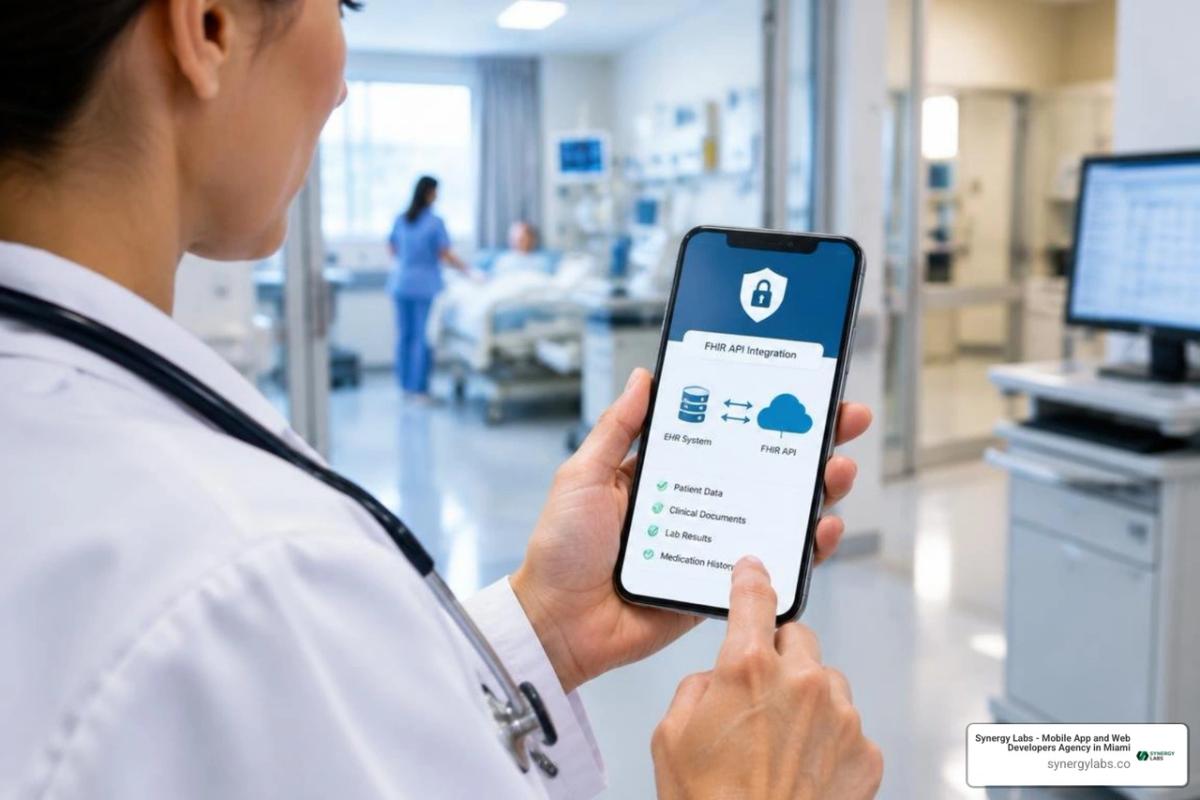
Connecting a mobile application to hospital systems requires strict adherence to modern interoperability standards. Using Fast Healthcare Interoperability Resources (HL7 FHIR) alongside SMART on FHIR frameworks allows mobile clients to communicate securely with EHR platforms. Secure these endpoints using OAuth 2.0 and OpenID Connect to grant granular, scoped data access without exposing user credentials.
Clinical Messaging Protocols vs. Consumer Chat Apps
Mainstream messaging applications are not built for HIPAA-regulated environments because they lack enterprise audit logging, granular administrative revocation, and signed BAAs. Secure clinical communication tools bridge this gap by offering:
- Encrypted in-app messaging channels isolated from consumer messaging platforms
- Ephemeral messaging controls that automatically expire sensitive clinical photos or notes after a set duration
- Verification of delivery and read receipts to streamline care team handoffs
- Complete message archiving to fulfill clinical record retention rules without leaving local copies in the mobile device's camera roll
Push Notification Architecture Without PHI Exposure
Push notifications present a frequent point of data leakage on mobile operating systems because notifications often appear on locked screens visible to bystanders.
To maintain compliance, notifications must be sanitized:
- Payload Sanitization: Never include patient names, diagnostic terms, treatment updates, or medication details in push notification payloads.
- Generic Alert Prompts: Transmit generic messages such as "You have a new secure message from your care team" or "New clinical update available."
- In-App Retrieval: Require the clinician or patient to tap the notification, authenticate via biometrics or PIN, and decrypt the actual PHI within the secure in-app interface.
Implementation Best Practices and Field Healthcare Considerations
Field care professionals, traveling nurses, and home health aides face unique physical and digital challenges. Clinicians working on the road often deal with spotty cellular coverage, shared tablets, and the risk of device theft.

Key technical safeguards for distributed teams include:
- Mobile Device Management (MDM): Enforce device-wide passcode requirements, remote wiping capabilities, and OS update policies.
- Remote Data Wiping: Implement instant administrative commands to revoke application access and wipe locally cached data if a smartphone is misplaced or an employee departs.
- Physical Loss Mitigations: Prevent screen caching in the OS app switcher so sensitive medical records are not visible when cycling through open apps.
Developing HIPAA Secure Mobile Apps for Field Care and Home Health
Home healthcare demands dependable software functionality even when internet connectivity drops in rural environments.
- Encrypted Offline Storage: Store charts, assessments, and tasks locally using encrypted database solutions like SQLCipher. Keys must be stored in the device's hardware keychain, never hardcoded.
- Electronic Visit Verification (EVV): Under the 21st Century Cures Act, Medicaid-funded personal care and home health visits must capture verified timestamps, GPS locations at the start and conclusion of visits, and electronic signatures.
- Battery-Conscious Geofencing: Record GPS coordinates exclusively at check-in and check-out to balance legal verification with device battery preservation.
Compliance Auditing, Testing, and Breach Prevention
Security is not a static checkbox completed before launch; it requires continuous verification. Healthcare applications must undergo:
- Third-Party Penetration Testing: Annual black-box and white-box penetration testing to uncover API vulnerabilities, authentication bypasses, and data leakage.
- Automated Vulnerability Scanning: Continuous integration pipelines configured to scan source code and third-party dependencies for known vulnerabilities before deployment.
- Incident Response Planning: A documented, practiced plan outlining how your team will isolate systems, patch vulnerabilities, assess data exposure, and meet HIPAA breach notification deadlines if an incident occurs.
Step-by-Step HIPAA Compliance Pre-Launch Checklist
Before launching your mobile healthcare app to production app stores, verify every requirement across these categories:
1. Administrative Safeguards
- [ ] Business Associate Agreements signed with all cloud hosting, database, and API vendors
- [ ] Formal HIPAA risk assessment completed and documented
- [ ] Written data retention and disposal policies established
- [ ] Internal workforce security training conducted and logged
2. Technical Safeguards
- [ ] AES-256 encryption enabled for all local databases and file caches
- [ ] TLS 1.2+ enforced for all API traffic with SSL pinning enabled
- [ ] Multi-factor authentication and biometric login flows validated
- [ ] Inactivity session timeout configured (maximum 5 minutes)
- [ ] All push notifications sanitized to exclude patient identifiers and medical data
- [ ] Immutable, time-stamped audit logging implemented for all ePHI interactions
- [ ] Remote wipe and session revocation mechanisms tested successfully
3. Physical & Device Safeguards
- [ ] Root and jailbreak detection active in production builds
- [ ] Screenshot and app switcher preview masking enabled
- [ ] Clipboard copy/paste restricted for sensitive clinical fields
- [ ] Automatic cache flushing configured upon user logout
Frequently Asked Questions About HIPAA Mobile App Development
What is the penalty for a HIPAA violation in a mobile app?
Penalties for non-compliance are structured across four tiers based on the level of culpability:
- Tier 1 (Did Not Know): Minimum fine of $100 per violation, up to an annual maximum of $25,000 for identical violations.
- Tier 2 (Reasonable Cause): Minimum fine of $1,000 per violation, up to $100,000 annually.
- Tier 3 (Willful Neglect, Corrected within 30 Days): Minimum fine of $10,000 per violation, up to $250,000 annually.
- Tier 4 (Willful Neglect, Uncorrected): Minimum fine of $50,000 per violation, up to an annual maximum of $1,500,000, along with potential criminal penalties for intentional data theft.
Can push notifications contain protected health information?
No. Push notifications must never contain ePHI. Apple Push Notification service (APNs) and Firebase Cloud Messaging (FCM) route payloads through third-party servers outside of your direct BAA agreements. Furthermore, lock screen previews can be read by unauthorized individuals. Notifications should always use generic text directing the user to sign in to the application to review their updates.
How do mobile apps securely store PHI offline?
Mobile applications store PHI offline by leveraging encrypted database frameworks such as SQLCipher, which provides 256-bit AES encryption for SQLite database files. The cryptographic key used to open the database must be stored in the device's hardware-backed keystore (iOS Keychain or Android Keystore) and tied to user authentication. When the user logs out or the session expires, the decryption key should be cleared from memory immediately.
Building Resilient Healthcare Software with Synergy Labs
Building secure healthcare software requires balancing uncompromising regulatory standards with an intuitive, human-centered user experience. When security controls are too cumbersome, clinicians experience burnout and patients abandon digital tools; when they are too relaxed, organizations risk devastating data breaches and regulatory fines.
At Synergy Labs, we specialize in end-to-end custom mobile app development that helps healthcare organizations innovate quickly and securely. Our unique engagement model delivers:
- Dedicated Leadership: Direct access to an experienced in-shore CTO who oversees your architecture and regulatory strategy from day one.
- High-Velocity Engineering: A world-class offshore development team providing rapid app launches, continuous support, and cross-platform scalability.
- Predictable Delivery: A transparent fixed-budget model tied to milestone-based payments, ensuring your healthcare technology is delivered on time, on budget, and fully compliant.
Whether you are launching a remote patient monitoring platform, modernizing field-care coordination, or integrating with enterprise EHR systems, our senior engineering team is ready to help you build the future of digital health.