

How to manage and support Azure from your phone
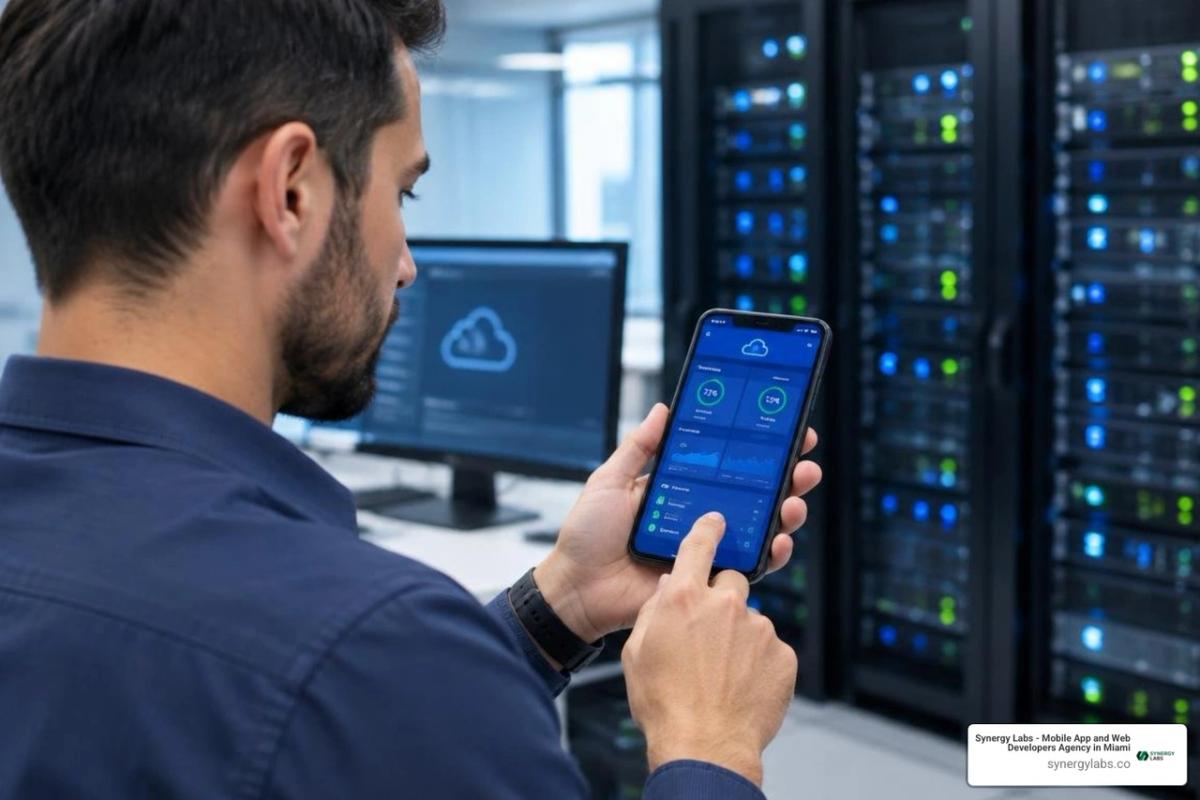
To manage Azure resources on the go, install the Azure mobile app, sign in with your Microsoft Entra ID account, and check your resources and alerts. Set up Azure Monitor alerts and an action group so critical issues reach your phone. If an alert needs action, use the app to check the resource and take an available quick action, such as restarting a virtual machine. For command-line work, open Azure Cloud Shell in the app.
The app is a fast way to respond, not a full replacement for the Azure portal. Use the portal for deeper setup and complex changes. As director of product at Synergy Labs, I'll walk through how to use both without losing speed or control.
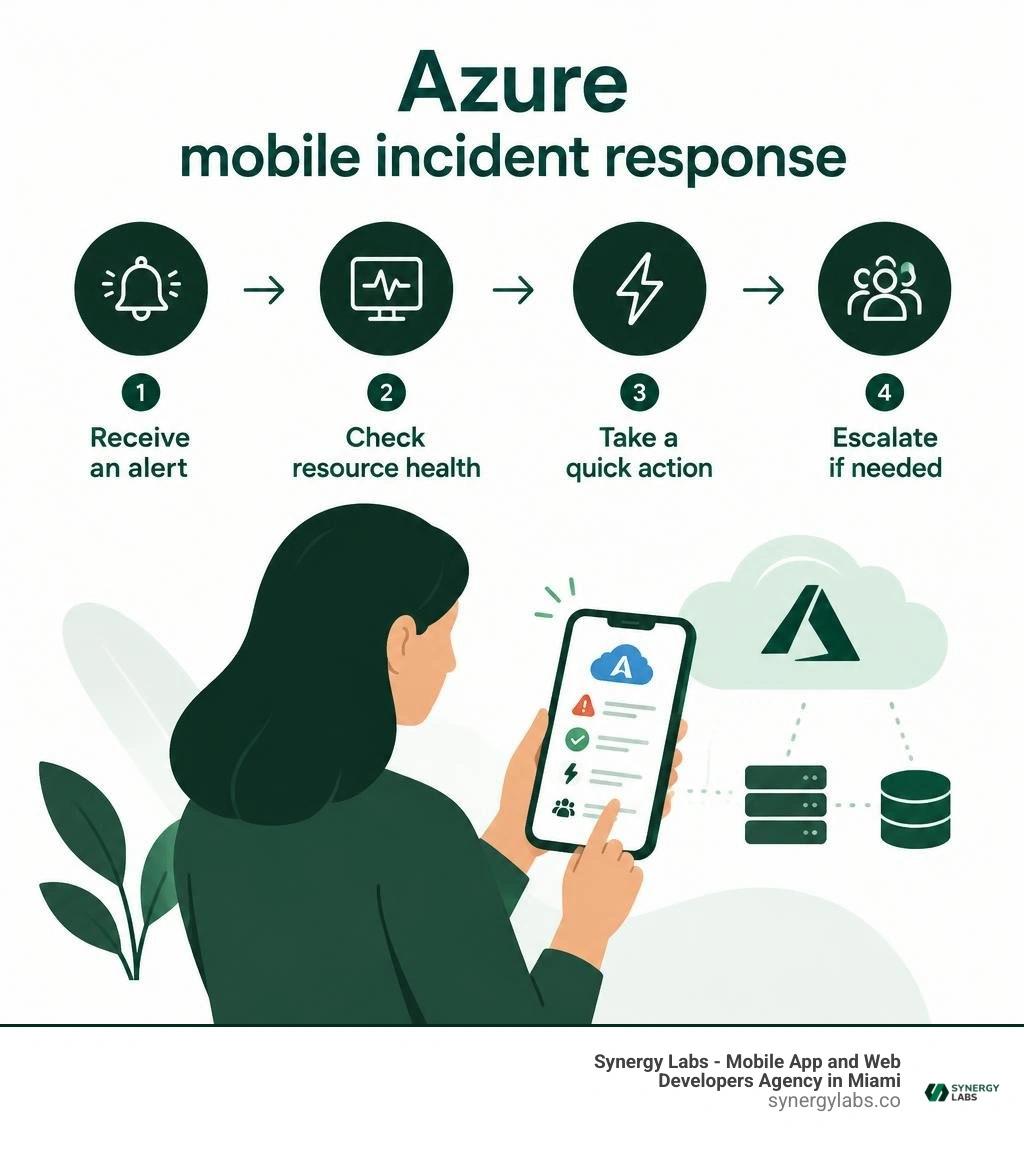
Azure mobile app support terms made easy:
- app maintenance services
- app security patch maintenance
- app maintenance costs
Architecture and Key Capabilities for Azure Mobile App Support
Modern cloud environments do not pause when you step away from your workstation. With Microsoft Azure holding a commanding 20% of the global cloud infrastructure market in 2026 and growing at 18% year-over-year across 60 regions and 116 international availability zones, operational resilience requires continuous, secure accessibility.
The official Azure mobile app serves as an essential companion for engineering leaders, DevOps specialists, and site reliability engineers. Designed for iOS 16.0+, iPadOS 16.0+, visionOS 1.0+, and Android, the app provides a responsive control layer for high-impact interventions. It boasts an impressive 4.8 out of 5 rating across 2.8K reviews on the Apple App Store, alongside a 4.4 rating with over 10.9K reviews and 1 million downloads on Google Play. It supports global engineering teams with localization in 18 languages—from Japanese and German to Turkish and Spanish—and incorporates comprehensive accessibility features like VoiceOver, Larger Text, Sufficient Contrast, and Dark Interface.
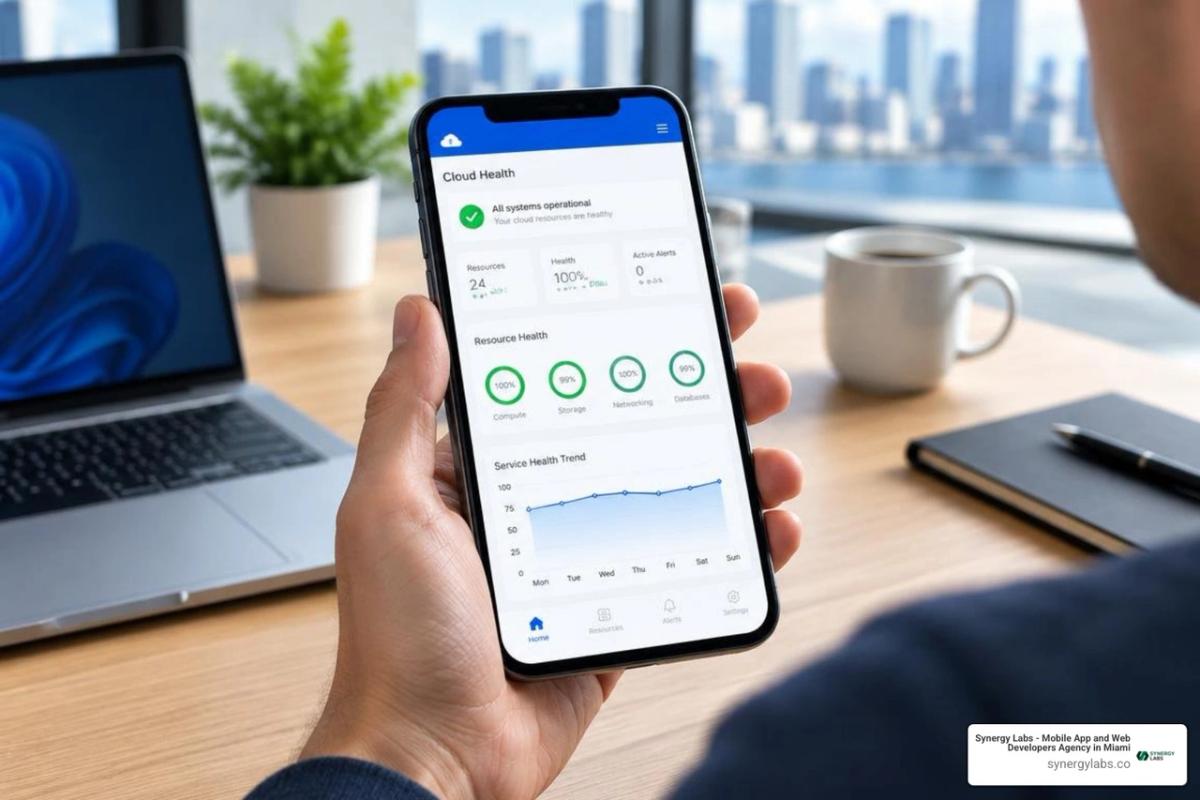
When architecting cloud-based enterprise apps, enterprises must ensure their incident response pipelines link directly into native mobile management tools. According to Microsoft's official documentation on What is the Azure mobile app?, the mobile client is structured around lightweight monitoring, instantaneous alert triage, and rapid resource mediation.
Core Capabilities and Unified Resource Management
The Home screen acts as your primary command center. Rather than forcing you to sift through thousands of enterprise resources, the interface allows tailored customization using modular display cards:
- Favorite Resources: Pin critical production Virtual Machines, SQL databases, and App Service instances directly to your top view.
- Service Health Summaries: Monitor regional outages and planned maintenance windows across global datacenters in real time.
- Active Alerts: Track fired metrics, activity log events, and custom security notifications organized by severity.
- Resource Group Navigation: Browse hierarchical resource trees, inspect running states, verify configurations, and review resource tagging.
When deploying robust enterprise mobility solutions, this level of focused telemetry prevents alert fatigue. Instead of hunting through complex nested blades, on-call engineers can tap an active alert to view real-time CPU spikes, memory saturation, or network I/O charts directly on their smartphone.
Integrating Azure Copilot for AI-Driven Operations
Managing complex cloud topologies on a compact screen is significantly simpler with integrated generative AI. When enabled within your tenant, Azure Copilot appears directly in the mobile app's top navigation bar, creating a unified bridge to natural language operations.
By embracing modern AI-first app development, Microsoft allows engineers to query infrastructure health using straightforward conversational prompts:
- "Why did the checkout API latency spike at 02:00 UTC?"
- "List all stopped virtual machines in the production East US resource group."
- "Summarize active high-severity security alerts across our subscription."
Azure Copilot correlates telemetry from Azure Monitor, Resource Graph, and Service Health to generate contextual summaries, diagnostic root causes, and guided remediation steps. Whether suggesting a targeted auto-scaling adjustment or outlining a specific command to unblock a thread deadlock, Copilot transforms your mobile device into an intelligent diagnostic workstation.
Security Protocols and Identity Management on Mobile
Elevating cloud access to mobile endpoints demands stringent, enterprise-grade protection. The Azure mobile client is engineered under strict Zero Trust principles, ensuring that speed never compromises security posture.

Implementing comprehensive mobile app security requires integrating identity verification, encrypted data transit, and device compliance checks into every session.
Implementing Microsoft Entra ID, MFA, and Biometrics
Authentication within the Azure mobile app integrates natively with Microsoft Entra ID (formerly Azure Active Directory), supporting modern identity governance:
- Hardware-Backed Biometrics: Enforce Face ID, Touch ID, or fingerprint verification upon launching the app or returning from background states.
- Conditional Access Policies: Restrict access based on user risk profiles, network locations, or compliant device states managed by Microsoft Intune.
- Hardware Token and Authenticator Integrations: Authenticate seamlessly via Microsoft Authenticator or FIDO2-compliant physical keys.
- Data Isolation: Application data and cache stores are encrypted in transit and protected at rest within isolated OS sandboxes, preventing unauthorized local data extraction.
Applying Role-Based Access Control in Azure Mobile App Support
Enterprise cloud operations depend on granular permission boundaries. The Azure mobile app enforces Azure Role-Based Access Control (RBAC) identically to the desktop Azure Portal:
- Least-Privilege Enforcement: Users assigned the Reader role can inspect performance metrics and diagnostic logs without the ability to execute disruptive state changes.
- Operator Permissions: Engineers holding Virtual Machine Contributor rights can initiate reboots or stop deallocated instances while remaining restricted from altering network security groups or billing configurations.
- Subscription Scoping: Custom roles apply transparently across Management Groups, Subscriptions, and individual Resource Groups, preventing accidental cross-tenant modifications.
- Comprehensive Audit Trails: Every quick action, start/stop trigger, and Cloud Shell script executed from the mobile client is logged within Azure Activity Logs, capturing the client IP, Entra identity, and timestamp for auditing.
On-the-Go Command Execution via Azure Cloud Shell
While the graphical mobile interface excels at status checks and quick toggles, complex incident mitigation often requires raw command-line control. The Azure mobile app includes full, native integration with Azure Cloud Shell.
Connecting directly to your provisioned storage account, Cloud Shell delivers an authenticated, browser-independent terminal environment accessible wherever you have network connectivity.
Running Bash and PowerShell Scripts Remotely
Switch between Bash (Azure CLI) and PowerShell directly from your mobile keyboard. The terminal session automatically authenticates against your active directory tenant, giving you immediate access to manage compute workloads, configure network rules, or scale Azure App Service plans.
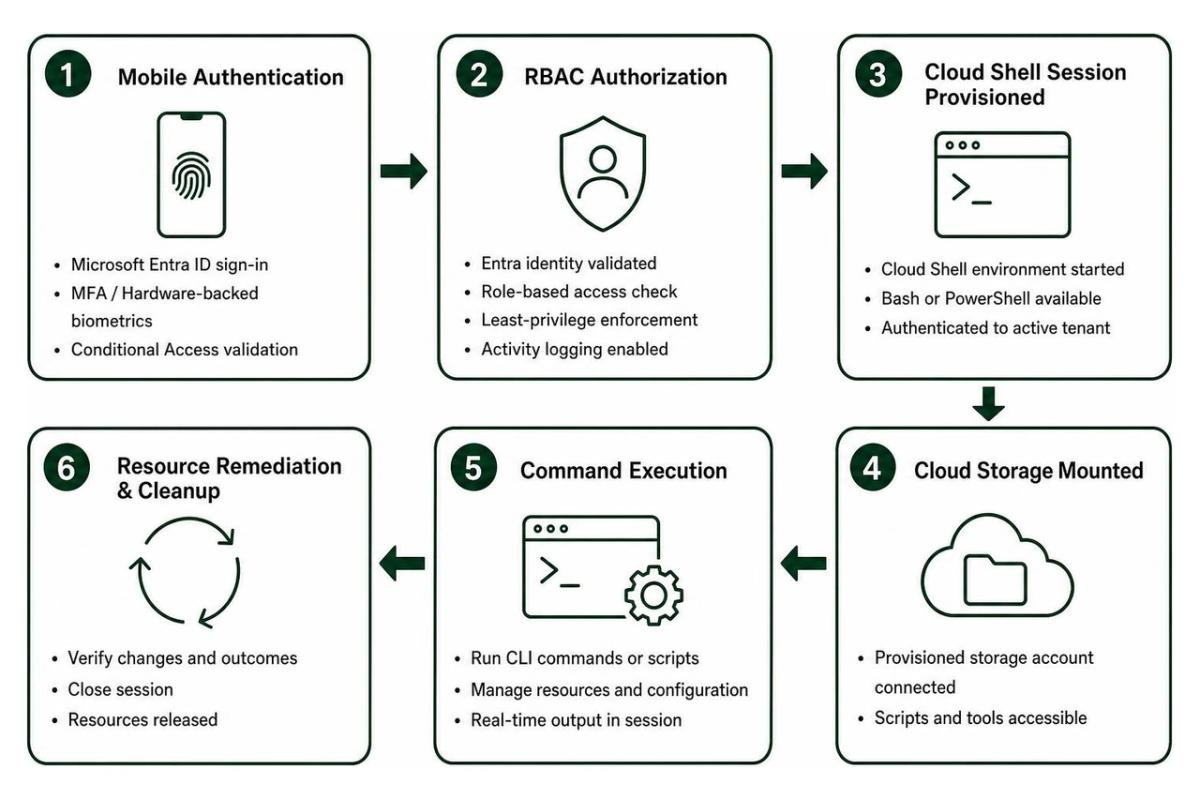
Common mobile CLI scenarios include:
- Executing
az webapp restartto recycle an unresponsive application pool. - Running custom PowerShell scripts stored in your mounted cloud drive to flush Redis cache clusters.
- Querying Azure Resource Graph with
az graph queryto identify unattached managed disks consuming budget. - Scaling database performance tiers up or down dynamically in response to unanticipated traffic spikes.
Managing Health Alerts and Action Groups
Proactive incident response begins long before a user reports downtime. The mobile app hooks directly into Azure Monitor Action Groups to deliver real-time push notifications for critical system events:
- Metric Alerts: Immediate push notifications triggered when CPU, memory, or database DTU consumption exceeds predefined thresholds.
- Activity Log Alerts: Real-time alerts when unauthorized administrative operations occur or when autoscale engines adjust cluster capacities.
- Service Health Notifications: Instant advisories regarding planned regional maintenance, degradation in foundational cloud services, or security advisories.
By configuring Action Groups to target mobile push channels alongside corporate webhooks, your on-call teams bypass slow email notification queues, reducing Mean Time to Acknowledge (MTTA) and Mean Time to Resolution (MTTR).
Step-by-Step Troubleshooting and App Center Migration Guide
Even well-configured enterprise environments occasionally encounter connectivity or authentication hurdles. Understanding how to diagnose client-side anomalies keeps your operations running smoothly.
When managing ongoing infrastructure health, partnering with an experienced DevOps app maintenance agency helps maintain clean CI/CD pipelines, robust monitoring configurations, and up-to-date SDK implementations across mobile architectures.
Resolving Authentication and URL Redirection Issues
If engineers encounter sign-in failures such as "Your device configuration is preventing sign-in" or experience infinite redirection loops, follow these remediation steps:
- Verify Exact Endpoint URLs: The mobile client requires exact, canonical organization endpoints. Redirected host headers, vanity URL shorteners, or custom reverse proxies can cause handshake mismatches between entered URLs and constructed server responses. Always enter the direct tenant URL.
- Adjust Manufacturer Battery Optimization (Android): Devices from manufacturers like Huawei, Honor, or Vivo aggressively restrict background services, blocking the Azure app from launching Microsoft Authenticator.
- Navigate to Settings to Battery to App Launch.
- Disable automatic management for Microsoft Authenticator or Company Portal.
- Enable Secondary Launch / Can be launched by other apps and toggle Autostart ON.
- Navigate to Settings to Battery to App Launch.
- Clear Cached Identity Tokens: If tenant switching stalls, navigate to app settings, sign out of all active Entra directories, clear the application cache, and authenticate fresh with MFA.
- Inspect Conditional Access Compliance: Ensure your mobile device OS is updated to meet corporate Intune compliance rules. An outdated operating system can silently block token issuance.
Optimizing Azure Mobile App Support for Lifecycle Transitions
Enterprises managing custom mobile applications on Azure must also keep pace with broader platform evolutions. Following the Visual Studio App Center Retirement, Microsoft has consolidated its mobile development ecosystem under native Azure services.
To ensure uninterrupted telemetry, analytics, and build pipelines:
- Migrate Mobile Analytics and Diagnostics: Transition application crash reporting and telemetry to Azure Monitor mobile analytics.
- Modernize CI/CD Pipelines: Export legacy build definitions into Azure Pipelines or GitHub Actions to automate multi-platform builds.
- Update Device Testing Frameworks: Leverage native cloud device testing frameworks, providing access to thousands of real iOS and Android devices.
- Centralize Operational Visibility: Consolidate mobile application performance telemetry alongside your backend microservices within unified Azure Monitor Workbooks and Application Insights dashboards.
Frequently Asked Questions About Azure Mobile Operations
Can I perform full cloud management tasks exclusively from the Azure mobile app?
No. The Azure mobile app is optimized for telemetry monitoring, alert triage, service health verification, and rapid quick actions (such as restarting VMs, recycling app services, and executing diagnostic CLI scripts). Deep architectural provisioning, complex networking topologies, blueprint assignments, and granular billing reconfigurations should remain in the full web-based Azure Portal.
How do I resolve authenticator launch failures on Android and iOS?
On iOS, verify that Microsoft Authenticator has background app refresh enabled. On Android devices with aggressive power-saving profiles, open your system battery and app management settings to disable automatic battery optimization for both the Azure app and Microsoft Authenticator. Ensure Secondary Launch and Autostart permissions are explicitly allowed.
What is the migration path from Visual Studio App Center to Azure Monitor?
Migrate your crash tracking and real-time telemetry into Azure Monitor mobile analytics. Transition your build and delivery workflows into Azure Pipelines, and integrate cloud-based testing suites for comprehensive real-device verification.
Master Your Enterprise Cloud Strategy with Synergy Labs
Maintaining 24/7 cloud resilience requires both agile mobile tooling and rock-solid underlying application architecture. At Synergy Labs, we engineer custom, scalable digital platforms that perform smoothly under intense enterprise workloads.
Whether you are building cross-platform mobile apps, infusing intelligent Copilot agents into legacy workflows, or architecting resilient cloud backends across hubs in Miami, New York, San Francisco, London, or Dubai, our team delivers senior-level execution. We operate on a transparent fixed-budget model with milestone-based payments and pair an experienced in-shore CTO with dedicated development teams to ensure your project ships on schedule and within budget.
Explore our comprehensive app development service to see how we build, optimize, and support modern enterprise applications for sustained growth.