

Mobile App Development Software: What Matters in 2026
Mobile app development software helps teams design, code, test, and release apps. The right choice depends on your app's features, target devices, budget, and deadline. Look for tools that support debugging, device testing, secure data handling, and updates after launch. If you need one app for multiple platforms, check how much code you can share without sacrificing the user experience.
For teams building for the leading mobile operating system, the choice also affects how well an app works beyond phones. The major app marketplace's new adaptive quality requirements take effect in April 2027, making large-screen and foldable testing worth planning for now.
As director of product at Synergy Labs, I'll focus on the choices that help teams launch quickly and keep their apps reliable as they grow.
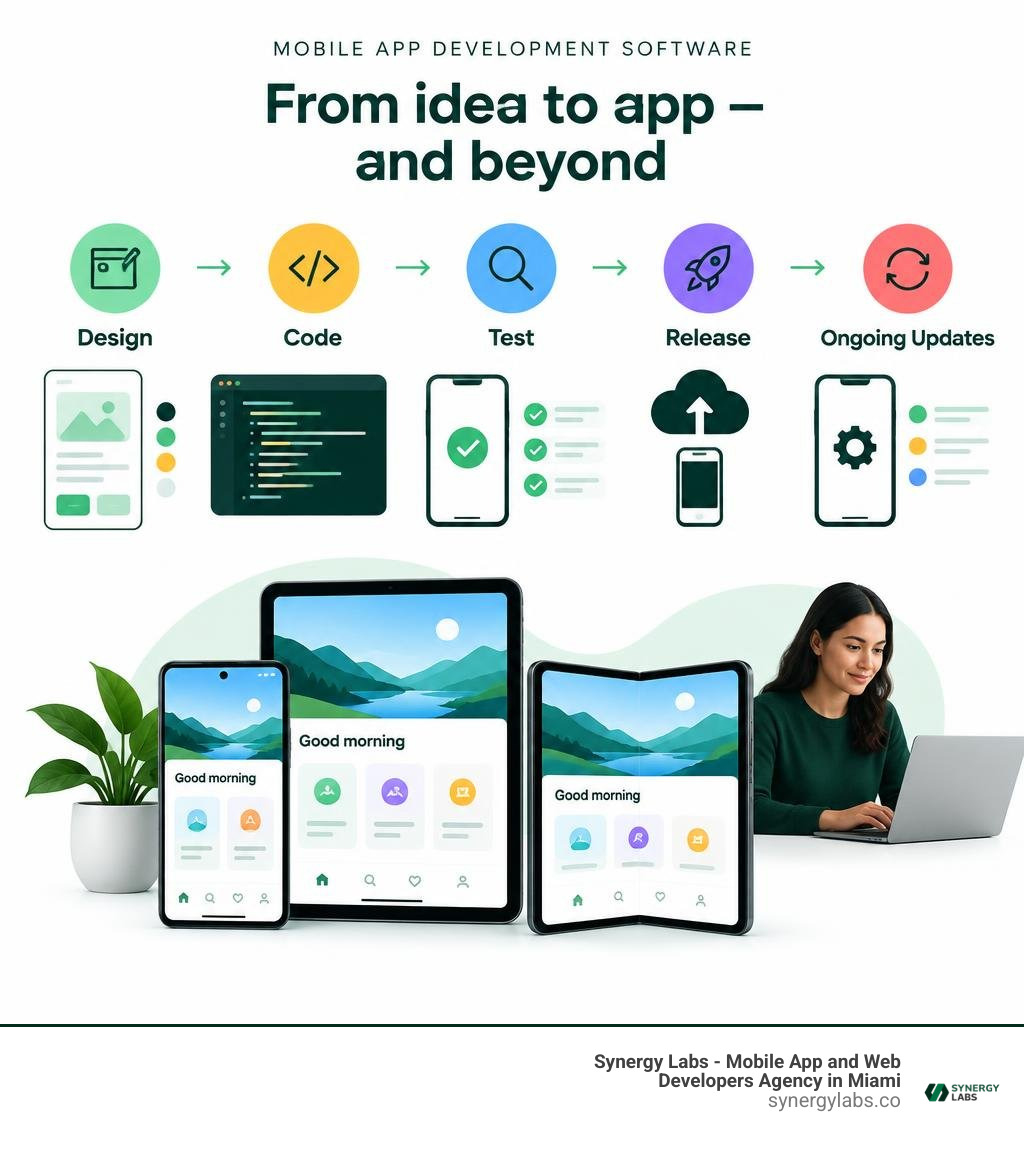
How to choose mobile app development software in 2026
Start with the product you need to build, not a list of features in a software package. A small internal tool, a media app, and a high-performance consumer product have different requirements for design, device access, testing, and ongoing support.
Native apps are built for a specific operating system and can use its APIs directly. Cross-platform development can share code across platforms, which may reduce duplicated work, but teams still need to test the user experience on each target device. Low-code and no-code tools can help with simpler workflows and prototypes; check carefully whether they offer the customization and integrations your app will need as it grows.
Also consider the full lifecycle: design, development, testing, release, analytics, security updates, and maintenance. A tool that speeds up the first build may not be a good fit if it makes later changes difficult or limits access to app data.
Our guide to cross-platform development approaches can help teams assess how much code to share. For a broader view of the development workflow, see our overview of essential development tools.
What mobile app development software should include
A practical toolset should support coding and interface work, access to the relevant SDKs, and a way to build and package the app. Emulators help teams check behavior on simulated devices, while debuggers and profilers help identify errors and performance issues.
Look for support for automated tests, release builds, and a repeatable deployment process. Analytics can help a team understand how people use an app after launch, while cloud services and APIs can provide functions such as data storage, authentication, and notifications. Security tools and clear controls over permissions and sensitive data should be part of the workflow, not a last-minute add-on.
The right setup may include several tools rather than one all-in-one product. Before committing, confirm that they work together and fit the team's skills, delivery schedule, and maintenance plan.
Match the tool to the app and team
Map your app's technical needs before choosing a development environment. Does it depend on specialized device features, demanding graphics, media playback, or frequent offline use? Does it need to work on phones and tablets, or also on foldables and Chromebooks? These answers help determine how much native access, performance tuning, and device testing you need.
A shared codebase may help control development effort, but it does not remove the need to adapt layouts and test on each platform. Consider customization, learning curve, build and testing workflow, ongoing costs, and how easily you can move or maintain the code. AI assistance can support coding and testing tasks, but teams remain responsible for reviewing generated changes, protecting user data, and validating app behavior. The platform vendor's AI-assisted app development resources describe tools and workflows in that area.
The official integrated development environment and workflow
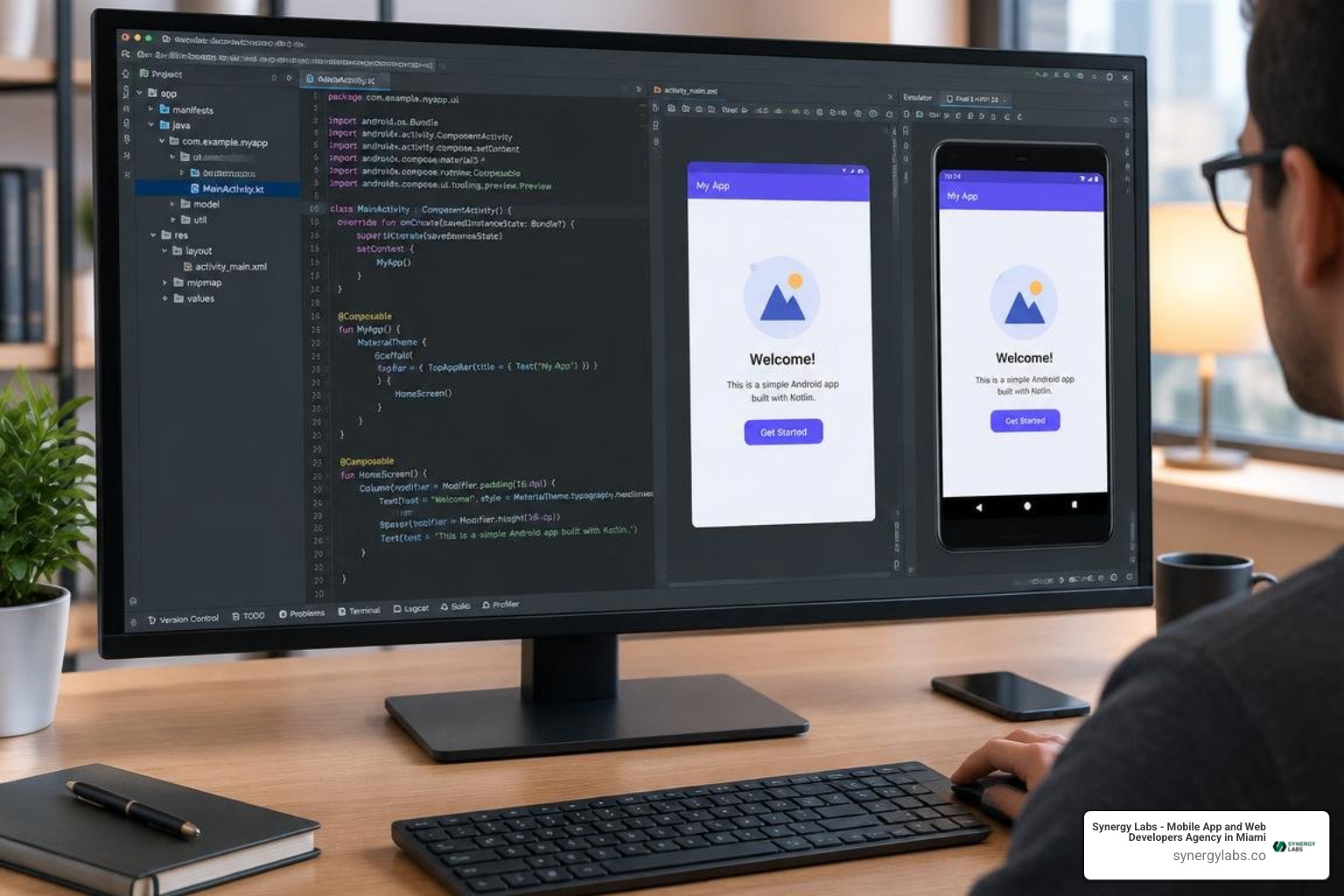
The official integrated development environment (IDE) for the leading mobile operating system brings coding, project configuration, device simulation, debugging, and packaging into one workflow. Teams can write apps using Kotlin or Java and work with the platform SDK, user-interface tools, and build system in the same environment.
A typical workflow is to create or open a project, build its screens and app logic, run it on an emulator or physical device, test and refine, then create a release build. The app's technology choices and dependencies influence how that workflow is configured. Our overview of the mobile app technology stack explains how the main pieces fit together.
How the official IDE supports mobile app development software workflows
The official IDE includes code completion and refactoring tools to help developers write and reorganize code. Layout Editor and Compose previews help teams examine interfaces during development. The built-in emulator can simulate different device configurations, which is useful for checking how an app responds to screen sizes and system settings.
The debugger helps investigate errors, and profiling tools can reveal performance issues such as excessive resource use. SDK Manager provides access to platform development components, while Gradle manages project builds and dependencies. Developers can configure build variants for different development or release needs, use version control as part of their workflow, and create signed packages for distribution.
These features complement rather than replace testing. Emulators are valuable for quick checks, but real devices can expose differences in performance, input, sensors, and hardware behavior that a simulation may not capture.
IDE release channels and operating system downloads
As of November 2026, the latest stable release in the supplied release information is version 2026.2.2 Patch 2. The Stable channel is generally the appropriate choice for teams that prioritize a tested development environment. A Canary channel build is available for developers who need to evaluate features still under development; pre-release builds may be less stable.
Choose the download package that matches your computer:
- Linux: Select the Linux package for a compatible 64-bit system. Check current system requirements before installing.
- macOS with an Apple chip: Choose the Apple silicon build for Macs using Apple processors.
- macOS with an Intel chip: Choose the Intel build for Macs with Intel processors.
- ChromeOS: The IDE can be used on supported Chromebooks through the Linux development environment. Confirm that your Chromebook supports Linux apps and meets the IDE's requirements.
These options are built for different operating systems or processor architectures, so choose the one that matches your device. Existing users can check for updates from Help > Check for Updates on Windows or Linux, or IDE Name > Check for Updates on macOS.
SDK License Agreement essentials
Before downloading the IDE or SDK components, developers must accept the platform SDK License Agreement. In general, the agreement grants a limited, worldwide, royalty-free, non-exclusive, non-transferable, and non-sublicensable license to use the SDK to develop applications for compatible implementations of the operating system. It does not grant unrestricted rights to use the SDK for other purposes.
The agreement also sets out responsibilities and limits, including:
- Compatibility and permitted use: Applications are intended for compatible implementations of the operating system. Compatibility requirements include the platform's Compatibility Definition Document and the Compatibility Test Suite for device implementations.
- Credentials: Developers are responsible for keeping developer credentials confidential and for activity carried out using them.
- Privacy and legal compliance: Developers must provide appropriate privacy information, safeguard personal and sensitive data, and comply with applicable laws and accepted practices.
- Third-party apps and APIs: Separate terms may apply to third-party applications or platform APIs. Developers are responsible for reviewing the terms relevant to their use.
- Termination and liability: The agreement covers termination, warranty disclaimers, liability limits, and indemnification.
- Governing law: The supplied agreement is dated April 28, 2026, and specifies California law and exclusive jurisdiction in Santa Clara County, California.
Review the complete agreement before accepting it. The summary here is not a substitute for the license terms.
Adaptive quality, media libraries, and the multidevice ecosystem
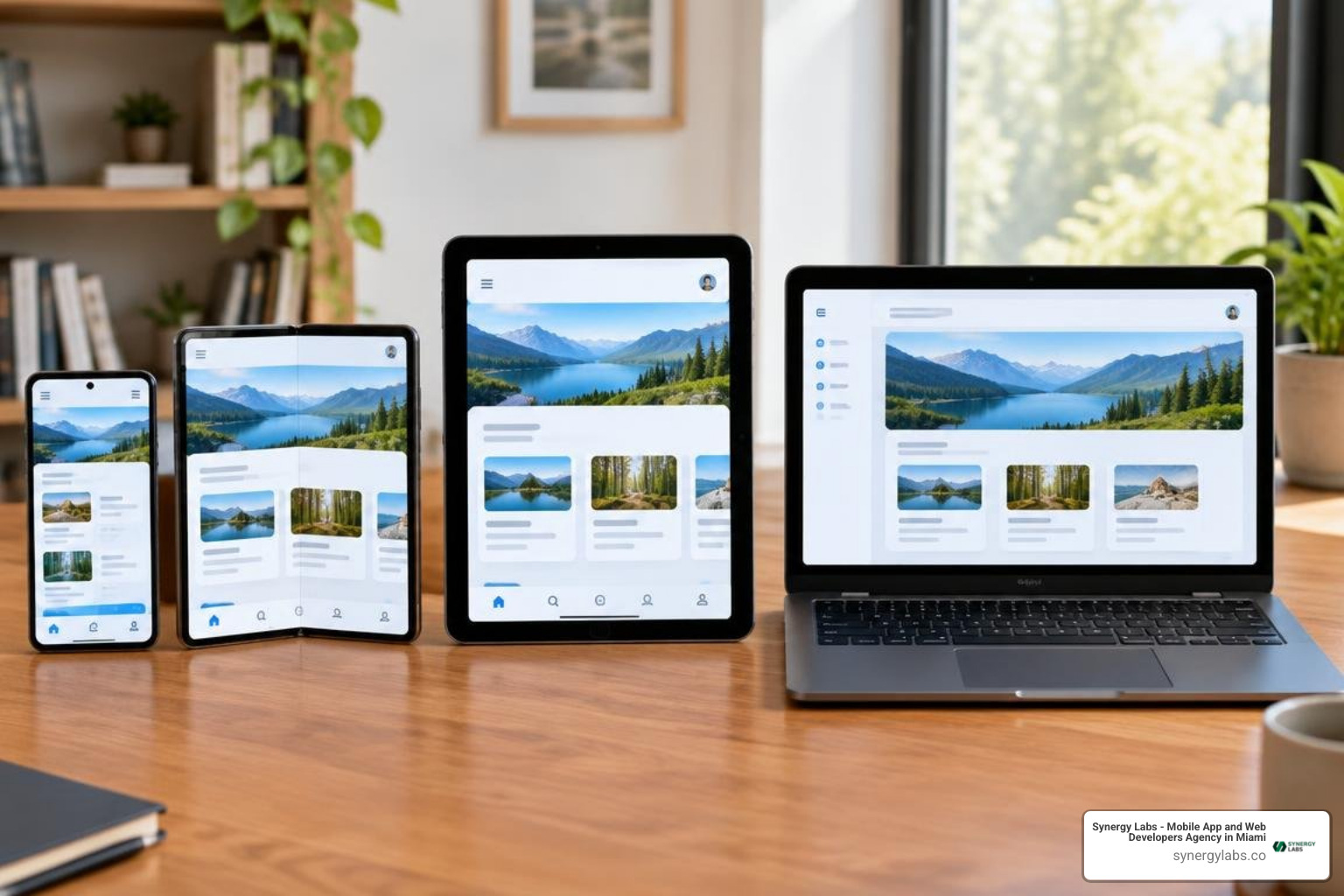
Mobile development now extends well beyond phones. In 2026, the ecosystem included more than 500 million active devices across categories such as foldables, tablets, XR, Chromebooks, and compatible cars. That range creates opportunities to reach more users, but also means apps need to respond to different screen sizes, input methods, and ways of working.
For teams building across platforms, cross-platform app development considerations can help clarify where shared code makes sense and where platform-specific work remains important.
Prepare apps and games for the app marketplace's adaptive quality standards
The major app marketplace's new adaptive quality requirements take effect in April 2027. They reflect an expectation that apps should work well across screen sizes, rather than simply stretching a phone layout to fill a larger display. Developers should plan for resizable windows, orientation changes, larger-screen layouts, and foldable postures.
For games, the marketplace is also introducing large-screen and foldable quality standards that focus on the player experience. Teams should examine how gameplay, controls, and layouts behave on larger displays and when a foldable device changes form. Testing early gives developers time to fix usability issues before the requirements take effect.
The exact work will depend on the app. A productivity app may need a layout that uses extra screen space effectively; a game may need to consider how its interface and play experience adapt. In both cases, testing multiple device configurations is more reliable than assuming a design will scale automatically.
Use the platform media library updates to build media experiences
The platform's media libraries provide playback and related app features. Their releases add tools for building media experiences, including components that support modern declarative UI interfaces.
Version 1.9.0 introduced several useful additions. The inspector module can extract media metadata and frames outside active playback. The Compose Material 3 UI module helps developers create a basic media interface using declarative UI and Material 3 components. The cast module can manage transitions between local playback and Cast playback.
Version 1.10 added a Player Composable that combines a ContentFrame with customizable playback controls, giving teams a starting point for a player interface without requiring them to assemble every element from scratch.
Version 1.11 builds on the library's playback, editing, and Compose UI capabilities. The supplied platform developer information identifies it as the latest release in this sequence and notes that it powers the vast majority of top media apps on the platform. Developers should review release notes and compatibility details before upgrading, especially when an app depends on customized playback behavior.
Design and test for more than phones
Start adaptive design with the available window size, not a fixed device label. Window size classes can help determine when to change navigation, reorganize content, or show additional panes. On tablets and foldables, adaptive navigation and layouts can make better use of the screen; on Chromebooks, keyboard and pointer input may matter alongside touch.
Consider whether an app preserves state when a user resizes a window, changes orientation, or moves between folded and unfolded postures. Accessibility, readable content, and predictable controls should remain priorities across layouts. Emulators can help teams test configurations early, while physical devices can validate performance, touch behavior, keyboard input, and hardware-specific features.
Use both forms of testing: simulated devices provide convenient coverage, and real devices help confirm how the app behaves in practice. Our cross-platform development tips cover additional planning considerations for teams supporting multiple platforms.
Learning resources, selection checklist, and next steps
Platform development resources include structured training, reusable code samples, sample projects, design guidance, and advice on preparing an app for release. The annual developer summit also offers more than 50 talks covering tools, features, and development practices.
Use these materials to answer specific questions as they arise: how to implement an interface, test a feature, prepare an app for distribution, or adapt a layout. Learning resources are most useful when teams pair them with hands-on practice and testing on the devices their users rely on.
Resources to build and ship a high-quality app
Useful resources include:
- Training classes and sample code: Follow guided lessons and adapt reusable examples to understand platform APIs and development workflows.
- Design and behavior guidance: Review platform design recommendations, particularly for adaptive layouts, large screens, and foldables.
- Testing and release preparation: Test on emulators and real devices, then plan release builds and distribution steps.
- Privacy and security guidance: Provide a suitable privacy notice, manage permissions carefully, and store personal or sensitive information securely.
- Category-specific materials: Explore guidance for areas such as media playback, games, and health experiences. Health Services and Health Connect resources may be relevant for apps that work with health and fitness data.
For teams evaluating project support and delivery needs, our app development service options provide an overview of how we approach app projects.
Quick checklist before choosing a tool or starting development
Before committing to a toolset or beginning development, confirm that you can answer these questions:
- Who are the target users, and which devices do they use?
- Which operating systems, screen sizes, and device types must the app support?
- Does the app need native features or specialized performance?
- Can the team build, test, sign, and release the app reliably?
- Does testing cover accessibility, adaptive layouts, and real devices?
- How will the app protect user data and handle permissions?
- Has the team reviewed the SDK license and any relevant API terms?
- What is the release plan, and who will maintain the app after launch?
- Do the budget and team skills match the scope and long-term support needs?
Some projects also include a web experience alongside mobile apps. Our web app development options can help teams consider that part of a broader product plan.
Build for the screens your users have
The right development environment supports the whole product lifecycle: coding, testing, release, and updates. For teams building for the leading mobile platform, the official IDE provides an integrated workflow, while the platform media libraries can support media features and the marketplace's adaptive quality direction makes large-screen testing increasingly important. Plan for device variety early, and use both emulator and real-device testing to find issues before launch.
At Synergy Labs, we build scalable cross-platform apps with user-centered design, robust security, rapid launches, and ongoing support. Our personalized approach gives clients direct access to senior talent. We also offer a fixed-budget model, an in-shore CTO working with an offshore development team, and milestone-based payments to keep delivery focused and projects moving efficiently. Plan a mobile app project with Synergy Labs.